

Hiring a remote tech team can feel like the fastest way to increase output, fix more, and finally get ahead of the backlog without more office space. However, it can also become the fastest way to create new risk, especially when you are moving customer data through tools, tickets, code repositories, and cloud environments you do not fully control. This is where a remote tech team security checklist becomes essential rather than optional.
Fortunately, security and compliance are not mysteries reserved for enterprise giants. They are the result of simple decisions made early, then repeated consistently. Whether you're managing a small startup or scaling rapidly, the same foundational principles apply when you improve your business's security in 4 steps: controlling access, protecting data, securing endpoints, and planning exits. Use this checklist to cut risk while keeping hiring momentum. Use this remote tech team security checklist to cut risk while keeping hiring momentum.
Choose the right engagement model
Before you send repo invites or production credentials, decide how you will structure the relationship. Risk changes based on who employs the team, who controls devices, and who owns day-to-day processes.
If you are weighing offshoring vs outsourcing, tie the choice to specific controls. Be sure to confirm who provides laptops, mobile device management, and endpoint protection. Define who approves access, who removes it, and where work happens (your systems, their systems, or both).
Additionally, name a security owner on both sides, and document an exit plan that includes access removal, data return, and credential rotation. Most importantly, there should be no access until the paperwork is complete.
Define data boundaries before you share anything
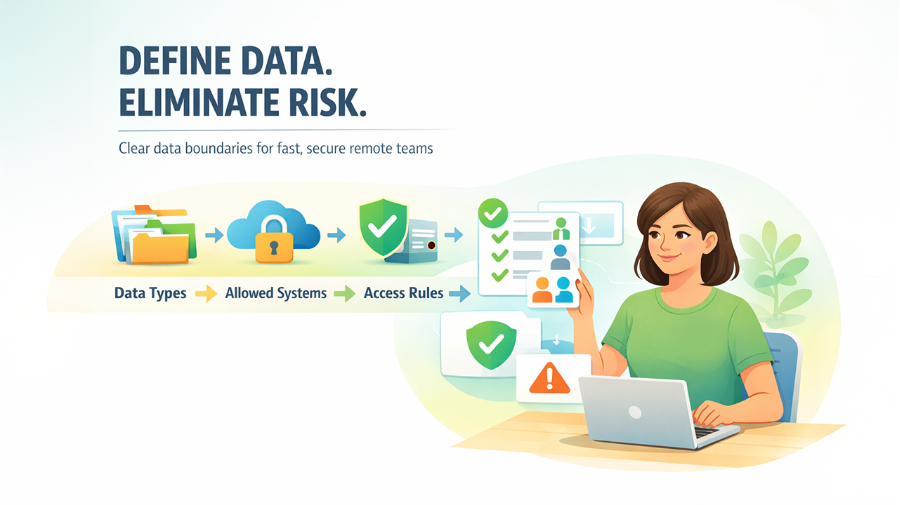
Remote teams move fast, and vague data rules become risky shortcuts. Classify your data in plain language, then map each class to allow systems and handling rules. For example, internal documents can live in approved SaaS with multi-factor authentication, but restricted customer exports cannot be downloaded locally. Do this once, then reuse it for every role. Your goal is fewer judgment calls and more predictable outcomes.
Make identity and access the non-negotiable
Start with least privilege by role, not by seniority or urgency. Every access grant should be tied to a ticket or written approval, and every privileged action should be traceable. Do not allow shared logins, even temporary ones. Minimum identity access management setup should include:
- Unique accounts for each person, with enforced MFA across all critical tools
- Role-based groups, with separation between daily work and admin privileges
- A simple access request path, including an approver and a reason field
- Scheduled access reviews, especially for production, billing, and data platforms
Control endpoints, even when you do not own the device
You can ship company laptops, allow BYOD, or run a mixed model. The rule is simple: if you cannot enforce baseline controls, do not allow access to sensitive systems from that device. Write endpoint standards into onboarding, and require confirmation before credentials are issued. If BYOD is common, consider virtual desktops or locked-down developer environments for higher-risk work.
At minimum, require full-disk encryption, strong screen lock settings, current OS and browser updates, and endpoint protection where appropriate. Additionally, define where sensitive files may live. If the answer is “anywhere”, you do not have control.
Secure the development workflow and secret handling
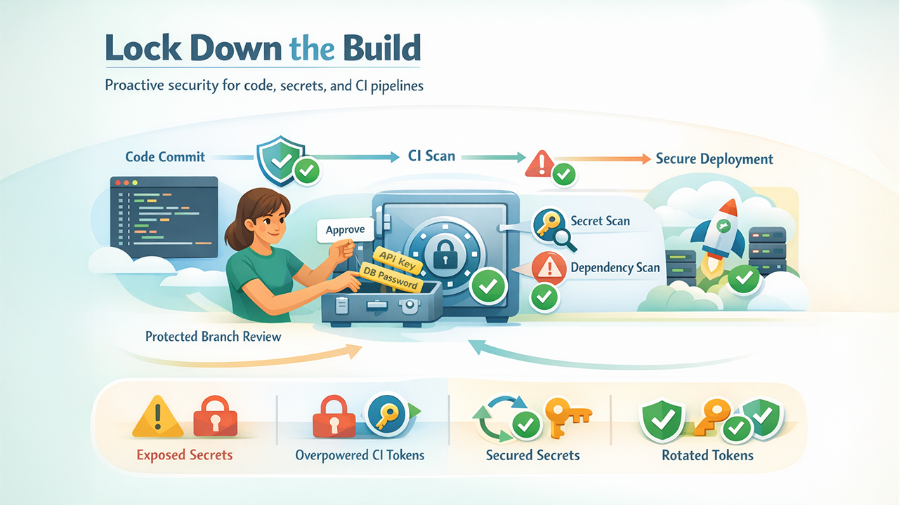
Most failures start with exposed secrets, weak branch protections, or an overpowered continuous integration token. Require reviews on protected branches, and scan for secrets and vulnerable dependencies in continuous integration. Be sure to centralize secrets in a manager, and rotate them when roles change. Set a clear rule that secrets should be shared on Slack, then provide an easy, approved method for sharing them securely.
Put compliance duties into contracts and policy packets
Security guidance is optional unless it is contractual. Your paperwork should match your data and your regulators. Keep it readable, but make it explicit. Include confidentiality, IP assignment, acceptable use, data processing terms when personal data is involved, and clear breach notification obligations.
Be sure to also cover subcontractors. If someone else might touch your data, your agreement should say so, and you should have approval rights. Use one standard packet, then adapt it for edge cases.
Treat offboarding as a system, not a task
Offboarding is where remote access lingers. Accounts remain active, tokens keep working, and old devices continue syncing. You can prevent this by designing offboarding on day one and testing it. Tie deprovisioning to HR or vendor termination events, and make revocation the default outcome, not a manual reminder. Your offboarding remote tech team security checklist should cover:
- Same-day access removal across single sign-on on email, repositories, cloud, and support tools
- Key rotation for shared services, plus token invalidation for continuous integration
- Device return or remote wipe confirmation, with evidence recorded
- Data return or deletion steps, aligned to contract requirements and retention rules
- A quick audit for unusual downloads or access spikes in the final two weeks
Endnote
Hiring remote tech teams does not have to mean trading trust for control. When you treat vendors as part of your stack, draw clear data boundaries, lock down identity, enforce endpoint standards, harden the developer workflow, contract for compliance, and automate offboarding, a remote tech team security checklist helps you protect customer data, reduce legal exposure, and keep delivery moving without relying on luck or memory.
%201.png)

%201.png)

%201.png)