
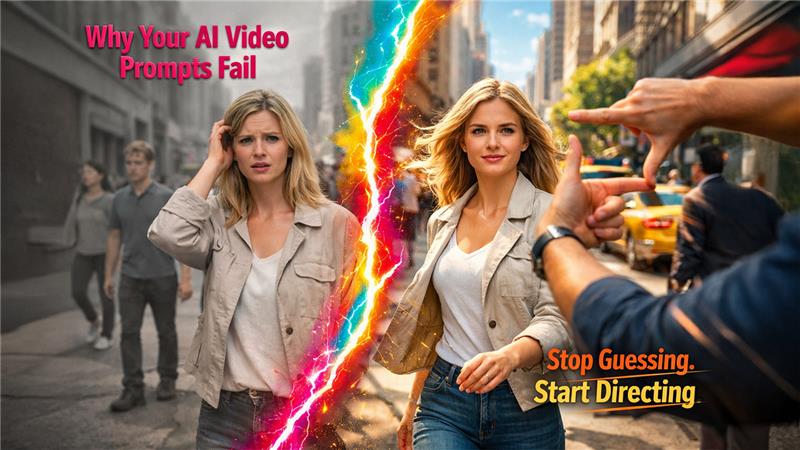

You type something like "a woman walking in a city" and hit generate. The result comes back and it looks… fine. Generic. Still way different from what you visualized. So, you re-submit your prompt and hope that it gives you a better result. However, the result is the same. You try a third time. Still not what you need.
This is the most prevalent frustration that people experience when utilizing an AI video generator for the very first time. There is no broken tool. The prompt just appears to be too thin. A vague and generic prompt gives AI no context, so it auto fills the gap with the most predictable and average version of your scene. The solution here is not to go for a better tool. The fix is a better prompt.
Here are the 5 particular details that make vague vs specific prompts different.
1. Mention the Shot Type or Camera Angle
A lot of users describe what the scene is but overlook the importance of describing how the camera sees the scene. So, noticing the gap in your prompt, AI makes the decision to auto fill it, and it always chooses something uninspired and flat.
Perform a comparison between the two prompts.
Vague: "A man running on a treadmill”
Specific: "A top-view short of a man running on a treadmill, sweating profusely as the camera slowly zooms in.”
In the second prompt, you get complete visual instruction, not just a description of a scene. You get movement, perspective, and depth. The difference in output is massive.
Some camera terms that work well in prompts:
- Close-up, extreme close-up
- Wide shot, establishing shot
- A shot with an over-the-shoulder view.
- Worm's eye view, bird’s eye view.
- Push in slowly, pull back slowly.
Pick one. Do not stack three camera movements in a single prompt. That confuses the model and produces unstable results. If you are starting from a still image, understanding image to video prompt best practices can give you an even sharper head start before you add motion to your scene.
2. Describe the Lighting Specifically
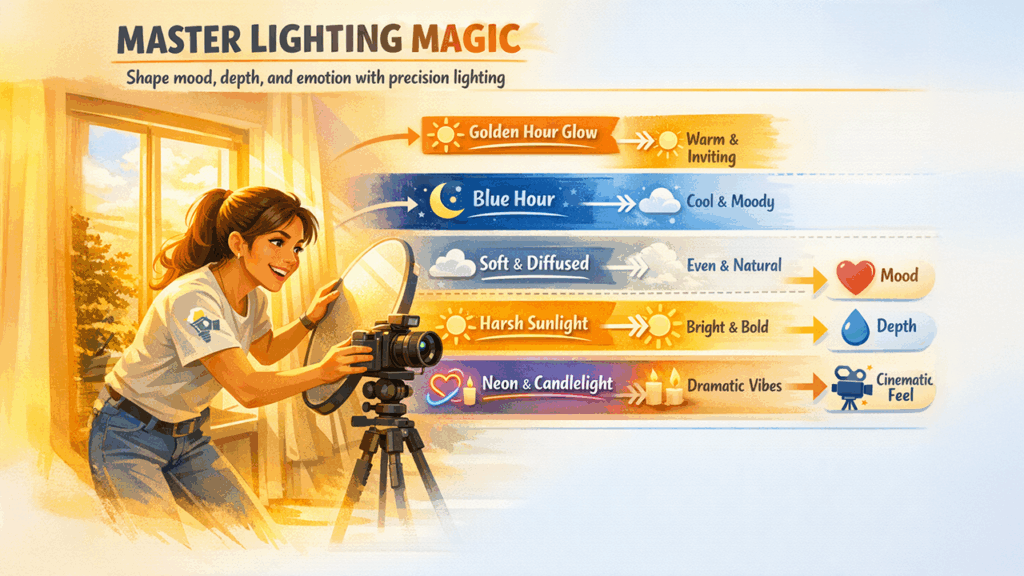
Lighting is the single most powerful mood-setter in any video. When you skip it in your prompt, the AI defaults to flat, neutral lighting that makes everything look like a stock video.
Vague: "A woman talking to a gamekeeper"
Specific: "A woman talking to a gamekeeper while strolling the garden with a book in her hand and morning sunshine lighting up her round face and creating warm and gentle shadows”
Note that the second prompt does not just describe the type of light in the screen, but what it actually does in the scene. What color it is, where it falls, and the kind of shadow that it creates. This high detail level provides the AI with a clear context of the scene and what visual targets to hit. This example clearly highlights the difference between vague vs specific prompts.
Lighting words that consistently improve results:
- Blue hour light, golden hour light.
- Overcast diffused light
- Harsh midday sunlight
- Neon-lit, candlelit, backlit
- Warm and soft rim lighting, dramatic side lighting
3. Set the Mood or Emotion
This one comes as a surprise to a lot of people. You can describe the scene that you want, and AI will follow your instructions.
Vague: "A road with trees on both sides at night”
Specific: "A empty and quiet street at night, melancholic mood, colors are slightly desaturated, with misty air and the atmosphere must feel lonely”.
AI identifies and analyzes emotional language to transform it into visual choices like pacing, contrast, and temperature. A “peaceful” scene gives off a different vibe than a “tense” scene even if they share the same subject.
Some mood and emotion words that produce good results:
- Melancholic, nostalgic, cheerful
- Nervous, suspenseful, anxious, glum
- Peaceful, serene, calm and meditative
- Chaotic, energetic, urgent, emergency
- Isolating and cold; Warm and inviting
No need to overthink this. Just add one or two mood words to your prompt and you will see the obvious change in the results.
4. Mention the Time Period or Visual Style
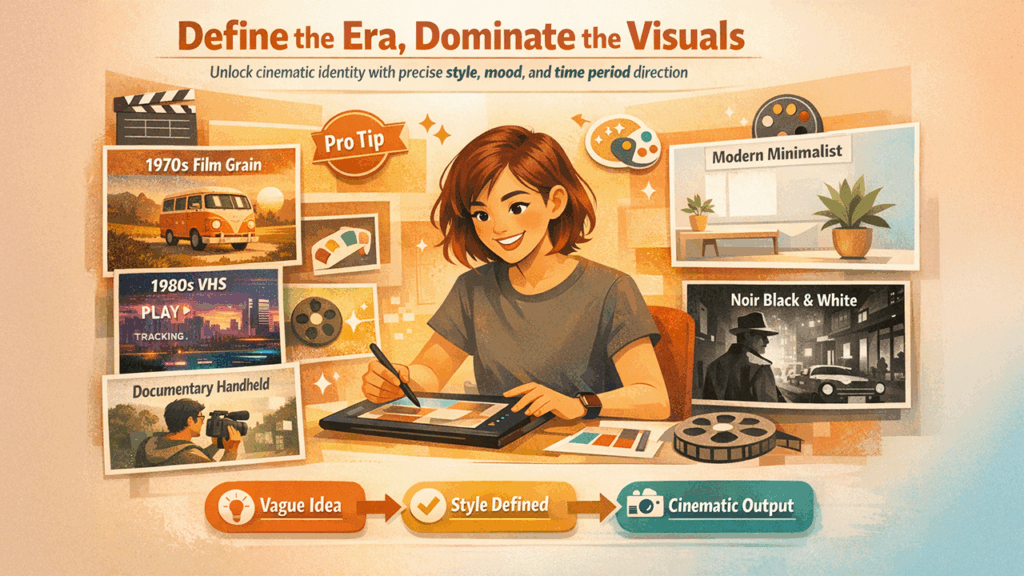
Without this detail, the AI defaults to a vague "modern day" look that has no strong visual identity. Telling the AI a time period or referencing a visual style immediately sharpens the aesthetic of the entire scene.
Vague: "A bustling marketplace"
Specific: "A crowded marketplace in 1970s Japan, afternoon lights that feel dusty, warm earthy tones, and handheld documentary-style vintage camera"
It is not necessary to mention the name of the specific film or director. It is enough if you just describe the era, color combinations, and the camera style together. AI can work with these details to give the outputs that you desire.
Style references that generate strong results:
- 1970s film grain, 1980s VHS aesthetic
- Modern minimalist, clean commercial look
- Documentary handheld style
- Classic Hollywood style, noir black and white
- Anime-inspired, graphic novel style
5. Describe What the Subject Is Doing, Not Just Where They Are
People often forget to pay attention to this detail in AI video prompts. Beginners describe a location and a subject but forget to add action. Static descriptions produce static-feeling videos.
Vague: "A male chef in a kitchen"
Specific: "A male chef in a busy open kitchen, chopping vegetables quickly, steam rising from a pan in the foreground, attentive and focused expression"
Notice the second prompt has multiple layers of action happening at once. The chef is chopping. Steam is rising. There is a foreground element. All of that tells the AI this is a living, breathing scene, not a still image with slight movement.
Action details that bring scenes to life:
- Physical movement of the subject (running, laughing, looking up slowly)
- Background activity (people walking, leaves falling, traffic moving)
- Foreground elements that add depth (fog, rain, objects passing the camera)
- Body language or facial expression
Putting It All Together
Now let’s look see what the full transformation looks like when you apply all 5 details together:
Vague prompt: "A woman taking a stroll in a city at night"
Specific prompt: "A close-up shot of a young blonde woman walking through a drizzled city street at night, neon reflections on the wet pavement, melancholic mood, slow motion, desaturated colors with pops of red and blue neon, shallow depth of field.
However, only one prompt gives details to AI about the kind of film, how camera lens sees it, what the light looks like and how the mood should feel. This is the difference between a forgetful scene and a scene that feels intentional.
The AI is not guessing what you want when you give it these 5 details. It is executing a vision. Your vision. The tool has not changed. The instructions just got clearer. This is the difference between vague vs specific prompts.
Start with your next prompt. Add a shot type, describe the lighting, name the mood, set the era, and give your subject something to do. You will see the difference immediately.
If you want to put these techniques to work right now, try them on ImagineArt. This platform is created so that it can respond to details and descriptive prompts exactly like the one mentioned in this guide. Describe your scene, apply prompt-based color correction to elevate the mood, and observe how much closer the output gets to what you actually had in your head.
%201.png)

%201.png)

%201.png)

