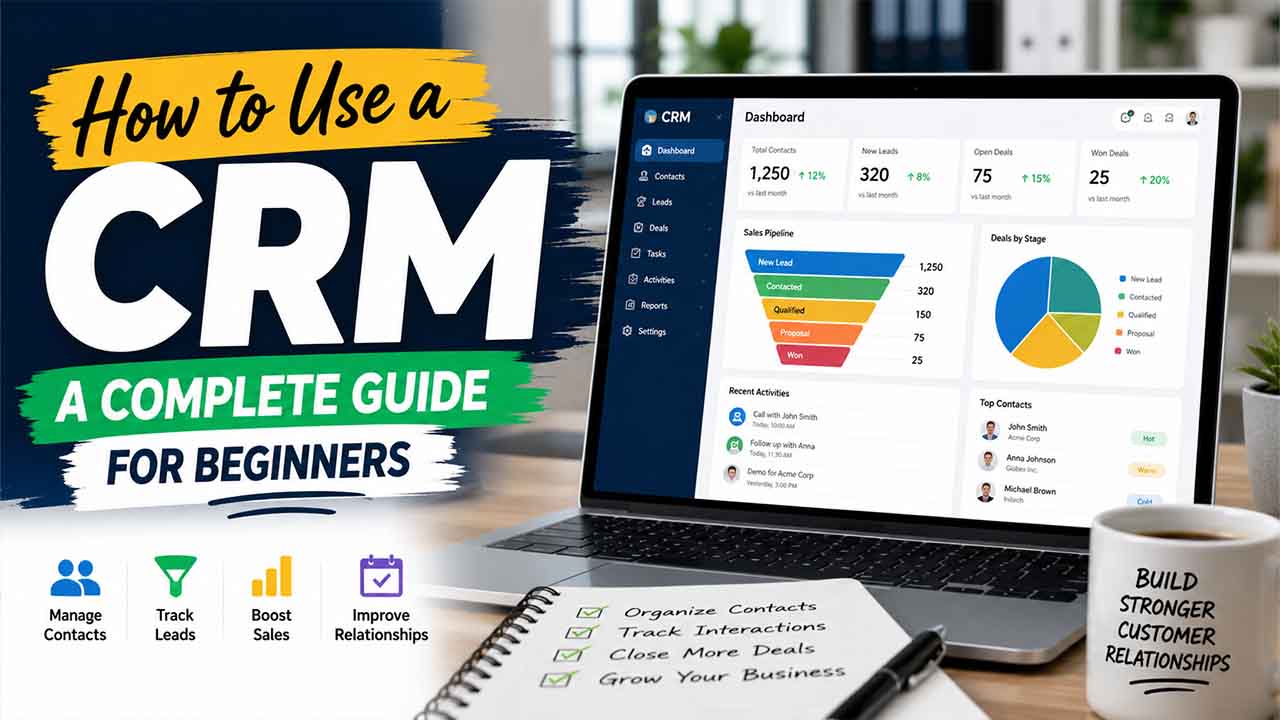

Managing customer data using emails, spreadsheets, and sticky notes just doesn’t work once your business starts to grow. If your team keeps missing follow-ups, loses track of leads, or has poor visibility to your sales pipeline, it’s time to actually learn how to use a CRM—and use it well.
If you're still on a spreadsheet, starting with a CRM in Google Sheets is a practical first step before committing to dedicated software.
With a CRM (Customer Relationship Management) system, everyone can access up-to-date information about every customer, all in one place. Sales, marketing, customer support—everyone stays on the same page. Instead of scattered data and clunky workflows, you get smooth transitions, automated routine tasks, and consistent revenue growth.
This guide keeps things simple and clear. You’ll see what a CRM really does, how to set it up, use it daily, and get the most value from it.
What Is CRM?
A CRM stands for Customer Relationship Management. Basically, it's software that helps businesses manage, automate, and keep track of everything about their customers, such as contact information, past conversations, support requests, and even ongoing sales activities—all in one centralized place.
Today, many organizations use CRM tools, including:
- Sales teams lean on them to manage leads.
- Customer support relies on them to remember every detail of past issues.
- The marketing team uses CRM data to deliver more targeted campaigns.
- Business owners and account managers leverage it to get a full picture of every client.
At its core, a CRM helps build stronger customer relationships and makes things run smoother, which means happier customers and more sales.
Some standard features you’ll find in a CRM are:
- Contact and account information: Names, job titles, email addresses, and conversation notes
- Lead and opportunity data: Where each prospect stands in the sales process
- Conversation history: Calls, emails, meetings, and support tickets
- Tasks and follow-up reminders: Scheduled next steps for every relationship
- Pipeline and deal stages: Gives a real-time view of all active opportunities
- Reports and dashboards: Provide insights into team performance and revenue forecasting
A CRM isn’t just a static database you check once in a while—it’s the core of your daily workflow. It pulls together everything about your customers into one place, so everyone in the company is always using the most accurate, up-to-date customer information.
How to Start With a CRM: Step-by-Step
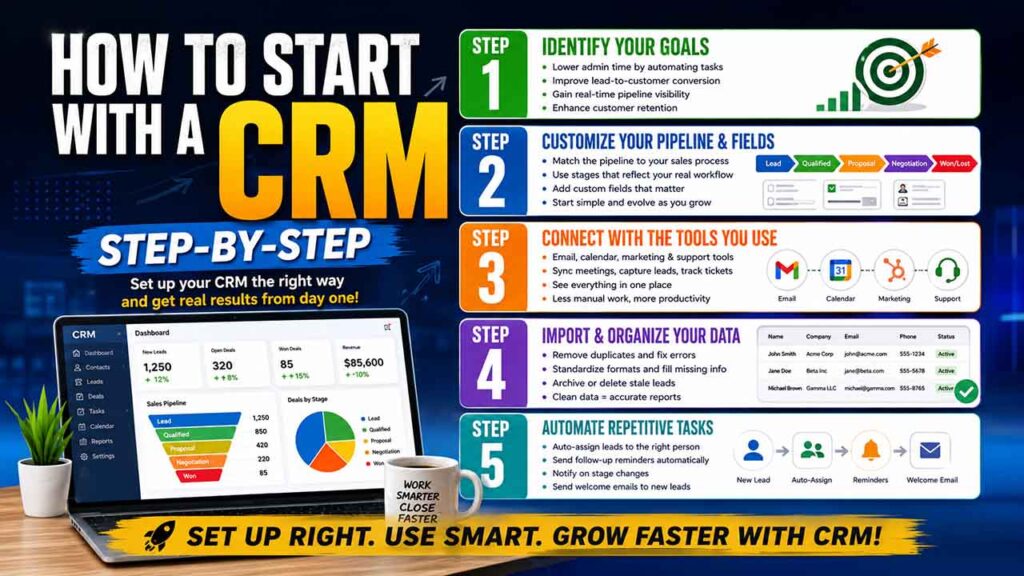
If you actually take the time to learn how to use a CRM, you’ll get way more out of it. The key is setting up properly right from the start. A CRM works best when it’s carefully organized before loading all your data. Here’s how to do it:
Step 1: Identify Your Goals Before Finalizing a CRM
Don’t pick a CRM just because everyone says you need one. Think bigger. What’s your goal? Maybe you want to keep your sales team working from the same list, track renewals automatically, or finally see where you lose deals. Before committing, define specific outcomes, such as:
Lowering administrative time by automating manual tasks
- Improving lead-to-customer conversion rates
- Gaining real-time pipeline visibility for accurate forecasting
- Enhancing customer retention by tracking engagement signals
The point is—align CRM usage with quantifiable goals to ensure the system offers tangible results from day one. Otherwise, your CRM just becomes another tab you ignore.
Step 2: Customize Your Pipeline and Fields
Match the CRM’s pipeline to the way your team actually moves. Maybe your process goes: Lead, then Qualified, then Proposal, Negotiation, and finally either Won or Lost. Make those labels fit your team’s strength and add custom fields that matter to your business—like renewal dates or deal size. Start with what you need and evolve later as your team gets the hang of it.
Step 3: Connect With the Tools You Already Use
You’ll save time and headaches when your CRM connects to your email, calendar, and other tools your team leans on every day. Connect those tools early so everyone can see appointments, emails, and deals in one place. That’s where the real value shows up.
- Email — to automatically log outbound and inbound communications
- Calendar — to sync meeting schedules and track customer touchpoints
- Marketing tools — to capture leads from campaigns and web forms
- Support platforms — to give sales teams visibility into open tickets
The more integrated your CRM, the less manual data entry your team will need to do.
Step 4: Import and Organize Your Contact Data
Before importing contacts, clean and standardize your existing data:
- Remove duplicate records to avoid confusion
- Standardize formats for phone numbers, dates, and addresses
- Fill in incomplete fields, such as missing email addresses or company names
- Archive or delete stale leads that are no longer relevant
Clean data is the foundation of a reliable CRM. Poor data quality leads to inaccurate reporting and wasted time.
Step 5: Automate Repetitive Tasks
Most CRM platforms offer powerful workflow automation. Start with high-impact, simple automations such as:
- Auto-assigning new leads to the right sales representative
- Sending follow-up reminders after a set number of days of inactivity
- Triggering notifications when a deal moves to a new pipeline stage
- Sending welcome emails automatically when a new lead is created
Automating these tasks frees up hours each week and ensures no opportunity falls through the cracks. Some teams pair these automations with 2-way SMS for time-sensitive follow-ups, since clients can reply directly to confirm they've seen a reminder or notification.
CRM Best Practices to Maximize Value
Knowing how to use a CRM takes more than just learning the basics. If you want your CRM to actually help you deliver precise and consistent results, you’ve got to follow some best practices.
- Start with your data. Remove duplicates, fill in missing info, update regularly, and archive contacts who aren’t active. Make this part of your routine—conduct a monthly audit at least. Clean data gives you insights you can trust.
- Standardized workflow across teams. Decide what needs to be logged, what counts as a follow-up, and how you handle each stage in the pipeline. If everyone uses their own system, your data gets messy. Clear definitions mean you can rely on what you see.
- Don’t settle for generic training. Give your team proper training that fits their role. Sales reps need something different from managers or marketing teams. Targeted onboarding makes the CRM way more useful for everyone.
- Keep things simple, especially at first. It’s compelling to add fancy fields, custom stages, and enable automations—but honestly, that just gets in the way if you haven’t mastered the basics. Build a strong, simple foundation first.
- Check reports and dashboards frequently. Schedule weekly time to review open deals, activities, and anything that’s stuck in the pipeline. Reports only matter if you actually use them to take action.
Common CRM Mistakes to Avoid
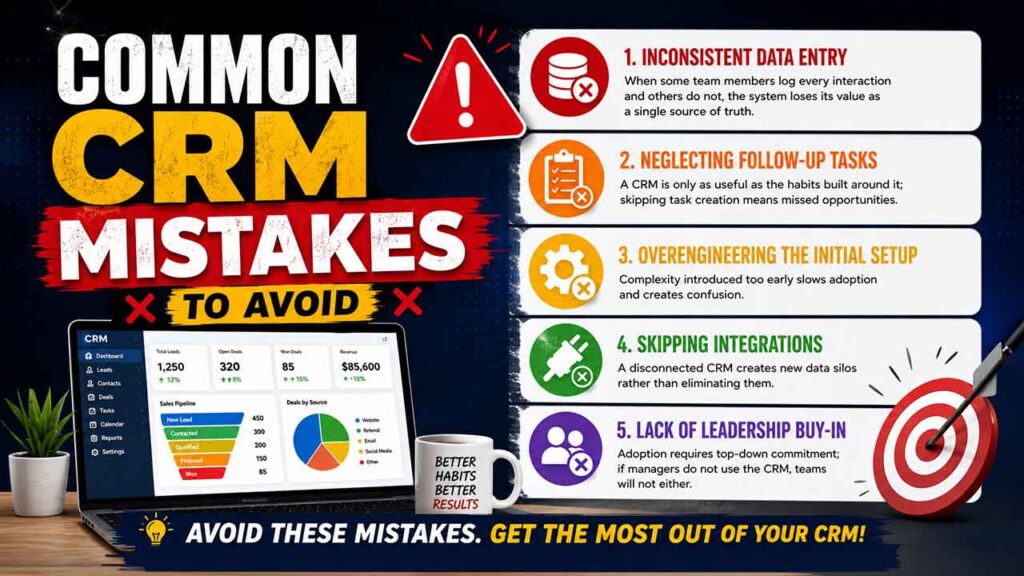
Even teams that mean well can make errors. Here are some of the common mistakes you’ll want to avoid:
- Inconsistent data entry: When some team members log every interaction, and others do not, the system loses its value as a single source of truth
- Neglecting follow-up tasks: A CRM is only as useful as the habits built around it; skipping task creation means missed opportunities
- Overengineering the initial setup: Complexity introduced too early slows adoption and creates confusion
- Skipping integrations: A disconnected CRM creates new data silos rather than eliminating them
- Lack of leadership buy-in — adoption requires top-down commitment; if managers do not use the CRM, teams will not either
Conclusion
Learning how to use a CRM can be a game-changer for any business working on sales or customer management. When you set it up right and used consistently, a CRM clears out messy, disconnected data, automates tedious repetitive tasks, and puts useful info in front of every team member. That enables everyone to build better relationships with customers.
Start simple: Define some clear goals, set up a straightforward pipeline, integrate your existing tools, and get into the habit of logging interactions and setting follow-ups every day. Once your team’s comfortable, add automation, try out some AI features, and dig into advanced reports. You’ll see bigger results without having to grow your team.
Think of your CRM as an ongoing resource—not a “set it and forget it” tool. The teams that treat it as their daily workspace see better numbers than those who treat it as an occasional reporting tool.
FAQs About How to Use a CRM
Q1. What’s the main purpose of using a CRM?
A CRM brings all your customer data—contacts, notes, call and email history, deal progress, follow-up tasks—into one place everyone on the team can access. You won’t lose track of leads or overlook customers. No more scattered info or missed opportunities.
Q2. How long does it take to set up a CRM?
Implementing a basic CRM setup usually takes a week or two. Moving your whole team over—including cleaning up data, connecting tools, and training—typically takes three to six months. The best approach? Start small, then add more features as you go, leading to faster and smoother results.
Q3. Is CRM just for big companies, or can small businesses use it too?
Both can benefit. Small businesses often use a CRM to replace scattered spreadsheets with an organized system that’s automated and easy to use. Plus, lots of CRMs have affordable or even free options tailored for smaller teams.
Q4. What’s the difference between a CRM and a spreadsheet?
A spreadsheet just holds data. A CRM does much more: It keeps track of every interaction, organizes your deals, reminds you about follow-ups, and gives you reports without extra effort. As teams grow, spreadsheets get clunky and error-prone, while a CRM scales seamlessly.
Q5. How do I get my team to actually use the CRM?
Choose a user-friendly system, train your team based on their roles, and appoint professionals to help out their coworkers. Most important? Leaders have to use the CRM themselves—when the team sees managers using it all the time, everyone else will follow.
%201.png)

%201.png)

%201.png)