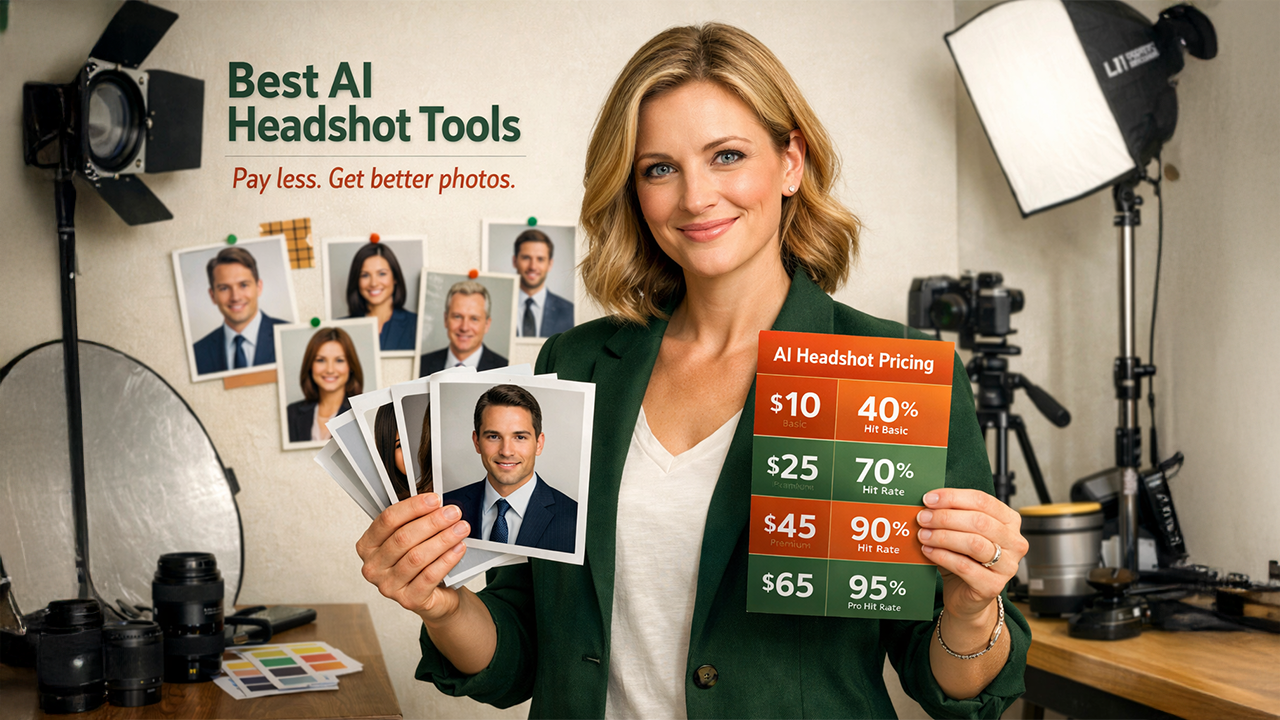

A sharp headshot still matters. Ten years ago, you hired a photographer, blocked half a day, and paid $300–$500 for a dozen shots. Today you can upload one selfie at lunch and browse AI portraits before the coffee cools. More than 20 million AI headshots already exist, with new generators launching every month—yet sticker price hides the real expense.
We’re zeroing in on cost per usable photo: what each LinkedIn-ready image truly costs. After testing seven leading platforms, we’ll show where your money goes furthest—and where to skip. Tools like the AI Ease Headshot Generator show just how accessible this technology has become, yet accessibility alone doesn't tell you where your dollar stretches furthest.
Why cost per usable photo beats sticker price
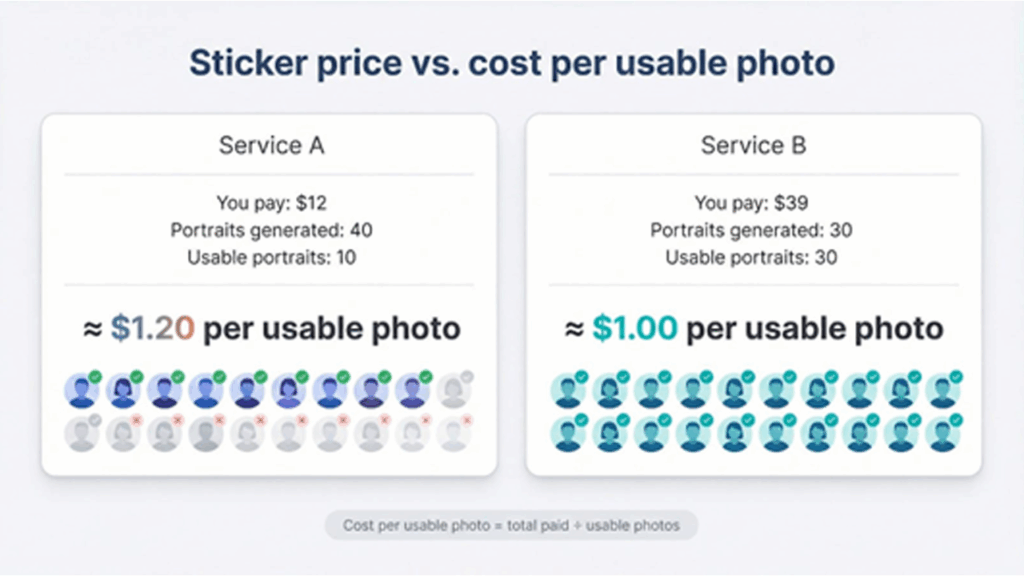
Sticker price looks clear: ten dollars here, forty there. Yet you won’t keep every generated headshot, and the rest head straight to the trash.
Cost per usable photo fixes that blind spot. Divide what you paid by the images you’re proud to publish, and value snaps into focus.
Take two services. One charges twelve dollars for forty portraits, but only ten passes your quality test, so each keeper costs about $1.20. Another bills thirty-nine dollars and delivers thirty finalists, bringing the cost to roughly a dollar each. The higher invoice yields better return.
The metric also captures hidden costs. Sifting through duds takes time. Fixing artifacts costs extra. When a generator nails lighting, likeness, and resolution the first time, you save effort and money.
Quality gaps have narrowed in 2026, yet they persist. New diffusion models raise realism, and stronger privacy rules push platforms to show their work. Even so, output consistency swings. Cost per usable photo lets us compare tools on neutral ground, free of marketing fog. These lenses were used during testing. Every ranking ahead flows from this math, helping you spend it smarter.
Testing and ranking methodology
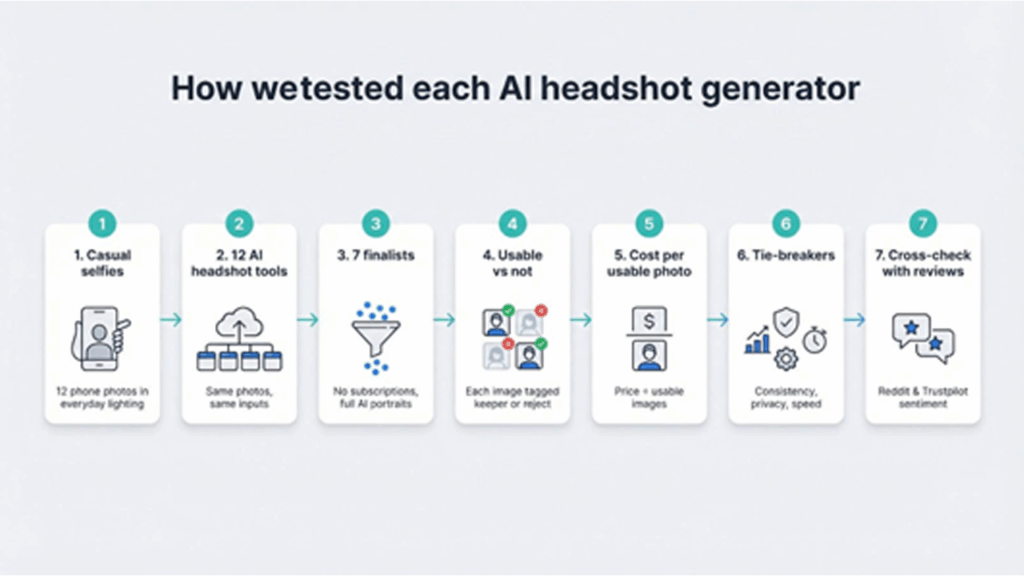
To compare tools fairly, let's see each one through the same process.
First, every tester shot twelve casual selfies on a recent phone under everyday lighting. No ring lights or studio backdrops; that setup matches what you likely upload.
Next, those images were fed into twelve headshot generators. Five dropped out quickly because they either required a monthly fee or only retouched existing photos. Seven moved on to full evaluation.
For every service, the entire batch was downloaded and marked for each image usable or not. A headshot passed if it looked sharp, preserved facial detail, and felt professional enough for LinkedIn or a company site.
Then results were tallied, calculated cost per usable photo, and ranked the tools from lowest to highest. When two platforms tied, consistency, privacy policies, and turnaround time broke the tie. A generator with stronger deletion controls or faster delivery climbed to the list.
Finally, scores were cross-checked with public reviews on Reddit and Trustpilot to confirm sample wasn’t an outlier. The outcome is a data set you can trust, backed by both lab work and real-world feedback.
Side-by-side snapshot: which tool gives you more for less
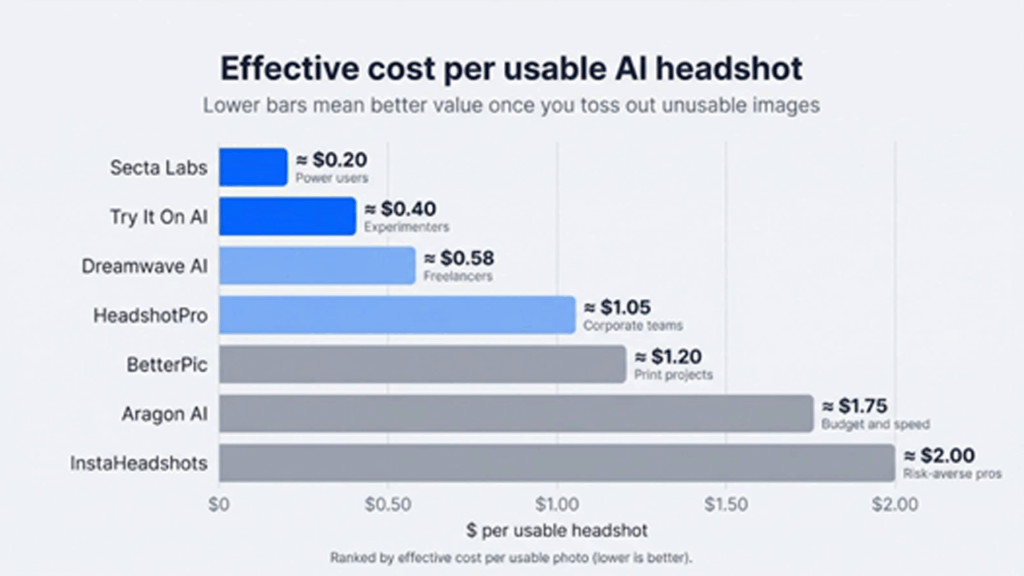
Numbers speak louder than taglines, so seven finalists were placed in a quick-scan grid. Price, volume, hit rate, and cost per usable photo sit shoulder to shoulder. Skim the chart, choose your front-runner, then keep reading for deeper notes on each service.
| AI headshot tool | Base price | Photos per session | Usability rate | Effective cost | Key advantage | Biggest catch | Best for |
| InstaHeadshots | $49 / 40 | 40 | 60 % | ~ $2.00 | Pay only for downloads | Highest upfront price | Risk-averse pros |
| HeadshotPro | $29 / 40 | 40 | 70 % | ~ $1.05 | Consistent studio quality | Limited creative styles | Corporate teams |
| Secta Labs | $49 / 300 | 300 | 75 % | ~ $0.20 | Huge variety, lowest cost | Overkill if you need few shots | Power users |
| Dreamwave AI | $35 / 100 | 100 | 60 % | ~ $0.58 | Inclusive, creative styles | Some images too artsy | Freelancers |
| BetterPic | $39 / 50 | 50 | 65 % | ~ $1.20 | 4K resolution | Slower turnaround | Print projects |
| Aragon AI | $35 / 40 | 40 | 50 % | ~ $1.75 | Fast delivery | Quality swings | Budget and speed |
| Try It On AI | $21 / 150 | 100–200 | 35 % | ~ $0.40 | Lowest price | Outdated realism | Experimenters |
Read the chart like a restaurant menu. The far-right column shows who leaves happy, while the cost column reveals what each keeper costs once you filter the duds.
A clear pattern appears: services that charge a bit more upfront often deliver several times more usable images, cutting your per-photo spend. Keep that insight in mind as you head into the individual reviews next.
In-depth reviews: which generator earns your dollar
1. InstaHeadshots: pay only for what you keep.
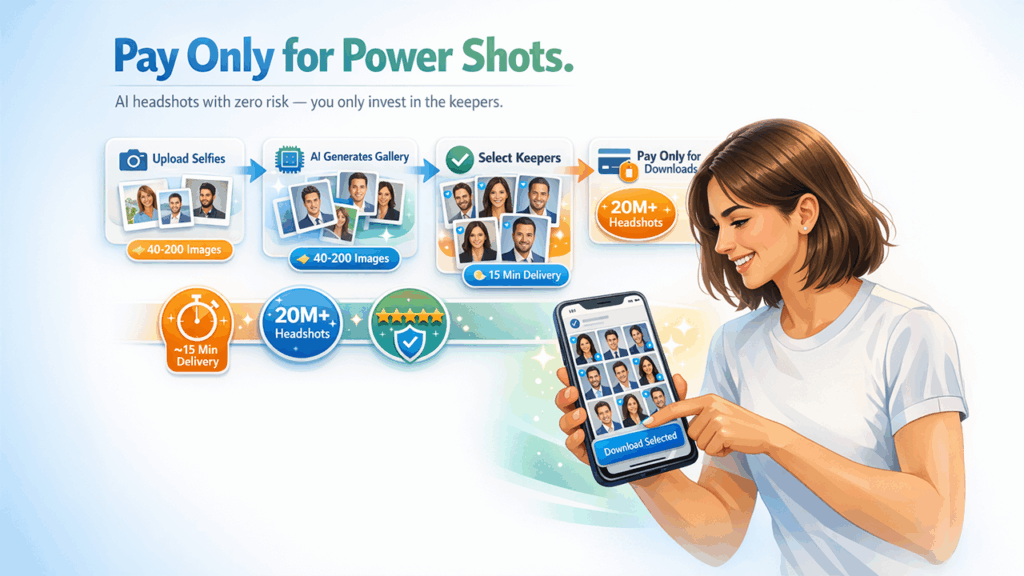
InstaHeadshots flips the pay-first model. You upload a few selfies, the system generates a gallery, and you pull out your card only when a keeper appears. If nothing passes your check, you walk away without spending a cent.
The confidence shows. The service has delivered more than 20 million headshots and holds a wall of five-star reviews. A basic plan reveals 40 images and costs $49 if you download them. Higher tiers trim delivery to about 15 minutes and expand the gallery to 200 portraits.
Quality ranks near the top. The batch looked studio-lit, with true-to-life detail and almost no artifacts. Around 60 percent were LinkedIn-ready, which brings the effective cost to roughly $2 per usable photo—and you never pay for rejects.
Best for professionals who need certainty. When a board meeting looms or a recruiter requests an updated photo by noon, InstaHeadshots offers quick, low-risk assurance that you’ll leave with a portrait you trust.
2. HeadshotPro: reliable corporate quality.
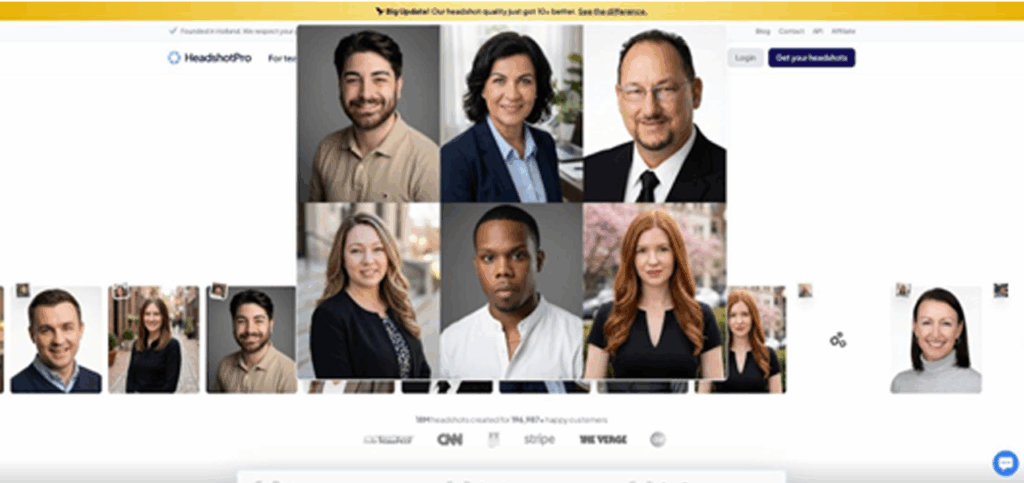
HeadshotPro feels like a photographer who has shot a thousand company directories and still shows up early. You pay $29, upload a dozen selfies, and receive 40 business-ready portraits about two hours later.
Hit rate is the standout. Roughly 70 percent of the images looked print-worthy, a result echoed by an independent lab review that ranked HeadshotPro highest for consistency. That success drives the math: effective spend sits just above $1 per usable photo. Many cheaper apps cost more once you discard the duds.
The vibe stays classic—neutral backdrops, sharp blazers, nothing edgy. HR teams appreciate that restraint. Add SOC 2 security, a self-serve delete button, and bulk pricing, and you have a simple solution for onboarding 50 new hires without booking a shoot.
Choose HeadshotPro when you need predictable, uniform headshots that clear every corporate style guide on the first pass.
3. Secta Labs: maximum variety, minimum cost.
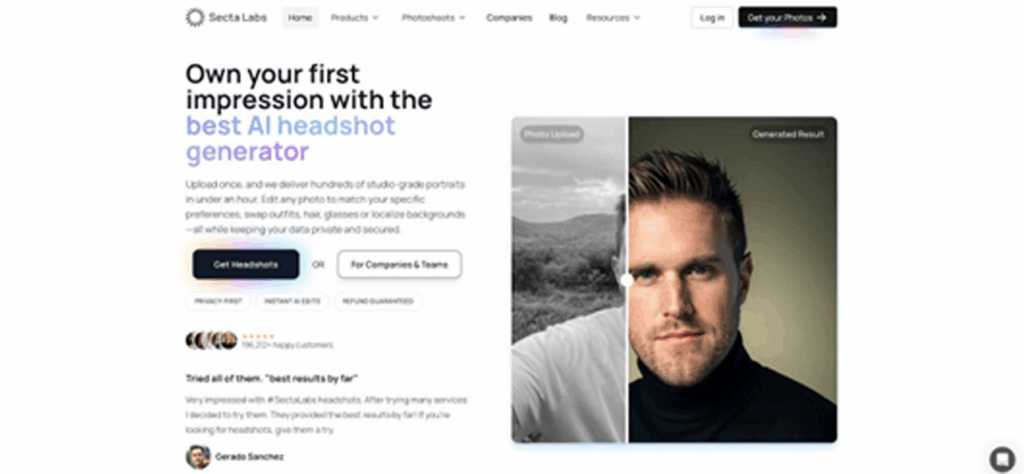
Secta Labs is the buffet of AI headshots. One $49 session generates 300 portraits across dozens of outfits, backdrops, and lighting setups. Scroll for a minute and it feels like you just modeled for a full magazine spread.
Quantity often hints at filler, yet Secta keeps quality high. About 75 percent of the images looked camera-ready, the best hit rate in this roundup. Do the math and each usable photo lands near $0.20. No rival matches that value.
The downside is choice overload. Three hundred thumbnails can feel like a late-night doom-scroll, especially when some styles lean artsy or editorial. If you only need one conservative shot, the volume may overwhelm. But if you plan to rotate headshots for decks, social banners, and press kits, Secta’s range is a plus.
Pricing stays simple. No subscriptions or credit packs—just upload, wait about two hours, and download. Pick Secta Labs when you want the lowest cost per keeper and don’t mind sifting for gems.
4. Dreamwave AI: creative portraits with inclusive lighting.
Dreamwave leans into personality. Instead of gray backdrops, it adds warm café light, leafy outdoor scenes, and gentle depth-of-field that makes portraits feel lively.
A $35 package delivers about 100 images. Six in ten were ready to publish, so each keeper costs roughly $0.60. That mix of value and artistry is Dreamwave’s niche.
The service shines on diverse skin tones. Shadows stay true, highlights stay flattering, and facial features look like you—not a plastic clone. For entrepreneurs and creatives who want a headshot that tells a story rather than matches a corporate template, those details matter.
Some results feel too cinematic for buttoned-up fields, and you may discard a few stylized shots if you work in finance. Turnaround is about 90 minutes, a solid middle ground between lightning-fast tools and slower high-resolution options.
Choose Dreamwave when you want a warm, human portrait without paying designer rates for custom retouching.
5. BetterPic: ultra-sharp images for print projects.
BetterPic plays in 4K. While most generators target web resolution, this service outputs portraits sharp enough for magazine covers, trade-show banners, and oversized speaker posters.
A 50-photo pack costs $39. About 65 percent cleared the set quality bar, putting each keeper near $1.20. The extra cents buy detail: zoom into an eye and you still see crisp catchlights rather than pixel blur.
Style options run deep, with more than 150 attire and background combinations. That freedom unlocks niche looks but also means sorting through the occasional oddball scene. Delivery lands around two hours—slower than speed leaders yet still same-morning friendly.
Choose BetterPic when print-ready clarity matters more than rapid turnaround.
6. Aragon AI: fast and inexpensive, with mixed results.
Aragon wins the race to your inbox. Pay $35, upload as few as six selfies, and 40 portraits arrive in under an hour. Spring for the Executive tier and that window shrinks to 15 minutes—ideal for a last-minute conference badge.
Speed and price come at a cost. Only half of the images felt truly professional, and some showed common AI quirks like uneven skin texture or mismatched eyeglasses. After filtering, each usable photo costs about $1.75, higher than slower but steadier rivals.
Privacy needs attention. Aragon keeps uploads by default and uses them to train future models unless you email support to opt out. If confidentiality is mission-critical, consider another tool.
Choose Aragon when budget and turnaround top your list and you are prepared to discard a fair share of near-misses.
7. Try It On AI: quantity over quality for the curious.
Try It On entered the market early. Spend $21 and you often receive more than 100 portraits produced with 2022-level tech.
Volume impresses until you zoom in. Only about one-third of the images met professional standards, and many showed soft focus or quirky artifacts. Even so, each keeper costs about $0.40, the lowest here, but you sacrifice polish for price.
Turnaround averages three hours, and the interface feels dated compared with newer rivals. Support is minimal, and privacy terms stay vague, though no major breaches have surfaced.
We view Try It On as a sandbox. If you are AI-curious, budget-minded, or need rough concepts for mock-ups, it works. For a résumé-ready headshot, newer tools justify their small premiums.
Frequently Asked Questions
Q1. How realistic are AI headshots in 2026?
A1. AI headshots in 2026 look highly lifelike, capturing skin texture, lighting and facial details. Top tools produce images that appear studio-quality on platforms like LinkedIn or company websites.
Q2. Can AI headshots replace professional photography?
A2. For most online use like LinkedIn, Slack, resumes, and websites—yes. High-end AI generators create professional results, though photographers may still be preferred for large prints or branding campaigns.
Q3. Are AI headshots allowed on LinkedIn and company websites?
A3. Yes. LinkedIn does not prohibit AI-generated images. As long as the photo accurately represents you, it is acceptable for professional profiles and corporate pages.
Q4. How can I get the best results from an AI headshot generator?
Q4. Use clear, well-lit selfies with natural expressions. Choose a neutral background and professional clothing. Better input photos lead to more realistic and polished AI-generated portraits.
%201.png)

%201.png)

%201.png)