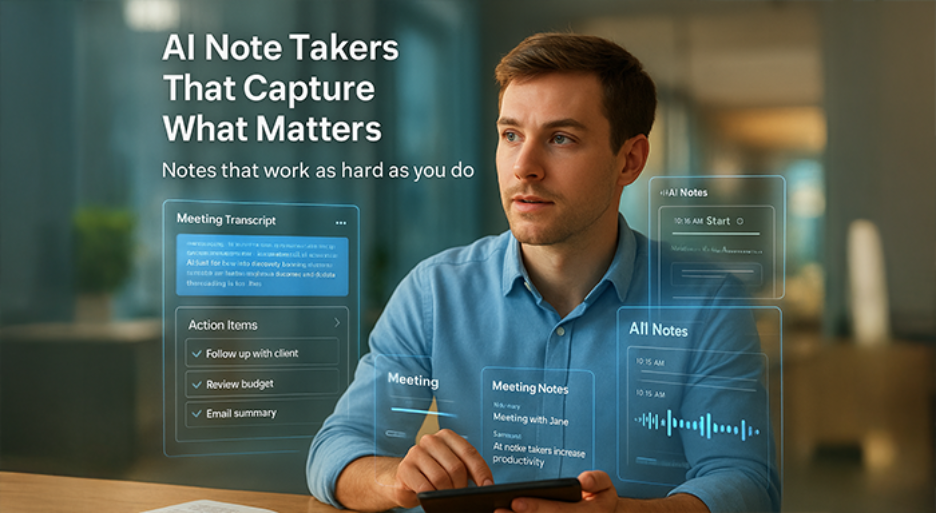

Looking for the best AI meeting note taker in 2026? This guide compares six leading AI note-taking apps for Zoom, Microsoft Teams, Google Meet, and in-person meetings. We tested them for accuracy, privacy, and workflow fit in the whole of 2025 and now you will see strengths, drawbacks, pricing snapshots, and G2 review themes for each tool.
AI note takers record or capture meetings, transcribe speech to text, and produce structured notes. Many also generate action items, summaries, and follow-ups. The right pick helps specialists save time, reduce admin work, and keep teams aligned. These apps differ in capture method, live features, security posture, and integrations. Choose based on how your team meets, where information must go, and what your policies allow.
6 Leading AI Note Takers Compared
Here is the shortlist we evaluated:
- Krisp
- Granola
- Fireflies
- Notta
- Jamie AI
- Otter AI
1. Krisp - AI Note for Businesses of All Sizes and Individuals
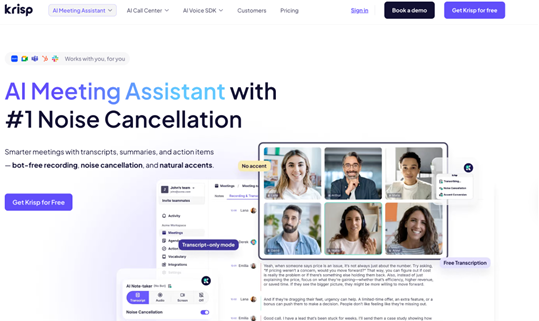
Krisp AI Note Taker focuses on high-quality capture without bots. It works with any meeting app, enhancing clarity with built-in noise cancellation and adjusting accents without changing your natural voice. Krisp then generates transcripts, notes, and summaries, highlighting important decisions and key action items so everyone knows what to do next
Main features
- Bot-free capture that works across Zoom, Teams, Google Meet, Webex, etc.
- #1-rated AI noise cancellation for clearer speech in busy rooms
- Accent Conversion to improve intelligibility on global calls
- Transcription, meeting notes, and action items in one place
- Recording for full recall and compliance workflows
- Sync notes and tasks to popular tools like Salesforce, Notion and Slack
- Speaker identification and searchable transcripts
- Runs alongside any conferencing or softphone setup
- AI Chat for questions and follow-ups
Drawbacks
- Transcription, action items, and notes are available with a 7-day trial only
- Accent Conversion is fully paid with no trial
Pricing
- Free trial for 7 days.
- Pro: $8 with annual billing.
- Business: $15 with annual billing.
- Enterprise: custom pricing.
Reviews (G2): common themes
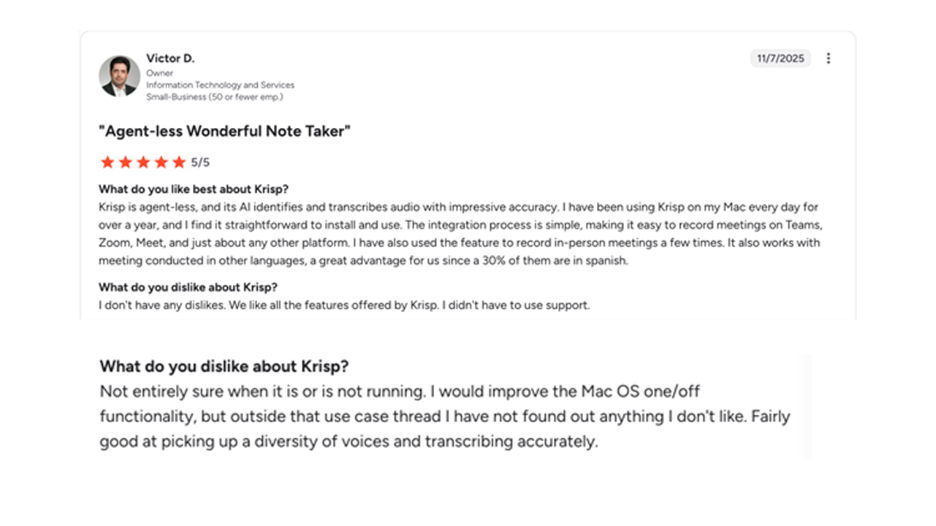
- Users highlight strong noise removal and easy setup across Zoom, Teams, and Meet
- Positive feedback on clarity and reduced fatigue during long calls
Who is it for
- Professionals who need clean audio and accurate notes
- Teams that dislike meeting bots in client calls
- Contact centers are improving agent clarity and outcomes
Where Krisp fits best
- Hybrid and in-person rooms with background noise
- Global teams that benefit from Accent Conversion
- Privacy-sensitive meetings that prefer on-device capture patterns
Krisp is a best-in-class AI note taker for noisy environments. It removes noise, boosts intelligibility, and produces usable notes. It runs bot-free and plays well with any meeting app.
2. Granola – Lightweight AI Notes for Busy Professionals

Granola prioritizes speed and readability. It enhances your typed notes with an aligned transcript and produces clean summaries with minimal setup. It does not use meeting bots and captures your computer audio directly.
Main features
- Simple setup with fast, readable note outputs
- Works on all platforms and avoids intrusive meeting bots
- Uses your notes plus an aligned transcript for context
- Customizable templates for repeatable note structures
- AI chat across meetings for quick answers
- Easy sharing to your team’s tools
Drawbacks
- Granola does not record audio by design
- Occasional speaker misattribution in larger calls, based on tests and reports
- Limited admin controls compared to enterprise suites
Pricing
- Free plan available.
- Business at $14 per user monthly.
- Enterprise at $35.
Reviews (G2) common themes
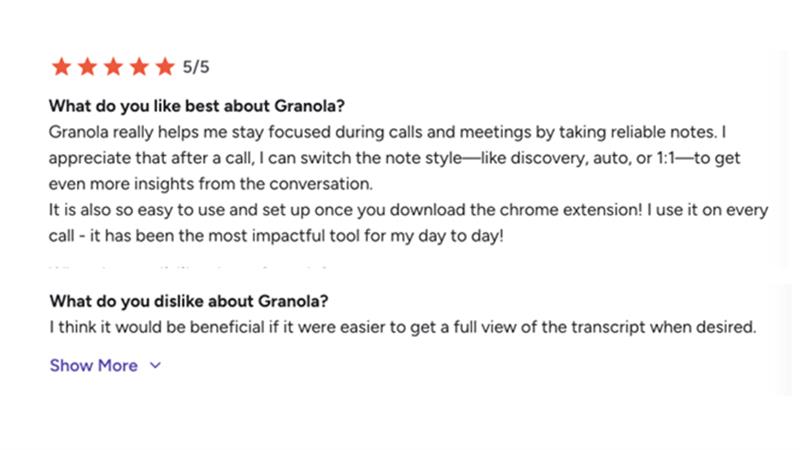
- Users praise ease of use, clean summaries, and minimal friction
- Feedback mentions helpful customization and access to full transcripts
Who is it for?
- Managers that are in back-to-back meetings and want notes quickly
- Leaders that prefer no bots in their external calls
- Teams that are optimizing for readable summaries to share
Where Granola fits best:
- Executive one-on-ones, product syncs, and customer calls
- Organizations that do not want to store raw audio
- Teams that prefer templated notes and to share quickly
Granola delivers clean meeting notes with little friction. It is great when you want readable outputs quickly and have no bots. Recording lacks audio, so plan your compliance needs appropriately.
3. Fireflies - AI Teammate For Quality Transcription & Collaboration
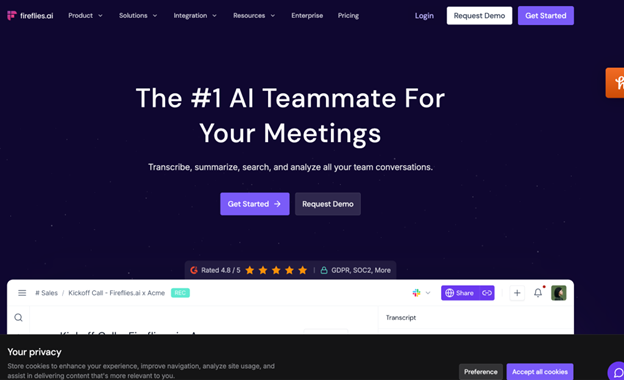
Fireflies captures meetings throughout platforms and allows deep collaboration and analytics. It features a bot, a Chrome extension for Meet, mobile apps for in-person conversations, and broad integrations.
Main features
- Cross-platform capture including Zoom, Meet, and Teams
- AI summaries with action items immediately after calls
- AskFred assistant for questions across past meetings
- Analytics like talk time, sentiment, and topic trackers
- Search across transcripts with time-stamped recall
- Integrations with major CRMs and project tools
- Chrome extension for Meet and mobile apps for in-person notes
- File uploads and API for flexible ingestion
Cons
- Bot presence can be intrusive in delicate meetings.
- Large archives require governance for retention and access.
- Predicated on mic quality and channel setup accuracy.
Pricing
- Free plan available with 800min of storage availability, limited AI summaries to five.
- Pro at 10 dollars per seat, billed annually, monthly. (Business at $19, Enterprise at $39).
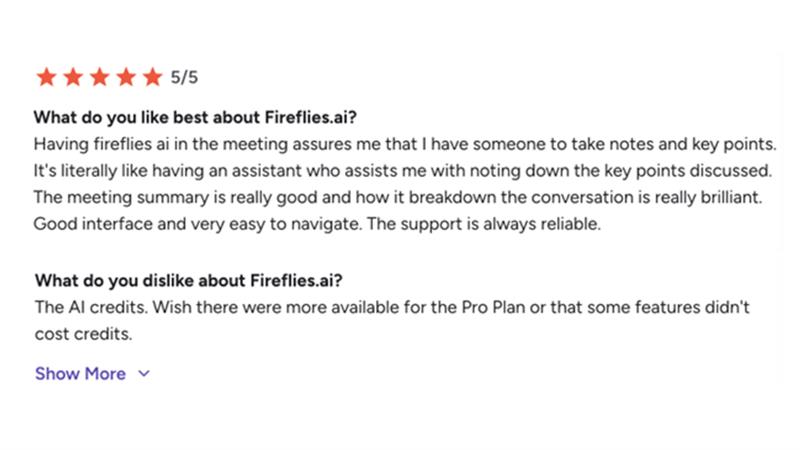
Reviews (G2) - themes you will notice
- Users loved the transcription quality, and appreciate time saved
- Positive mention of AskFred and searchable archives
- Users requested smoother bot timing in some meetings
For whom?
- Sales, recruiting, and CS teams who require searchable call history
- Teams that want analytics on participation and sentiment
- Organizations that need extensive integrations right out-of-the-box
Where Fireflies fits best
- Teams heavy on Zoom, Meet, and Teams recordings
- Cross-functional collaboration with clips, comments, and channels
- AI video note taking and long-term archives
Fireflies is a strong pick for the best AI video note taker and collaboration hub. It pairs capture flexibility with analytics and broad integrations. Evaluate bot etiquette for sensitive or high-stakes calls.
Read Also: Top Free AI Video Tools Reviewed
4. Notta: Transcribing in Multiple Languages, Customizable Exports
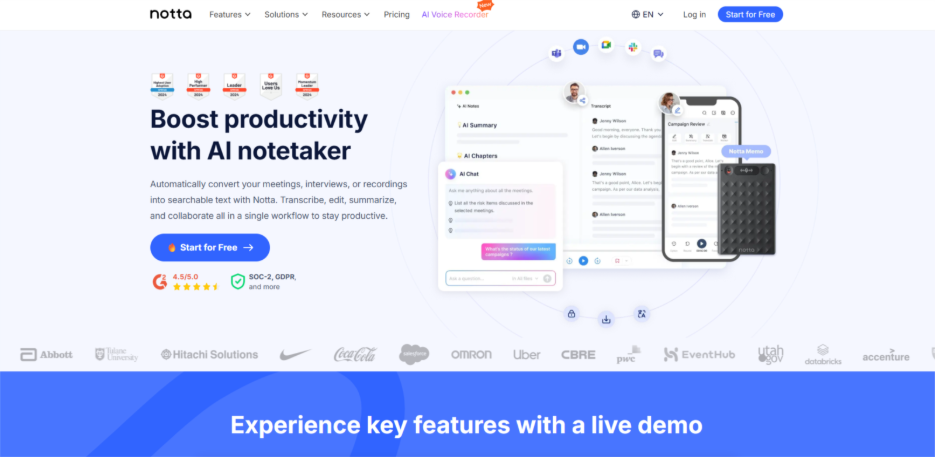
Notta supports many languages, collaboration, and flexible export options. You get transcription support for 58 languages, the ability to record meetings, and export to TXT, Word, PDF, and SRT.
Main features
- Real-time transcription in 58 languages
- AI meeting notes with decisions and action items
- Meeting recorder for online calls
- Integrations with Slack, Salesforce, Notion, and others
- Exports to TXT, Word, PDF, and SRT for flexible workflows
- Zapier recipes and Google Docs sync options
Drawbacks
- Accuracy varies with accents and mic quality
- Free tier limits minutes and imports
- Admin features are thinner than CI-focused suites
Pricing
- Free plam with 1 seat with limited features
- Pro starts around €7 if billed annualy
- Business plan: €15.83
- Enterprise: Custom pricing
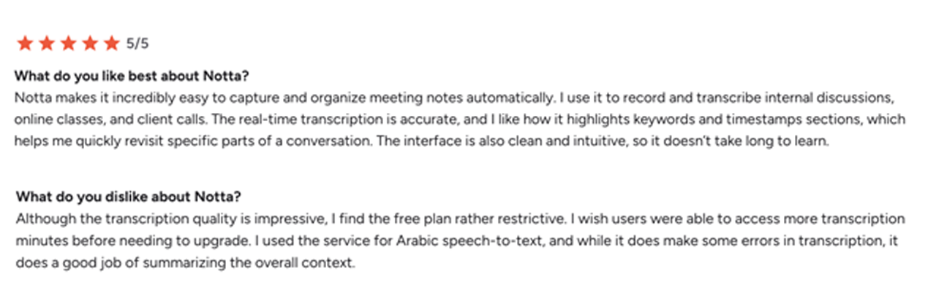
Reviews (G2) – common themes
- Users highlight easy uploads, clean interface, and fast turnaround
- Positive marks for export flexibility and multilingual coverage
- Some requests for tighter speaker labeling
Who is it for
- Teams that must export notes into documents or subtitles
- Multilingual teams or research interviews
- Professionals who value simple, reliable workflows
Where Notta fits best
- Content, research, and education use cases
- Meeting minutes that must move into DOCX, PDF, or SRT
- Light CRM and collaboration via integrations and Zapier
Notta is one of the best AI note taking apps with strong language and export coverage. It is ideal when you must deliver notes and transcripts in many formats. Pricing is friendly for individuals and small teams.
5. Jamie AI - AI Assistant with Accurate Notes
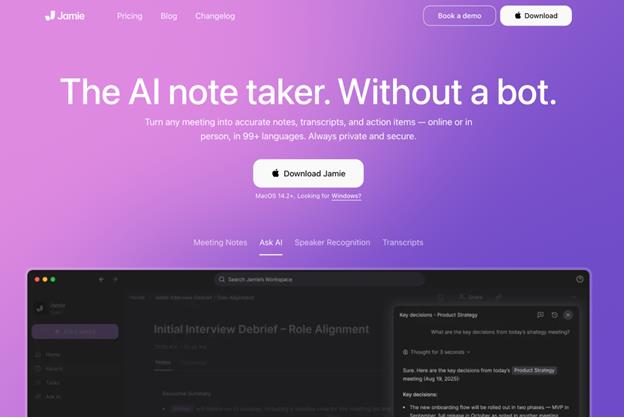
Jamie is privacy-first and bot-free. It runs as desktop and mobile apps, works online or offline, and generates accurate notes and action items without a meeting bot.
Main features and benefits
- Bot-free capture across any meeting platform
- Works online, hybrid, and offline including in-person meetings
- Human-like summaries in 99+ languages
- Speaker labeling with speaker memory
- Ask AI to query across meetings
- EU hosting, GDPR compliance, and no model training on customer data
Drawbacks
- Free tier is limited in meetings and duration
- Smaller integration set than CI platforms
- Fewer enterprise add-ons than sales intelligence suites
Pricing
- Free: €0. 10 meetings per month. 30-minute limit.
- Plus: €25 per user monthly. 20 meetings, 2-hour limit.
- Pro: €47 per user monthly. Unlimited meetings, 3-hour limit.
- Team: €39 per user monthly. Unlimited meetings and collaboration. Enterprise available.
Reviews (G2) - general notes
- Review volume is smaller than legacy players
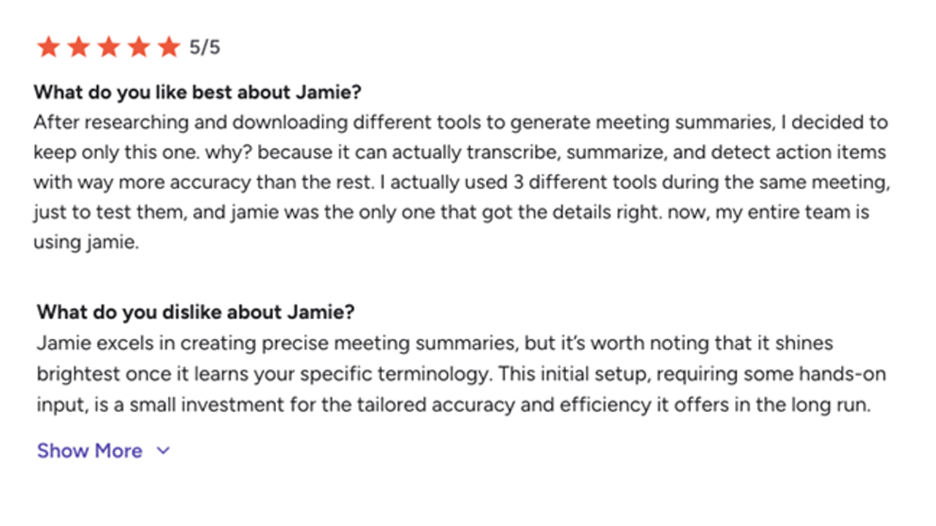
- Users praise accuracy, privacy, and the bot-free approach
Who it’s for:
- Leaders that want accurate notes but don’t want bots.
- Teams that have strict data residency requirements in the EU.
- Professionals that document in-person meetings on-the-go.
Best Use Cases for Jamie:
- Client calls that feel intrusive with bots.
- Discussions that are sensitive to privacy in order to avoid long-term audio storage.
- Meetings that are cross-language and would require strong summaries.
Jamie is a polished, privacy-first AI note taker. It's fits leaders who want an accurate note taking but request a strong EU data posture and don't want the hassle of using a bot. Because Jamie is a premium product, test your fit against your usage.
6. Otter - Executive Assistant with Real-time Transcriptions
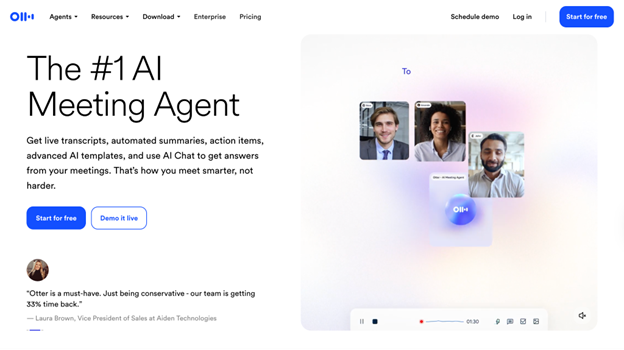
Otter provides live transcription, live summaries, and collaboration across Zoom, Teams, and Google Meet. The new Otter Meeting Agent adds voice-activated functionalities and deeper automation.
Main features and benefits
- Real-time transcription and summaries in meetings
- Meeting agent will autojoin calendar events
- Broad integrations include Google Docs, Slack, HubSpot, and Asana.
- Chrome extension offers no-bot capture in Google Meet
- Channels, collaboration, and shared notes for teams
- Capture anywhere with our mobile and desktop apps.
Drawbacks
- The presence of Bot may be sensitive to certain clients in meetings.
- Live accuracy depends on the accents of the speakers and their network conditions.
Pricing
- There is a free plan with limited minutes and features.
- The Pro and Business planes are billed per user, annually (Pro - $8.33, Business - $19.99).
- There are custom enterprise options with additional admin and security features.
Reviews (G2) – common themes
- Users appreciate the live transcription, summary, and easy sharing.
- Users share positive comments about AI Chat and the experience of auto joining meetings based on calendar events.
- Some users have experienced mixed accuracy in rooms with background noise.

Target Audience
- Executives and teams looking for live transcriptions and summaries
- Teams who collaboratively generate notes during calls
- Organizations that are daily users of Zoom, Teams, and Google Meet
Where Otter fits best
- Cross-functional meetings that have instant summaries
- Sales and recruiting processes that have calendar automate
- Enterprise organizations that are evaluating AI agents for meetings
Otter is a leading choice for live transcription and team collaboration. It supports deep integrations and emerging meeting agents. Review bot etiquette and plan settings to match your meeting culture.
How to choose the best AI Note Taker for 2026
AI note taking apps reduce manual work and improve follow-through. The best AI meeting note taker for you depends on capture style, privacy, integrations, and your daily stack. Test against real meetings and your policy constraints.
Quick picks by scenario
- Best for noisy rooms and multinational teams: Krisp, thanks to Noise Cancellation and Accent Conversion
- Best bot-free experience: Jamie and Granola keep meetings low friction
- Best AI video note taker: Fireflies for recording and analytics
- Best for Google Meet: Otter and Fireflies, both have strong Meet options
- Best for Teams: Otter and Krisp for reliable capture and notes
- Best for in-person meetings: Jamie with mobile app, plus Krisp on laptops
How to choose
- Validate accuracy with your accents and typical room noise
- Check security, data residency, and retention controls
- Confirm integrations for CRM, docs, and task systems
- Compare pricing, trials, and export limits by plan
- Run your two finalists in parallel for one week
- Test across Zoom, Teams, Meet, and in-person rooms
Key compatibility notes
- Krisp is bot-free, transcribes live and works with any meeting app
- Fireflies and Otter integrate with Zoom, Teams, and Google Meet
- Notta supports recording and exporting that fit downstream workflows
- Granola and Jamie avoid bots, which helps in sensitive meetings
Conclusion:
The right AI note taker can save hours, amplify clarity, and keep each conversation actionable. Going into 2026, test a couple of the tools in real meetings to find what fits your workflow, your needs around privacy, and your team's habits. The best choice isn't the flashiest-it's the one that quietly makes every meeting easier, clearer, and more productive.
%201.png)

%201.png)

%201.png)