

Email is still the staple of business communication in 2026, acting as an indispensable trust element, security feature, and business identifier. In determining whether to use Neo, Zoho Mail or Google Workspace, it is the business stage and requirements that determine the best service to use. If one is just starting with a business and is acting alone, then Neo is the best to use. It is also appropriate for small businesses with small operations that involve little complexity but need an email solution with essential tools. Zoho’s solution is appropriate for businesses with larger operations. Choosing the right email provider ensures better credibility, deliverability, and long-term operational efficiency.
What Makes a Business Email Provider the Best?

Not all email marketing tools are designed with the same business goals. Some may prioritize security, others may offer services focused only on improving email management, while many others encourage free services/cost-effective subscriptions to cater to businesses with strict budgets.
So, how to decide what capabilities make a business email provider the best in 2026? Here are the top five features that define a strong email marketing service across industries and company size:
1. Capability to create and register custom domain names
A professional email without a custom domain does not build a brand’s persona in the eyes of the customer. Therefore, most email marketing service providers today allow businesses to create customized email addresses with their domain name that truly reflect their company or role. For example, companies can create email addresses like yourname@brandname.com or create aliases for their teams, such as support@, info@, with the same domain extension.
2. Cost-efficiency without compromising on quality and features
It’s not necessary that every organization needs a bundle of features to manage their email workflows every day. Thus, it is important to choose an email service that focuses on providing capabilities, like email labels, priority inbox, or contact groups, that might actually be required, and running them does not involve any compromises in terms of speed, storage, or any other essentials.
However, all the basic features that you need shouldn’t affect your budget. Hence, it is better to find business email alternatives that offer essentials at cost-effective annual plans.
3. Domain-level authentication and deliverability controls
Email deliverability largely depends on domain-level authentication controls like SPF, DKIM, and DMARC records. When properly configured, these can minimze email exposures to spoofing attempts, and eliminate inconsistencies in inbox placement issues, thus maintaining a consistent performance of campaigns, outreach, and automated workflows.
4. Sufficient email storage
Large email storage isn’t always practical. Most organizations do not even use the oversized space that they pay for. Therefore, many top platforms that offer cold email solutions for eCommerce or outbound marketing teams offer sensible storage limits that do not drive up costs.
5. Security features
The email security needs to be practical and dependable. This requires incorporating spam and malware protection, encryption in both transit and at rest, and enabling multi-factor authentication to decrease exposure to unidentified accesses.
Top Email Providers that Meet these Needs and are Perfect for Different Users
Even the providers that offer email automation with the best tools might fail if they design their services with a one-size-fits-all approach. Just like the size, requirements, audience, and goals of every enterprise are different, their email service providers should also be different:
1. Neo - For solo-entrepreneurs and business owners
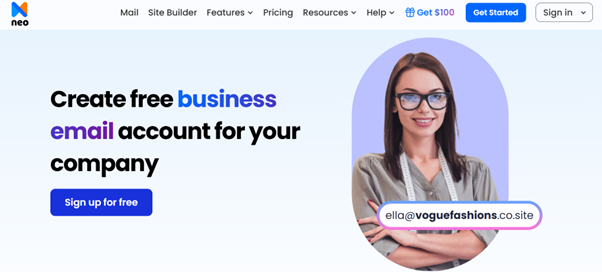
Neo is one of the leading business email platforms designed with a business-first approach. Unlike the providers that focus on offering bundles of services that often go unnoticed, Neo offers just the right services to scale and build a branded identity of small teams, solo-entrepreneurs, and small business owners.
Key Features
- Built especially to create a business email for professionals who need a quick, branded online presence without any complexities of a lengthy setup process or a learning curve.
- Allows users to create custom domains with free extensions (.co.site).
- Streamlines the creating of email addresses for team aliases, departments, or role-based emails.
- Supports AI-powered features, like an AI writing assistant to create drafts, personalized email messages, and an AI website builder to generate website templates that can be deployed to strengthen brand presence.
- Offers rich email and productivity tools to track and manage emails, calendar, and appointments, campaigns, site analytics, and lead generation.
- Multi-device accessibility (both desktop and mobile) and strong security features, including two-factor authentication, encryption, antispam, and antivirus.
Pros
Free website and domain name registration with email plans, ad-free interface, affordable plans, 100% uptime, and easy-to-use interface.
Cons
Fewer third-party integrations and some advanced mail features require a plan upgrade.
Pricing
| Plans | Price |
| Starter | $1.99/mailbox/month |
| Standard | $3.99/mailbox/month |
| Max | $7.99/mailbox/month |
Why Neo is a perfect business email platform for small businesses?
Neo takes on the biggest pain point that small businesses face, and that's not capability but simplicity. It has no setup overhead and does not offer them everything they don’t need but gives them everything they actually need, including domain control, an email address, and tools that enhance productivity and help them grow.
2. Zoho Mail - For growing and medium-sized businesses

Zoho Mail provides services to manage daily business operations and offers functionalities that are essential for growing and mid-sized businesses. As it comes from the Zoho suite, it can be integrated with CRM, marketing, and HR applications. Therefore, it can be considered best suited for those who are already using the services from the Zoho platform.
Key Features
- Allows users to create custom domain-based emails along with the ability to build domain aliases.
- Integrated suite of applications, contacts, calendars, notes, to-do list, and features like advanced search, out of office, and filters.
- Offers email on the go with the Zoho Mail application for Android and iOS.
- Ensures privacy and compliance with features like 2FA, S/MIME, EAR, TLS, and GDPR.
- Offers a forever-free plan for 5 users and 5 GB storage/user.
- The user can take assistance from AI-Assistant Zia for creating quick, efficient, and personalized content for emails.
Pros
Flawless integration with the Zoho ecosystem, privacy-focused, money-back guarantee, and flexible pricing.
Cons
Limitations with the free plan may require a learning curve for first-time users.
Pricing
| Zoho Mail Plan Name | Price |
| Mail Lite | $1/user/month |
| Mail Premium | $4/user/month |
| Workplace | $3/user/month |
Why Zoho Mail is ideal for growing and medium-sized businesses?
Zoho Mail efficiently caters to the requirements of growing and mid-sized businesses. It offers operational controls, access for role-based functions, deeper integrations with sales, marketing, and customer support tools, and a structured workflow that helps them scale effectively.
3. Google Workspace - For enterprises
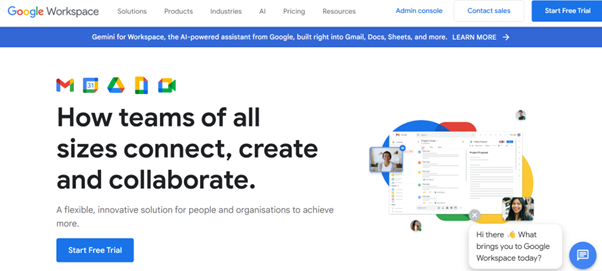
Google Workspace, which is a widely adopted email platform, brings together all the productivity tools, Gmail, Google Meet, Drive, and administrative control in a single suite. Its collaboration-first design is one of the primary reasons for adoption by many large enterprises that work across multiple teams and time zones.
Key Features
- Build professional emails with company domains and personalize messages using mail merge.
- Integrated calendar to manage appointments and bookings, accelerate contract management workflows with eSignatures, and real-time collaboration from any device.
- Users get access to AI-powered tools like the Gemini app, NotebookLM, Vids, and AI-powered video conferencing.
- Large cloud storage and enterprise-grade security, including capabilities like MFA, strong spam filters, phishing and malware protection, and advanced threat protection.
- Supports confidential mode (Set expiry for messages and requires a verification code to open) and offline mode.
- Provides mobile accessibility, audit, and reporting capabilities with Google Drive and Meet.
Pros
99.9% uptime, strong integrated apps within Google’s ecosystem, and top-notch security and compliance.
Cons
Expensive pricing plans and a complex admin console that might require technical support.
Pricing
| Google Workspace plan name | Price |
| Starter | $6/user/month |
| Standard | $12/user/month |
| Plus | $18/user/month |
Why is Google Workspace suitable for large enterprises?
Google Workspace is best suited for large organizations. It offers strong collaboration tools, global reach, dynamic security controls, and collaboration and compliance that help large organizations to scale across regions.
Choose the Right Business Email Provider in 2026
Whether you are building an online presence through a branded email or showcasing a website through email marketing, the right email service provider can support both visibility and performance.
So, understanding different capabilities like productivity tools, email management, domain controls, security, and costs must be evaluated through the lens of actual usage, branding, and sustainable growth.
Final thoughts:
Selecting the best business email services in 2026 would require an understanding of the exact business needs and requirements. Neo would be suitable for solo entrepreneurs or small businesses that want simplicity and affordability, while the program would be suitable for businesses that want more functionality, and Google Workspace would be best for businesses that want more security and powerful tools for collaborations.
%201.png)

%201.png)

%201.png)