
If you run a manufacturing business today, you’re probably juggling more than is reasonable: supply chain volatility, rising costs, shorter lead times, and customers who expect Amazon-style visibility into every order.
At some point, spreadsheets and disconnected tools stop being “scrappy” and start being dangerous. That’s usually when the conversation turns to ERP.
The problem? Search “best manufacturing ERP” and you’re bombarded with top-10 lists, vendor hype, and conflicting reviews. One analyst loves a system; another says it’s a nightmare. Meanwhile, you just want to know:
“Which ERP will actually work for my type of manufacturing business — and how do I choose without making a six-figure mistake?”
This guide is designed to answer that, in plain English.
We’ll unpack what a manufacturing ERP really does, how to match systems to your production model and size, and where popular platforms like NetSuite, SAP S/4HANA, Epicor, Acumatica, and others tend to fit best. We’ll also look at why CRM integration matters just as much as production scheduling and inventory accuracy in 2025 and beyond.
What Makes a “Manufacturing ERP” Different?
Not all ERPs are created equal. Some started as accounting systems. Others were built for service companies. Manufacturing ERPs are different because they’re designed around how physical products move from idea to shipment.
A true manufacturing-focused ERP usually includes:
- Core financials
General ledger, AP/AR, fixed assets, budgeting. This is table stakes.
- Inventory and warehouse management
Stock levels, locations, lot/serial tracking, reorder points, cycle counts, and fulfillment.
- Production planning and scheduling
MRP/APS, capacity planning, routing, work centers, and shop floor data capture.
- Bill of Materials (BOM) and product structures
Single-level, multi-level, configured products, revisions, and engineering change control.
- Procurement and supplier management
Purchase orders, vendor performance, lead times, and landed cost management.
- Quality management (QMS)
Inspections, non-conformances, CAPA, test results, and compliance documentation.
- CRM and order management
Quotes, sales orders, pricing, promotions, and customer history.
That last piece is especially important for a CRM-focused audience: in a modern stack, ERP and CRM cannot live in silos. Manufacturing companies win when sales, customer service, and production share the same reality.
Start with Your Manufacturing Model (Not the Software Logo)
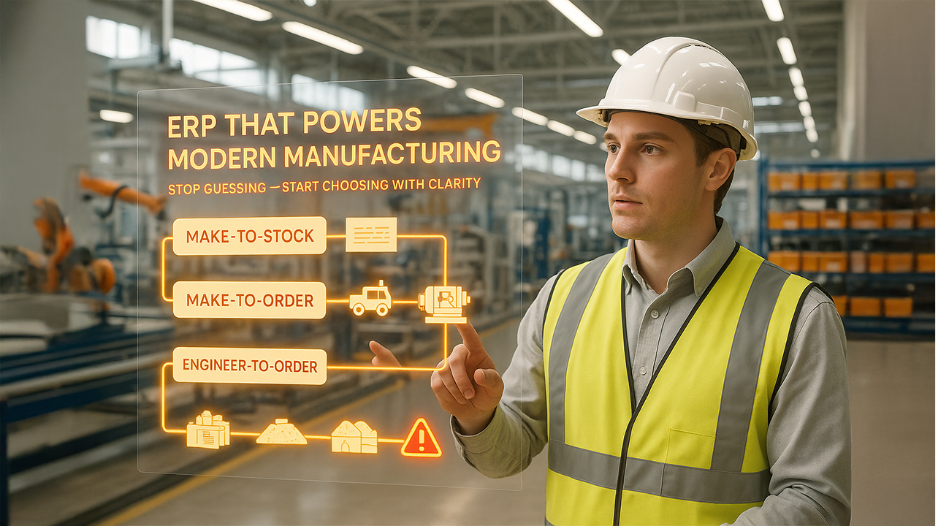
Before you even look at vendor names, get brutally clear on how you manufacture. The right ERP for a make-to-stock consumer goods company can be completely wrong for an engineer-to-order industrial machinery manufacturer.
Here are the big buckets:
1. Make-to-Stock (MTS)

You produce in anticipation of demand and rely heavily on forecasting and inventory optimization. Think food & beverage, packaged goods, standard components.
You need:
- Strong APS/MRP to avoid overproduction and stockouts
- Robust inventory and warehouse control
- Tight demand planning and forecasting
Systems like Infor CloudSuite Industrial, SAP S/4HANA, and some mid-market cloud ERPs shine here when configured correctly.
2. Make-to-Order (MTO) and Configure-to-Order (CTO)
You build only when an order comes in, often with product configurations. Think custom windows and doors, industrial equipment, or specialized electronics.
You need:
- Flexible product configurators and rules-based BOMs
- Real-time impact of configuration on pricing and lead times
- Shop floor visibility into job progress and capacity
Platforms such as Epicor Kinetic, Acumatica, and Microsoft Dynamics 365 are frequently used in these environments.
3. Engineer-to-Order (ETO)
Every job is essentially a project, with engineering, prototyping, and complex milestones. Think aerospace, heavy machinery, specialized capital equipment.
You need:
- Deep project accounting and WBS structures
- Integrated CAD/PLM and engineering change management
- Long-cycle costing and margin visibility across phases
High-end suites like SAP S/4HANA, IFS, or QAD commonly show up here.
4. Process Manufacturing
You work with recipes, formulas, batches, potency, yields, and regulatory requirements. Think chemicals, paint, food & beverage, pharmaceuticals.
You need:
- Formula management and scalable batch sizing
- Strong QMS, lot tracking, and regulatory documentation
- Shelf life, expiry, and recall management
Specialized systems like BatchMaster, Datacor, and Deacom, as well as process-capable ERPs like SYSPRO and QAD, are often a better fit than generic discrete-focused tools.
5. Mixed-Mode / Hybrid
Many real-world manufacturers do some combination of the above. For example, you might make standard products (MTS) but also accept custom jobs (MTO/ETO).
You need:
- Flexible BOMs that support multiple production modes
- Configurable workflows that don’t force you into a single model
- Strong capacity and scheduling tools
Platforms like SYSPRO, Acumatica, Epicor Kinetic, and DELMIAWorks are commonly used to support hybrid manufacturing.
Key takeaway:
If an ERP vendor can’t clearly explain how their system handles your production model in a live demo, they’re not the right partner.
Mapping the Market: Common Types of Manufacturing ERPs
Once you know your production style, it's easier to navigate the crowd of options. Understanding the landscape of Leading ERP Platforms helps you focus on systems that actually match your needs. At a high level, most manufacturing ERPs fall into one (or more) of these categories:
A. Cloud Suites for Growing Manufacturers
These are modern, cloud-native or cloud-first systems aimed at small and mid-sized manufacturers who’ve outgrown QuickBooks and spreadsheets but don’t want enterprise-class complexity.
Common names you’ll see:
- NetSuite – Cloud-only, strong for small and mid-market manufacturers, with solid financials, inventory, and production, plus a large ecosystem of partners and add-ons.
- Acumatica Cloud ERP – Flexible licensing model, strong manufacturing modules, and good fit for discrete and mixed-mode manufacturers.
- Microsoft Dynamics 365 Business Central – Attractive for companies leaning into the Microsoft stack, with broad functionality and good integration options.
- Lightweight options like Cetec ERP, xTuple, MRPeasy, or Katana often appeal to smaller shops that want something more robust than spreadsheets without going straight to a big-name suite.
These platforms are popular because they strike a balance between power and usability, and they’re easier to deploy than full enterprise suites—if your processes aren’t extremely complex.
B. Enterprise-Grade Manufacturing ERPs
When you’re dealing with multiple plants, countries, currencies, and regulatory regimes, your needs change. You’re less worried about saving a few dollars per license and more concerned about:
- Global standardization and governance
- Deep industry capabilities (automotive, aerospace, med-device, etc.)
- Advanced analytics, AI, and automation
- Scale to thousands of users
In this tier, you’ll commonly see:
- SAP S/4HANA – A go-to for large manufacturers and complex, global enterprises.
- Infor CloudSuite Industrial / Infor CloudSuite industry flavors – Popular in industrial manufacturing, automotive, and machinery.
- Microsoft Dynamics 365 Supply Chain Management – Often chosen for companies already committed to the Microsoft ecosystem, especially with complex supply chains or additive manufacturing.
- IFS Cloud – Strong for asset-intensive and project-based manufacturing.
- QAD Adaptive ERP – Built with regulated industries like automotive and medical devices in mind.
These platforms can be transformational, but they come with longer projects, higher implementation costs, and bigger change-management requirements.
C. Vertical and Niche Specialists
There’s also a vibrant ecosystem of ERPs built for very specific industries:
- Process & chemicals – BatchMaster, Datacor, Deacom
- Food & beverage – Deacom, certain Infor and Microsoft industry solutions
- Job shops and regulated manufacturing – ProShop, DELMIAWorks (ERP + MES), various niche systems
- Apparel or variant-heavy products – Systems with strong product matrices and style/color/size handling
These can be the right choice when your compliance, formulation, or production requirements are so specialized that generalist ERPs struggle or require heavy customization.
Where the "Top ERPs for Manufacturing" Lists Fit In
You’ve probably already landed on comparison and ranking pages when researching ERPs. Those lists are useful — they show you which systems keep showing up again and again.
Use these lists as input, not gospel. A system might be “#1 overall” on a generic ranking but functionally wrong for your specific:
- Manufacturing model
- Industry and regulatory context
- Size and growth plans
- Tech stack (especially your CRM and customer-facing tools)
Your goal is not to find the ERP that wins the most awards; it’s to find the ERP that quietly makes your factory, finances, and customer experience run smoother.
ERP and CRM: Why Integration Is Now Non-Negotiable
Because this article is for a CRM-centric audience, let’s talk about the elephant in the room: it’s 2025+ and your ERP cannot live in isolation from your CRM.
Here’s why integration between ERP and CRM matters so much for manufacturers:
1. Accurate Promises to Customers
Your sales reps and account managers need real-time visibility into:
- Available-to-Promise (ATP) dates
- Current stock and planned production
- Lead times that reflect actual capacity and material constraints
If CRM shows one story and ERP shows another, you end up over-promising and under-delivering. Customers remember that.
2. True Margin and Profitability Insight
Profitability isn’t just about top-line revenue. You need to see:
- Quote vs actual cost for each order
- Warranty, returns, and service impact by customer or product
- Discounting behavior vs actual margin
That requires ERP’s cost and production data to flow into your CRM’s view of the customer, so leadership and sales both operate on the same truth.
3. Smarter Sales and Service Automation
Once ERP and CRM data are connected, you can:
- Trigger automated follow-ups when an order ships or a milestone is hit
- Alert sales when high-value customers have delayed orders or quality issues
- Offer proactive service or upsell opportunities based on usage and purchase history
In other words, ERP makes you efficient internally; CRM plus ERP together make you responsive and strategic externally.
When evaluating top ERPs for manufacturing, always ask vendors:
- How do you connect with our CRM (native connector, middleware, API)?
- What data flows out-of-the-box (orders, invoices, inventory, production status)?
- How do we ensure bi-directional sync without creating data chaos?
Key Criteria for Evaluating Manufacturing ERPs
Now let’s turn this into a practical checklist you can use in demos and vendor shortlists.
1. Fit for Your Manufacturing Model
Ask for live demonstrations using your kind of orders, BOMs, and workflows:
- Show me how you handle MTO/ETO with engineering changes.
- Show me how forecasts flow into production plans in an MTS scenario.
- Show me recipe/formula scaling, QC, and compliance for process manufacturing.
If the vendor can’t show your world on screen, that’s a red flag.
2. Scalability and Total Cost of Ownership (TCO)
Look beyond license price:
- How does pricing grow with users, sites, or transaction volume?
- What are typical implementation costs (consulting, data migration, training)?
- Are there industry accelerators or pre-built templates that reduce project time?
Cloud ERPs often start cheaper but can get expensive as you scale. Enterprise ERPs are costly upfront but may make sense if you’re consolidating multiple systems into one global platform.
3. Implementation Partner and Ecosystem
In manufacturing, your implementation partner often matters more than the software brand.
Evaluate:
- Does the partner have experience with your industry and model?
- Can they show real references of similar manufacturers?
- What’s their approach to change management, training, and ongoing support?
A good partner will push back when you try to re-create every quirky legacy process and will help you adopt proven best practices instead.
4. Analytics and Operational Visibility
Modern manufacturers can’t run on static reports alone. Look for:
- Real-time dashboards for production, inventory, and order status
- Embedded analytics and drill-down capabilities
- The ability to surface key metrics back in CRM for sales and service teams
Ask to see use cases like:
- A production manager dashboard showing OEE, scrap, and on-time delivery
- A sales dashboard in CRM showing open orders, late jobs, and at-risk customers
5. Integration and Extensibility
ERPs don’t live alone. You likely have (or will have):
- CRM
- MES or shop floor systems
- PLM/CAD
- E-commerce or customer portals
- Shipping, EDI, or 3PL integrations
Check:
- Does the ERP offer a well-documented API?
- Are there pre-built connectors to your CRM and other core tools?
- How does the vendor handle upgrades when customizations and integrations are involved?
If every integration requires custom code and breaks with each new release, you’ll feel it in both IT overhead and operational headaches.
Common Pitfalls to Avoid When Selecting a Manufacturing ERP
Even seasoned teams fall into these traps:
1. Treating ERP Selection as an IT Project
ERP is fundamentally an operations and business transformation project. If it’s led by IT in isolation, you’ll optimize for technology, not outcomes.
Involve:
- Operations and plant leadership
- Finance
- Supply chain and procurement
- Sales and customer service (and your CRM owners)
2. Over-Customizing from Day One
It’s tempting to replicate every legacy process “because that’s how we do things.” But some of those processes exist only because your old systems forced them.
Aim first for:
- Adopting standard best-practice flows where possible
- Configuring before customizing
- Keeping custom code to a defined, well-justified minimum
Every customization you add today is a decision your future self has to maintain and test during upgrades.
3. Ignoring Data Quality and Migration
If you move messy inventory, BOM, and customer data into a pristine new ERP, you’ll be disappointed.
Plan for:
- Data cleansing as a major workstream (not an afterthought)
- Clear ownership of master data going forward
- Defined rules for naming, coding, and versioning
4. Underestimating Training and Change Management
The best ERP in the world fails if your people don’t use it properly.
Invest in:
- Role-based training, not just generic “system walkthroughs”
- Super-users and internal champions at each plant or function
- Clear SOPs for new processes, including how CRM and ERP users work together
Putting It All Together: Turning ERP Strategy Into Real-World Manufacturing Results
Choosing among the many top ERPs for manufacturing isn’t about chasing the most popular brand or the longest feature checklist. It’s about alignment:
- Aligning the system with your manufacturing model, industry, and growth plans
- Aligning your teams, from the shop floor to finance to sales and customer service
- Aligning your tech stack, especially ERP and CRM, so they work as one brain instead of two disconnected islands
If you approach ERP selection with that mindset — grounded in real workflows, realistic budgets, and a clear integration strategy — you dramatically reduce your risk of an expensive misstep and increase your odds of getting what you actually want:
A manufacturing operation that runs smoother, delivers on its promises, and gives customers a reason to keep coming back.
%201.png)

%201.png)

%201.png)