

In the last decade, the value of visual content has grown. Images dominate the world of the internet as they are one of the strongest tools of communication. From social media feeds to digital shopping, visuals enable users to get knowledge, interact well, and decide quickly. In the fast-moving world of the internet, having the ability to find images quickly has become a main priority instead of being an afterthought. This is exactly why image search techniques are so vital.
Instead of depending only on text, users can rather search through images. Whether you are a marketer, a student, or a photographer, being familiar with image search techniques can enhance accuracy, save time, and improve decision-making.
In this detailed guide, let us try to understand what image search techniques are, how it operates behind the scenes, the effective tools that are available today, and how you can successfully utilize such techniques in real-world use cases.
Understanding Image Search
Image search can be defined as a means that provides users with the possibility to obtain pictures associated with an item, a certain area, or a visual feel. It is not only necessary for users to input a few keywords, but also to get a photo and get images that are closely related. Thus, the engine will assess the provided image and provide the users with similar or exact images.
It becomes useful when there is a lot of confusion regarding images. For example, one may use image search to locate the original creator of the photo, identify an online image, and confirm whether the image has been edited or not. The fields of digital marketing, journalism, UGC content creation, and eCommerce are some of the fields where the method is quite significant because visual context and authenticity are quite important.
Image search has changed dramatically to only utilize basic keywords. It now involves machine learning and methods to recognize the context, composition, and given image context. The process of searching images has not only been made quicker but also a lot smarter. Its usability spreads across diverse sectors.
How Image Search Operates?

AI complexities, computer vision, and machine learning play an important role in image search techniques. Once a keyword or image is provided by the user, the system begins to break the image or dissolve it into small elements.
These elements can be textures, colors, shapes, or edges that are fundamental blocks of the digital image.
Such features in the query image are then matched by an algorithm with elements of the same sort, forming a collection of billions of images that are stored and indexed on Google. Essentially, the system actively searches for patterns, matches, and correlations to return the most relevant results.
In this case, the system is also different than a targeted search based on keywords. It utilizes metadata like tags, image titles, and text associated with that image. On the other hand, in visual searches, deep learning and pixel-level security are the methods that are utilized to find out what is in the image.
For example, if an image features a red handbag being submitted, then the system can accurately determine the shape, color, and design pattern of the image. It would then go on to locate such handbags either from other websites or from online shops. Similarly, it works if you have to upload a picture of a landmark. The algorithm will find out the location and provide you with the travel details.
What Are the Different Types of Image Search Techniques?
The different goals of image search techniques require the use of distinct types of image search techniques. Understanding each technique helps users to understand the technology completely-
1. Keyword-based Search of Images:
This is the most attainable and simplest method that a common user can use. Users input descriptive words in a search engine, and the system returns the images related to the input words. The method greatly relies on the metadata associated with the image, e.g., captions, titles, and alt text.
Keyword-based searches are the perfect option for getting general pictures such as business icons, natural scenes, or promotional images. For instance, having an input “sunset over mountains” will create a large volume of results that align with the description. This method is most suitable for your daily use, or when you can generate clear text regarding what you want.
2. Reverse Image Search:
In reverse image search, users have to upload an image instead of providing a text query. The main aim of the search engine is to recognize those images that either match or are very similar to the input image, wherever it is available on the web. The method can mainly be used to confirm authenticity, identify plagiarism, or find the source of the provided image.
In case a certain photo has been copied or utilized in an unethical way, reverse searching will showcase all other locations where it can be discovered online. It can also aid in recognizing manipulated visuals or fake news for the distinct versions of a similar image.
3. Visual Similarity Search:
The main difference between the two is the fact that reverse search is there to locate the exact matches, while visual similarity search is there for aesthetically finding the closest matches. It locates pictures that have the same texture, layout, or pattern. This method is suitable in the interior design, fashion, and e-commerce industries, where visual appeal is important.
In case you liked a piece of furniture or a clothing item, visual similarity search helps you find alternative products that have the same color or pattern. It closes the gap between discovery and inspiration.
4. Pattern and Color-based Search:
In this method of searching, you will have to focus on patterns and color palettes. Advertisers, designers, and brand managers who maintain top standards in their work are the most common users of this method. If you are leading a brand campaign that implements a few given colors, this method will be quite valuable in locating the images that align with your palette.
Apart from that, design platforms and search engines generally come with color filters that aid you in matching gradients and tones. They are also useful in creative industries where visual coherence plays a key role.
5. Facial and Object Recognition Search
Facial and object recognition have greatly contributed to the accuracy of image searches. Such systems can recognize logos, faces, objects, and even handwriting in pictures. Media houses, law enforcement agencies, and social media platforms are the main users who benefit from the platform.
For example, facial recognition might be utilized to validate whether the individuals in different photos are the same person. The object detection system can be used for recognizing animals, vehicles, or household items. With the help of these additions, searches have become more detailed and dynamic than ever before.
When Can You Use Each of These Search Techniques?
Success in searching images greatly depends on choosing the right method for a specific task. Let us go over the following points to find out when you can use these search techniques:
- Keyword-based Search: General overview, or when you require concept visuals.
- Reverse Image Search: Relevant when you want to get copies, locate the image searches, or verify their authenticity.
- Visual Similarity Search: It specializes in tasks related to design where aesthetics and style are the key requirements.
- Pattern and Color-based Search: It becomes useful when you want to ensure visual consistency or retain brand identity.
- Facial and object recognition: These are the most relevant methods for law enforcement, identification, or media analysis.
Users can achieve greater accuracy by utilizing a combination of these methods. For instance, a marketer can utilize a keyword search to get good ideas and then use the reverse search to find the source before using the image. Understanding the strength of every method leads to time saving and better outcomes.
Best 6 Tools for Image Search
1. Google Images- The Simplest Tool for Reverse and Keyword Search
Google Images is still one of the main platforms for reverse image and keyword-based searches. The smart algorithms and large databases of Google can give you accurate results in the majority of cases. Any user can copy and paste a link, upload an image, or just type a few words in the search bar.
The visual recognition system of Google finds the closest match to the input keyword and can even give suggestions. Reliable and quick, it provides top solutions for both professional and personal purposes.
2. LensGo AI- The Best Option for AI-driven Reverse Image Search and Face Search
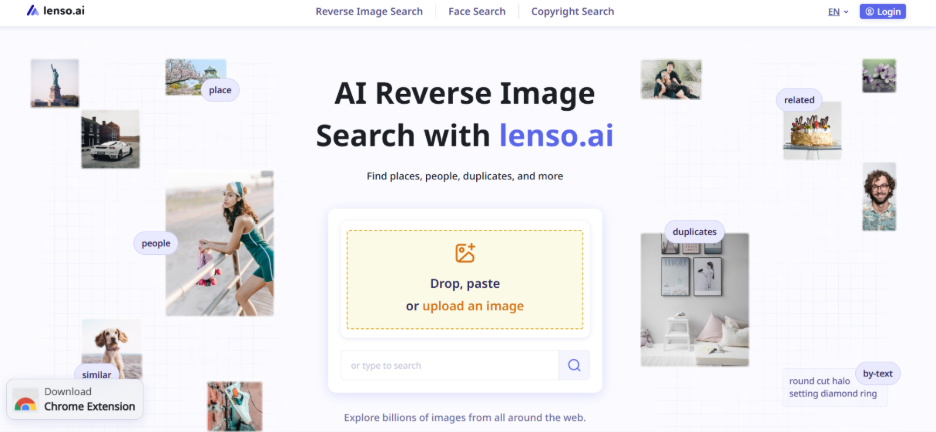
You will not find a better solution than LensGo AI for reverse image search. Contrary to Google, it gives you a list of the best possible matches. It enables you to find where your images can show up online, find content that is potentially stolen, and check whether the person is fraudulent or a catfish. Apart from that, LensGo AI also finds out how many duplicates of a specific image there.
Courtesy of the alert feature, you will get an alert whenever an uploaded image online matches your image. With sorting and filtering options, you can fine-tune and narrow your search even more.
3. TinEye- The Right Option for Image Origins and Duplicates
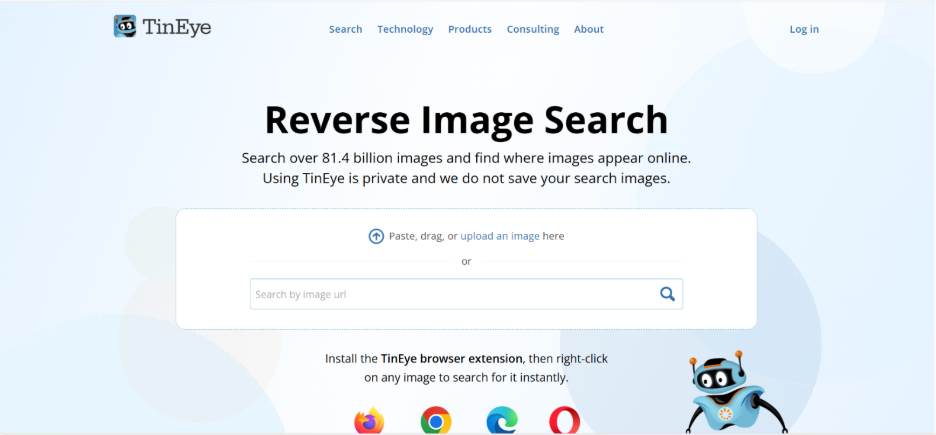
TinEye is a useful tool for reverse image search and is quite effective in finding duplicates, even if the images have been morphed. Photographers, journalists, and brands are their main users who want to be notified when their visuals are being utilized without their permission.
TinEye has a vast image database and can return pictures that have been resized or edited if you cannot find the exact one. It is a useful tool for confirming image authenticity and addressing copyright issues.
4. Bing Visual Search- Right for Object Identification and Shopping
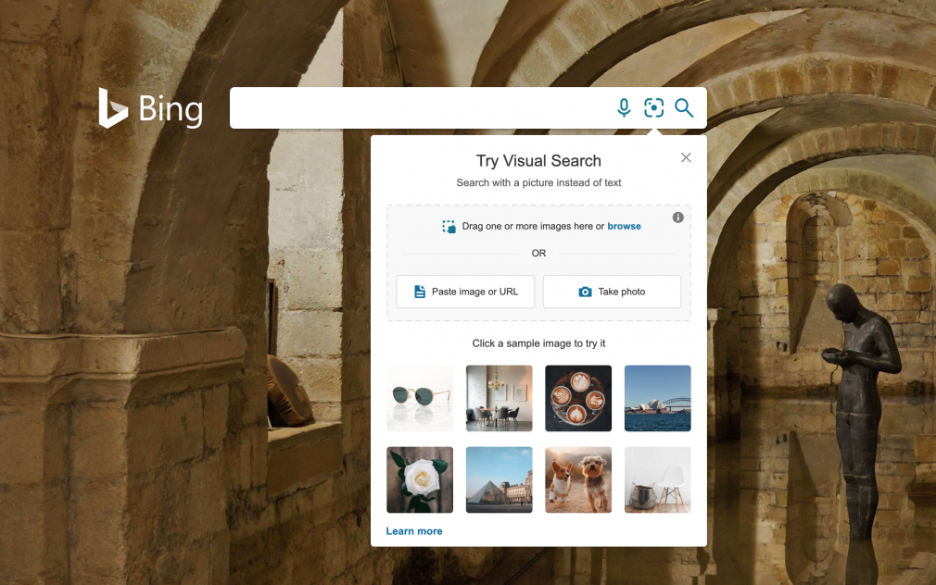
Bing Visual Search makes searching a lot more enjoyable. Users may highlight a specific element of a picture, and then the system locates objects or images that are most similar. Courtesy of this feature, it is used by online shoppers who actively search for matching or related items.
The image search of Bing is integrated with Microsoft Edge, which is a quick and useful way of doing the visual lookup without having to change tabs.
Pinterest- Ideal for Fashion, Lifestyle, and Decor Ideas

Pinterest is a main tool used by artists and serves as the main source of search for individuals who look for visual inspiration. It allows users to take a picture, upload the picture, and find similar pictures across the platform. Irrespective of whether you need it for your fashion, home decor, or recipes, Pinterest Lens will always provide trendy and relevant results.
Lifestyle enthusiasts and content creators will find this tool to be a top way to convert their routine images into new sources of inspiration.
3. Yandex Images- Good Option in Reverse Image Recognition
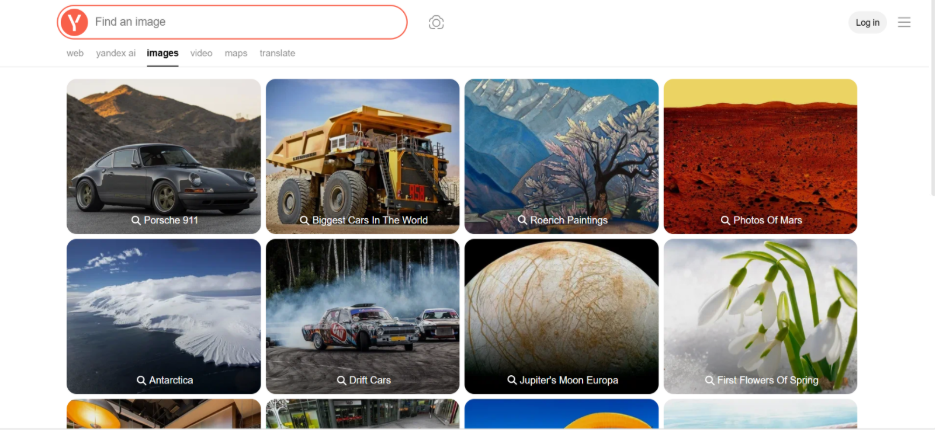
Yandex is a Russian-based search engine, and its popularity comes from its image recognition capabilities. It is very effective in locating the closest matches of objects, faces, and landmarks.
Consequently, numerous users utilize Yandex for confirming the results that they have got from Bing or Google, as Yandex finds details that sometimes others do not. Due to its advanced recognition algorithms, it can be considered a feasible alternative to implementing exhaustive searches.
4. Shutterstock- Right Option for Image Tracking and Copyright Protection

Shutterstock is not just a platform for stock photos. Additionally, it provides a robust reverse search feature available to registered users. This feature enables the creators to secure their original work and not allow it to be used anywhere else.
For photographers and companies, Shutterstock is a support platform for monitoring the how and where of the online licensed visuals. While it seems like protection of intellectual property, simultaneously, it is facilitating the responsible utilization of the image.
Right Practices for Effective Image Searching
One of the effective measures that can elevate the efficiency of image searches is emphasizing clarity and quality of images. Top-resolution images must be utilized always since cropped or low-quality visuals can make the results inaccurate. When you are focusing on keyword-based searches, make sure that you are utilizing specific terms and descriptive keywords. For example, instead of using the keywords “shoes,” you can try “black leather running shoes.” Once the right visuals are discovered through different image search techniques, it is equally important to ensure they are displayed properly across websites and devices. Many businesses rely on responsive web design services to make sure images load correctly and maintain visual consistency across different screen sizes. Additionally, integrating features like Add Me to Search can improve personal or brand discoverability, making it easier for users to find relevant visual and profile-based information directly on search engines.
Try out distinct search platforms to find out which one is the right option for you. While Google is a good option for general tasks, TinEye is ideal for locating image copies. Pinterest is recommended for creative discovery. The utilization of diverse instruments can lead to more comprehensive outcomes.
Another effective method is to reduce the searches by using filter options. Most search engines provide you with the options to arrange results by color, size, publication rights, or usage rights. This functionality makes sure that you will only be focusing on images that are legally available to you and relevant.
Ultimately, make sure that the search is done in an ethical way. It is important to adhere to copyrights and utilize images only within the restrictions of licensing agreements. Apart from protecting you from legal issues, this practice also helps content creators who create visually pleasing materials.
Common Mistakes to Avoid
If image searches are done incorrectly, they can often cause errors in results. One of the most common problems you can encounter is when a person utilizes an edited or low-quality image, which can confuse the search engines. The resizing or cropping of a picture can modify its features, thereby minimizing the possibilities of matches.
Another mistake is over-reliance on search engines. As each tool utilizes a distinct way of indexing, if you utilize more than one tool, you have a higher possibility of getting better results. Not using the search options or filters can further impact the results that you can get.
It is also necessary to make sure that you check the rights before sharing or downloading images. Furthermore, stuffing your search with way too many keywords and non-related terms can make the output chaotic. Keep in mind that every successful image search hinges on simple and straightforward queries.
What Are the Practical Applications of Image Search?
Image search is broadly utilized in:
- Online shopping and eCommerce
- Media Verification and Journalism
- Marketing and Graphic Design
- Academic Research and Education
- Security and Law Enforcement
- Social Media Tracking
- Brand Tracking and Protection
Future of Image Search Techniques
The future of image search techniques depends on AI-based multimodal capabilities where users can integrate voice, images, and text for highly precise results. Tools related to augmented reality will allow visual searches in real-time by directing a camera at any object. Emerging technologies such as on-device processes will further advance privacy, while context recognition and emotion will ensure that results become smarter than ever before. Indexing video frames will go beyond static images. As such technologies become mature, image search will develop into a smoother and more innovative bridge between the digital and physical worlds, helping users across various industries.
Conclusion
Image search techniques have advanced the way we interact with visual content online. From keyword-based searches for casual browsing to sophisticated facial recognition, each method serves specific applications across diverse industries. Platforms like LensGo AI, Google Images, and TinEye ensure that you get effective and accessible solutions for verifying, finding, and securing visual content.
Via automation of visual discovery and verification tasks, these technologies can provide support to modern workplace tasks such as AI-driven Reduced Workweek, where efficiency is more significant than longer hours of work. Success hinges on selecting the right technique for your task and utilizing top-level images for accurate search terms. As technology becomes significantly advanced, these methods can evolve consistently, making sure that visual searches become faster, quicker, and accurate to cater to professional and personal use cases.
FAQs About Image Search Techniques
Q. What is reverse image search?
A-Reverse image search enables users to upload an image instead of providing text to find the precise or similar matches across the web, helping in verifying authenticity, recognizing plagiarism, or locating the original source.
Q. Which tool is best for finding stolen or duplicated images?
A- LensGo AI and TinEye are best choices for detecting duplicates or stolen content, with LensGo AI providing notification features and TinEye finding modified versions effectively.
Q. How does visual similarity search differ from reverse image search?
A- While reverse search looks for the exact matches, visual similarity search finds images that look aesthetically similar with comparable layouts, textures, or patterns, making it best for design and fashion.
Q. What are the different types of image search techniques?
A- The core types involve reverse image search, keyword-based search, visual similarity search, color and pattern-based search, and object and facial recognition search.
Q. When should I use keyword-based image search?
A- Utilize keyword-driven search when you require concept images or visuals and can describe what you want using a descriptive text.
%201.png)

%201.png)

%201.png)