

Managing online systems is more than just launching a website or deploying an app. It also constitutes maintaining control over the identity and server environment of your network. Checking your public IP address and running proper workloads on an appropriately configured VPS are two powerful components that support this control. Strong IP visibility and VPS management together form the backbone of any reliable and secure online operation, giving you the awareness and infrastructure needed to stay in control at every level.
Regardless of whether you are a developer, system administrator, or business owner, comprehending how these elements work together can lower downtime, streamline error handling, and strengthen security.
This guide will help you discover them in a most straightforward and practical way.
The Importance of Knowing Your Public IP
Public IP address is your system’s unique identification assigned by your internet service provider (ISP). It represents your network on the internet. When you access a remote server, log into a cloud dashboard, or connect through SSH, your IP is recorded.
Many users overlook this essential information until an operational failure occurs.
IP address is crucial in:
- Configuration of server firewalls
- Configuring database connections
- Limiting SSH access
- Fixing disabled connections
- Verifying security database
- Evaluating VPN routing
A trustworthy method to check your public IP is by leveraging an IP address lookup tool available online.
This tool promptly shows your IP address along with associated network information. It eliminates the need for registration, which simplifies and secures the process.
Everyday Scenarios Where IP Checks Help
Securing Server Login
If you operate a VPS, best practice is to allow SSH access only from trusted IP addresses. Cross check your existing IP address to ensure accessibility before implementing any limitations.
Firewall Protocols
Several cutting-edge hosting environments includes firewall management tools. These tools allow you to limit access to specific IP address, rather than providing global access. Therefore, the risks of spreading automated attacks reduces and system security strengthens.
VPN Verification
Tracking your IP address using a VPN helps confirm your traffic is routed correctly. If your IP stays the same, the VPN connection might not be working.
Monitoring Suspicious Activity
If you see repeated login requests in server logs, verifying the source IP data enables you to understand potential risks. These little verifications can avoid system from experiencing larger problems.
When It’s Time to Switch from Collaborated Hosting

Shared hosting can be effective for small or low-traffic sites, but as applications become complex, such collaborated environment emerges restrictions.
- Resource Limitation
- Restricted system set up
- Low performance during peak traffic
- Minimize isolation among users
- Limited administrative control
If your project needs consistent traffic or backend personalization, shifting to a trusted and efficient VPS environment is becoming a wise decision. At this stage, pairing solid IP visibility and VPS infrastructure becomes essential
What do You Means by KVM VPS Hosting?
KVM stands for Kernel-based Virtual Machine. It is a virtualization method integrated into the Linux kernel. Each virtual server in a VPN runs solely using its own assigned system resources.
Selecting a KVM VPS hosting service offers:
- Specialized CPU cores
- Allocated RAM
- Standalone operating system environment
- Complete root accessibility
- Higher configuration flexibility
This configuration delivers stronger isolation compared to shared hosting or such container-based solutions, providing you more control and flexibility.
Why KVM VPS Hosting Supports Stable Performance
For projects like:
- SaaS platforms
- Digital stores
- Content management systems
- API services
- Development ecosystem
This shows the importance of resource isolation.
By using KVM virtualization, the CPU and memory assigned to you are dedicated for your instance. Many users on the same physical server cannot directly leverage your allocated resources.
This improves:
- Performance consistency
- Server response time
- Application reliability
- Security separation
You also gain the ability to configure web application security tools, manage firewall rules, and install custom software.
How IP Awareness and VPS Hosting Work Together
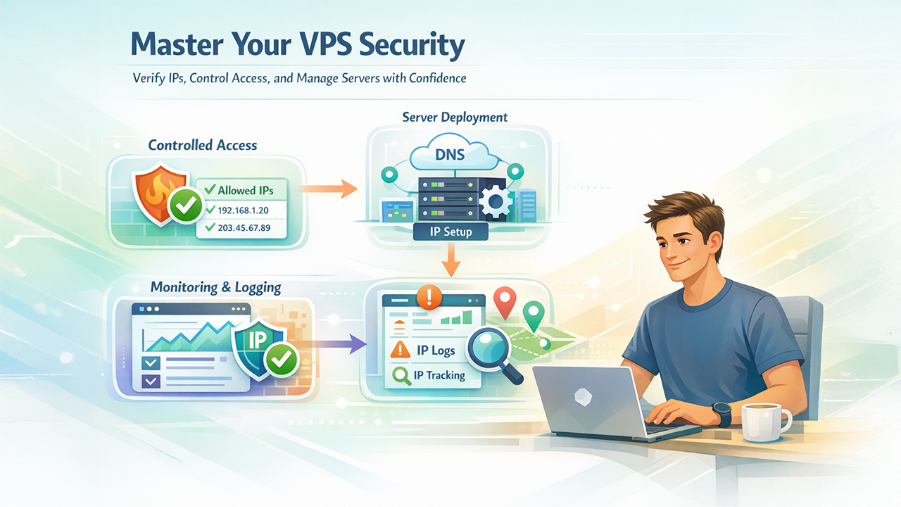
IP visibility and VPS management are connected in practical ways.
Controlled Access
Before connecting to your VPS, verify your public IP. Add that IP to your firewall’s allowed list. This reduces unauthorized access attempts.
Server Deployment
When launching a VPS, you need to configure DNS records to point to your server’s IP address. Accurate IP verification prevents misconfiguration.
Tracking and Logging
Server logs store every login activity. Reviewing IP data helps detect suspicious activity and patterns.
Online Team Access
If your team operated from several locations, checking each user’s IP before allowing access enables an extra layer of management.
Essential Practices for VPS Security
Once your KVM VPS is active, follow such steps:
- Leverage SSH key authentication instead of passwords.
- Block root login where possible.
- Set up firewall policies carefully.
- Keep system packages updated.
- Monitor CPU and memory usage.
- Set up automated backups.
Security is not a one-time task. It is a continuous process.
Selecting the Correct VPS Plan
Before choosing a KVM VPS hosting service, always check:
- Expected traffic levels
- Application resource requirements
- Needed storage capacity
- Upgrade flexibility
- Network uptime
- Technical support availability
Prevent choosing a plan independently based on price. Performance and stability directly impact user experience and revenue. A balanced method works best.
Common Mistakes to Look for
Even seasoned users can make preventable errors:
- Allowing SSH access to all IP addresses
- Ignoring ISP IP changes
- Running production systems without backups
- Failing to monitor logs
- Overloading small VPS plans
Routine checks prevent long recovery processes.
A Practical Workflow
Here’s a simple routine you can follow:
- Check your IP using an IP address lookup tool.
- Log into your VPS securely.
- Confirm firewall rules allow only approved IP addresses.
- Review system logs weekly.
- Update software regularly.
- Upgrade resources when usage increases consistently.
This process supports stable and secure operations.
Final Thoughts
Online projects depend on both network awareness and reliable infrastructure. Knowing your public IP address allows you to manage access and troubleshoot issues effectively. Using an IP address lookup tool makes this step simple and consistent. Ultimately, strong IP visibility and VPS management separate reactive troubleshooting from proactive, scalable infrastructure control.
At the same time, choosing a KVM VPS hosting service provides resource isolation, administrative control, and stable performance for demanding workloads. When you combine IP visibility with a properly configured VPS environment, you build a structured foundation for long-term online operations.
Keep your network identity visible, manage your server with discipline, and treat infrastructure as a core part of your digital strategy.
%201.png)

%201.png)

%201.png)