
Opendream AI Art Generator is a cloud-powered creative platform that converts text descriptions into images, allowing anyone, ranging from hobbyists to professionals, to create visuals with just a few typed lines. In this detailed guide, you will understand what Opendream means, the technology driving it, detailed instructions on how to utilize it, sophisticated prompt and post-processing techniques, legal and safety considerations, and practical recommendations to get top-level and consistent outcomes.
AI Art generators have become significant because the AI Art Generator market is rapidly expanding. Creators and businesses are incorporating generative visuals across product design, marketing, and social content. Opendream has emerged as a key player in that area.
Understanding Opendream AI Art Generator, Features, and Use Cases
Opendream is basically a platform for text-to-image generation. Users input written prompts and create images through generative deep learning models. The platform provides template-based workflows, export options, and style presets that make it a practical option for fast prototyping and final asset production. You can get started with the help of an Opendream guide that gives a brief overview of its capabilities. You can also go through third-party walkthroughs from a reliable source like OutRightCRM that gives practical tips to expedite learning for new users.
Check out OutRightCRM’s blog on Cutout Pro, another AI-powered platform that streamlines graphic design workflows.
Key Features of Opendream AI Art Generator
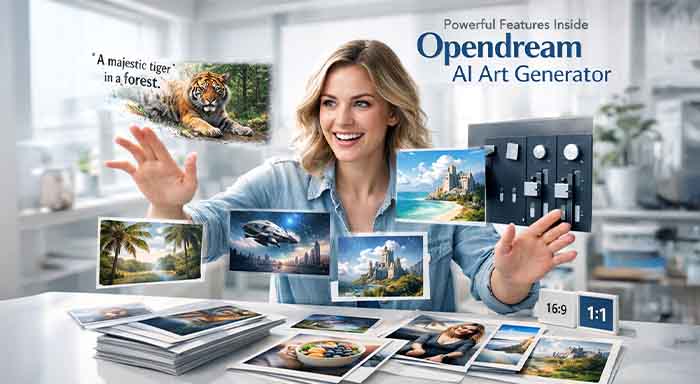
- Text-to-image conversion with composition and style controls.
- An extensive template gallery providing common formats such as banners, social posts, and concept art.
- Adjustable parameters (iterations, aspect ratio, randomness/seed).
- Exportable top-resolution images in known formats (JPEG, PNG) and presets for social/web use.
Who Are the Main Users of Opendream?
- Designers who are prototyping mood boards and concepts.
- Marketers quickly create visual campaigns and social content.
- Developers of Indie games and concept artists exploring various ideas.
- Educators and hobbyists are experimenting with the help of creative AI.
Examples of various images designers can create with Opendream range from product mockups and illustration, style hero images, to stylized social graphics and cinematic concept art. Leverage Opendream to create album covers, social visuals, and game assets. You can then iterate it into production-ready files, as Opendream has positioned itself: the product pitches templates, speed, and simplicity compared to more code-oriented platforms.
An Overview of Opendream’s User Interface
The user interface of Opendream focuses on a dashboard with saved prompts, projects, and templates. The general workflow is as follows:
- Create a project from the dashboard.
- Provide a prompt that describes the image.
- Select a style preset or template.
- Modify the advanced settings (seed, resolution, iteration).
- After that, you can render, save, and export.
The user interface is specially designed to reduce the barrier for new users while getting familiar with the advanced settings slowly.
Styles, Templates, and Personalization Options
Opendream templates are generally organized through use case, i.e., concept art, social, product mockups, and print. It is also organized by style, i.e., painterly, realistic, vector, anime, etc. You can personalize image creation by:
- Choosing a fixed seed to re-create a look.
- Setting the aspect ratio for the composition.
- Enhancing iterations for higher refinement.
- Applying reference images or style tokens when supported.
Such controls allow you to transition from exploratory mood changes to consistent brand assets.
Common Examples and Applications
Leverage Opendream to create:
- Social media banners have brand color palettes.
- Quick concept art for environments, characters, or product ideas.
- Generate images for the hero section of your landing pages.
- Visual references and mood boards for client presentations.
Actionable Insight: Begin with a template that aligns with your delivery channel. This minimizes wasted renders and expedites approval cycles.
How Opendream AI Art Generator Works?
It is created on modern text-to-image generative models that convert semantic prompt data into pixel outputs. At a greater level, such tools make use of learned mappings from language to visual intent spaces and then decode those latent into images.
There are a few common model approaches discussed as follows:
- Diffusion models denoise a latent representation iteratively to create an image. Such models empower numerous commercial generators, including platforms such as Opendream, because they create top-quality and distinct outputs.
- Transformer-driven conditioning leverages text encoders to generate prompt embeddings that facilitate image creation.
- Hybrid approaches integrate diffusion priors and attention mechanisms to align vision and language.
- Such architectures impact how confidential outputs are to style tokens, wording, and reference images.
Main Concepts in Synthesis of Text-to-Image
- Latent Diffusion: It is a technique where the model denoises a latent space with fewer dimensions before decoding pixels, enhancing image efficiency and computing fidelity.
- Conditional Guidance: Methods that guide image creation toward a goal.
- Prompt Embedding: It describes the encoded representation of your input prompt that the model utilizes to impact image features.
The following image illustrates how text-to-image synthesis works at a conceptual level-
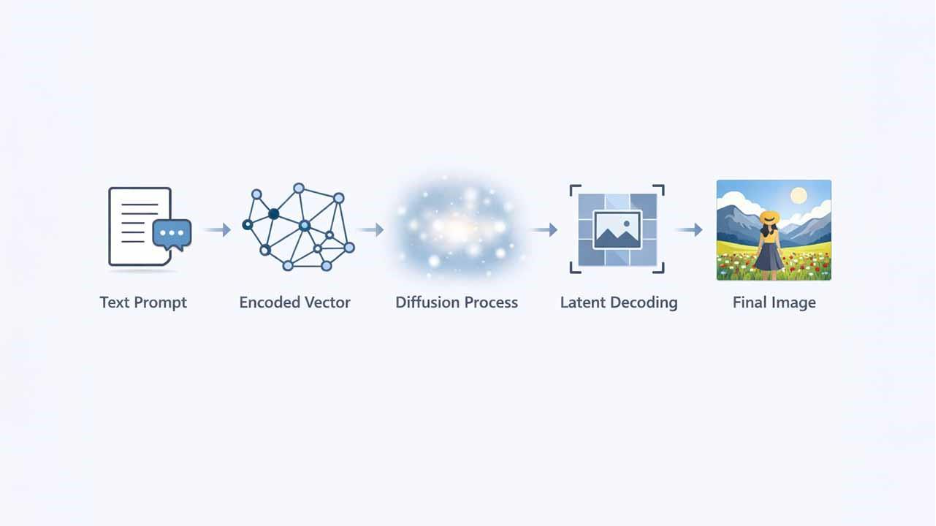
Here, each step explains design tradeoffs between diversity, fidelity, and control.
Data Consideration and Model Training
Models are trained on large image-text pairs collected from licensed images and large datasets. Training choices facilitate style biases and the types of images a model prefers. If the dataset of the model overrepresents specific aesthetics (E.g., Western Art Styles), that bias will show up in outputs. Comprehending training data is vital for identifying ethical risks and model behavior.
Possible Implications for Users
The architecture of the model guides a prompt strategy for Opendream:
- Diffusion models reward layered and specific prompts, including lighting, subject composition, style, and reference media or artists.
- Utilize iterations or seeds to improve fidelity and reproducibility.
- Anticipate artifacts (e.g., fine text, hands) and create plans for post-processing or inpainting.
Practical Tip: When you require practical tips (exact composition, brand-safe output), create multiple versions and in paint or composite the right parts instead of depending on a single render.
Getting Started with Opendream AI Art Generator
In this section, let us walk through the detailed process in bullet points with examples and insights. Using these steps, you can start rendering your first image in about 10-20 minutes.
Detailed Opendream AI Art Generator Guide
1. Access the Official Website: Proceed to the official website of Opendream. You can use any web browser to access it.
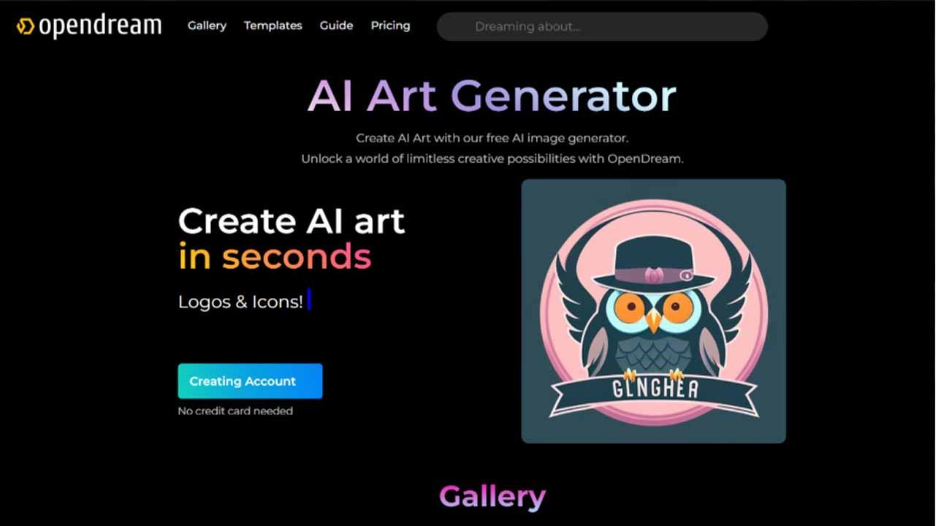
2. Create an Account: Select the button titled “Get Started” to sign up for the website. You can select “Continue with Discord” or “Continue with Google” to join Opendream.ai automatically.
3. Choose Template: You have the option to choose from a wide variety of templates that come equipped with pre-configured Opendream settings, enabling you to effortlessly create stunning images via a simple prompt.
Note: In case you choose not to create an image in a particular template provided by Opendream, you can just skip this step.
4. Styles: “Style” covers “negative” and “predefined” prompts within the settings of the template that users can customize by removing or adding particular details. This customization allows users to achieve the particular stylistic result accurately.
5. Provide Your Subject in the Prompt Box: At this stage, you just need to provide your subject in the prompt box. However, if you do not choose the Opendream template, it is advisable to provide a complete prompt for the right results.
6. Adopt Parameters: Guidance Step, Scale, and Sampler: It is advisable to set them at their default settings.
- Model: Presently, Opendream provides you with 4 models to select from.
- Optional Number of Images: Users can create up to 32 images simultaneously. (Conditions are applicable to premium users.
- Aspect Ratio: Users can choose the appropriate frame aspect ratio for their use of the image.
- In addition, you can select whether the created images are private or public.
Note: In a free plan, you deal with the limitation of creating a maximum of 1 image per creation, and NSFW images are not supported.
7. Select “Create” to start creating images.
How to Create Stunning Images with Opendream AI Art Generator?
In order to create captivating visuals consistently, you must know how to do prompt engineering. It is the craft of creating prompts that deliver intended aesthetics reliably. Combine that with the complete knowledge of iterative renders, templates, and a light post-processing workflow.
The best practices of prompt engineering are as follows:
- You can be more specific: lighting, artists, and camera traits.
- Leverage style tokens (for example, “vintage film”, “cinematic”) to control aesthetics.
- Negative prompts: You can exclude artifacts or styles explicitly. (e.g., “Keep no extra fingers,” “no text,”).
- Layering: Create complexity in stages. Start broad and then you can fine-tune.
- Main Insight: If one prompt does not give you the desired result, you can give another prompt. Render, evaluate, and then re-prompt. It is a more effective way than creating one long prompt.
Conclusion
Opendream AI Art Generator streamlines visual creation by changing prompts into professional-level images through sophisticated diffusion models. Irrespective of whether you are designing prototyping concepts, a marketer crafting captivating social content, or a casual user exploring creative AI, the template-based interface of Opendream and diverse personalization options ensures consistent outcomes. Success depends on making your prompt engineering skills better, layering particular details about composition, lighting, and style while also utilizing negative prompts to fine-tune your outputs. When it is combined with post-processing workflows and iterative rendering, Opendream allows users to efficiently create production-ready and brand-safe assets across distinct applications, from product mockups to concept art.
%201.png)

%201.png)

%201.png)