

The ideal WordPress gallery plugins can create a substantial impact for anyone striving to streamline their images and showcase them efficiently. While WordPress provides a wide variety of gallery plugins, not all of them can render robust folder support, making it complicated to handle large media libraries, especially for agencies, photographers, and bloggers who depend greatly in visual form of content.
For professionals handling hundreds if not thousands of images, folder support is crucial is makes sure that media remains easy to categorize, locate, and display, ultimately saving time and improving the overall experience of the users. Keep reading to discover the best WordPress gallery plugins with folder support and find out which one suits your needs perfectly.
Why Folders Matter for Photographers, Agencies, and Bloggers?
Ensure neat organization of your images into folders involves a lot more than just simplifying your media library, it can greatly enhance accessibility, efficiency, and overall workflow for any users streamlining visual content. The following points expound further on why folders are important:
- Effective Management of Media: Folders enable agencies, photographers, and bloggers to organize images based on client, project, or type of content, making it simpler to quickly local files without scanning through hundreds of items.
- Higher Productivity and Quicker Workflow: With streamlined editing, folders, repurposing, or editing images becomes more simplified, not only saving precious time but also minimizing the possibilities of misplacing vital media.
- Improved Performance of Website: Effectively structured folders aid in streamlining image loading and gallery performance, especially when combined with gallery plugins that provide support to folder-driven organization.
- Effective Content Strategy and Search Engine Optimization: Categorizing images into appropriate folders makes it simpler to ensure consistent naming, metadata, alt text, which enhances overall search engine visibility and resonates with content strategy objectives.
What Are the Challenges of Media Organization in WordPress?
Media organization in WordPress might feel user-friendly and effortless at first. However, with the growth of your website, handling hundreds and even thousands of images can become overwhelming quite quickly. Without folder support and effective tools, even gallery management tasks and minor updates can turn out to be a time-taking challenge.
1. Limitations in Native Media Organization
The in-built library of WordPress mainly sorts files by uploading date, which can make it quite tricky to locate particular images. Users generally end up depending on searching or scrolling endlessly, which is not feasible when you have large libraries.
Without sophisticated organization options such as categories or folders, the process of handling client-specific media or projects becomes greatly chaotic. It is a shortcoming as it can protract the workflow, especially for professionals who require accessibility to images for editing as well as publishing purposes.
2. Difficulty in Handling Large Collection of Images
With the growth of the website, the overall number of visuals can keep on growing. Without folder support, monitoring diverse campaigns, projects, or types of content can be challenging.
This can cause problems such as misplaced files, duplicate uploads, or accidental overwrites. For photographers or agencies managing multiple clients, these inconsistencies can significantly degrade productivity and project timeframe.
3. Mismatched Naming and Metadata
Efficient management of media documents in folders is crucial for ensuring simplicity of continuous naming classification and metadata. This makes images scattered, so implementing SEO best practices becomes harder.
Incorrect metadata and missed image text can negatively affect the online presence of websites and minimize the efficiency of content practices. This is why, efficiently folders organize can help implement structure and consistency across every media platform.
4. Poor Team Cooperation
Clear, systematic folder management is crucial to maintaining the collaboration between different teams. A slight lack can lead to duplicate content and inconsistent file placement especially when multiple editors and contributors work together.
With folder-based file organization, anyone can access relevant images quickly and effortlessly. This will also minimize confusion, eliminate manual tasks, and simplify integrated workflow. Additionally, this also enables smooth functioning across designers, content managers, and editors.
Best WordPress Gallery Plugins Integrated with Folder
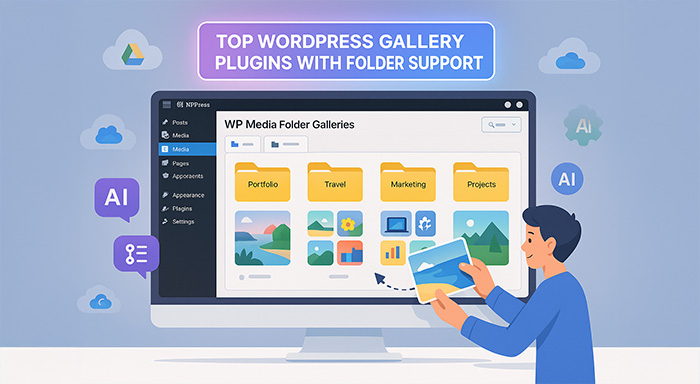
The top-notch WordPress gallery extension with highly organized folder support allows you to showcase your media elegantly. Also, this helps manage files in a well-defined structure which drastically saves time and manual effort. There are two essential choices that become efficient based on salient features, usability, and versatility.
WP Media Folder Galleries
WP Media Folder Galleries is the popular WordPress gallery extension for handling WordPress media with cutting-edge, well-organized folder management. The drag-and-drop features let users create multiple folders and subfolders effortlessly, segment files based on name, date, or file type, and integrate server files with folders. Also, it efficiently connects with cloud services, such as Drop box, Amazon S3, OneDrive, Google Drive, and more.
The extension also involves a Photographer supplement to showcase your images professionally. Also, an AI-driven image enhancement for SEO that automatically creates image text, metadata, captions, and titles. WP Media Folder allows you to replace media among all WordPress posts, integrate batch processing options, and instant watermark for chosen folders for extensive library. Moreover, its AI-driven image SEO capability accelerates images process timeline, improve online presence with no need of manual intervention.
Benefits:
- No limits for folder and subfolder creation
- SEO image enhancement with AI capabilities
- Collaboration with diverse cloud storage services
- Streamline complex image library with Batch processing
- Instant watermarking and media replacement
Limitations:
- Modern features may require specific knowledge for beginners.
- Accessing entire AI and cloud integration requires costly subscription.
Envira Gallery
Envira Gallery is renowned for its intuitive interface, easy-to-use features, and quick setup process. Through WordPress admin area or Gutenberg blocks, users can generate images and videos galleries instantly with customized formats. These layout options include grid, carousel, justified, masonry, slideshow, and more. It empowers albums that involves various galleries which makes it streamline to manage images into different logical segments.
More than just key features, Envira Gallery also offers dynamic lightbox galleries, social media posting, keyboard insetion, and image captions functionality. For securing images, users can leevrage watermarking, import/export features, and right-click security for making it accessible for multi-site environment. For premium users, multiple plugins are come with vast functionality with video galleries, custom CSS styling, and WooCommerce collaboartion.
Benefits:
- Intuitive drag-and drop functionality.
- Quickly processed, SEO-friendly galleries.
- Diverse gallery type and album support.
- Dynamic and mobile-responsive features
- Comprehensive plugins for premium features.
Limitations:
- Limited features and support with free version.
- Significant integration challenges in various themes and plugins.
NextGEN Gallery
NextGEN Gallery provides a simple, unique interface that stands out from alternative gallery plugins while staying accessible for beginners. Its gallery dashboards let users instantly create their first gallery by uploading images and choosing templates. Additionally, it also offers robust customization support that efficiently improves the visual appearance of galleries through a user-friendly popup. The plugin fosters multiple gallery types, including standard thumbnails, image browsers, and slideshow with lightbox integration, SEO improvements, and watermarking.
NextGEN Gallery is also renowned for image monetization. Advanced e-commerce plugins and payment gateway integration like PayPal and Stripe streamline selling prints directly from gallery. This premium version inserts mass metadata import, album style, print fulfillments, and diverse galleries which makes the platform ideal for everyone. Regardless of whether you’re seasoned photographers or WordPress websites seeking advanced media management.
Pros:
- Appropriate for expert photographers
- Automatic metadata import and batch uploads
- Supports a variety of gallery formats and albums
- Integratation of print fulfilment and eCommerce
- Suitable for the Gutenberg editor
Cons:
- For novices looking for simplicity, the interface may be confusing.
- The pro version is necessary for certain advanced features.
Modula
The next WordPress gallery plugin is Modula, with smart automatic gallery layouts, users just have to enter the gallery height, and the plugin lays out images optimally. This plugin is ideal for personal sites, portfolios, photography, and business sites. Modula offers a drag-and-drop builder, multiple hover effects,a lightbox, built-in social sharing buttons, and image protection via password or right-click prevention.
In addition, Modula includes Additionally, Gutenberg blocks and shortcodes to embed galleries and has a CDN to accelerate image loading . The pro version further includes user role management, watermarking, deeplinking, EXIF data viewing, and pagination. Modula's easy interface makes it best for beginners who would desire professional and interactive gallery outcomes without the hassle of complicated setup.
Advantages:
- Drag-and-drop builder and automatic gallery layout
- Various hover effects and lightboxes
- Password protected images and right click prevention
- Integrated social media sharing
- CDN for quick performance
Cons:
- Only the premium version has access to certain advanced features.
- Restricted personalisation in contrast to plugins with more features.
Foo Gallery
Foo Gallery is a responsive and simple plugin with seven beautiful templates: masonry, thumbnail, carousel, and image viewer galleries. It allows tag images for easier organization and retrieval, thumbnail customization, borders, loading icons, hover effects, and CSS customization of galleries and albums. SEO is supported by the plugin by integrating it with popular SEO plugins, so search engines index the images correctly.
FooGallery also has a drag and drop builder, frontend gallery filters, slow loading, and live previews within the Gutenberg editor. Responsive, retina-ready design and speed make it ideal for developers, freelancers, or website administrators who desire maximum control over gallery look without compromising speed or SEO.
Benefits:
- Several editable gallery templates
- Design that is responsive and retina-ready
- Performance and search engine optimisation
- Drag-and-drop builder featuring a live preview of Gutenberg
- User-facing gallery filters
Cons:
- The free version lacks some advanced features.
- Few integrations with third parties
To assist you in comparing the top WordPress gallery plugins with folder support, here is a table.
| Plugin | Key Features | Pros | Cons |
| WP Media Folder Galleries | 1. Unlimited folders & subfolders 2. Drag-and-drop folder management 3. AI-powered SEO image optimization 4. Cloud storage integration | 1. Advanced folder organization 2. Fast SEO optimization 3. Cloud integration 4. Batch processing | 1. Steeper learning curve 2. Premium required for full features |
| Envira Gallery | 1. Drag-and-drop builder 2. Multiple gallery types & albums 3. Responsive lightbox 4. Social sharing & right-click protection 5. Add-ons for video & WooCommerce | 1. Beginner-friendly 2. Fast-loading & SEO-friendly 3. Supports albums & layouts Mobile-friendly 4. Flexible add-ons | 1. Free version limited 2. Possible theme/plugin conflicts |
| NextGEN Gallery | 1.Gallery wizard Multiple gallery types 2. Lightbox & watermark 3. SEO optimization eCommerce & print fulfillment | 1. Professional-grade 2. Batch uploads & metadata import 3. Supports albums & galleries eCommerce-ready 4. Gutenberg compatible | 1. Can be complex for beginners 2. Some features require Pro |
| Modula | 1. Automatic gallery layout 2. Drag-and-drop builder 3. Lightboxes & hover effects 4. Image protection & CDN | 1. Quick professional galleries 2. Easy drag-and-drop Image protection 3. Fast CDN | 1. Advanced features premium-only 2. Limited customization |
| Foo Gallery | 1. Multiple gallery templates 2. Drag-and-drop builder 3. Frontend gallery filters 4. Lazy loading & SEO-friendly 5. Gutenberg live preview | 1. Customizable templates 2. Responsive & retina-ready 3. SEO optimized Live Gutenberg preview 4. Frontend filters | 1. Some features premium-only 2. Limited third-party integrations |
Conclusion
Leading WordPress gallery plugins that support folders provide easy media management, better productivity, and SEO optimization. Photographers, agencies, and bloggers all gain from the use of an organized folder structure to save time, prevent file loss, and have consistent metadata for search engine optimization.
Select a plugin based on what is important to you. WP Media Folder leads with expert organization and SEO. Envira Gallery is easy for beginners with adjustable layouts. NextGEN Gallery works best for professional photographers who require eCommerce integration. Modula is fast, automatic layouts for creatives. FooGallery offers extensive customization for developers. When you choose a plugin that fits your workflow, you can easily handle large media libraries while creating beautiful galleries that improve user experience.
%201.png)

%201.png)

%201.png)

