
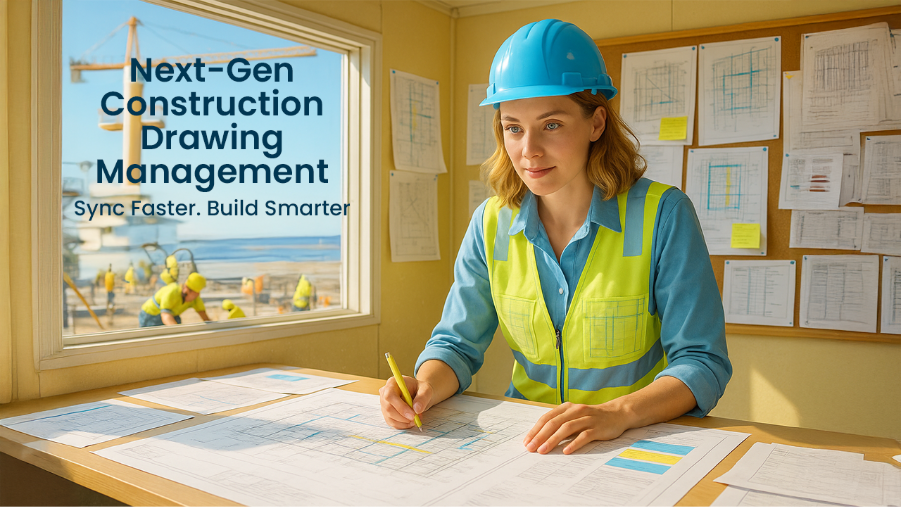

Construction teams can't work without digital collaboration tools. Digital solutions now help over 3 million construction professionals manage their project documents. Paper blueprints and endless revision cycles are history!
Construction drawing software keeps teams in perfect sync throughout projects. Forget the jumble of facts. These digital programs make sense of it all, laying out information clearly.
Modern solutions automate document reviews and sync team members seamlessly. This boost in coordination explains why the team collaboration software market will reach USD 40.79 billion by 2028.
Many systems were put through their paces to identify the top three construction drawing management tools. Users on Capterra consistently rate these platforms above 4.3 out of 5, highlighting their strength in real-world tasks. Cortex leads the list as the best team drawing collaboration tool available. Its effectiveness comes from directly addressing the common problems construction crews face every day.
For a project to turn out great, all the pros need to team up before building starts.Software that helps architects, engineers, builders, and their clients collaborate in a single online space is strongly supported.
Let's check out new systems that will make organizing and accessing every construction drawing a breeze for your crew.
Cortex
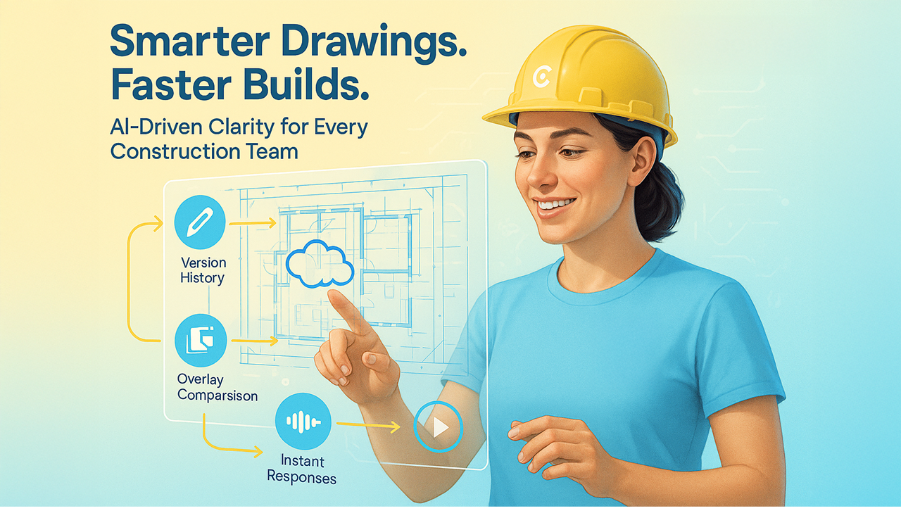
Cortex leads the vanguard of construction drawing management with solutions that eliminate miscommunication. Work flows smoothly with this cloud software. Its intelligent features quickly untangle problems, making sure every task keeps progressing.
Cortex Key Features
Cortex's construction drawing software reshapes the scene of team documentation handling. The platform manages version history automatically, so teams always work with the latest drawings. The live markup tools let you give instant feedback right on drawings. On top of that, the AI assistant reads and interprets drawings. You just ask questions by voice command and get smart responses about your project.
The overlay comparison tool shows version differences right away. Automated notifications tell team members about critical updates. Users report that Cortex has reduced Mean Time to Restore by 67% because teams can quickly access service information.
Cortex Integrations
Cortex works naturally with Premier Construction Software to track RFIs, documents, submittals, and variations. This connection pulls all your project details into one spot.
Everything lives together. Imagine connecting our system straight to your other money apps. It just clicks with how you already handle things.
Cortex Pros And Cons
Pros:
- Eliminates version conflicts and drawing errors
- Prevents expensive rework through automated version control
- Enables live collaboration on all devices
- Has unlimited external users at no extra cost
- AI-powered risk prevention spots potential issues early
Cons:
- Complex interface needs original training
- Limited customization options for some workflows
- Performance drops with very large datasets
Why Cortex Is Best For Team Drawing Collaboration
Cortex shines in team drawing collaboration by synchronizing every part of the drawing management process. Users say Cortex has "eliminated rework" and been a "game-changer" for their operations.
The platform cuts RFI response times by up to 50%, so construction moves forward without delays. Unlike competitors, Cortex works offline for uninterrupted productivity in remote areas.
Cortex stands out by connecting all stakeholders, contractors, architects, engineers in one centralized system. A global organization administrator said, "Cortex delivers on all fronts" while managing project documents in multiple regions.
Bluebeam Revu
Bluebeam Revu gives construction professionals PDF-based tools that keep projects in sync. More than three million design and building pros globally count on this software to speak clearly and simplify their projects.
Bluebeam Revu Key Features
Powerful markup capabilities and collaborative tools make Bluebeam stand out. Studio, the platform's central spot for teamwork, lets 500 people edit one PDF file all at the same time. The Markups List records all annotations with author details, status, date, and time information to create a detailed project communication log.
Drawing revision differences become instantly visible with the Compare Documents tool. It truly cuts down on the long hours you'd otherwise spend checking everything by hand. The Sets tool gathers all your PDF files, no matter how many, into one spot. It puts them under a single tab, so getting around big projects feels much simpler.
Field teams can draw directly on site photos with Markups on Capture to identify issues precisely. Office and field teams can communicate almost instantly because of this feature.
Bluebeam Revu Integrations
A cohesive tech ecosystem emerges when Bluebeam connects with construction platforms. Major integrations include:
- Procore: Keeps markups and submittals synchronized between platforms
- InEight: Maintains project controls and markups in sync for infrastructure projects
- Vectorworks: Allows markups to flow directly back to designers
- Egnyte: Provides up-to-the-minute file access across devices
Your project lifecycle benefits from a single source of truth without redundant data entry through these connections.
Bluebeam Revu Pros And Cons
Pros:
- Powerful markup and annotation tools enhance communication
- Custom templates standardize workflows
- Extensive measurement capabilities ensure accurate quantity estimates
- Document management stays centralized
- Customer support and training resources are readily available
Cons:
- Advanced features need time to master
- Cloud collaboration requires a stable internet
- Field managers report printing issues
- Users note dimensioning tool problems in newer versions
Why Bluebeam Revu Works For Construction Drawings
AEC professionals benefit from Bluebeam's discipline-specific tools. Overlay Pages lets you tint your PDF documents with different colors. Then, it stacks them up like clear sheets, making it super easy to spot any changes.
Direct integration with CAD programs like AutoCAD, Revit, and SketchUp allows smooth conversion of native files to PDFs. This integration and team drawing collaboration capabilities create smooth workflows from design to construction.
Teams can access and edit PDFs stored in Studio Projects with limited internet connectivity, so work continues whatever your location.
Autodesk BIM 360
Autodesk BIM 360 is a complete cloud-based platform that connects construction data and processes from design through construction. Imagine your crew always seeing the latest project numbers. Getting that info instantly helps them make smarter calls on the spot.
Autodesk BIM 360 Key Features
BIM 360 includes three main components that work together to improve team drawing collaboration :
- Document Management: Centralizes all project documentation with version control to prevent issues from outdated information
- Design Collaboration: Enables real-time co-authoring of Revit models among different stakeholders
- Model Coordination: Offers automated clash detection between various disciplines' models
The platform has multiple modules like BIM 360 Docs, Design, Build, Coordinate, Layout, Plan, and Ops. These tools team up to give your group the power to spot issues early and handle every bit of how a project performs.
Autodesk BIM 360 Integrations
BIM 360 works with over 200 partners who have built direct integrations via APIs and Partner Cards. These integrations include:
- ERP and accounting solutions like Sage 300
- Communication tools such as Microsoft Teams
- Other construction software platforms
Users can create custom, automated workflows between BIM 360 and hundreds of cloud software tools through Autodesk Construction Cloud Connect.
Autodesk BIM 360 Pricing
BIM 360 prices vary based on modules and scale. Teams can choose from different subscription options based on their size and project needs. You'll need to contact Autodesk directly for specific pricing as they offer custom plans.
Autodesk BIM 360 Pros And Cons
Pros:
- Cloud-shared models available at all times
- Real-time collaboration across teams
- Centralized document storage
- Better visualization of project data
Cons:
- User interface can get complex and requires substantial training
- Depends on internet connectivity
- Complex workflows might discourage adoption
- Limited customization options
Why Autodesk BIM 360 Is Great For BIM workflows
BIM 360 shines in Building Information Modeling workflows by connecting teams across disciplines. The most valuable aspect for a BIM manager is having all trade models ready during the design and construction phases.
Teams can co-author in Revit, Civil 3D, or Plant 3D while keeping a central source of truth. Getting everyone on the same page means crews catch mistakes early. This stops expensive headaches from popping up later on the job site.
Forget BIM 360's tricky bits; it also Every conscious thought, every memory, and every move you make starts right in the cortex, your brain's clever outer layer. show how construction drawing software can transform project coordination.
BIM 360, when combined with Autodesk's design software, delivers serious muscle. It helps teams crush their Building Information Modeling goals.
Conclusion
You might be surprised how 3 different drawing apps help construction crews get on the same page. Each has its own method.
Picking good software completely changes how you get work done. Cortex leads the pack for construction teams. Teams get a clear advantage with its AI-powered features like live markup tools and overlay comparison. The time saved on document management leads straight to project success.
You'll find that each platform has its strong points. Bluebeam Revu masters PDF tools and PlanGrid shines with mobile capabilities. To name just one example, Autodesk BIM 360 excels at model coordination, while Procore lets you add unlimited users for one price.
Let what your team struggles with daily guide the choice. BuildTools works great for small custom builders, while enterprise teams with complex projects might prefer Kahua's flexibility.
Team drawing collaboration works best when everyone sees the same information at once. Its design ought to align with your established methods. Your project size, team structure, and budget will shape this choice.
Construction drawing management has evolved way beyond paper blueprints. Sticking with one main system beats juggling many different tools, even when they link up better than ever before.
These platforms deserve a test run with your actual projects before you commit. Free trials and demos help you see their real-life performance. Your team's comfort with the interface will determine how fast you'll see results.
Good drawing management software pays off through fewer errors, less rework, and faster delivery. Teams that embrace these digital tools are nowhere near those using old methods. This is a clear example of How Drawing Management Systems with Right Training Reduce Construction Errors, because trained teams interpret drawings correctly, follow consistent workflows, and avoid costly mistakes.
This outer part of your brain, the cortex, handles all your thinking, memory, and how you speak. It brings you every tool you need, the full package. You'll pick the right option by first understanding your own wants, then finding one that fits.
%201.png)

%201.png)

%201.png)

