

If you are looking for a reliable way to humanize AI writing and avoid AI detectors, the strongest results often appear when a platform adjusts structure, shifts sentence patterns, and builds a natural flow without any loss of meaning. This method helps AI-written text pass strict academic and workplace checks with far more confidence than raw output.
This article outlines seven strong options and explains what sets each one apart.
Why AI Humanizers Matter for Academic Writing
AI detectors now function as strict filters across universities. Classifiers track structural cues that often appear in AI essay writing: flat pace, uniform transitions, narrow lexical range, and repetitive sentence frames. These signals remain visible after minor edits, which can lead to false alerts and disputes during review.
People test different approaches and note the same issue: detectors react to predictable structure, not to ideas or arguments. This detail matches our own analysis of current evaluation systems.
Modern online humanizer tools solve this risk with structural variation. They shift phrasing, alter rhythm, expand vocabulary, and add natural irregularity. This method helps humanize AI text and removes the mechanical patterns that detectors classify as machine-produced content. As a result, students receive text that aligns with real authorship and helps make AI text undetectable during academic checks.
Because universities now enforce strict scoring rules, these tools offer practical support for writers who want a natural tone and fewer issues during evaluation.
Top 7 Online Essay Rewriter Tools
Here is the list of seven platforms that help writers produce text with a natural tone and a structure that avoids AI-related flags. Each option offers its own advantages, from broad word limits to academic tone control or stable output for long essays.
In the section below, you can find what each type of platform can help students and educators do with respect to writing activities across school and workplace needs.
1. Clever AI Humanizer

Clever AI Humanizer offers a high-accuracy method for writers who want natural text with clear structure and minimal AI traces. The platform stands out through its ability to adjust rhythm, vary sentence forms, and widen vocabulary without distorting meaning. This approach aligns with observations from strategies to detect AI writing. The AI detector identifies AI writing by looking for three characteristics: uniform cadence (how quickly the text is written), repeated text frames (the blocks of text that are the same), and limited lexical patterns (how frequently certain words are repeated). Clever AI Humanizer balances this by refining writing to sound human-like.
Key features:
- 200,000 words per month in the free plan, up to 7,000 words per run
- Modes: casual, formal, academic
- Structural shifts that alter rhythm and sentence patterns
- A wide vocabulary range that reflects a natural human tone
- Stable output for large documents and multi-part essays
- Strong match for users who want an AI humanizer or an AI text humanizer tool for academic or formal tasks
Pros:
- One of the largest free monthly limits among humanizer platforms
- Reliable academic mode with clear structure
- Natural flow without a loss of meaning
- No watermark
- Fast output
- Suitable for students and professionals who aim to humanize AI text with precision
- Useful as an AI writing tool for large academic drafts
Cons:
- No browser extension
- No direct integration with Google Docs or Word
- Pricing: Free: up to 200k words.
Our score:
- Rewrite clarity: ★★★★★
- Pattern control: ★★★★★
- Tone stability: ★★★★☆
- Ease of use: ★★★★★
- Free-tier value: ★★★★★
Final thoughts: Clever AI Humanizer remains a strong option for users who want a clear tone and low AI-trace visibility in academic or formal work. Its wide limits and stable system help writers without any loss of accuracy.
It also has a free GPT plugin that for users to make AI-written text feel natural and generate content that has fewer AI patterns and robotic tone. This tool is designed for those individuals who want a true AI text Humanizer, the ability to retain the actual meaning of what they want to convey and maintain a steady structure.
2. QuillBot
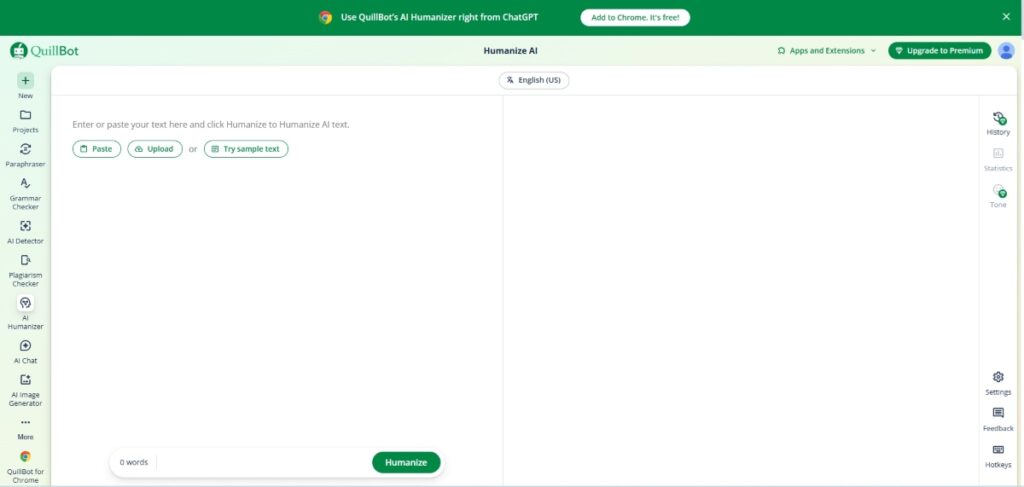
QuillBot is one of the more reliable essay rewriter tools if your goal is to improve clarity without changing the meaning too much. It’s commonly used by students and professionals who need to rephrase content while keeping it readable and structured.
What stands out here is how consistent the output is. Instead of aggressively rewriting sentences, it focuses more on improving flow and readability, which makes it useful for refining drafts rather than completely reworking them. It also works well when you need to humanize AI content so it sounds less mechanical and more natural.
Key Features:
- Multiple rewriting modes (Standard, Fluency, Creative, etc.)
- Good balance between rewriting and meaning retention
- Built-in grammar checker and summarizer
- Works across browsers and apps (including extensions and integrations)
- Clean and simple interface
Pros:
- Produces clear and natural-sounding rewrites
- Maintains original meaning effectively
- Easy to use with a minimal learning curve
- Useful for both academic and professional writing
- Delivers consistent quality across different writing styles
Cons:
- Free access comes with usage restrictions
- Pricing: Free access with restrictions. Premium plans begin at $19.95/month
Our Score:
Ease of Use: 4.8/5
Rewrite Quality: 4.6/5
Features: 4.5/5
Pricing: 4.4/5
Overall: 4.6/5
Final Thoughts:
This tool helps authors improve the clarity of their writing and refine the tone of academic and technical content by reducing awkward or overly formal language. It makes written text easier to read and understand, while maintaining the original intent.
The humanizer mode is particularly useful for those looking for a straightforward AI rewriting experience, as it consistently delivers clear and readable results without overcomplicating the process.
3. Undetectable AI

For students and academic writers who need a structured format to write reports and essays, Undetectable AI provides the flexibility to adjust the writing structure and format to fit any assignment across both academia and the workplace. It is a free AI Humanizer that is developed to minimize AI patterns in research papers, essays, and formal documents. With academic institutions increasingly relying on tools like the Turnitin AI Detector to evaluate submissions, having a humanizer that specifically addresses detection patterns becomes critical for maintaining academic integrity while using AI assistance. This AI to human text converter supports various document types such as schoolwork, university papers, and longer projects that need a more natural tone and a clearer rhythm.
Core features:
- A system for creating rewrites on a structural level that provides strong shifts in rhythm, and the ability to adapt text for ZeroGPT and Originality.ai.
- Free plan limit: up to 500 words per input with no registration
- Has a depth slider which allows for multiple rewrite strengths.
- Supports large documents with a multi-paragraph rewrite option.
Pros:
- Tones preset for/as required for academics.
- Offers strong structural changes across long documents.
- Easy to use interface allows for quick edits.
- Great for academic writing (schools/universities).
- Uniform output for multi-section drafts.
Cons:
- Compared to another providers, the free limit is smaller.
- Ability to create high strength rewrites may cause some distortions in meaning.
- Pricing: Free plans. Paid plans start at $19 a month, for 20.000 words, with lower rates available on annual billing.
Our score:
- Rewrite clarity: ★★★★☆
- Pattern control: ★★★★☆
- Tone stability: ★★★☆☆
- Ease of use: ★★★★★
- Free-tier value: ★★★☆☆
Final thoughts: Undetectable AI suits users who want a free AI humanizer with clear tone options and strong pattern variation. It offers solid depth for writers who need an AI to human text converter that keeps the structure natural and makes the final draft sound more human.
4. WriteHuman

Users of this platform have access to a methodical way to rewrite their work, so there is an even rhythm, transitions that are smooth and natural, and balanced tone of the work, all of which results in improved readability. It fits long essays, research projects, and school assignments that require strong organization and lower AI-pattern visibility. WriteHuman positions itself as a reliable option among the best tools for users who want deeper structural shifts without loss of meaning.
Key features:
- Free version provides the ability to rewrite up to 1,000 words per submission.
- Three tiers of depth are available for each level of sentence construction and tone adjustment.
- Modes: standard, professional, academic
- A variational algorithm that creates different spacing and lengths of sentences throughout the drafts.
- Output is appropriate for AI-generated high school papers and other forms of written assignments for academic purposes.
- Useful for writers who are looking for adjustments so that their written work does not have a robotic or artificial sound.
Pros:
- Strong academic structure for drafts.
- Strong sentence control for long documents
- Easy to use interface with quick navigation.
- Final output remains very similar to the original content.
- Effective for medium and large educational tasks
Cons:
- Limits on free sage are moderate.
- May create an overly formal tone when using the professional mode.
- Pricing: Free access with limits. Paid plans range from $18 to 48/month.
Our score:
- Rewrite clarity: ★★★★☆
- Pattern control: ★★★☆☆
- Tone stability: ★★★★☆
- Ease of use: ★★★★★
- Free-tier value: ★★★☆☆
Final thoughts: A rewrite methodical rewriting process provides a writer with the necessary structure to have complete control over the flow and tone, as well as the ability to write clearly and concisely for longer papers or research projects. Additionally, it provides the user with writing that moves away from AI-generated phrasing, while still maintaining the primary intent of the content and creating an alternative option for those looking for a ChatGPT humanizer for a large volume of writing.
5. FlowWrite

In most cases, academic writing requires a structure, consistent flow and rhythm, and a tone that is not mechanical. FlowWrite's rewrite engine is designed specifically to meet those three requirements by altering the sequencing of a sentence, enhancing transitions and keeping the original intent of the paragraph throughout all the pages in a document (whether an essay or a chapter of a research publication). FlowWrite meet the needs of anyone who would like to refine their writing style without making extreme changes in style.
Key features:
- Rewrite capacity up to 1,000-1,200 words per input, works best for full essay sections and multi-paragraph drafts.
- Structure-focused engine that reorders sentences, adjusts tone, and lexical density with measurable accuracy.
- Modes: balanced, academic, focuses on clarity, each with different vocabulary and sentence-length profiles.
- Variation system that strengthens transitions across long paragraphs and maintains logical flow.
- Output tailored to generate content that sounds less AI-like without changing ideas or modifying original meaning.
- Suitable for users who need stable restructuring for essays, research chapters, or multi-section academic tasks
Pros:
- Offers strong consistency in long academic papers.
- Clear transitions with primary meaning intact.
- Easy to use interface makes it suitable for students and researchers.
- Balanced tone control across various writing modes.
- Effective for multi-paragraph assignments and structured reports.
Cons:
- Limited monthly capacity under a free plan.
- Academic mode may sound overly formal for creative writing.
- Pricing: Free plan available with firm limits. Paid plans start at $5 to 70/month.
Our score:
- Rewrite clarity: ★★★★☆
- Pattern control: ★★★☆☆
- Tone stability: ★★★★☆
- Ease of use: ★★★★★
- Free-tier value: ★★★☆☆
Final thoughts: FlowWrite performs well in tasks that depend on paragraph flow and organized structure. Its rewrite engine reinforces transitions without altering meaning, which suits academic writers who need clarity across long sections. This tool is considered a practical option for those individuals who are looking to refine writing structure while retaining the primary intent of the content.
6. Sapling Rewrite

Many writers need stronger sentence control when they work on research papers, formal essays, or technical documents. This platform answers those needs with precise structure adjustments and clear tone corrections that support complex academic work. Sapling Rewrite also suits users who prefer firm accuracy checks without heavy text distortion.
Key features:
- Rewrite limit up to 2,000 characters per input on the free tier
- Full grammar, punctuation, and fluency correction inside one interface
- Enterprise rewrite engine with API access, team accounts, and activity logs
- Structure adjustment that maintains coherence across long documents
- Suitable for users who want an authentic writing style without loss of meaning
- Provides firm control for users who aim to bypass AI detectors
- Supports a natural human tone across academic or workplace texts
- Helps long drafts look less mechanical, and writing sound less like AI
Pros:
- High accuracy for academic and technical tasks
- Firm sentence clarity
- Fast corrections with stable structure
- Clean interface with direct navigation
- Reliable choice for research papers or structured coursework
Cons:
- Free tier offers a small character limit
- Lower depth than platforms with full AI-to-human transformation
- Pricing: Free plan available. Paid plans start at $25/month.
Our score:
- Rewrite clarity: ★★★★★
- Pattern control: ★★★★☆
- Tone stability: ★★★★☆
- Ease of use: ★★★★★
- Free-tier value: ★★★☆☆
Final thoughts: Precise structure control and firm tone correction make Sapling Rewrite a dependable choice for complex academic tasks. Its engine supports a natural human tone and avoids rigid patterns that reduce authenticity. This platform strengthens long-form drafts while protecting the original idea and overall logic.
7. Writefull Rewrite

A clear and stable structure often defines the quality of an academic or formal document. Writefull Rewrite fulfills this requirement by adjusting the form of sentences, tone, and lexical balance in a balanced and accurate way. The service of this platform aligns with university standards and offers support to users who are looking for a reliable method to strengthen long academic documents. Its design fits research papers, essays, and technical drafts where precision and clarity remain priorities.
Key features:
- Rewrite capacity of up to 500-700 words per submission. The maximum number of words depends on user access levels.
- Modes: rewrite, paraphrase, revise, clarify, shorten, formal.
- An AI training system built from academic corpora of journals including Elsevier and Nature.
- Structure adjustments that provide for a more naturally flowing academic writing style.
- Use logical sentence structures to enhance the reader's experience as if it were originally written in human tone.
- Output is suitable for all users who require realistic sentences as part of a homework assignment, report, thesis, and other types of scholarly writing.
- Ideally suited for users who have a need for text enhancement within highly technical or research-intensive content.
Pros:
- Maintains high accuracy in academic and technical writing.
- Strong stability across long paragraphs.
- Controls vocabulary well, which is needed for formal assignments.
- Offers quick logical results.
- Trusted by universities and publishers.
Cons:
- Limited monthly capacity under the free version.
- Doesn't support extremely lengthy manuscripts.
- Pricing: Free tier available. Paid plans start at $11 a month.
Our score:
- Rewrite clarity: ★★★★★
- Pattern control: ★★★★☆
- Tone stability: ★★★★☆
- Ease of use: ★★★★★
- Free-tier value: ★★★☆☆
Final thoughts: The tool's effectiveness in structuring long research documents is based upon the strength of the document's design. Structure plays an integral part in creating and maintaining an efficient and productive environment for your research paper, and Writefull Rewrite supports this standard with clear, precise corrections. The platform shapes a formal tone without unnecessary distortion and maintains reliable structure across technical content. It suits users who need careful refinement in academic or research environments.
8. TextToHuman
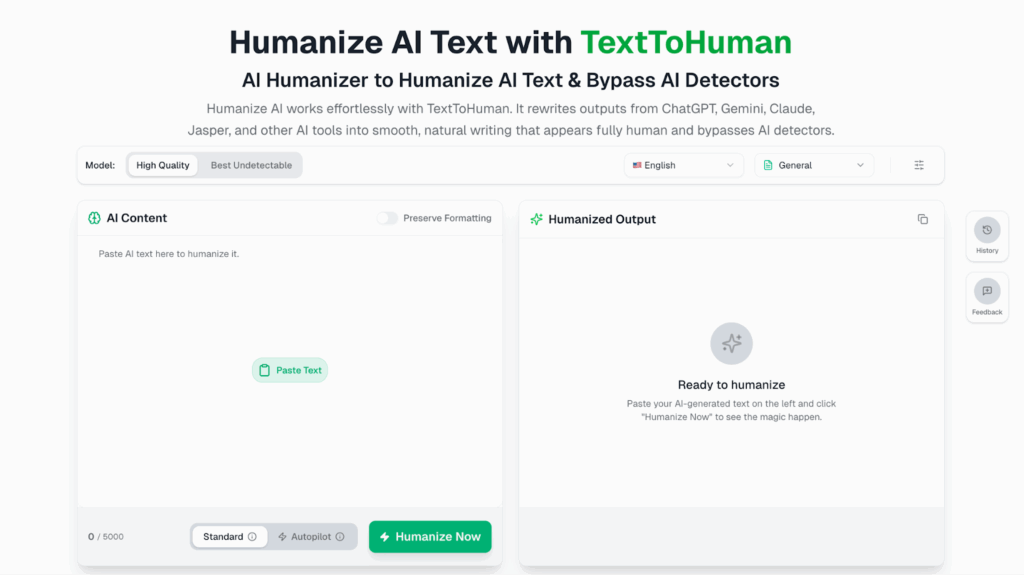
TextToHuman is a completely free AI humanizer that transforms AI-generated text into natural, human-sounding writing without requiring any sign-up, subscription, or word limits. Unlike most tools on this list that cap free usage, TextToHuman offers truly unlimited humanization at zero cost, making it one of the most accessible options for students and professionals who regularly work with AI-generated content.
What sets it apart is its dual-mode system. Standard mode lets you paste and humanize instantly, while Autopilot mode automatically runs multiple humanization passes, checks AI detection scores, and re-humanizes until the text reaches optimal quality, all without any manual intervention. Once processed, the Smart Alternatives feature lets you click any highlighted sentence to view multiple rewritten versions, each displaying its own AI detection score, so you can fine-tune sentence by sentence before publishing or submitting.
Key features:
- Autopilot mode - automatically humanizes, detects, and re-humanizes until optimal quality is reached
- Smart Alternatives - click any sentence to choose from multiple rewritten versions, each with a detection score
- Two models - Stealth and Premium, for different levels of humanization depth
- Supports 25+ languages - including English, Arabic, Chinese, Spanish, Russian, Japanese, and more
- Bypasses major AI detectors - GPTZero, Turnitin, ZeroGPT, Grammarly, detecting-ai.com
- SEO-friendly output - preserves keywords and search signals while improving natural flow
- Works on all devices and browsers - Chrome, Firefox, Safari, Edge, mobile, tablet, desktop
- No sign-up required - paste text and start instantly
- Privacy-first - no content storage, no logging, no data sharing
- Unlimited usage - no daily caps or word count restrictions
Pros:
- 100% free forever with no hidden fees or subscriptions
- Autopilot mode removes all manual effort for busy writers
- Smart Alternatives give precise, scored control over every sentence
- Supports more languages than most competitors
- Works across academic, professional, and creative content
- Preserves original meaning, tone, and context throughout
- Lightning-fast results - output delivered in seconds
- No registration barrier - zero friction to start
Cons:
- No built-in history or saved output log
- Autopilot mode may take slightly longer on very large documents
Our score:
- Rewrite clarity:
- Pattern control:
- Tone stability:
- Ease of use:
- Free-tier value:
Final thoughts: TextToHuman removes every barrier that makes most humanizer tools frustrating - no cost, no sign-up, no word limits. Its Autopilot mode handles the entire humanization loop automatically, while Smart Alternatives give writers full control over each sentence with live detection scoring. For students and professionals who want a reliable, privacy-safe ai humanizer that delivers premium-quality results without a premium price, TextToHuman stands as one of the strongest free options available today.
9. AI Paragraph Generator
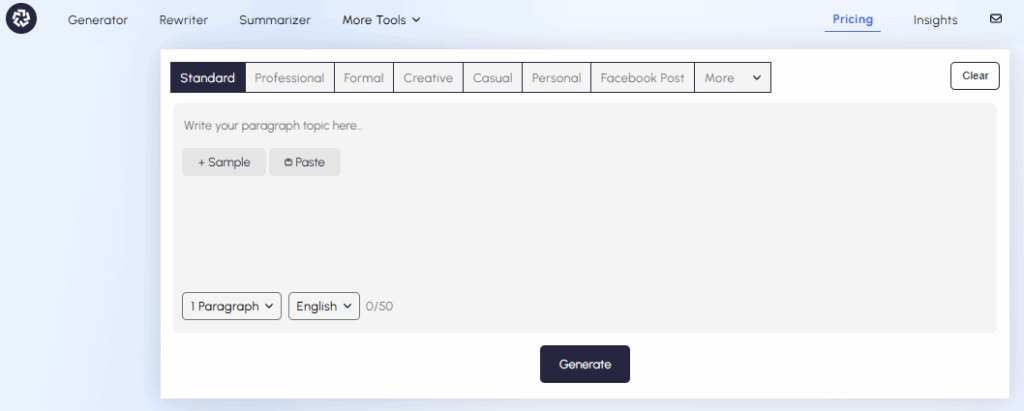
AI paragraph generator gives you a fast and simple way to create clear, well-structured paragraphs on any topic. It focuses on writing strong topic sentences, and smooth transitions just like a human writer does. The tool is helpful for blog writers, students, marketers, and website owners who need organized content without wasting time. It works well for essays, product descriptions, SEO articles, and academic drafts that require clarity and natural tone. This paragraph-generator.com stands out as a practical choice for users who want structured paragraphs that sound human and easy to read.
Key features:
- Generates complete, structured paragraphs within seconds.
- Creates strong topic sentences with supporting details.
- Multiple tone options: standard, formal, academic, creative.
- Adjustable paragraph length (short, medium, long).
- SEO-friendly structure for blogs and website content.
- Maintains logical flow and natural readability.
- Provides sub-tools including a rewriter, humanizer, AI chat, and many others..
Pros:
- Saves time in content creation.
- Produces well-organized and logical paragraphs.
- Simple and clean interface.
- Suitable for beginners and professionals.
- Helps overcome writer’s block quickly.
Cons:
- The free version may have word limits.
- Highly technical topics may require manual refinement.
Pricing:
Free access available with limitations. Premium plans offer extended word limits and advanced tone controls.
Our score:
- Paragraph Structure: ★★★★★
- Clarity & Flow: ★★★★☆
- Tone Control: ★★★★☆
- Ease of Use: ★★★★★
- SEO Support: ★★★★☆
Final thoughts:
This AI paragraph generator helps writers quickly build clear and organized paragraphs without struggling with structure or flow. It offers a simple way to turn ideas into readable content while keeping the meaning strong and natural. This makes it a practical option for anyone who wants faster writing without losing clarity or quality.
Key Takeaways
In summary, even the most reliable humanizer may not produce the exact result you expect on the first attempt. Complex structures, alternative styles, or the use of many technical words may present you with challenges in structuring your content. Therefore, a good idea may be to try a second pass with another mode or adjust the initial sentence order. These steps often move the final draft closer to writing that sounds more human.
Another point to note: texts that contain many facts, dates, names, or abbreviations may still appear rigid after a full rewrite. This occurs because tools do not always detect context with enough precision. A couple of direct, personal edits to the problematic sections of your writing may allow for a smoother transition and increase overall flow.
If the result still falls short of your expectations, two factors usually explain it:
- The tool may not tailor the type of texts you work with.
- The original structure may block natural transitions.
In this situation, rewrite the base version yourself and then send it through a humanizer. This approach usually produces a clearer and more balanced tone.
%201.png)

%201.png)

%201.png)