
In the digital landscape of today, the way you visually captivate the audience is extremely important. You need visuals that not only capture attention but also more effectively communicate ideas. Cutout Pro emerged as a popular choice in recent times as it establishes itself as a comprehensive solution in the market. It addresses key challenges through advanced AI technology, transforming the way we create, edit, and optimize videos. This AI-driven visual design platform streamlines graphic design workflows for all businesses, ranging from e-commerce enterprises to content creators. This leads to automated systems that help you create visual content easily and in less time.
Understanding Cutout Pro
Cutout Pro is an AI-driven visual design platform that utilizes AI and computer vision technology to automate tasks related to photo and video editing. It was established in 2018 by the LibAI team, headquartered in Hong Kong, China. The platform provides complete tools for image enhancement, background removal, video processing, and creative content creation.
Main Features:
- Cloud-driven infrastructure with quick processing times (seconds to minutes)
- Accessible through iOS, web browsers, and Android mobile applications.
- Capabilities of API integration for developers.
- Processes a high volume of videos and images.
- It caters to a vast customer base comprising thousands of businesses.
- It minimizes the need for complex software such as Adobe Photoshop.
Main Features and Capabilities
Cutout Tools and Background Removal
The functionality of background removal has been one of the most valuable features of Cutout Pro. The AI background remover detects and removes backgrounds automatically from both videos and images without needing manual masking or green screens.
Core Capabilities:
- Automatic removal of the video background for footage processing.
- High precision that takes care of minute details, including even the individual hair strands.
- Hair and face cutout tools for in-depth segmentation.
- It provides support for both high definition and standard video files.
- Smooth compositing ensured via transparent PNG output.
Photo Restoration and Enhancement
Cutout Pro provides complete capabilities of photo enhancement that enhances quality of images via automated processes.
Enhancement Characteristics:
- AI photo enhancer for improving color, resolution, and contrast.
- Image upscaling to 4K resolution without any loss of quality.
- Photo restoration for damaged or old photographs.
- Automatically enhances facial as well as background details.
- Includes vibrant colors for white and black images.
Also Read: Opendream AI Art Generator: Complete Guide to Text-to-Image Creation in 2026
Creative Content Creation
Creative Tools Involved:
- A dedicated AI art generator that works very similarly to SeaArt AI for unlimited creation of artistic content.
- Photo colorizer for the conversion of black and white images.
- A functionality called cartoon selfies with 2D and 3D anime styles.
- A tool called PhotoAnimer is used for transforming static images into animated videos.
- Capabilities of text-to-image generation.
Business-Specific Platform
Cutout Pro delivers purpose-built solutions specialized for diverse business applications.
Professional Applications:
- Passport photo maker with compliance specific to the country.
- AI interior design platforms for renovation visualization and virtual staging.
- Photography of E-commerce products with background color changes.
- Alterations in virtual clothing and adjustment of size.
- The functionality of product overlays for mugs, t-shirts, and phone cases.
Technical Integration and Infrastructure
API Accessibility for Developers
Cutout Pro ascertains effective capabilities of API integration that enable developers to incorporate AI-based functionality into personalized applications.
API Specifications:
- REST API with neat and user-friendly HTTP interfaces.
- An uptime of 98% with scalable infrastructure.
- 600 milliseconds per image processing speed.
- A high capacity of approximately 4,000 requests/second.
- Integration with WordPress, Shopify, and Adobe Creative Cloud.
Batch Processing Capabilities
Advantages of Batch Processing:
- It can edit around 1,000 images simultaneously.
- Ensures that there is consistent quality across all items processed.
- Significantly minimize labor needs.
- Expedites completion of the project.
- Ideal for large product catalogs and photography portfolios
Data and Security Protection
Security Characteristics:
- Total encryption in data transmission.
- Automatic removal of processed files within 24 hours.
- Supports compliance with distinct industries.
- Total user control over original files is consistently maintained.
Industry Use Cases and Applications
Product and E-Commerce Photography
Advantages for Digital Retailers:
- Professional images of the product with continuous backgrounds.
- Automated thousands or hundreds of edits.
- Overlay capabilities for demonstrations of product variation.
- Minimized photography costs and enhanced sales conversions.
Content and Marketing Creation
Marketing Applications:
- Quick generation of attractive campaign graphics.
- Social media optimization of content for distinct platforms.
- AI-driven improvement to reach professional standards.
- Fast turnaround for responsive campaign execution.
Professional Video and Photography Production
Applications in Professional Contexts:
- Simplified workflows in post-production with batch processing.
- Efficient management of event coverage and wedding portfolios.
- Automatic removal of video background without green screens.
- High-definition processing of footage with edge quality maintained.
Print-on-Demand Services
Business Advantages:
- Quick customization of the product through cutout platforms.
- Scalable customization workflows aligning order volume.
- Transparent PNG output for smooth product mockups.
- An extensive range of products without separate design files.
Accessibility and Pricing Structure
Cutout Pro works on a credit-driven pricing model, accommodating distinct usage patterns.
Pricing Options:
- Free credits for new users to assess the platform.
- Cost-effective subscription plans with low costs per credit and priority processing.
- Convenient pay-as-you-go packages for occasion requirements with non-expiring credits.
- Free plans with watermarked outputs for assessment of the platform.
- Tiered pricing plans that help individuals in enterprise-level operations.
Tiered pricing plans that help individuals in enterprise-level operations.
Also Read: Picuki in 2026: Complete Guide, Features, Safety, and Best Alternatives
How to Use a Cutout Pro Platform?
Cutout Pro provides numerous tools to improve and refine your static and visual images.
Image Background Remover
1. Log on to the official website: cutout.pro.
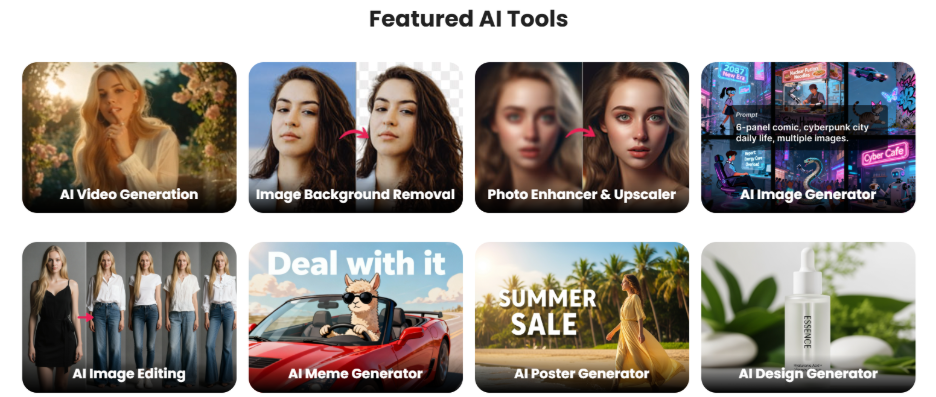
2. Go to the section “Featured AI Tools.”
3. Select the option “Image Background Removal.”
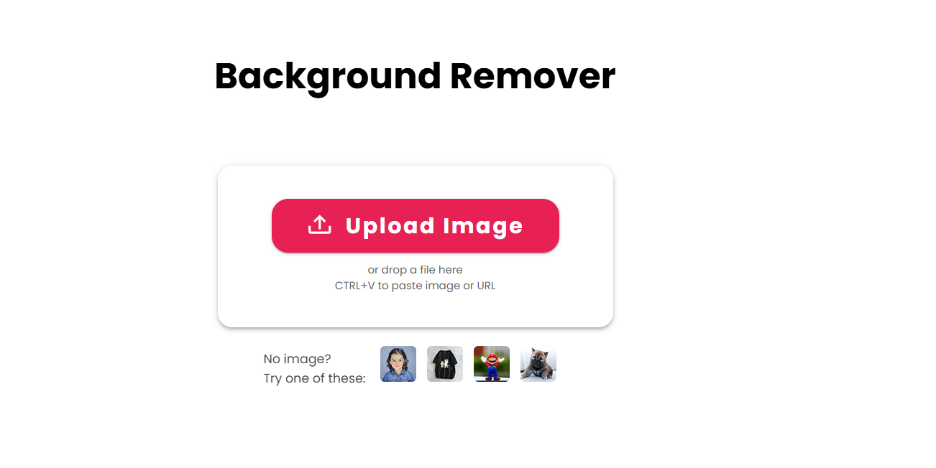
4. Choose the option “Upload Image.”
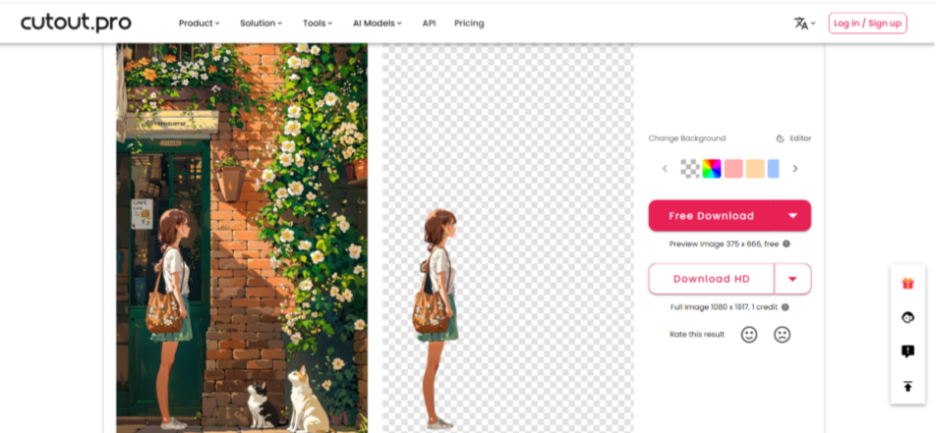
5. You will see in the next screen that the background has been removed automatically.
AI Image Generator
1. Log on to the official website.
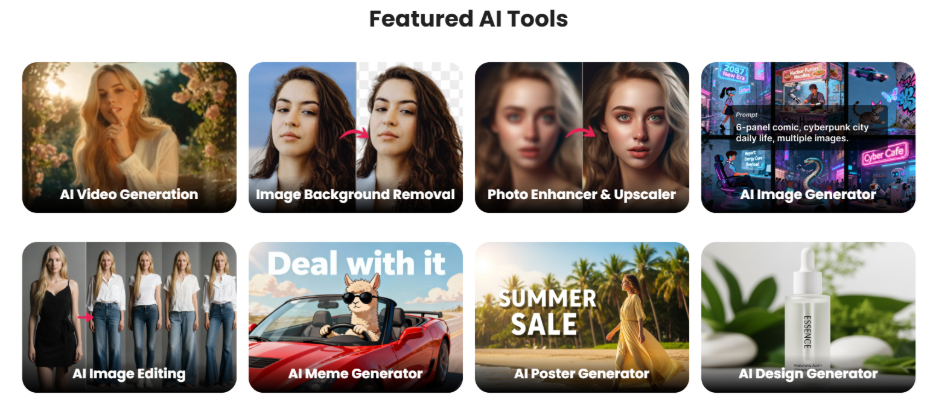
2. Explore the Featured AI Tools section. Select the option “AI Image Generator.”
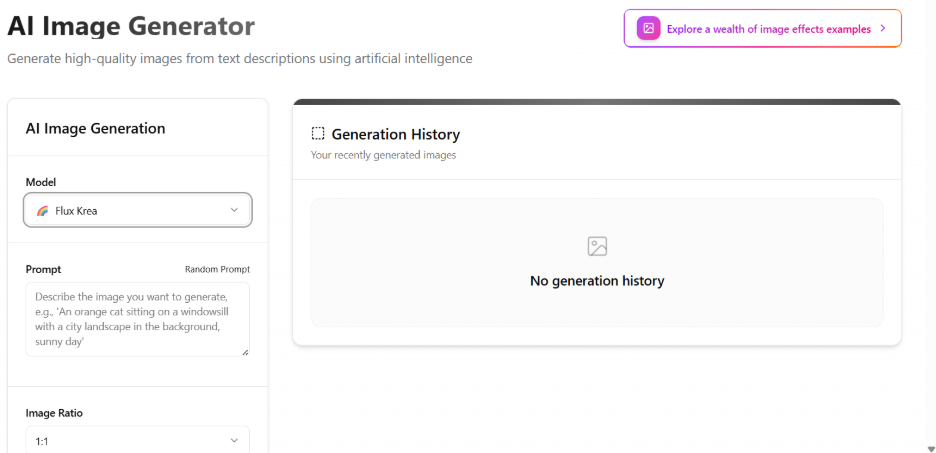
3. You will arrive at the dedicated page of AI image generator.
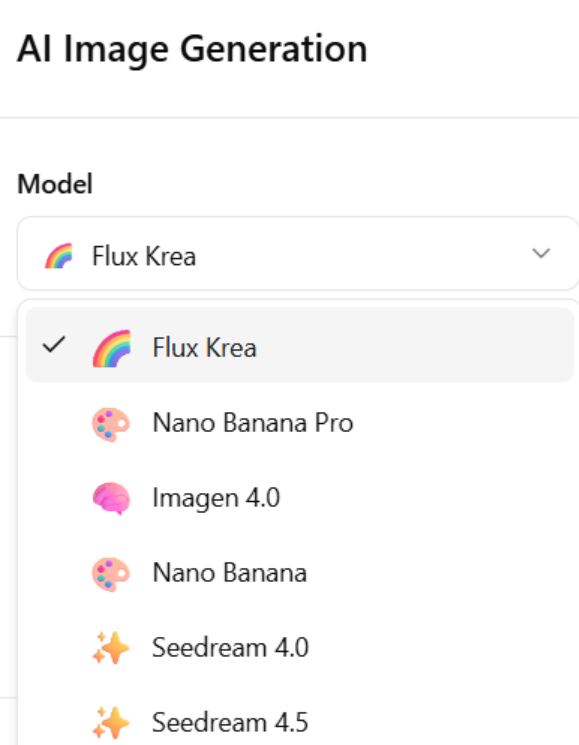
- First, you need to select the model. By default, the selected model is “Flux Krea.”
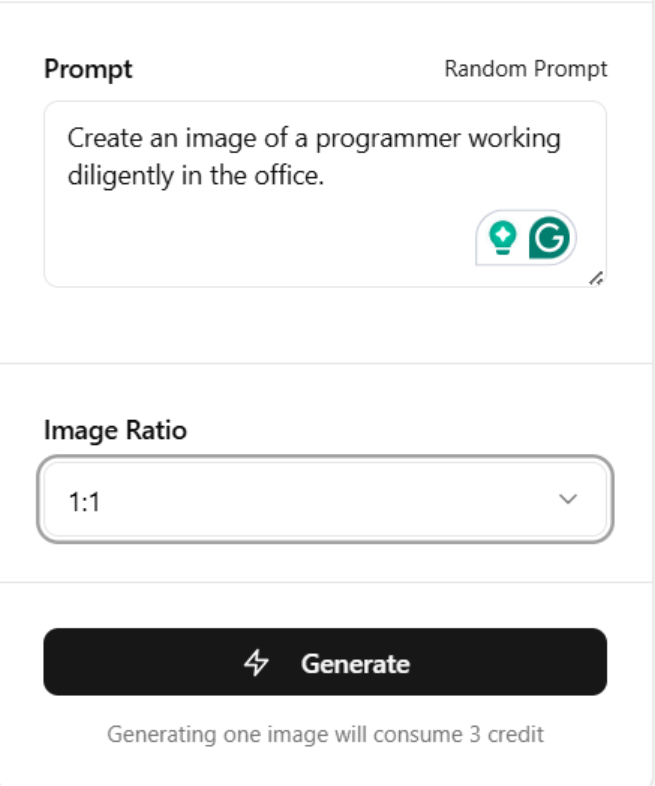
- Provide your prompt, choose the image ratio, and hit “Generate.”
- The generated image will appear in the “Generated History” section on the right-hand side. For demonstration, the prompt given in this instance is as follows: “Create an image of a programmer working diligently in an office.”

4 Select the download option to download the image.
Image Enhancer and Upscaler
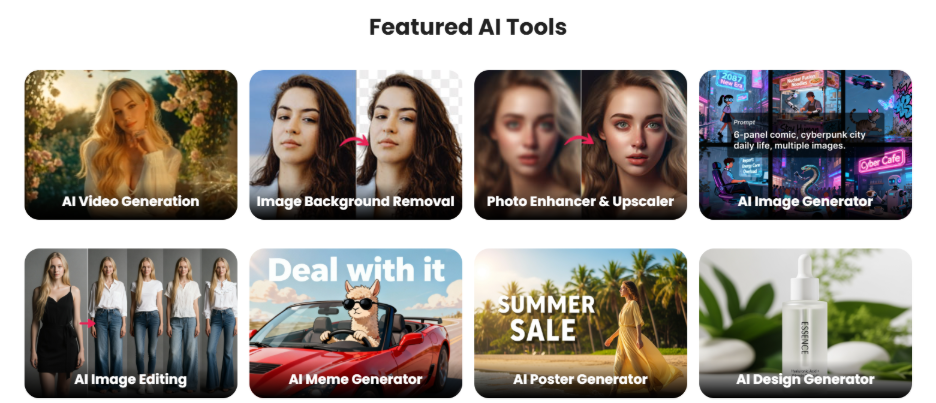
1. Select the option “Image Enhancer and Upscaler” from the “Featured AI Tools” section.
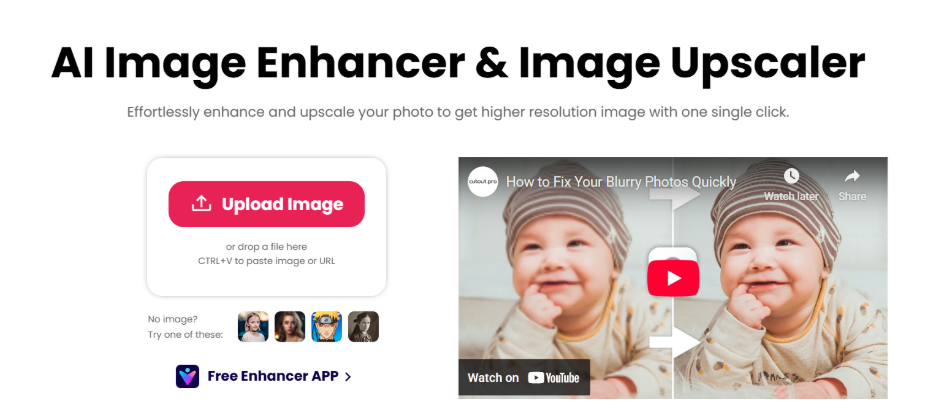
2. You will be directed to the dedicated page. Choose the option “Upload Image.”
3. Upload your image from the system.
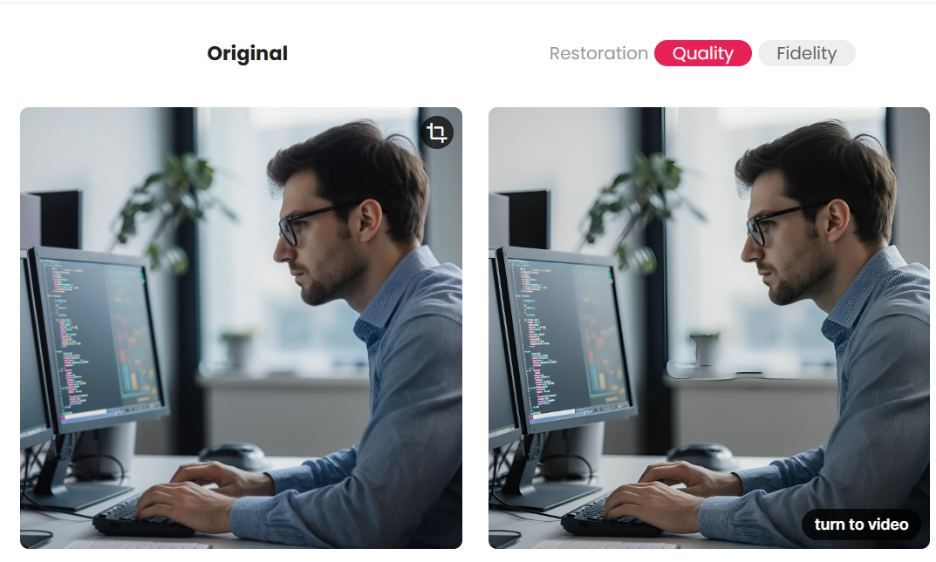
4. The system will instantly upscale and improve your image and both images will appear side-by-side on the screen.
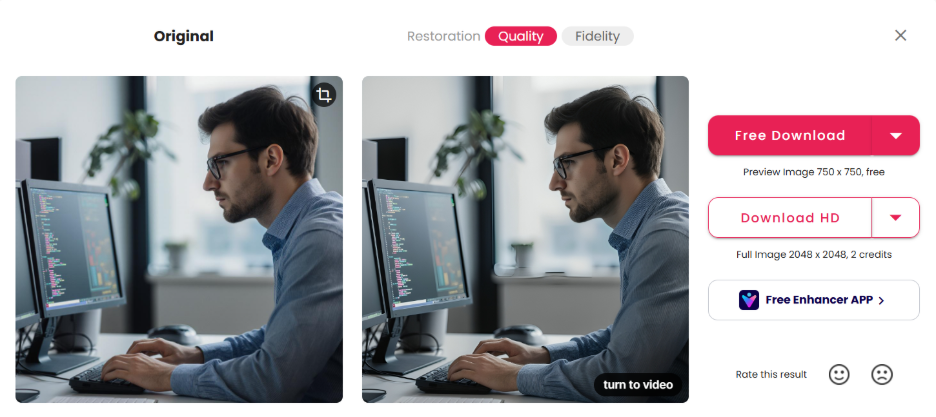
5. You can easily download the image from the download options given on the screen. You can either go for simple download by selecting the download option, or you can choose the “Download HD” section.
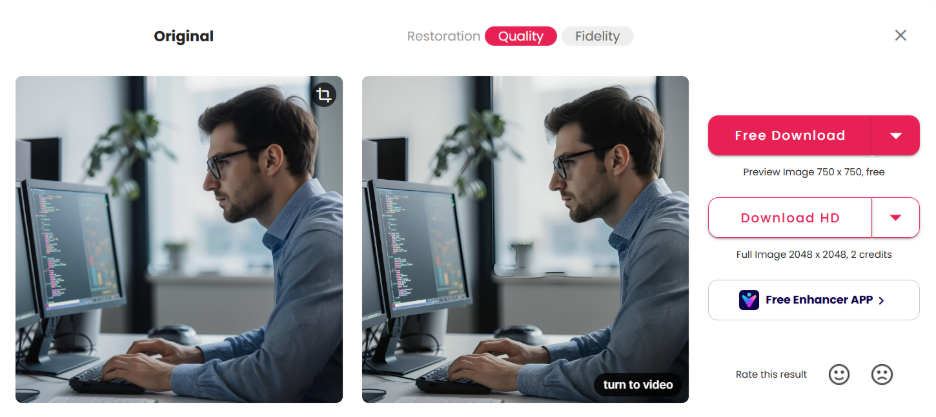
6. As you can see, there is a “Turn to Video” option, which you can use to convert your static images into high-quality videos.
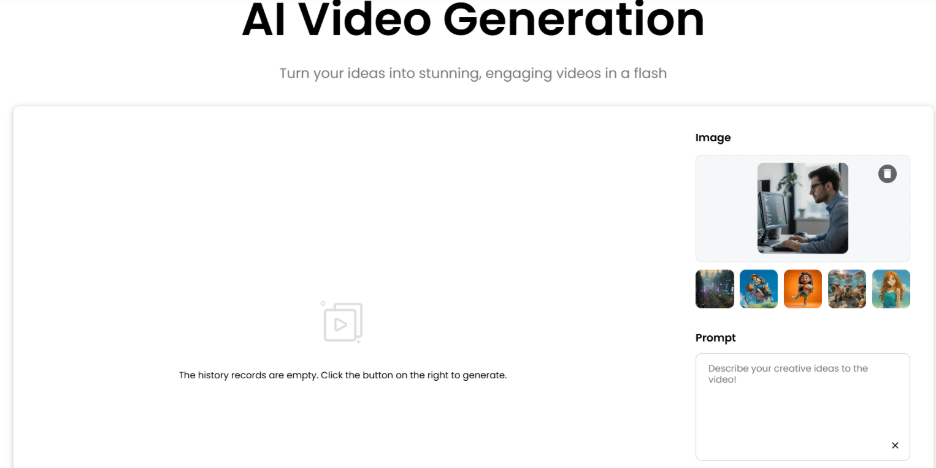
7. By selecting “Turn to Video,” you will arrive at the next page with your image already inputted. You can easily provide your prompt and generate the video in 5 seconds. There is a separate AI video generation tool, which is explored in detail in the next sub-section.
AI Video Generation
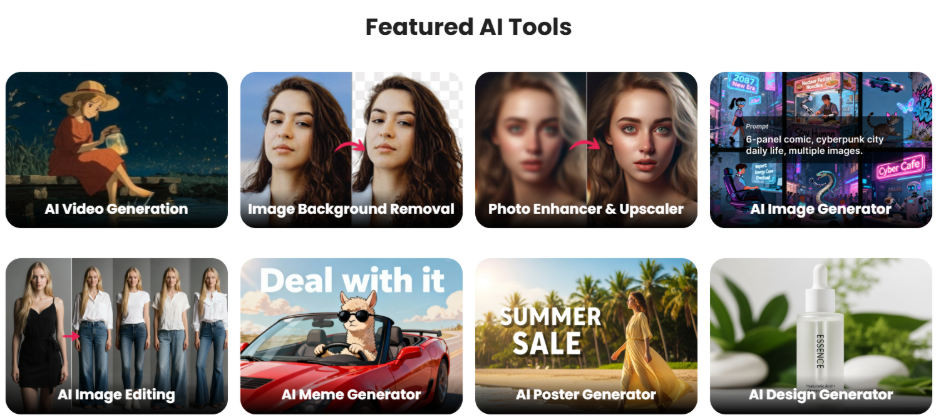
1. Select “AI Video Generation” from the Featured AI Tools section.
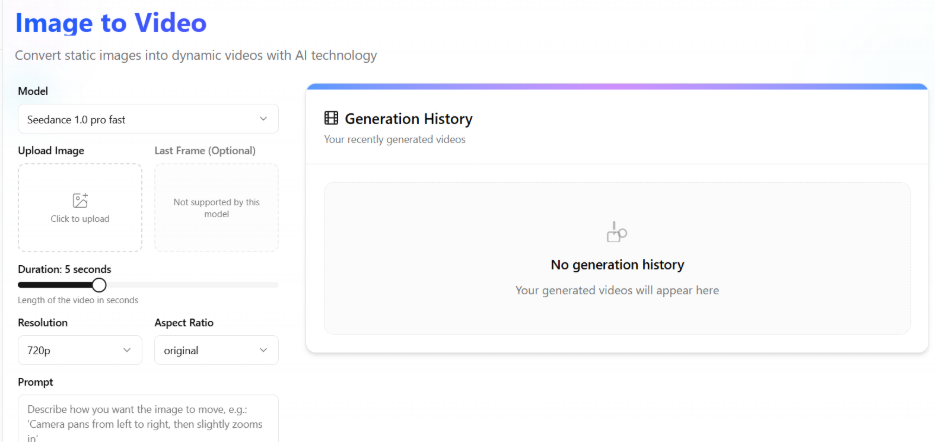
2. You will arrive at the dedicated “Image-to-Video" page, where you can see the side panel that you can use to customize the image.
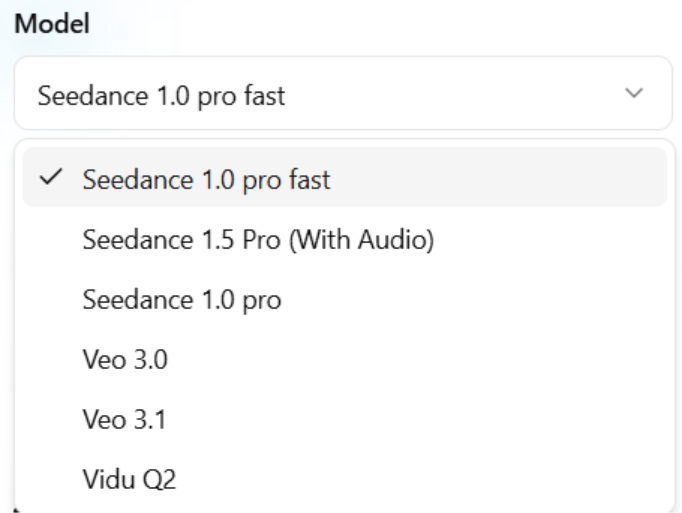
3. First, you need to select the model. You can choose among the options such as Seedance 1.0, Seedance 1.5 Pro (With Audio), Veo 3.1, Vidu Q2, etc.
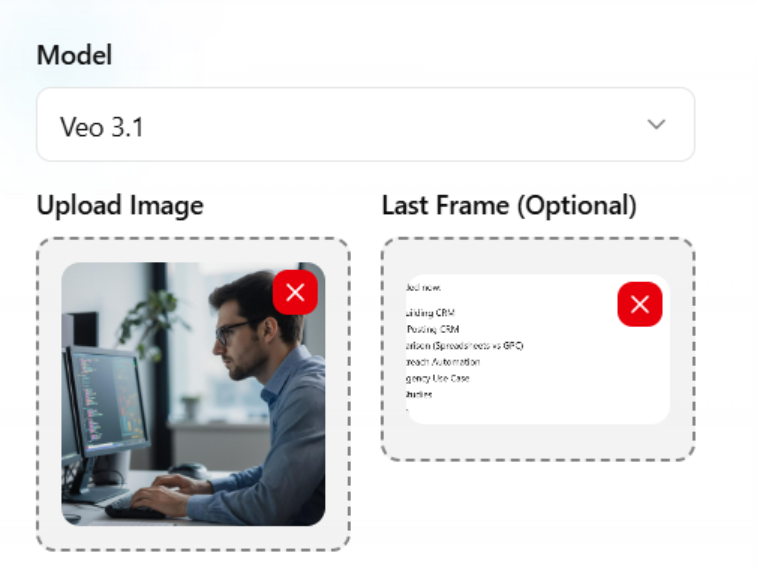
4. Then, you need to upload your image. You can also select a last frame image, which is optional and only supported in Veo 3.1 and Vidu Q2.
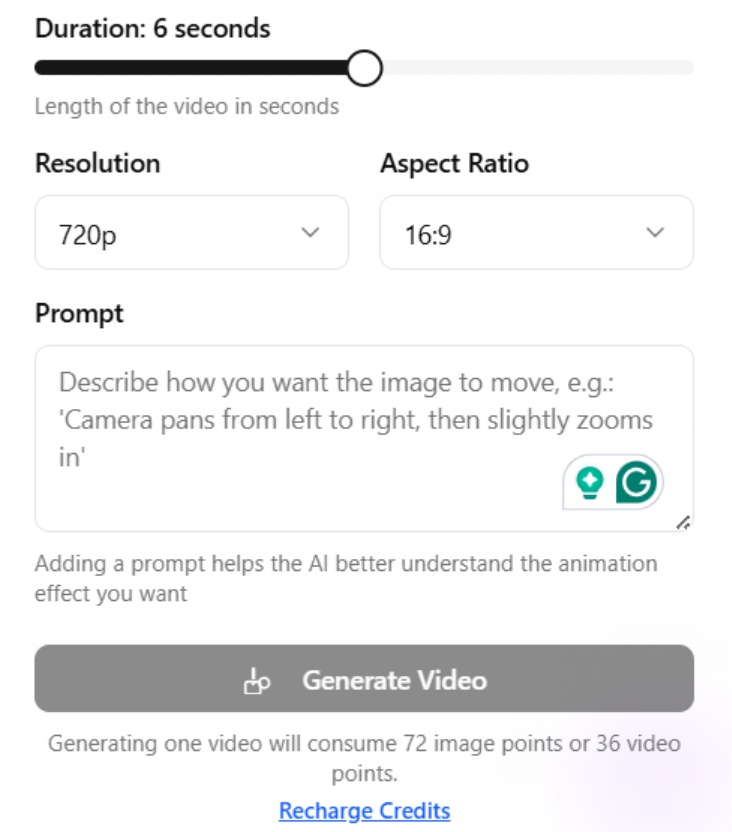
5. You can set the duration of the video, resolution, and aspect ratio. Provide your prompt and then select the option “Generate Video.”
For specialized music video creation, explore dedicated AI music video generators.
6. Your generated video will appear on the right in the generated history section.
Why Choose AI-Powered Image and Video Editing in 2025?
The landscape of digital content has dramatically evolved, with creators and businesses needing quicker and more efficient ways to create professional-level visuals. Cutout Pro tackles these challenges by integrating AI with cutting-edge computer vision technology to automate time-consuming and tedious tasks. Conventional photo editing software needs deep technical knowledge, months of training, and a high volume of manual work. Irrespective of whether you want to remove backgrounds, improve quality of an image, or restore old photographs, AI-driven tools have transformed the workflow. Studies indicate that businesses leveraging automated visual editing solutions process content at least 10 times more quickly than those depending on manual techniques.
Conclusion
Cutout Pro has positioned itself as a cutting-edge platform that revolutionizes the creation of visual content, enhancing accessibility to professional-grade editing through advanced computer vision and AI technologies. The platform automates tedious processes while ascertaining accessibility for users at all skill levels. It caters to different requirements across different industries, ranging from professional photography to content creation to ecommerce. Businesses striving to enhance the quality of visual content while reducing production expenses and timelines derive great value from automated solutions such as Cutout Pro. It positions itself to leverage AI-powered capabilities for long-term creativity in the creation of visual content.
Read also: Artificial Intelligence Photoshoot: What It Is, How It Works, and Why It Matters
FAQs About Cutout Pro
Q. Is there a Cutout Pro Passport Photo Maker?
A- Yes, Cutout Pro provides a passport photo maker.
Q. How good is Cutout Pro Enhancer?
A- Cutout Pro provides a range of image enhancement tools that excel in improving the quality of both images and videos.
Q. Is Cutout Pro safe to use?
A- You must know that in February 2024, Cutout Pro faced a data breach that compromised 20 million records. The data included names, emails, and IP addresses, and salted MD5 password hashes which were freely distributed across Telegram and hacking platforms.
Q. How many countries support Cutout Pro Photos?
A- Various countries support Cutout Pro photos including United States, Spain, Germany, India, China, France, Korea, Brazil, Italy, etc.
Q. Is Cutout Pro free to use?
A- It offers a few complimentary credits, which you can use to test the tool. However, for continued usage, you must sign in to the platform and purchase credits.
%201.png)

%201.png)

%201.png)