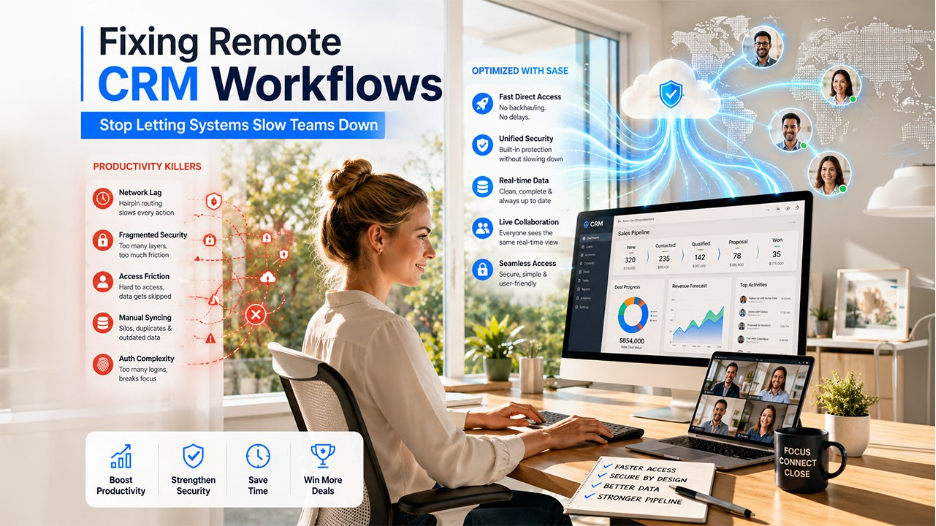

Remote work has shifted from a temporary necessity to a core operational strategy. For sales and marketing teams, this change positions the Customer Relationship Management (CRM) platform at the center of daily workflows. However, managing a CRM across a distributed workforce introduces specific friction points that can quietly erode team efficiency.
When your team operates outside a traditional office, the technical infrastructure supporting their access becomes just as important as the CRM features themselves. Identifying these productivity killers is the first step toward reclaiming lost hours and ensuring your data stays protected.
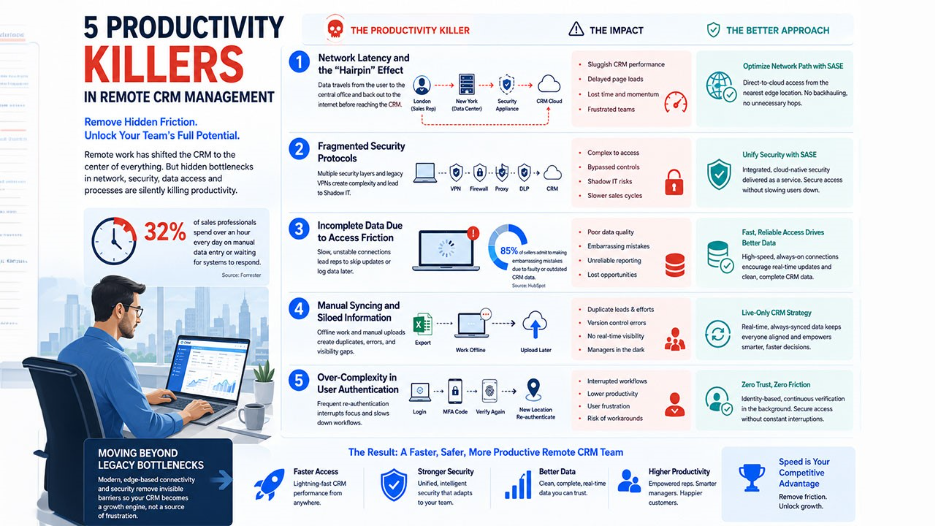
1. Network Latency and the "Hairpin" Effect
One of the most common complaints from remote staff is that the CRM feels sluggish. This is rarely a fault of the CRM software itself. Instead, it often stems from how the remote connection is routed. Many organizations still rely on traditional networking, where all traffic must travel back to a central office before reaching the internet.
This creates a bottleneck. If a sales rep in London tries to update a lead in a cloud-based CRM, their data might first travel to a data center in New York, only to be "cleared" by a security appliance before being sent back to the cloud. This unnecessary round-trip, known as backhauling or the hairpin effect, adds significant lag to every click.
According to a report, nearly 32% of sales professionals spend over an hour every day on manual data entry or waiting for systems to respond. When every page load takes an extra 3 seconds, those 3 seconds add up to hours of lost momentum over a week. Organizations increasingly use AI-powered workflow optimization to eliminate repetitive operational delays and improve employee efficiency, especially in remote environments where productivity gaps quickly compound.
2. Fragmented Security Protocols
Security is often the enemy of speed in a remote environment. If your team has to toggle multiple security layers just to view a customer profile, they will eventually find ways to bypass those controls. This "Shadow IT" behavior occurs when employees use personal, unsecured tools because the official company path is too cumbersome.
The conflict usually lies between VPN and SASE. A legacy Virtual Private Network (VPN) creates a simple encrypted tunnel, but it often lacks the granular intelligence to distinguish between different types of traffic. This forced choice between "full access" or "no access" creates administrative hurdles that slow down the sales cycle.
In contrast, a Secure Access Service Edge (SASE) model integrates security directly into the network fabric. For a deeper look at how this shift impacts performance, explore this analysis of VPN vs. SASE, which details the transition to more efficient, cloud-native access. By moving security closer to the user, you remove the friction that typically leads to team frustration.
3. Incomplete Data Due to Access Friction
When accessing the CRM is difficult, data quality suffers. Sales reps are often in a rush to move from one call to the next. If they have to wait for a VPN to connect or deal with frequent disconnections, they are less likely to log detailed notes or update pipeline stages in real time.
Data indicates that 85% of sellers admit to making embarrassing mistakes due to faulty or outdated CRM data. This isn't just a training issue; it is an accessibility issue. If the digital bridge to the CRM is unstable, the team will prioritize the conversation over documentation, creating a "data debt" that eventually renders your reporting useless.
4. Manual Syncing and Siloed Information
Remote teams often fall into the trap of "offline" work. To avoid slow system speeds, a team member might export a list to an Excel sheet, work on it locally, and intend to upload it later. This creates a massive productivity killer: the manual sync.
Manual syncing leads to:
- Duplicate efforts: Two reps calling the same lead because the CRM wasn't updated in real time.
- Version control errors: Overwriting a colleague's updates with an older version of the file.
- Loss of visibility: Managers cannot see the pipeline's true state until the "big upload" at the end of the week.
A modern CRM management strategy requires a "live-only" approach. This is only possible when the network allows for a constant, high-speed connection that feels as fast as a local application.
5. Over-Complexity in User Authentication
Multi-factor authentication (MFA) is essential, but when it is poorly implemented, it becomes a hurdle. If a rep has to re-authenticate every time they switch from their laptop to their mobile device, or whenever their IP address changes slightly after a home router reset, the interruption breaks their focus.
The goal is to achieve "Zero Trust" security without compromising the user experience. By using identity-based access rather than location-based access, systems can silently verify a user's credentials in the background based on their device health and behavior. This keeps the CRM secure while allowing the user to stay logged in and productive throughout their shift.
Moving Beyond Legacy Bottlenecks
Productivity in remote CRM management is not just about choosing the right software; it is about ensuring the path to that software is clear. By addressing network lag, simplifying security through a SASE framework, and emphasizing real-time data entry, you can remove the invisible barriers that prevent your team from reaching its full potential.
The transition from older connection methods to modern, edge-based security ensures that your CRM remains a tool for growth rather than a source of technical frustration. As the workplace continues to decentralize, the speed of your data access will become your primary competitive advantage.
%201.png)

%201.png)

%201.png)