
Research suggests that approximately 85% of customers depend on the company’s website for getting main information about the product or service. Furthermore, 53% of users prefer self-service features like an FAQ page. This is completely expected in the AI-powered, fast-moving world of today, where information is the most valuable asset for any company. Nowadays, users expect instant answers without waiting for customer support teams to respond. This is precisely where FAQ templates become crucial. It enables users to access reliable and quick answers about products, companies, or services directly on your website.
A clearly structured FAQ page not only improves overall user experience but also improves visibility in SERP results, especially in People Also Ask sections. Your FAQ pages can also be referenced by LLM models like ChatGPT while generating AI responses. In this guide, we have selected the top FAQ templates that can empower you to shape your next layout. You will also learn the basic elements that the FAQ page needs to achieve stronger engagement and conversions.
Understanding FAQ Templates
An FAQ template is an intrinsic aspect of your website designed to provide answers to basic questions that customers ask regarding services, products, or policies. The main objective of having an FAQ section is to provide short and clear solutions to the questions often asked by users. Thus, users can save a lot of time because they do not have to connect with the support team to resolve their basic questions.
FAQs are generally divided into main topics like payments, account management, troubleshooting, and shipping. The categories help users to easily navigate to the relevant questions that they want to ask. Thus, FAQs minimize confusion regarding basic queries and aid in enhancing overall user experience with the brand.
What Are the Various Types of FAQ Templates?
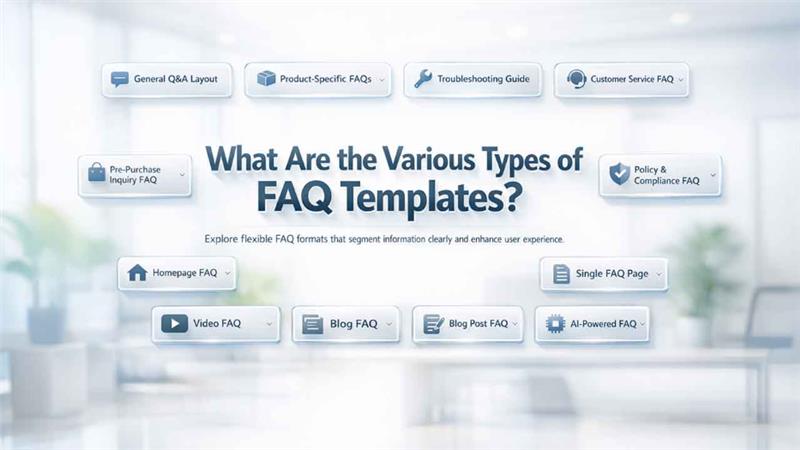
Explore flexible FAQ formats specialized to clearly segment data and enhance user experience across diverse platforms:
- General Q&A Layout
- FAQs specific to Products
- Troubleshooting guide FAQ
- Customer Service FAQ
- Pre-purchase Inquiry FAQ
- Policy and Compliance FAQ
- Homepage FAQ
- Single FAQ page
- Video FAQ
- Blog post FAQ
- AI-powered FAQ
Why Are FAQ Templates Significant for Successful Customer Service?
FAQs enhance customer service in a broad range of ways:
- Accuracy: The FAQ page works as a single source of truth, providing answers to questions commonly asked by customers.
- Accessibility: It is difficult to ensure 24/7 availability of customer service. However, once you create an FAQ page, it will be available at all times. Thus, if you are catering to customers in different time zones, then creating an FAQ page is non-negotiable.
- Customer Satisfaction: Customers desire to solve their issues in the shortest possible time. An FAQ page that is well-designed gives them access to the right solutions at the right time.
What Should Be Included in an FAQ Page?
To enhance the effectiveness of an FAQ page, it is important to embed key components in the page that allow users to see the answers to their questions without getting help from a dedicated customer support.
A complete FAQ involves the below-mentioned key elements:
- Clear questions
- Concise answers
- Categories that ensure a more effective organization
- Advanced search functionality
- Contact details
- Links to additional resources
Where Can You Publish Your FAQ Template?
To enhance the effectiveness of your FAQ template, it is important to make the FAQ pages accessible. Let us see some of the convenient places where you can display your FAQ page:
1. Main Navigation Menu on the Website:
Your FAQ page must be accessible from your website’s main navigation menu. In this way, visitors will be able to access the page easily from anywhere on the website.
2. Service or Product Page:
Include a mini-FAQ section for the targeted product or service page. In that service or product page, you can answer questions related to that product or service directly.
3. Checkout Process:
People can wonder about the payment methods, shipping, or promotions during check out process. Embedding a link to your FAQ page can help users get answers to their doubts that can arise during the checkout process. Doing this can help you significantly minimize cart abandonment.
4. Customer Account Portal:
If there is a dashboard or customer portal in your business, then including an FAQ section might be a worthwhile idea. Consequently, your customers can find solutions related to their accounts, order tracking, or billing questions.
5. Email Signatures and Social Media:
Another technique you can use to link your FAQ pages is through your email signatures or social media profiles. Posting FAQ links to your social media channels can help you attract potential visitors to your website. At the same time, it can also reduce the time needed for the resolution of customer issues.
Best 18 Examples of FAQ Templates
Let us understand how effective an FAQ page can become from the below-listed top 18 examples:
1. AdEspresso:
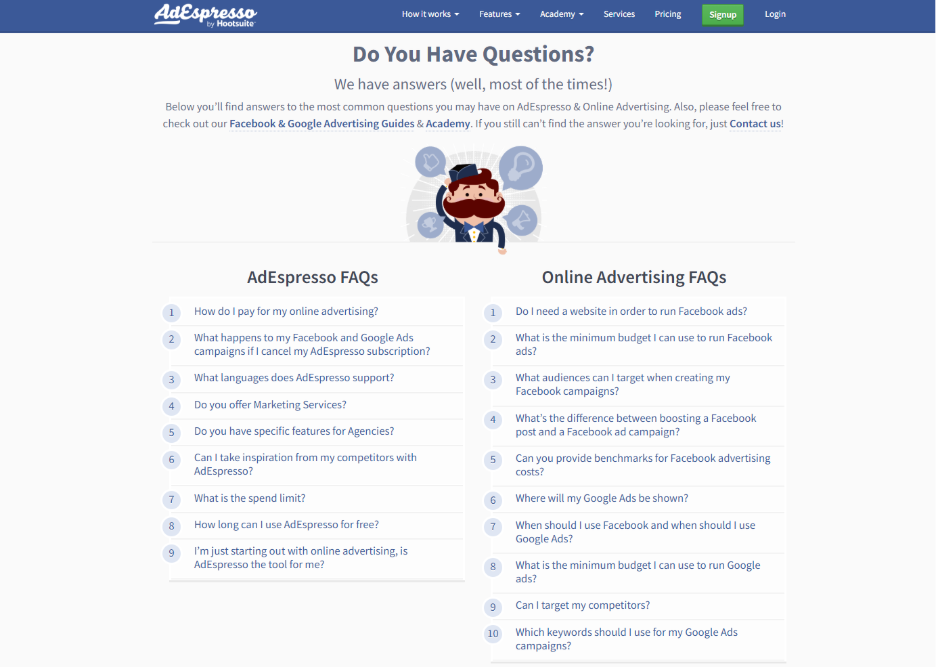
AdEspresso is a well-known tool that is broadly utilized for Instagram and Facebook advertising, presenting a very user-friendly and simple template. Everything on the FAQ page is to the point with no distractions.
There are about a dozen questions, each linking to a follow-up article or blog, that provides more in-depth explanation or additional resources.
If the users cannot find answers on their own on the FAQ page, they can easily access additional resources or connect with the customer support team for additional assistance.
What makes the FAQ page of AdEspresso stand apart, it is the factor of simplicity and confidence. It helps users to find exact solutions to their questions without being overwhelmed by too much information.
2. Adobe Creative Cloud:
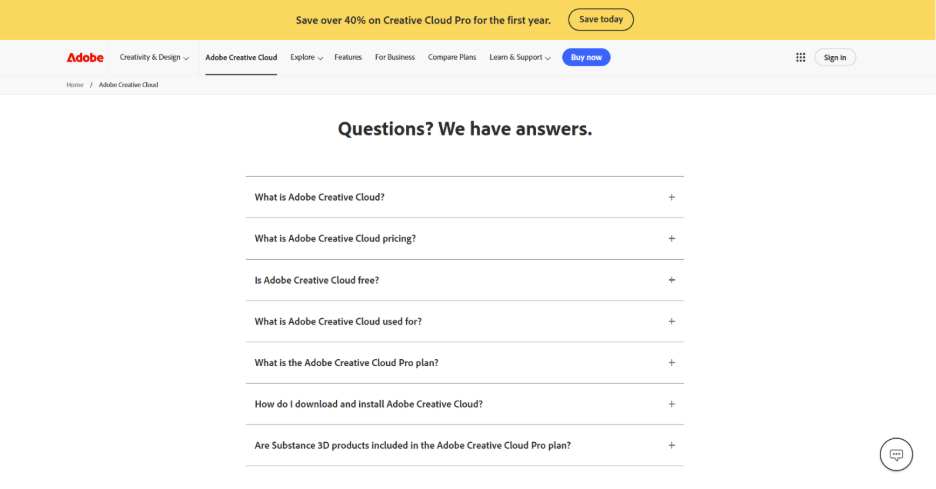
The Frequently Asked Questions section of Adobe Creative Cloud is well-known for its user-friendliness. Users can get the information that they want through a wide range of options. There is a search box at the very top, using which a user can enter their query and instantly get the result.
Furthermore, a sidebar sorts out questions into distinct sections, including account administration, bank, or product-related queries. Thus, it offers a cost-effective way to utilize these resources.
This framework provides clear assurance that users get the required assistance in the shortest time possible and without going through long questions or redundant information.
For users who are facing complex problems, there is also a virtual assistant present on the website to provide an interactive experience and lead users to their preferred solutions. Thus, user experience is naturally improved, ensuring a flawless journey.
3. Airbnb:
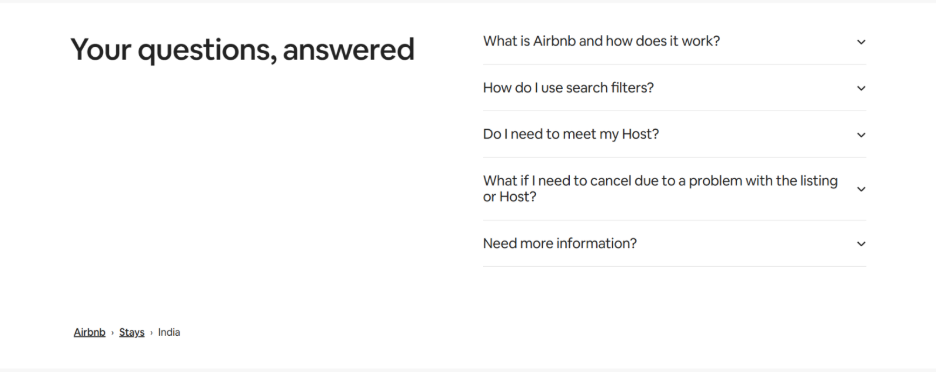
The main point of Airbnb is the overall format of the knowledge base. To make matters more straightforward, the website has categorized the topics into two branches: FAQ template for hosts and FAQ template for guests.
Also, every brand covers a chosen group of frequently asked questions along with links to additional resources.
Airbnb enhances user experience through effective use of visuals and videos to present complicated topics such as listing management or booking policies.
Additionally, the page has community forums where users interact with each other to exchange ideas and topics. Thus, it delivers a lively experience that goes beyond the static FAQs.
4. Airtable:
The FAQ page of Airtable is integrated with content from its vast help center. It provides users with an option to look for answers across distinct topics such as troubleshooting guides, tutorials, and frequently asked questions.
The FAQ section is quite clearly defined, with queries closely categorized into relevant topics, thus making it simple for users to recognize the solutions they require.
The feature that captures eyeballs most is Airtable’s support portal, which users can use for searching queries. Users get answers at their fingertips without going through distinct pages. By combining in-depth guides along with Frequently Asked Questions, Airtable further makes it easy for users to get answers on their own.
5. Ancestry:
Ancestry creates an FAQ template that is quite unique and tailored to the data of the user's account.
When you are signed in, FAQs automatically adjust the content to tailor the results to your account details. Thus, its relevance for users cannot be matched.
A customized experience like this is extremely beneficial in the case of Ancestry’s audience, whose main concern is generally looking for assistance for their different genealogical research.
Customized content, along with additional resources showcase that Ancestry does not just want to provide a simple FAQ page but instead a unique encounter for every user.
6. DoggieLawn:
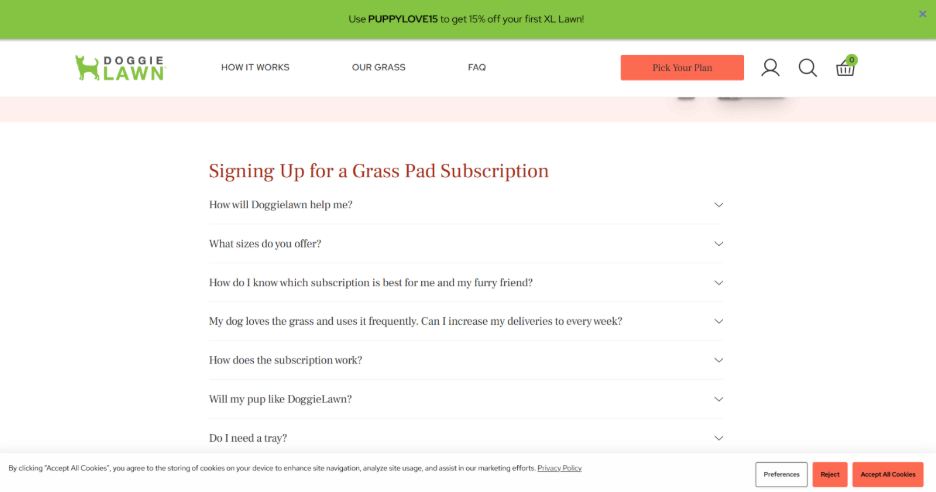
DoggieLawn is a provider of environmentally friendly dog care solutions that contain a simple FAQ page, but there is a twist: it provides live chat support.
Basically, the live chat option is there for users to communicate during business hours. And, if users need more tailored services, they can easily connect with a dedicated representative.
Apart from clear and user-friendly answers on the FAQ page, it also features an accordion-style dropdown where the user provides more details to every question.
By delivering live chat, the company makes sure that users get the required help without even leaving their current page.
7. Etsy:
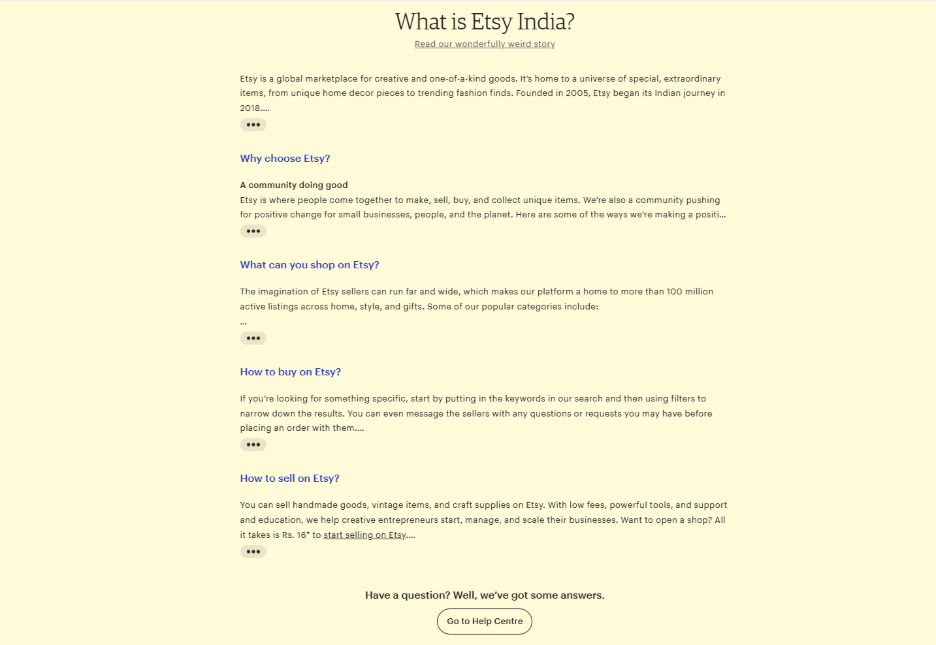
Etsy categorizes the FAQ page into two main sections: sellers and buyers. In this way, every user can get questions and answers relevant to his/her role.
In addition, a search bar is also available at the top of Etsy’s FAQ page, which allows users to quickly find the desired answers.
Furthermore, the button titled “Get Help with an Order” is a resource mainly intended for customer service tasks and objectives associated with order issue resolution.
Apart from that, categorizing FAQs for buyers and sellers makes sure that users will not be overwhelmed with redundant information.
8. Fabletics:
Fabletics is an e-commerce subscription service in the activewear industry. For its FAQ page, it follows a category-based method. Users are allowed to choose from distinct categories like returns and exchanges, order returns, and membership questions.
After selecting a specific topic, users can find detailed FAQs that are simple to read and understand.
Furthermore, the brand ensures that its users get checkbox-style related questions associated with the topic that users can easily access anytime they want.
The advantage of this technique is the fact that users do not have to open different pages to get the answers they want.
9. Liquid Death:
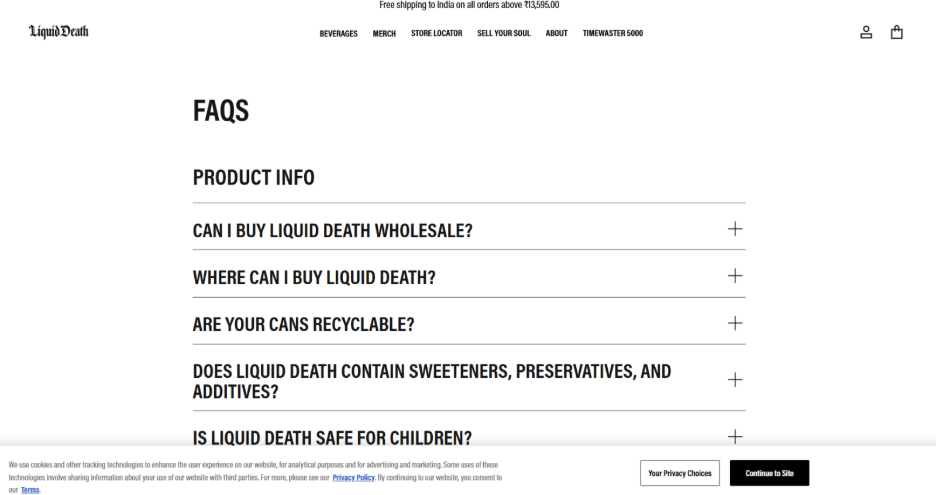
It is a popular beverage company that sells water in tallboy cans globally and has quite an effective FAQ page. The tone of their responses is quite interesting and light, which aligns with the loud character of the brand.
Jokes apart, the FAQ is still quite clear in its responses, which are quite clear and neat in a way that explains the common queries of the users quite clearly.
There is also an accordion-style dropdown where similar questions are grouped, and golden-colored headings help users easily find their relevant sections.
Besides the fact that the website is quite pleasing to the eye, it reflects the same boldness that the brand is known for.
10. Mailchimp:
The FAQ page of Mailchimp is extremely organized with highlighted sections for different topics such as account setup, billing, and email marketing.
At the very end of every FAQ section, Mailchimp allows users to reach out for support through distinct contact methods like email and live chat.
In addition, there are also user-friendly manuals and tutorials that assist users throughout the process of producing manuals and solving problems. Thus, it is an extremely useful resource.
11. McDonald’s:
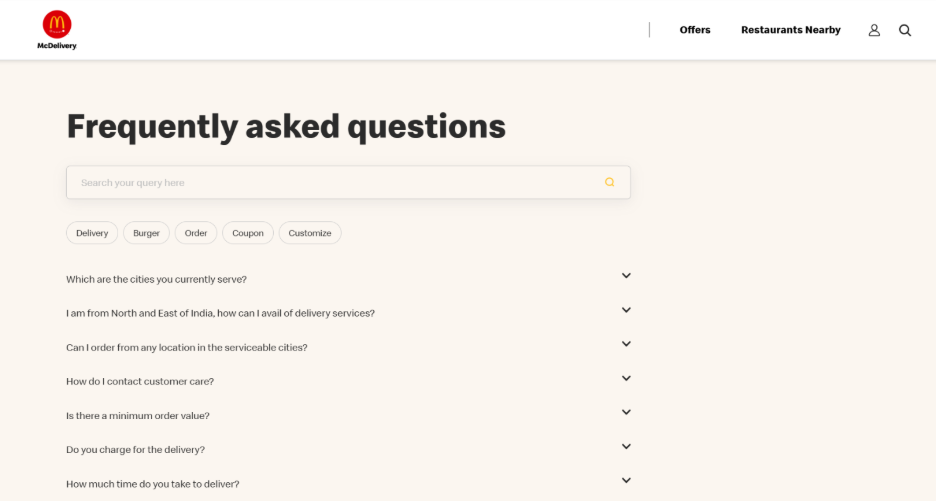
The FAQ page of McDonald’s is quite efficient and simple, with the feature to filter the explanations as per key areas like restaurant location, nutritional information, and franchise opportunities.
This feature is specifically valuable for users who want to get the data they need without scrolling through redundant content.
This overall mechanism of the filter improves the customer experience, specifically by using a large library of FAQ.
12. Microsoft:
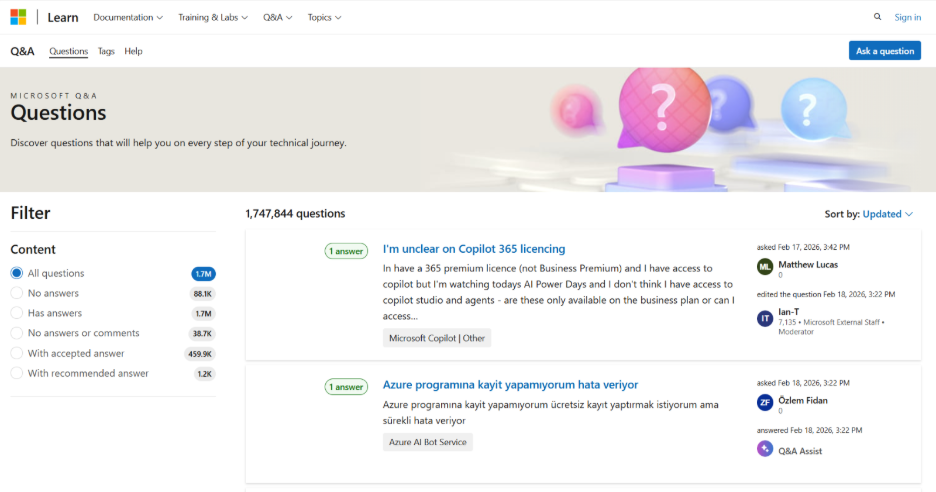
On Microsoft’s FAQ page, a user can find a large knowledge base that addresses a broad range of topics, ranging from account management to software problems.
The FAQ section is quite clearly structured with different categories and links that guide users to access their required solution easily.
One of the unique aspects of Microsoft’s website is the expanding sections that make the page more organized and less cluttered, yet at the same time provide a lot of crucial details.
Apart from that, users can also get in touch with the Microsoft support team for further assistance.
13. Nintendo:
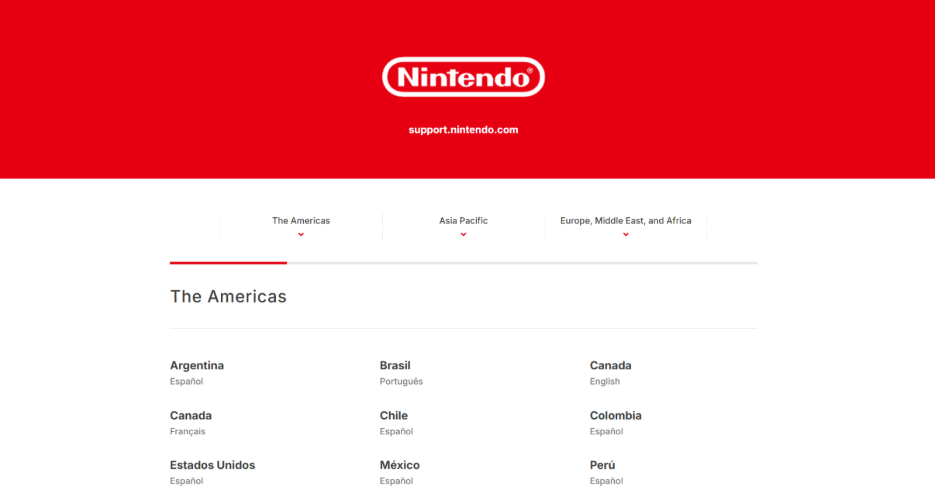
Nintendo’s FAQ page comes with a traditional layout and also has additional features such as jump-to lists for quick accessibility to distinct parts.
The FAQ sections are sorted into distinct topics such as game support, hardware troubleshooting, and account management.
What is helpful is Nintendo’s method that divides the FAQs into two parts: game series and product.
Hence, the users will not face difficulties while accessing the answers associated with Nintendo games or consoles.
14. Upwork:
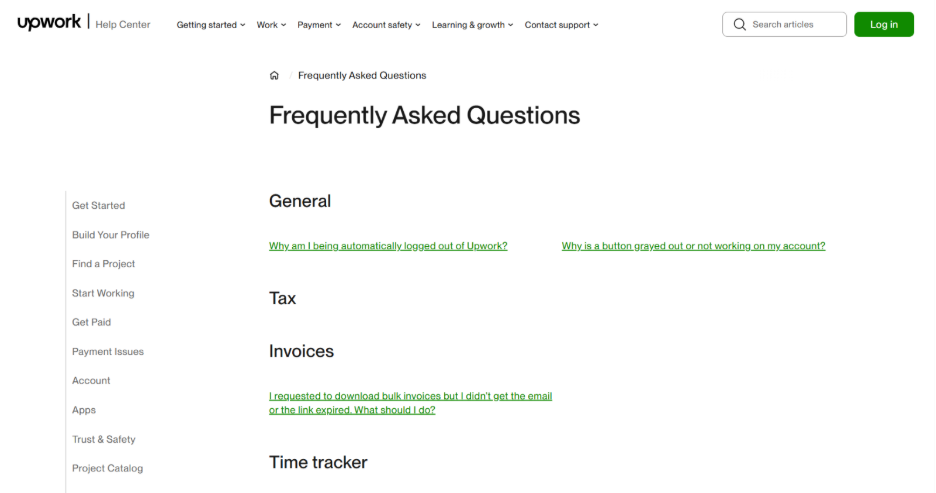
Upwork is a well-known platform used by freelancers that contains a very user-friendly FAQ page. There is a smart search bar at the top of the page, which suggests the most common queries. Queries are organized in the form of categories, which allows you to apply filters to choose topics like client support, freelancer support, or account management.
Furthermore, Upwork also has a section with related topics that allows users to access the most useful resources quickly if they do not want to perform numerous searches.
The page will give you community access and support contact information if the user cannot find the needed information.
15. Vrbo:
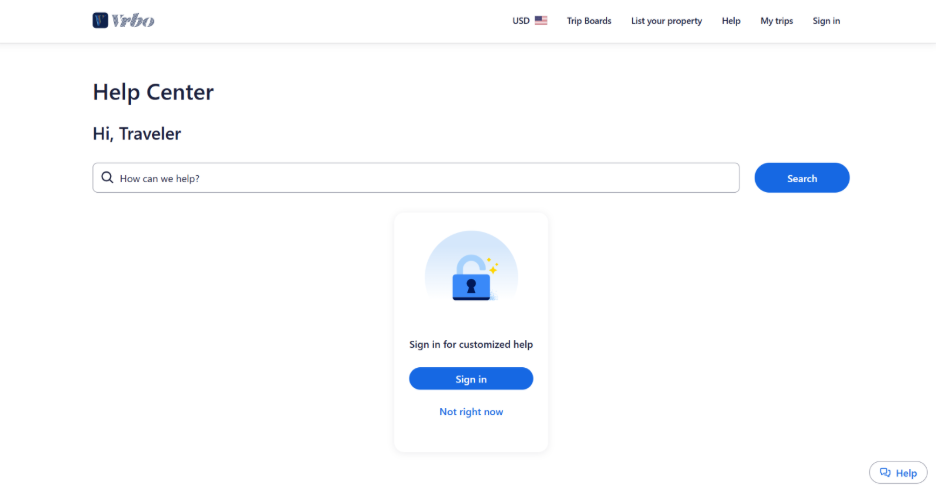
Vrbo is a prime example of how you can design an FAQ page to target different types of users. The FAQs are segmented into distinct parts catering to property owners and travelers so that users can locate the most relevant answers quickly. In every segment, there are categories that involve payments, booking, and property management, with an accordion dropdown being utilized to streamline navigation.
The FAQ page also consists of beneficial visuals and a rating system that allows users to rate the fairness of every article.
16. Wandering Bear:
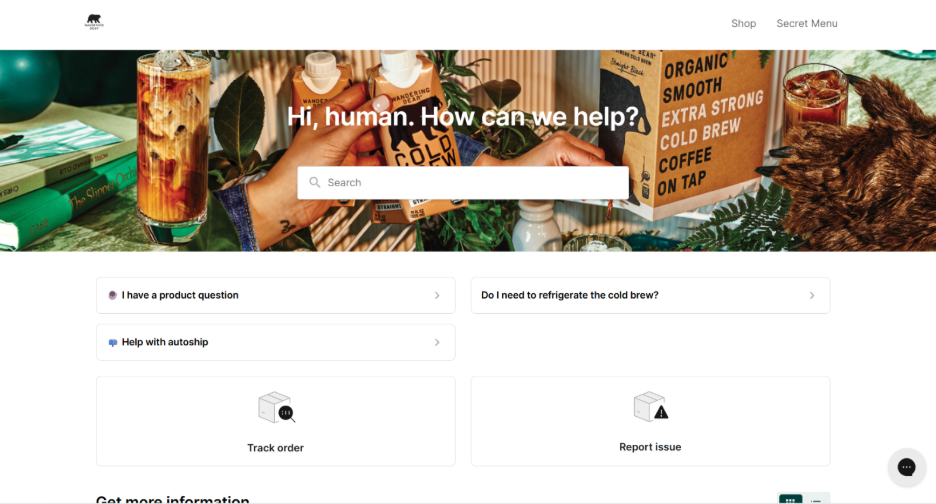
Wandering Bear can be defined as a coffee company that is reputed for its distinct method of branding and implements a humorous style on its FAQ page.
The offbeat and cheerful tone of the brand makes the Question and Answers section more enjoyable as it addresses issues like product information or shipping.
Despite adopting a humorous style, the FAQ is effective in its mission by providing simple, detailed, and logically structured answers.
Apart from providing data, the page is also effective because it connects with additional sources like product guides.
17. WhatsApp:
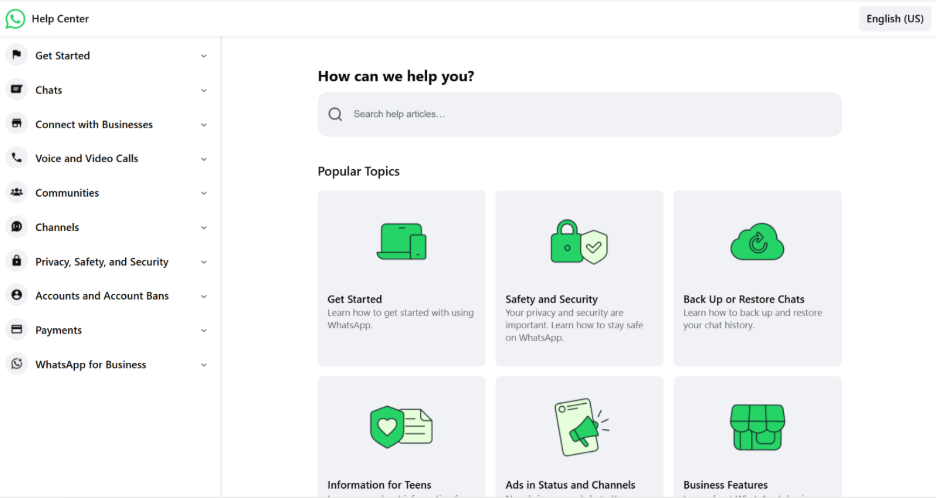
The FAQ section of WhatsApp is quite simple to navigate as it contains a table of contents and a drop-down list. It makes it easy for users to find the exact questions and answers they want related to security, features, and privacy of the app.
You will find the FAQ page displayed on the right-hand side with popular topics. Thus, it enables users to access frequently searched questions quickly.
People who want to search for particular issues can utilize a search bar.
18. Wistia:
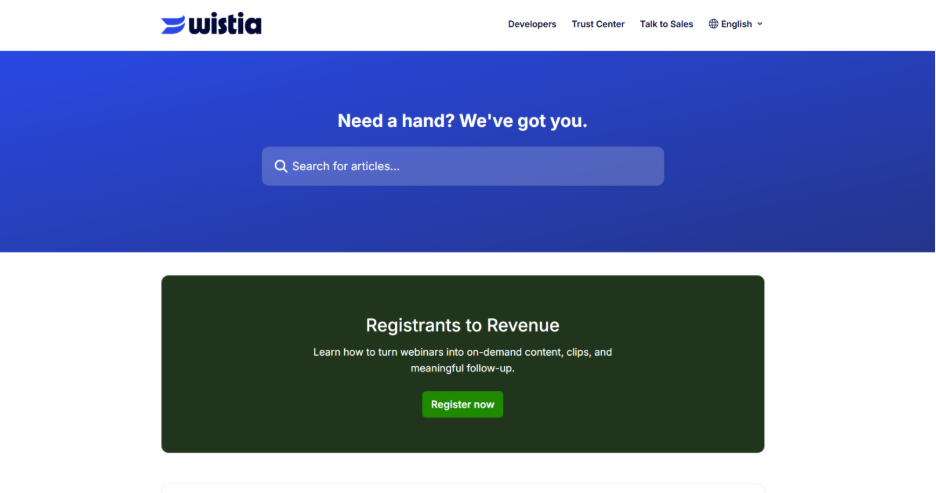
Wistia is a platform for hosting videos that has an FAQ page with a floating footer. In this footer, there is a search bar and a button to submit support tickets to access help whenever they require it easily. The layout is very simple on the website and contains articles related to different categories like analytics, video management, and integration.
The FAQ page is a user-friendly interface with properly placed CTA buttons.
Process to Create an FAQ Page: 5 Pro Tips to Follow
Creating effective FAQ templates involves much more than just giving answers. The right practices you can follow while designing your FAQ page are as follows:
- Utilize Data to Guide Your Content: Implement Google Search Console, Google Analytics, and customer support data to get insights on the kind of questions that your target customers generally ask. This will make sure that you are covering the most important topics.
- Keep It Simple: Do not attempt to impress visitors by throwing unnecessary details, as it can confuse them greatly. Focus on the most pertinent questions and deliver concise and clear answers.
- Make the FAQ Page Mobile-friendly: You will see that a vast number of users want to access your FAQ page through mobile devices. Hence, you must make sure that your navigation is simple, and the page is mobile-friendly on all screen sizes.
- Include All Contact Options: Suppose you create the perfect FAQ page. There will still be a few customers who will need additional assistance. Ensure that your customer support contact details are easily accessible and visible.
- Track and Improve: See how the customers are utilizing your FAQ page by tracking their behavior. Find out which questions are searched for most frequently and accordingly update your content.
Common Mistakes You Can Avoid While Creating FAQ Pages
Across the web, you can find various FAQ pages with certain shortcomings that you can avoid making:
- Overloading with Data: Keep the answers to the point and brief. If more in-depth information is required, you can link to additional resources.
- Lack of Organization: Segment the questions into particular categories to make the navigation a lot simpler for users.
- Ignoring the Updates: Consistently refresh your FAQ page to make sure it stays accurate and relevant.
Conclusion
A well-structured FAQ page is not optional anymore. It can be defined as a strategic asset that minimizes support workload, develops user trust, and enhances search visibility. The best 18 templates detailed above showcase that the right FAQ templates balance structure, clarity, and brand personality. Irrespective of whether you choose accordion dropdowns, customized content, or category-based navigation, you must prioritize the needs of the users above everything else. Target real customer questions, ensure that the answers remain concise, and update the content consistently.
%201.png)

%201.png)

%201.png)