

Twitter holds huge amounts of public data. People share updates every minute. Brands talk to customers. Trends move fast. Markets shift quickly. Anyone who works with data knows this platform can shape decisions in real time. The problem is that scraping Twitter at scale has become harder across the last few years. Rate limits block many requests. IP bans happen without warning. Sessions break during long tasks.
This is where Residential Proxies for Twitter make a real difference. These proxies route traffic through real household networks. The traffic looks natural. Twitter systems treat it as normal activity. That small change can help scraping tasks run longer and smoother. Let me walk you through how this works and how to use these proxies safely.
Why Twitter Scraping Has Become More Difficult
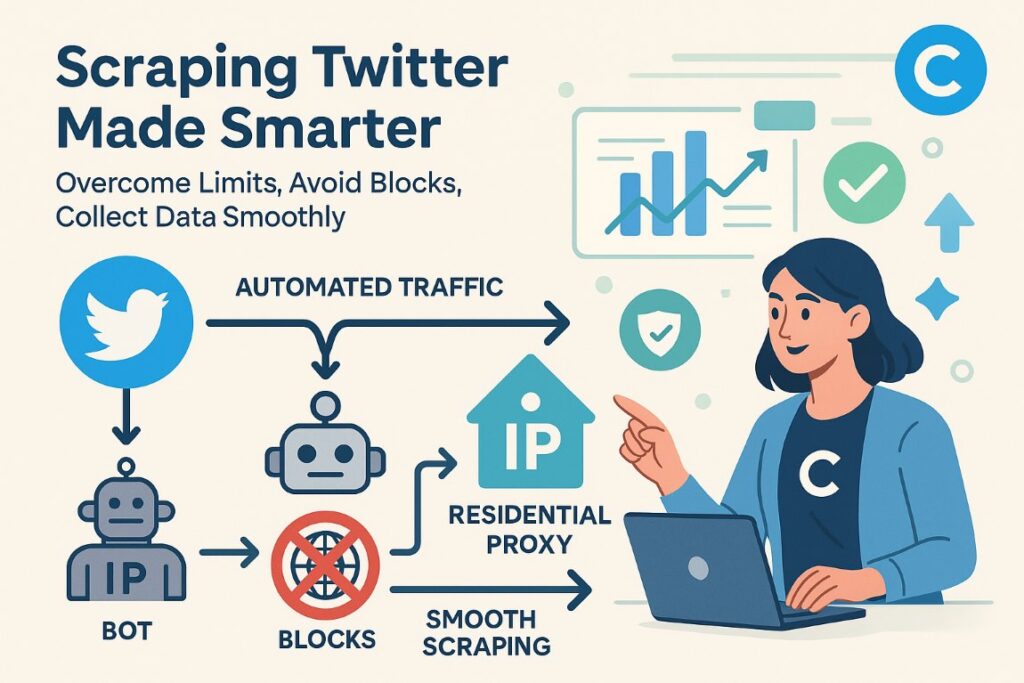
Twitter keeps changing its public data rules. Many teams now face strict limits. Scrapers hit walls after a few minutes. Some accounts freeze during heavy tasks. Networks get blocked for patterns that look automated. These issues slow down research teams who need clean data.
The main reason is simple. Platforms try to stop bots and abuse. They study IP patterns closely. They track request speed. They watch for repeated actions. Datacenter routes stand out quickly. The traffic looks too uniform. Residential routes look closer to real people. That difference matters a lot during scraping.
What Residential Proxies Do for Twitter Scraping
Residential proxies connect your scraper to the internet through IPs from real houses. These IPs come from normal users. They blend into online traffic. Twitter systems treat this as standard behavior.
A few things happen right away:
Short sentences help clarity.
- Blocks drop.
- Rate limits trigger less often.
- Long scraping jobs survive longer.
- Data stays cleaner.
- Tools restart less.
Residential proxies are highly effective for maintaining stable connections, reducing blocks, and keeping long scraping sessions alive. They allow scraping tools to behave like normal users, which helps in collecting public Twitter data efficiently. For teams just starting or looking for alternative options, free proxy lists for scraping can also be explored. However, these free proxies often come with reliability issues, slower speeds, and higher chances of bans compared to premium residential IPs. Choosing the right proxy setup ensures smoother data collection and reduces interruptions during large-scale scraping tasks.”
For scraping teams, this stability saves time. It also reduces the number of retries needed to complete a dataset.
Key Advantages of Residential Proxies for Twitter Tasks
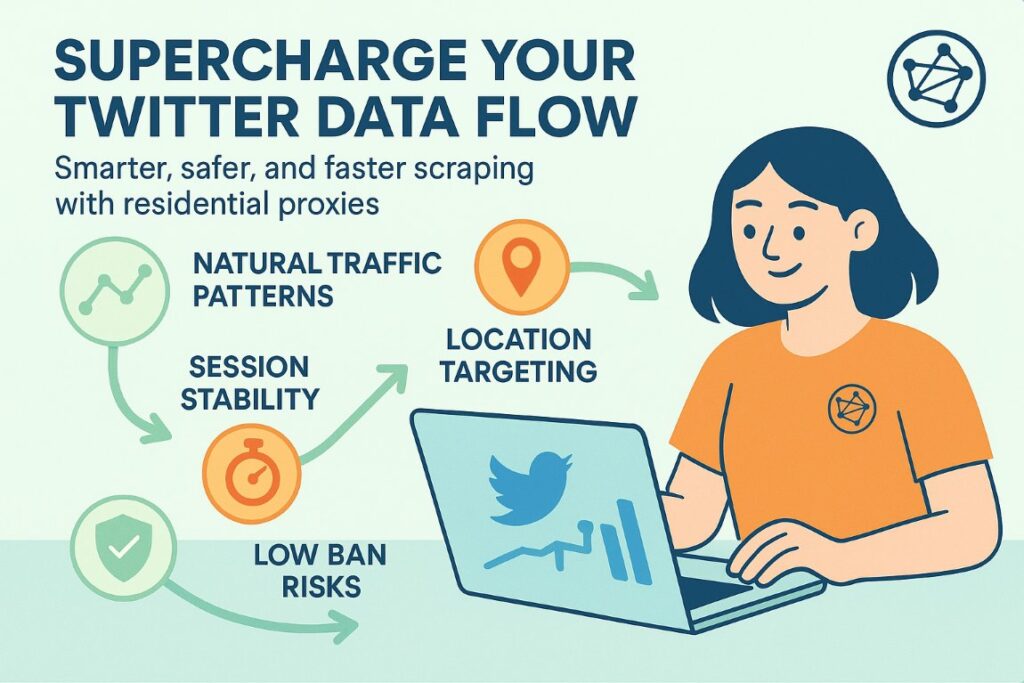
Let’s go deeper into the reasons many data teams prefer residential routes.
1. Natural traffic patterns
Residential networks rotate IPs in a natural way. Twitter sees this rotation across millions of real users. Your scraper hides inside that normal activity. Nothing looks unusual.
2. Better session survival
Session drops waste time. A scraper that disconnects every few minutes becomes useless. Residential routes keep sessions alive during long pulls of tweets, replies, or profile data.
3. Location targeting
Many teams scrape trends by region. Some want data from France. Some target Spain. Others want United States traffic. Residential proxy pools offer regional routes. You can match your target market in minutes.
4. Higher scraping speed
Speed matters. Data ages fast. Residential IPs allow more requests without sudden hits from Twitter’s filters. Faster scraping means fresher datasets.
5. Lower chance of bans
A clean residential route will not raise the same suspicion as a datacenter IP. This reduces the risk of wide bans that stop entire projects.
What You Can Scrape With the Right Setup
Twitter offers huge areas of public information. Residential proxies help you reach it with fewer interruptions.
Teams scrape things like:
- Trend timelines
- Public replies
- Public profiles
- Hashtag streams
- Market mentions
- Product complaints
- Political discussions
- News reactions
- Community clusters
- Public follower lists
Each dataset can help researchers, brands, traders, journalists, and analysts track real-time behavior.
How to Use Residential Proxies for Twitter Safely
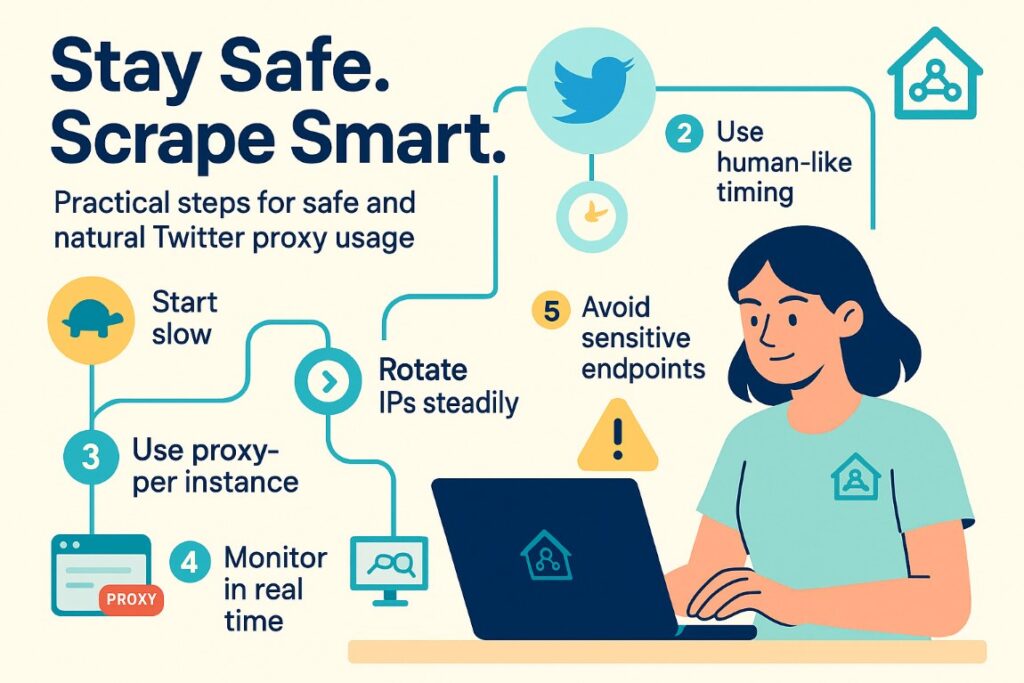
Scraping still requires care. Even with residential routes, your setup must look natural. Here are practical steps.
1. Start slow
New sessions should begin with light requests. A spike of heavy scraping in the first few minutes looks unusual.
2. Rotate IPs at steady intervals
Rotation should look natural. Large jumps in activity can still cause rate limits. Pick intervals that match human timing.
3. Match request timing to real user patterns
Random bursts look automated. A soft, steady pattern works better. Spread requests. Add small pauses.
4. Use one proxy per scraper instance
Crowding many tasks onto one route increases risk. Keep things simple. One task per IP works well.
5. Avoid scraping sensitive endpoints
Stick with public data. Avoid private areas. Avoid anything locked behind login screens unless you understand the risk.
6. Monitor errors in real time
Error logs help you adjust speed quickly. A small tweak can save hours of broken scraping.
These steps help protect your setup and keep your scraping tasks alive for long periods.
Choosing the Right Residential Proxy Features
Different providers offer different things. The right pick depends on your scraping needs.
Look for stable pools
A strong pool reduces repetition. You want a wide IP variety. You want clean routes with low block history.
Check for country filters
Regional data matters in Twitter projects. Make sure your provider gives simple country and city filters.
Ask for long session support
Some tasks run for hours. A provider that keeps sessions alive helps your scraper stay efficient.
Look at request speed
High speed makes scraping smoother. Slow routes cause delays that pile up across large datasets.
Check for API access
Automation teams prefer simple APIs. A good API helps you rotate IPs and run tasks smoothly.
How to Build a Solid Twitter Scraping Workflow
Here is a simple structure that many data teams follow.
Step 1: Define the goal
Pick the exact data you want. Keep the target small at first. It will expand naturally later.
Step 2: Pick the proxy region
Your target market decides the region. A project that studies France should use French residential routes. A project that tracks US political trends should use US routes.
Step 3: Set request limits
Pick a safe speed. A scraper that runs too fast will break later. Slow and steady wins the job.
Step 4: Build a retry system
Even the best proxies hit rare limits. A retry system avoids losing data during a long crawl.
Step 5: Store data cleanly
Use clear formats. CSV or JSON work well. Clean formatting saves hours during analysis.
Step 6: Add monitoring
A dashboard helps you track speed, failures, and IP rotation. These small checks help maintain long scraping jobs.
Why Residential Routes Work Better Than Datacenter Routes
Datacenter IPs operate from large server blocks. Twitter knows these blocks. The platform sees patterns instantly. Many datacenter routes share similar fingerprints. This raises flags during scraping tasks.
Residential routes sit inside traffic from normal households. This gives safer access. Twitter cannot classify them the same way. Your scraping runs under the radar. Blocks drop. Data flows better.
Why Many Teams Use Residential Providers for Twitter Scraping
Scraping on Twitter depends on stable routes. Data teams study IP quality before they run large crawlers. A clean network lowers the chance of early blocks. Strong rotation helps long sessions run without constant retries. Region targeting also matters because many datasets require access from specific markets. Some teams monitor trends in one country. Others track global posts at scale. Accurate filters make that work faster.
Many companies also test uptime through long sessions. They want pools that stay consistent even when they pull thousands of requests each hour. Smooth routing limits failed jobs and protects scraping tools from repeated lockouts. A good provider supports daily research without slowing the process.
These practical needs explain why some teams choose ProxyEmpire for Twitter scraping projects.
Common Mistakes to Avoid
Mistakes can still break a project. Here are a few to watch out for.
- Sending too many requests at once
- Using one IP for multiple heavy tasks
- Scraping at unrealistic speeds
- Forgetting to rotate
- Logging in too often
- Mixing datacenter routes with residential routes
- Running tasks without cooldown periods
Avoid these and your setup will perform far better.
Final Thoughts
Twitter scraping supports research teams that track trends, study public conversations, and monitor fast changes in online markets. Heavy scraping can trigger blocks, so teams use Residential Proxies for Twitter to create routes that look natural to the platform. These routes reduce bans and keep long sessions stable during large data pulls. Clean networks also help analysts gather accurate datasets without repeated failures.
A strong setup depends on good pacing, smart rotation, and reliable routing that does not break under load. These are the reasons some teams pick ProxyEmpire when they manage long scraping jobs each day.
%201.png)

%201.png)

%201.png)