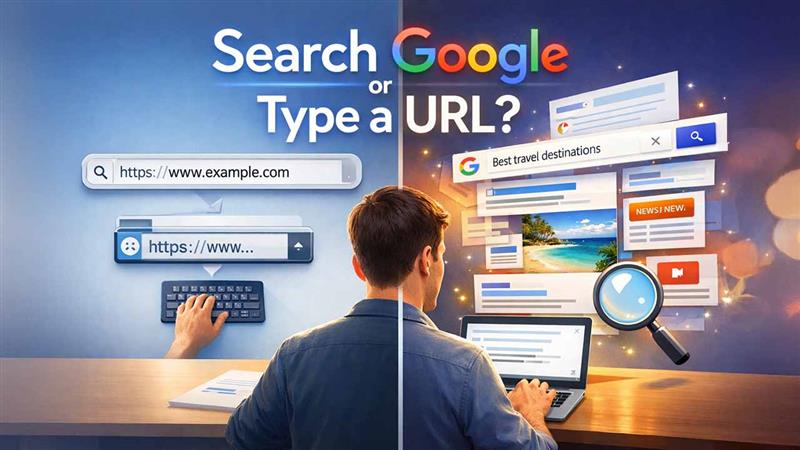

Every time you want to visit a website in the fast-paced digital world, you have to make a split-second decision: should you type the URL into the address bar or search Google? Your decision may seem insignificant, but it can have an impact on your productivity, security, and general browsing experience. Understanding how to save time, as well as avoiding phishing scams or mistakenly clicking on links, will help you decide between two ways to access the web. This common dilemma has even inspired the popular “search Google or type a URL” meme across social media, highlighting how universal this decision is for internet users.
This guide explores both options, when to use them, and tips to optimize your web navigation.
What Does Search Google or Type a URL Mean?
A website can be accessed in two main ways:
- Entering the precise web address in the address bar of your browser is known as typing a URL.
- Searching Google: Entering keywords into Google to find a specific website or information that is related to your query.
Both approaches provide the desired online content, but they function differently and have unique advantages.
Advantages of Typing a URL Directly
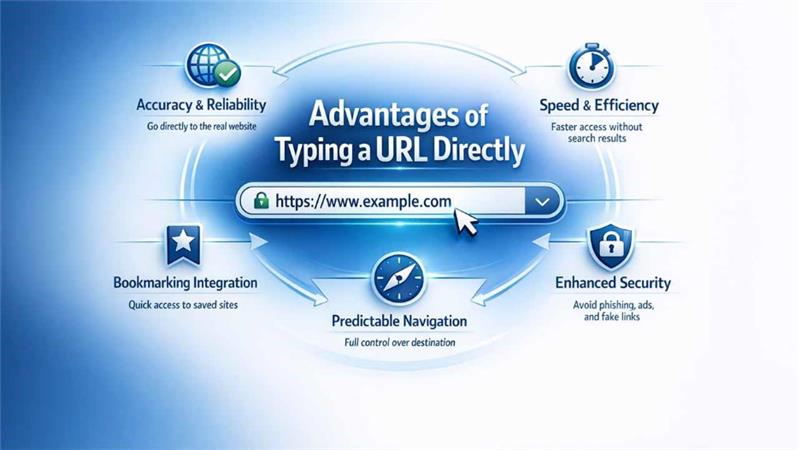
Typing a URL directly into your browser is the most simple way to reach a website that you already know. This method offers several benefits that can enhance both efficiency and security:
1. Accuracy and Reliability
Entering the URL takes you directly to the intended website. This removes the possibility of visiting inaccurate or deceptive pages that occasionally show up in search results.
2. Speed and Efficiency
In most cases, typing the exact web address is faster than going to Google, searching for a query, and scanning through the result pages. This is particularly useful for websites that people visit often, such as bank websites, corporate portals, and email accounts.
3. Bookmarking Integration
Many people often save the URLs of websites they frequently visit on their systems, making it possible for them to quickly access a site without having to remember or guess what it is.
4. Predictable Navigation
By typing in a URL, the user has control over where they will be taken when they click on it, which can be important for employees in fast-paced and time-sensitive work environments.
4. Enhanced Security
By typing an exact URL directly into your browser, you lower the risk of being exposed to paid ads and other harmful web links presented within search results. Entering the URL takes you directly to the real website, not some impostor or "clone" site. This is especially true for secure, reputable domains that use the HTTPS encryption protocol. Following these essential tips to protect your digital life helps ensure safe browsing habits.
The Best Ways to Type URLs:
- Double-check your spelling before hitting enter to reduce the risk of browsing to an unsafe site.
- Use bookmarks for those websites you visit frequently.
- For secure connections, use HTTPS URLs.
Advantages of Searching Google
Sometimes typing a URL isn’t practical, especially when you don’t know the exact web address. Google search provides flexibility and additional benefits:
- Finding Unknown URLs: If you can only remember the name of a business, a product, or a topic, a Google search can quickly direct you to the right website.
- Finding Alternatives: A search query frequently yields a variety of websites and resources, allowing you to weigh your options and select the best one.
- Access to Context and Information: Google allows you to review the website’s credibility and authority by displaying snippets, reviews, and ratings. This helps you avoid wasting your time. Additionally, it is also helpful in preventing security risks by avoiding clicks on fake webpages that include pointless information.
- Complex Queries Made Easy: When you're researching a subject or searching for tutorials, how-tos, or other resources, searching is the best option. In these situations, typing a single URL would not be helpful.
- SEO Insight: If you're not sure about a website's credibility, the top results often lead you to reputable or trusted websites. Understanding the basics of SEO can help you recognize why certain websites rank higher in search results.
Google Search Best Practices:
- To get accurate results, use specific keywords.
- Always double-check the domain and the URL before clicking.
- Look for trusted sources and official websites.
When to Type a URL vs. Search Google
Knowing when to type a URL or search Google can enhance your browsing efficiency:
| Scenario | Recommended Method | Reason |
|---|---|---|
| You know the exact website | Type a URL | Fast, accurate, reduces phishing risk |
| You are looking for general information or multiple sources | Search Google | Provides context, multiple results & alternatives |
| You want to access frequently visited sites quickly | Type a URL or use bookmarks | Saves time |
| You want to compare products, services or articles | Search Google | Allows you to compare multiple options |
| You're looking for search google or type a URL games or entertainment | Search Google | Discovers new platforms and reviews |
Common Mistakes to Avoid
Even experienced internet users sometimes make simple errors when deciding whether to search Google or type a URL. Having knowledge about these common mistakes can save your time and significantly enhance security:
1. Incorrectly Typed URLs
A single typing mistake can lead you to error pages or, worse, malicious websites. That's why, when you are entering URLs manually, always make sure to double-check your spellings.
2. Ignoring Browser Suggestions
Modern browsers now offer autocomplete features for URLs. If you ignore these advanced suggestions, you risk slowing down your search or making entry mistakes.
3. Over-reliance on Search Engines
Blindly trusting the search engines can affect your search. You may be exposed to advertisements, deceptive links, or phishing attempts if you click on the first search result without thinking. Being aware of social engineering cyber threats helps you recognize these manipulative tactics designed to trick users into clicking on malicious links. That's why it is strongly recommended that, before continuing, you confirm the domain and HTTPS.
4. Mixing Methods Inefficiently
Without a planned strategy, switching between Google searches or typing URLs can cause confusion, wasting your time and efforts.
5. Neglecting HTTPS Verification
Ignoring secured connections, such as HTTPS verification, can expose sensitive information to hackers and malicious viruses. This is particularly useful for banking websites and login pages.
Tips to Optimize Your Browsing Workflow
Knowing whether to search Google or type a URL is only part of the equation. Optimizing your workflow ensures safer, faster, and more productive browsing:
Combine Methods Strategically
Type URLs for well-known, frequently visited websites and use Google search to find unknown ones. This strikes a balance between speed and exploration.
Keyboard Shortcuts for Efficiency
Ctrl + L highlights the address bar on Windows; Cmd + L does the same on Mac. With the help of these shortcuts, you can quickly type URLs without using your mouse.
Organize Bookmarks
Make folders for reference, personal, and professional websites. By eliminating the need to repeatedly type URLs or search for the same resources, bookmarks save time.
Verify URLs Before Clicking
Prior to clicking on any link, make sure that the URL is correct, especially the ones for sensitive transactions or login pages, even when you are using bookmarks or autocomplete.
Use Security Features
To protect important data from cyberattacks and phishing scams, always give first priority to HTTPS connections and enable browser alerts for dangerous websites.
Regularly Clean Your Browser History
Removing outdated entries helps your autocomplete suggestions stay relevant and prevents accidentally selecting incorrect URLs.
Match the Method to the Task
For frequent tasks, typing URLs is the best option. While for carrying out research or exploring specific subject matter, Google search is more effective. You must match your method according to your tasks to get better results. Being intentional with your method improves workflow and boosts productivity.
Conclusion
Choosing whether to search Google or type a URL depends on your goals. If your priorities are speed, accuracy, and security, then type a URL that you already know. If you are searching for related topics, looking for other options or alternatives, or if you have no knowledge about the website, a Google search should be preferred because it produces far better and more effective results.
By understanding the strengths of each method, you can navigate the web in a smarter way, save time, and minimize exposure to common cyberthreats and phishing risks. The next time you sit at your keyboard, think strategically: whether you want to type, search, or combine both for maximum efficiency.
FAQs For Search Google or type a URL
Q. How to remove “search Google or type a URL”?
A. You can’t fully remove it, but you can change the default search engine or homepage in your browser settings.
Q. What does “search Google or type a URL” mean?
A. It means you can either search for something on Google or directly enter a website address in the browser’s address bar.
Q. How to change “search Google or type a URL”?
A. You can change it by updating your browser’s default search engine or homepage from the settings menu.
Q. Should we search Google or type a URL?
A. Use Google when you’re unsure of the website, and type a URL when you already know the exact web address.
Q. What is “search Google or type a URL”?
A. It’s a browser prompt that lets users choose between searching the web or visiting a specific website directly.
%201.png)

%201.png)

%201.png)