
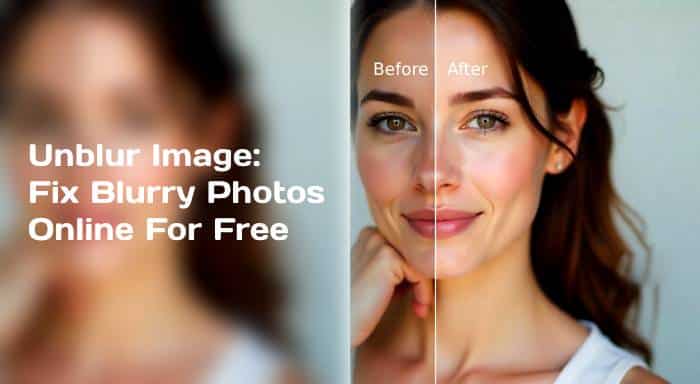

Blurry photos can be such an annoying issue when you want to save important memories, create better product images, or even read text. With AI Ease, this photo enhancer lets you unblur image details and enhance photo quality with just a few clicks. In this blog post, we will guide you through the process of unblurring and clearing an image using the advanced and incredible features of AI Ease.
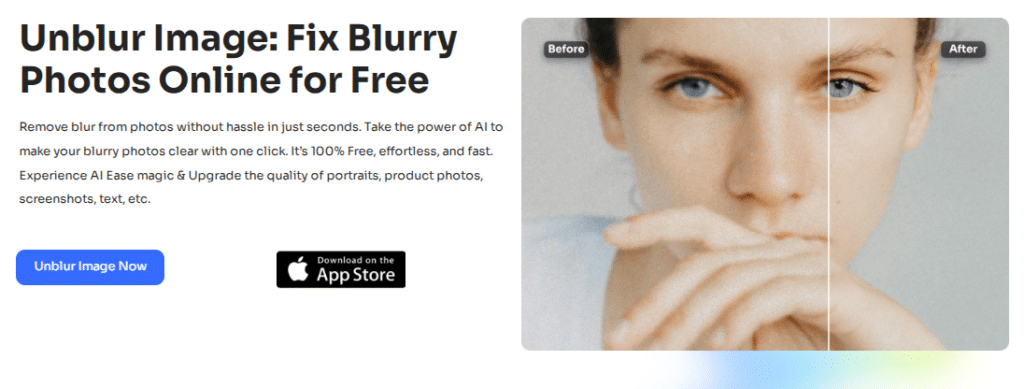
How to Unblur Images Using AI with Ease
Enhancing a blurry photo to achieve clarity and sharpness has never been easier. Just follow these three easy steps, and let the powerful AI technology at AI Ease unblur your images.
Step 1 - Upload Your Image
First, upload your blurry photo to the AI Ease photo enhancer. Be it an old family photo, a pixelated product image, or an unclear text-based graphic, this tool supports a wide variety of photo types. Just drag and drop your image onto the interface, and you're ready to start.
Step 2: Unblurring AutoAI
As soon as your photo is uploaded, the intelligent AI algorithms fire on by AI Ease. The tool will analyze the image automatically and apply only those enhancement techniques that are considered best, such as upscaling the resolution to 2x or 4x. You can adjust the mode or fine-tune the image using the right-side panel, based on which the ideal result is attained. Within this step guide, you can make your photo much sharper and more precise
Step 3: Download the Image
After enhancement, you can preview the final result. Satisfied with the improvement? Click the "Download" button to save the clear and sharp image directly to your device. That's it!
The key features of AI Ease Photo Enhancer
The advanced photo enhancer capabilities of AI Ease make it one of the most sought-after among individuals who aim for quality improvement in images and want to unblur photos in an efficient manner.
Free Online Tool 100%
AI Ease is free to use, with the aim that each and every one could make their photo even better, without any extra hidden fees or subscriptions.
Fast, Automatic, Easy to Use
The friendly design of this tool makes it unnecessary even for the not-so-technically-minded individual to know how to unblur image. Here you can apply the automation to get the expected result in a matter of seconds, as the platform provides it.
Three AI Models for Versatile Enhancement
AI Ease offers three different models of AI, each serving a different purpose:
- General: For most photographs, it's suitable, with good clarity and detail.
- Art Image: Good for illustrations and artwork; retains much of the creative detail.
- Restore & Colorize: Unique model for restoring old photos with a splash of color, giving faded memories the look they deserve.
Batch Uploads
Perform batch photo enhancements by uploading up to 20 photos simultaneously. For all the users that have to deal with large volumes of photos and who are working as professionals, this feature is a perfect match.
Upscaling Options Customization
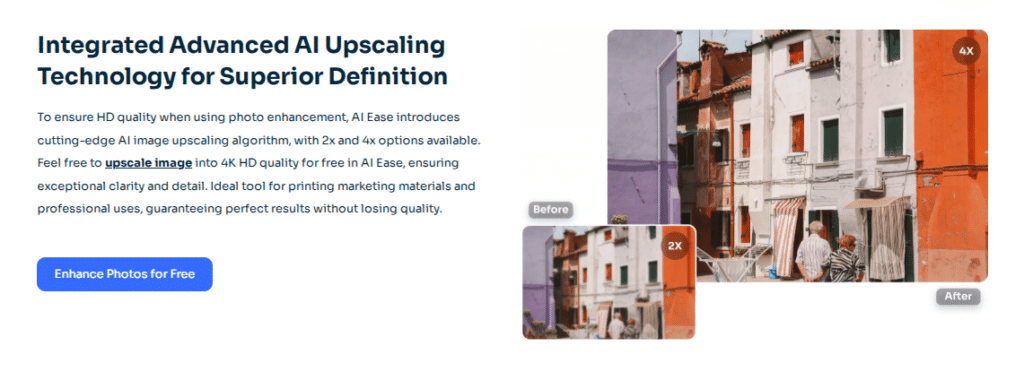
Upscale the image in the required proportion to 2x or 4x while developing outstanding photo clarity for professional or personal use.
Restore & Colorize: Giving Life Back to Old Photographs
Among the key features that make AI Ease stand out is the Restore & Colorize model, designed to rejuvenate old and faded photos. Be it a childhood memory or a family portrait, this AI-powered tool can unblur flaws in the images, enhance sharpness, and add realistic colors to black-and-white or faded pictures. You can go back in time and relive moments in great detail with just a few clicks.
Sharpen Images at Top-Notch Quality
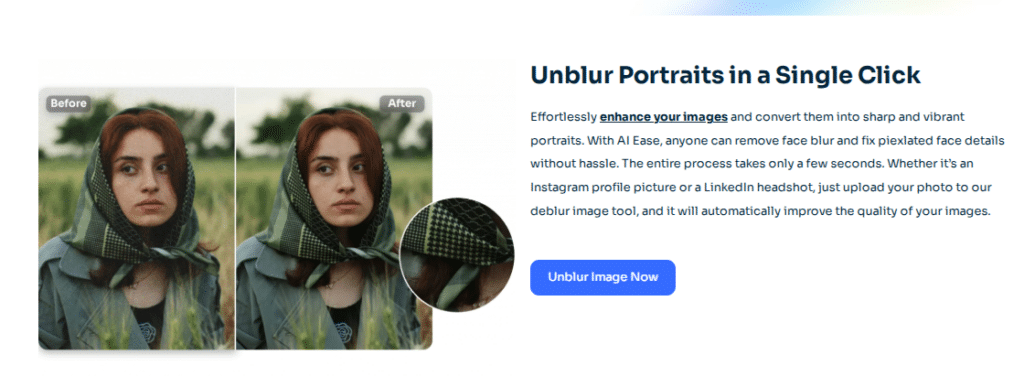
The disappearance of pixelated, low-resolution images, to be sure, is now behind our backs. This photo enhancer in AI Ease will let you take your images to the very next level. If you are serving as a photographer, designer, or social media influencer you must go for this tool as this provides professional-level outcomes without investing much cost. You can enhance, denoise, and restore intricate details for quality images, or unblur images in Adobe Creative Cloud Express if you already use it for other photo edits.
Improve Text Clarity by Removing Blur from Text
Blurring on images, for example, may stand in the way of actually trying to reach some information or just sharing beautifully impressive content with someone. Be it a scanned document, an infographic, or even a low-resolution photo, AI Ease removes text blur and presents it so much more clearly. This tool is also practical in sharpening the clarity of text in such a manner that the user can read out the information of your images with full clarity.
Deblur Product Photos for Maximum Impact
Clearer images and well-focused photos of the products are not an option nowadays. Drive greater engagement and conversions with them. The AI Ease Photo Enhancer allows a user to remove blur in a few steps on product photos intended for an online marketplace, advertisement, or any form of cataloging purpose. Generally speaking, good visuals may increase a product's appeal manifolds. And this professional-grade image will be created easily without tedious work thanks to AI Ease.
Additional Benefits of AI Ease Photo Enhancer
The photo enhancer in AI Ease does much more than just unblurring photos; it is a complete tool targeted at a wide range of users, from casual photographers to professionals.
- AI-Powered Precision: Advanced AI algorithms make the tool give results that are both precise and consistent.
- Safe and Secure: AI Ease is committed to user privacy, hence ensuring your images are safe and secure in processing.
- Unlimited Use: With no limits on the number of images you can enhance, AI Ease is perfect for both personal and professional use.
- No Sign-Up Required: No need to create an account, simply start improving your photos now.
Common Mistakes to Avoid When Using AI to Unblur Images
AI tools can improve image sharpness, but the results are not always perfect. Understanding their limitations can help you get better results without compromising image quality.
Expecting AI to Restore Every Detail
AI tools estimate missing details based on image patterns. If a photo is extremely blurry or has very low resolution, the result may look clearer without accurately reproducing the original details.
Applying Too Much Sharpening
Excessive sharpening can create unnatural edges, noise, and artificial textures. Use moderate enhancement settings and compare the output with the original image.
Ignoring Image Accuracy
When enhancing product photos, text-based graphics, or business images, check whether the AI has changed important details. Always review the final image before using it professionally.
Overlooking Privacy
Before uploading images to an online enhancement tool, review its privacy policy and file-handling practices, particularly when working with confidential business materials.
How AI Ease Stands Out
Unlike most traditional photo editing software, AI Ease is designed seamlessly and hassle-free. The intuitive interface of this tool along with the automated & long list of incredible functionality, allow everyone to access it whether they are technically savvy or otherwise. Be it restoring an old photo, improving product images, or making the text more readable, its photo enhancer is unparalleled.
If you want to find the source of a picture or locate a clearer version online, Reverse Image Search can help you discover visually similar images across the web.
How CRM Systems and AI Image Enhancement Work Together
Images are valuable business assets that help sales and marketing teams present products, communicate with customers, and maintain consistent branding. When these images are blurry or difficult to understand, AI image enhancement can help improve their visual quality before they are used in business workflows.
Improving Product Images in CRM Records
Businesses can use clearer product images in customer records, sales presentations, quotations, and follow-up emails. Sales representatives can share more professional visual materials with customers and make product information easier to review.
Supporting Marketing and Customer Engagement
Marketing teams can enhance suitable images before using them in email campaigns, promotional content, and landing pages. Consistent, clear visuals can help create a more professional customer experience across different communication channels.
Organizing Images Through CRM Workflows
A CRM system can help teams associate approved images with relevant customer profiles, product records, sales opportunities, or service requests. This makes it easier for authorized employees to locate and reuse the correct visual assets.
Creating an Efficient Image Management Process
Teams can review an image, enhance it using an AI tool, verify that the result is accurate, and then upload the approved version to the appropriate CRM record. Keeping the original image also helps preserve important details for future reference.
AI image enhancement and CRM software serve different purposes, but they can complement each other. Image enhancement improves visual quality, while CRM systems help businesses organize customer information and manage related workflows.
Conclusion
You no longer need to feel irritated with those hazy images. Enhance imperfect pictures with the Photo Enhancer by AI Ease and give them a completely different level of sharpness and quality. Whether you need to restore family pictures or refine the photos of your products for professional use, AI Ease will present an outstanding solution for each photo enhancement requirement without any effort on your part. Be it a professional photographer, a content creator, or just to keep those cherished moments, advanced AI models and features by AI Ease get the job done in an instant and with ease.
Frequently Asked Questions
Can AI unblur images without losing its original quality?
AI can improve the apparent sharpness of a blurry image, but it cannot always recover the original details. Results depend on the level of blur, image resolution, and enhancement method. Always compare the processed image with the original to check for artificial details.
How can I unblur images for free?
You can use free AI image enhancement tools or photo editors that offer sharpening features. Upload your image, apply the available enhancement settings, and preview the result before downloading it. Check whether the tool has file-size limits, watermarks, or restrictions on free downloads.
Can I use AI to unblur product images for my business?
Yes. Businesses can enhance suitable product images for catalogs, presentations, marketing campaigns, and CRM records. However, review the output carefully to ensure that AI has not changed important details such as product features, colors, labels, or textures.
Is Reverse Image Search the same as unblurring an image?
No. Unblurring an image improves its visual clarity, while Reverse Image Search helps find the same or visually similar images online. If an image is too blurry to enhance effectively, reverse image search may help you locate a clearer version of the original.