Routine Tasks Consume a Lot of Time
Teams send reminders, create tasks, update records, and inform colleagues when these tasks have not been completed.

Transform routine CRM activities into smarter and automated workflows. CRM Workflow Automation allows businesses to route trigger actions, route tasks, and ensure that processes keep moving without constant human intervention.
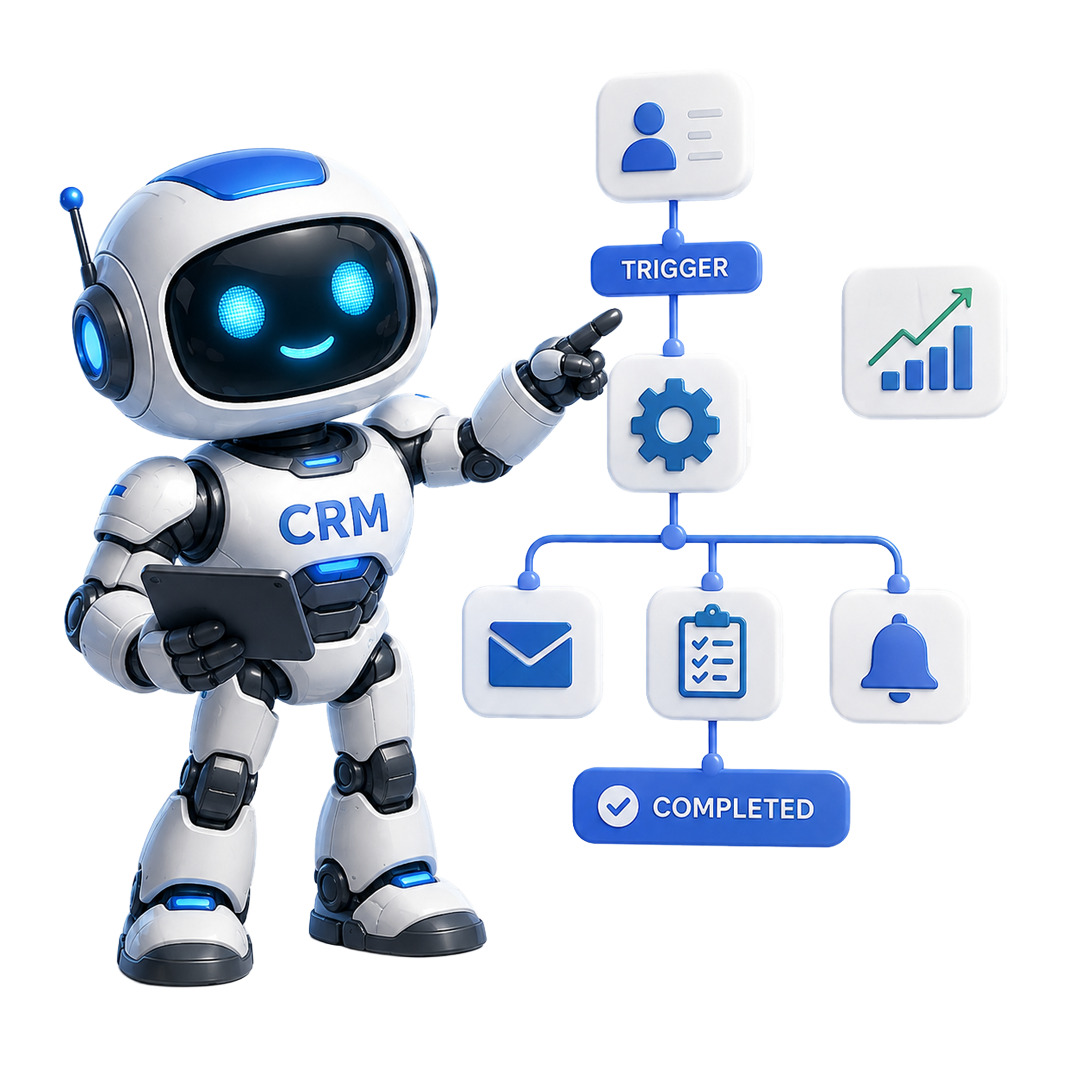
Conventional CRM workflows generally rely on employees remembering what has to happen next. CRM workflow automation replaces manual coordination with rules and smart triggers that automatically move tasks forward.
Teams send reminders, create tasks, update records, and inform colleagues when these tasks have not been completed.

When follow-ups and assignment of leads rely on manual intervention, crucial opportunities can remain unattended.

Distinct employees may distinctly manage the same process, missed steps, create delays, and inconsistent experiences.

Manual approval requests can slow down leads and sit in boxes; qualified opportunities can feel unattended and lose interest.

A CRM may comprise crucial customer data. However, this information becomes more crucial when specific events trigger the next action automatically.

As your business evolves, including more people to manage routine processes is not always a more effective solution. Automation ensures scaling without causing administrative burden.
Spot the CRM processes that happen automatically, like follow-ups, lead assignments, notifications, approvals, and creation of tasks.
Set the actions and conditions as per your workflow requirements that define what must happen when a particular event happens.
Once CRM workflow automation is activated, workflows can cause notifications, tasks, updates, assignments, and other actions automatically.
Keep track of workflow outcomes and fine tune your automation as your processes evolves further. Set up custom rules as per the requirements.
CRM workflow automation requires connected workflows that respond to business events and keep working across your business. For this, you need robust features, which OutRightCRM entails-

Begin workflows when specific workflows happen, like new lead, changes in the deal stage, form submissions, or customer activity. Convert key business events into instant actions without waiting for someone to intervene.

Assign leads automatically to the relevant team, salesperson, or workflow as per the determined criteria. Get prospects to the right person quickly without minimizing manual distribution work.

Set up tasks, reminders, and communications as per the deal stages, lead activity, or predetermined timelines. Ascertain consistent follow-ups without depending on individual team members to remember each new step.

Direct requests through the relevant approval process need attention from a manager or team member. Ensure that everyone stays informed without needing employees to track CRM records consistently.

Send timely notifications when key CRM events need attention from a manager or team member. Ensure that everyone remains informed without needing employees to keep track of CRM records constantly.

Create and assign tasks automatically when pre-set workflow conditions are met. Ensure key activities are created at the right time and reach the right individual. A reliable CRM such as OutRightCRM also provides a timeline view that lets you see when these tasks were created.

Set up workflows that distinct actions as per the deal stages, customer data, lead status, or other conditions. Create a flexible automation that defines how your automation actually works.

Integrate workflow automation with AI-driven capabilities to recognize patterns, help with decisions, and make business processes smarter. Go beyond rule-driven automation toward workflows that can ascertain intelligent business processes.
SEO Agencies Onboarded
Average increase in Retainer Close Rate
Saved Per Team Member Each Week
Uptime & GDPR Compliance
Connect OutRightCRM with the tools that you already use to centralize data, simplify operations, and automate workflows across the board.















SuiteCRM Bulk SMS makes communication effortless. If the add-on is this good, OutrightCRM's launch will be incredible!
Sales Director at BrightWave Solutions

SuiteCRM Email to Lead saves time, captures every inquiry, and ensures no missed opportunities. OutrightCRM will be next-level!
Marketing Manager at GreenTech Innovations

Managing multiple SEO retainers used to be chaos. OutrightCRM keeps every client, deliverable, and follow-up perfectly organized.
Founder at RankForge Agency

The automation workflows alone save our team hours each week. Reporting that used to take days now happens in minutes.
Operations Lead at Peak Digital