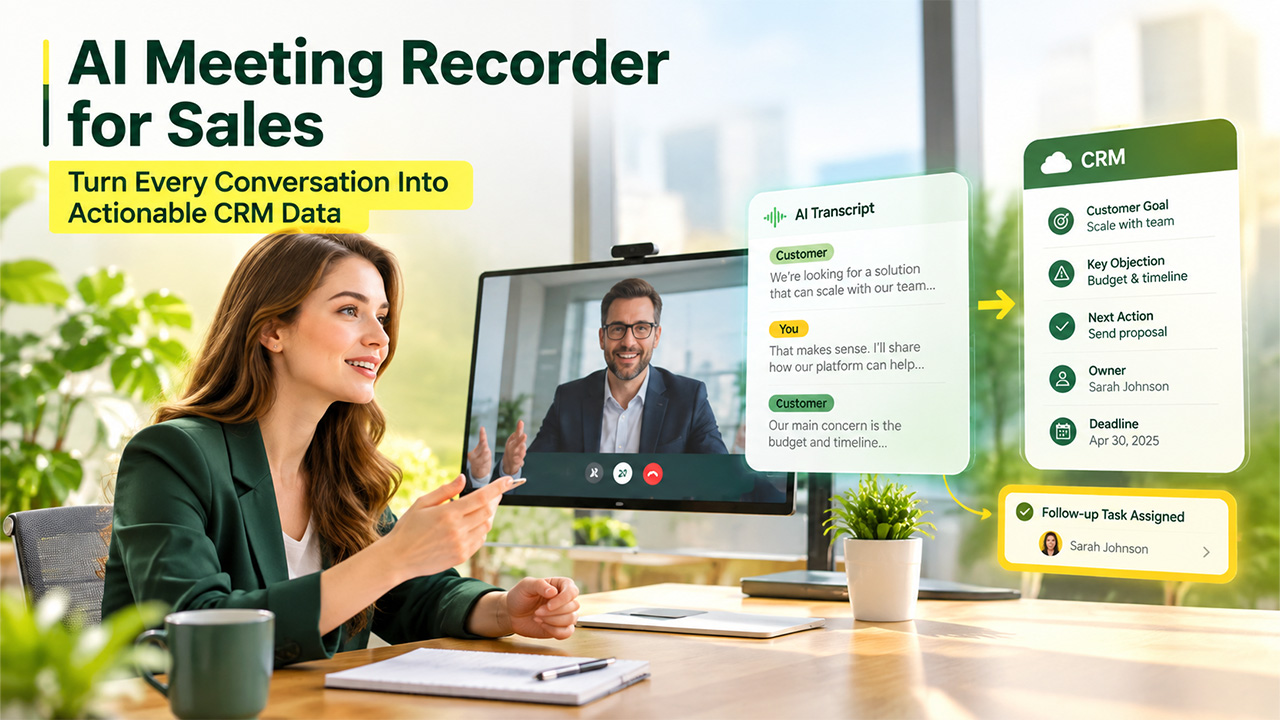

A CRM is only as useful as the information entered into it. Even the most advanced sales platform cannot provide reliable pipeline insights when meeting notes are incomplete, customer objections are missing, or next steps are recorded without clear owners and deadlines.
This is a common problem for sales teams. Representatives need to listen carefully, ask relevant questions, present solutions, and take notes at the same time. When the call ends, they may have only a few fragmented sentences to work from. Important details are then added to the CRM from memory—or not added at all.
An AI meeting recorder for sales helps close this information gap. It captures the conversation, converts it into searchable text, and organises key points for review. Sales professionals can then update CRM records using the actual context of the meeting instead of relying entirely on handwritten notes or memory.
Why Important Sales Context Gets Lost After Meetings
Sales conversations often contain more useful information than a standard CRM form can show. A prospect may explain why an existing solution is failing, mention an internal approval process, raise a security concern, or describe a deadline several months away.
These details influence the deal, but they are easy to lose.
The most common causes include:
- Sales representatives focusing on the conversation instead of detailed note-taking
- Notes capturing conclusions without the reasoning behind them
- CRM updates being postponed until several calls have finished
- Different team members using inconsistent note formats
- Follow-up tasks being discussed without assigning an owner or deadline
- Customer language being replaced with the salesperson’s interpretation
Over time, these gaps affect more than one opportunity. Managers receive an incomplete view of the pipeline, account teams lack the context needed for handoffs, and follow-up messages may fail to address what the customer actually discussed.
The goal is not to place an entire conversation inside the CRM. It is to preserve enough context that the team can identify and record the information that matters.
What an AI Meeting Recorder Adds to the CRM Workflow
An AI meeting recorder creates a reviewable record of a sales conversation before information is summarised for the CRM.
Owl can join meetings on Zoom, Microsoft Teams, and Google Meet to record, transcribe, and summarise the discussion. It can also organise sales calls using structured outputs such as BANT information and action items. This gives sales teams a practical starting point for reviewing a conversation after it ends.
The recording and transcript do not replace the CRM. Instead, they support the step between the meeting and the CRM update, helping improve CRM accuracy before information is entered into the system.
A typical workflow looks like this:
- The meeting recorder captures the sales conversation.
- The conversation is converted into a speaker-labelled transcript.
- A summary highlights decisions, key topics, and action items.
- The sales representative verifies important details.
- Relevant information is entered into the correct CRM fields.
- Follow-up tasks are assigned to specific people.
This process allows the representative to stay engaged during the call while still maintaining a useful source record afterwards.
What Sales Teams Should Capture from Every Call
Recording a meeting does not automatically create good CRM data. Teams still need a consistent framework for deciding what should be saved.
For most discovery calls, demos, and account meetings, the following information is useful:
Customer goals
What is the customer trying to achieve? Record the business outcome rather than only the requested feature.
Current challenges
Document the process, tool, or operational problem that led the prospect to consider a change. When possible, preserve the customer’s own language.
Requirements
List the capabilities, integrations, security conditions, reporting needs, or service expectations mentioned during the conversation.
Budget and purchasing process
Record any confirmed budget information, approval steps, procurement requirements, and people involved in the decision. Do not turn assumptions into confirmed CRM data.
Timeline
Capture important dates, including implementation targets, contract renewals, internal reviews, and the next scheduled conversation.
Objections and concerns
Note specific concerns about pricing, deployment, security, usability, or stakeholder support. These details should guide future conversations and follow-up materials.
Commitments
Separate what the customer agreed to do from what the sales team promised to provide. This prevents ambiguous follow-ups.
Next action
Every next step should include an action, an owner, and a deadline. “Send information” is less useful than “Jordan will send the security documentation by Thursday.”
This structure makes CRM notes easier for other team members to understand and act on.
How AI Transcription Supports More Accurate CRM Updates

A recording is useful when someone needs to replay a conversation, but reviewing an entire call can take too long. Transcription makes the meeting easier to search, scan, and verify.
With AI transcription software, Owll converts spoken audio into timestamped, speaker-labelled text. It also produces a structured summary and extracts action items, helping teams move from raw conversation to reviewable meeting documentation.
For sales teams, a searchable transcript can help with several tasks:
- Finding the prospect’s exact description of a problem
- Checking names, dates, numbers, and product requirements
- Reviewing how different stakeholders responded
- Locating the context behind an objection
- Confirming which participant accepted a next step
- Preparing a follow-up message that reflects the conversation
- Supporting internal deal reviews and account handoffs
Transcription quality can vary with audio conditions. Background noise, poor microphones, strong accents, connection problems, and multiple people speaking at once may affect the output. Names, figures, deadlines, quotations, and commercial commitments should therefore be checked against the recording before they are treated as confirmed information.
A Practical Meeting-to-CRM Workflow
Sales teams can use the following process to turn meeting recordings into cleaner CRM records.
1. Confirm that the meeting can be recorded
Before recording, follow applicable laws and company policies and obtain any required participant permission. The meeting invitation or opening statement should make the recording clear.
2. Define the purpose of the meeting
Label the call as a discovery session, demo, negotiation, onboarding meeting, or account review. This helps the team evaluate the notes using the right context.
3. Capture the conversation
Use a meeting recorder to preserve the discussion while the salesperson focuses on asking questions and listening.
4. Review the summary first
Start with the generated summary to understand the main themes, decisions, and action items. Then use the transcript to verify details rather than reading every line from the beginning.
5. Extract CRM-ready information
Move only relevant and verified information into the CRM. Separate facts stated by the customer from the salesperson’s interpretation or prediction.
6. Update structured fields
Place budget, stage, timeline, stakeholders, next steps, and other details in their designated fields. Do not hide important information inside one long note.
7. Assign follow-up actions
Each task should have a responsible person and a due date. If the customer expects a proposal, document, demonstration, or technical answer, record exactly who will provide it.
8. Send a contextual follow-up
Use the verified meeting record to prepare a concise message covering agreed priorities, open questions, and next steps. The final email should still be reviewed by a person before it is sent.
How to Keep AI-Generated Meeting Notes Reliable
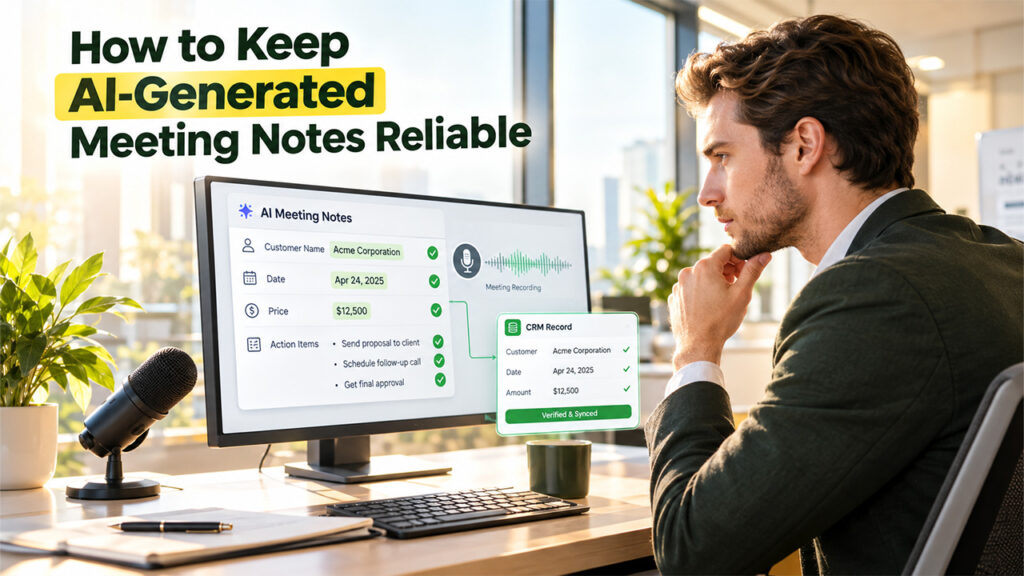
AI-generated notes should be treated as a helpful first draft, not an unquestionable record.
A simple review checklist can improve reliability:
- Verify customer and company names
- Check prices, percentages, dates, and quantities
- Confirm each action item has the correct owner
- Review quotations before using them externally
- Distinguish confirmed requirements from possible interests
- Return to the recording when the transcript is unclear
- Remove irrelevant or sensitive information from CRM notes
- Follow company access and retention policies
- Use a consistent meeting-note template across the sales team
Managers should also define what “complete” CRM notes mean. Without a shared standard, one representative may write a detailed account while another enters only a sentence.
Where Meeting Intelligence Helps Beyond CRM Data Entry
The value of meeting documentation extends beyond completing CRM fields.
Sales managers can use verified call notes during pipeline reviews to understand why a deal is moving—or why it has stalled. New account owners can review earlier decisions before a handoff. Customer success teams can see what expectations were established during the sales process. Representatives can also revisit objections and improve how they handle similar questions in future calls.
For distributed teams, searchable transcripts and structured summaries provide additional context for colleagues who could not attend. This reduces repeated explanations and makes decisions easier to trace.
However, Meeting intelligence works best when it supports an established process. Recording more calls will not improve sales operations if teams never review the output, verify important details, or use CRM workflow automation to keep verified information and follow-up actions moving through the right stages.
Frequently Asked Questions
How does an AI meeting recorder help sales teams?
An AI meeting recorder captures sales conversations and produces reviewable recordings, transcripts, summaries, and action items. Sales representatives can use these materials to verify important details before updating CRM records and preparing follow-ups.
Should a full meeting transcript be added to the CRM?
Usually, no. A CRM should contain concise, relevant, and actionable information. The full transcript can remain a source record, while verified goals, requirements, objections, decisions, and next steps are entered into the appropriate CRM fields.
Can AI-generated meeting notes replace human review?
No. AI can organise the conversation and reduce manual note-taking, but people should verify names, numbers, dates, quotations, and commitments. Human review is particularly important when meeting notes influence pricing, contracts, forecasts, or customer expectations.
Final Thoughts
Reliable CRM data begins before anyone opens a CRM record. It begins with capturing the customer conversation accurately and preserving enough context to understand what was decided.
AI meeting recorders and transcription tools can reduce information loss, make sales conversations searchable, and help teams prepare clearer follow-up actions. They do not replace sales judgement or a well-designed CRM process. Their value comes from giving teams a stronger source of information to review.
When recordings, transcripts, human verification, and consistent CRM fields work together, sales teams can spend less time reconstructing meetings and more time acting on what customers actually said.
%201.png)

%201.png)

%201.png)