

For distributed teams, reliable CRM access can directly affect how quickly the employees respond to the customers, update opportunities, and make informed decisions. The sales representatives preparing for a meeting should be able to retrieve critical account information, without any delays, which can be caused by weak connectivity, device limitations, or inaccessible systems.
A well-structured remote CRM access strategy helps teams stay productive, despite their location. A well-equipped remote CRM combines distributed team collaboration tools, practical CRM connectivity tips, and dependable cloud-based CRM solutions, ensuring the organization provide a secure, consistent, and real-time access to essential customer data across locations, devices, and time zones.
Revolutionizing Remote CRM Access with Modern Connectivity Technologies
There are various modern connectivity tools that help close the gap between a powerful CRM and a team that can leverage it reliably, from anywhere on the planet. There are two technologies that reshape how the distributed teams stay online and productive.
Leveraging eSIMs for Always-On Mobile CRM Access
For teams wanting to understand all about eSIMs, the core concept is straightforward: these are embedded, programmable SIM cards that remove the need for physical SIM swapping whenever someone crosses a border. That's a genuinely big deal for field sales reps and support staff operating internationally.
Device onboarding gets faster, cross-border data access becomes seamless, and those unexpected roaming bills, the ones that appear like clockwork on expense reports, largely disappear.
Integrating VPNs and Zero Trust Networks for Secure CRM Access
ESHIMs can handle the physical connectivity challenge efficiently, but staying connected is only half of the equation. Solutions like VPN and Zero Trust Frameworks help protect the data that travels through the connection, ensuring the representees don’t accidentally expose sensitive CRM records over airports or hotel Wi-Fi.
The core principle of Zero Trust is that it never trusts, always verify, and fits distributed environments perfectly. The model of Zero Trust is built for unpredictable access patterns that the team can create every day.
The secure, always-on connectivity in place, the next challenge is making sure that the CRM data flows naturally into the tools that the teams already uses.
The Foundations of CRM Accessibility for Distributed Teams
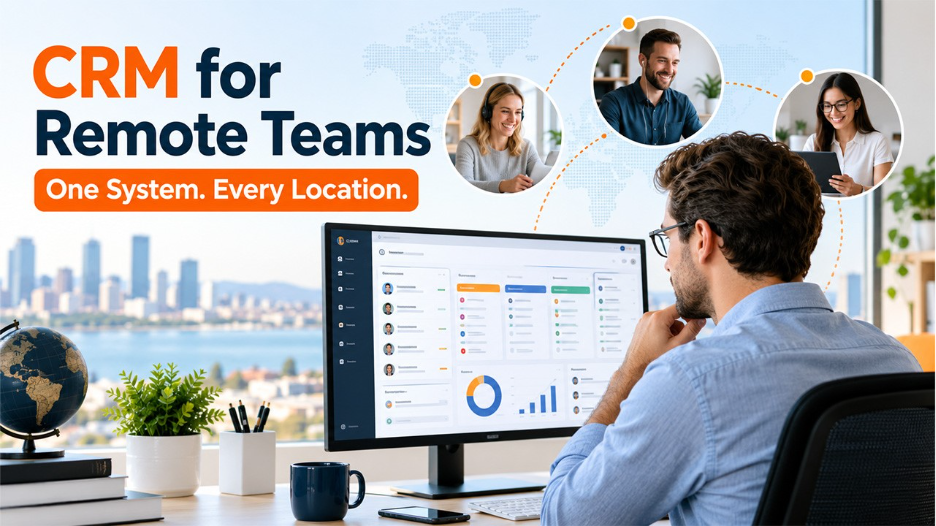
The Jooble Survey of March 2026 stated that about 68% of total remote workers in the USA reported higher productivity despite mixing their personal tasks with work. This states that the team is already finding creative methods to stay effective. Here, a real question that arises is that the CRM infrastructure is honestly keeping the pace of the work with them.
Before jumping to cutting-edge innovations, you need to get the groundwork right. Even the most sophisticated connectivity solution performs poorly when it's sitting on a shaky foundation.
Must-Have Features for Remote-Ready CRMs
A genuinely remote-ready CRM works smoothly on desktops, tablets, and phones, without forcing users into clunky workarounds that eat up time. When evaluating CRM vs SaaS, businesses should look for AI-powered dashboards that adapt to individual workflows, reliable offline modes, and automatic sync capabilities, especially when teams are spread across a dozen time zones. These features help maintain productivity and ensure employees can access important customer information whenever they need it.
Add robust multi-factor authentication to lock down sensitive data wherever someone logs in, and you're building something worth trusting.
Benefits of Cloud-Based CRM Solutions for Global Teams
Once your interface and security layers are solid, cloud-based CRM solutions genuinely elevate the experience. Real-time updates, unified data access across every geography, cost efficiency that scales without friction, these advantages add up fast.
And the disaster recovery benefits alone put cloud solutions ahead of on-premise systems for most distributed organizations. If you haven't made the switch yet, this is worth a serious conversation with your team.
The best platform, though, only performs as well as the connectivity infrastructure sitting underneath it.
Distributed Team Collaboration Tools That Boost CRM Productivity
Raw CRM access doesn't automatically translate into productivity. The real gains happen when CRM data moves fluidly into the platforms your team uses daily, without anyone having to hunt for it.
Essential Integration Platforms for a Connected Workflow
Connect your CRM to Slack, Microsoft Teams, Zoom, and Notion, and you immediately cut down on the context-switching that quietly kills focus. API-first CRMs paired with automation tools like Zapier or Make let your team trigger workflows, update records, and surface key insights without ever leaving their primary communication environment. Real-time collaborative record editing means two reps in different cities can work the same opportunity simultaneously, no overwriting, no confusion.
Unified Digital Workspaces: Bridging CRM and Task Management
Merging CRM data with project management platforms like Monday, Asana, or Trello creates one reliable source of truth for your distributed team. Centralizing communications, calendars, and CRM insights inside a single workspace reduces the mental overhead of constantly switching between apps.
Teams operating from a unified workspace tend to report something interesting, they feel less like they're working remotely, and more like they're genuinely working together.
Great integrations create momentum. But that momentum stalls the moment connectivity falters underneath it.
CRM Connectivity Tips for Uninterrupted Access and Performance
Proactive connectivity management is what separates teams that keep moving from those that scramble every time something breaks unexpectedly.
Proactive Steps to Maximize CRM Uptime
Monitoring SaaS health dashboards, reviewing your service-level agreements regularly, and building local data caching into your setup are among the most practical CRM connectivity tips you can act on right now. Define clear fallback procedures too, when a connection drops mid-deal, your team needs to know exactly what to do without stopping to figure it out.
Optimizing CRM Load Times and Mobile Experience
A system that's technically available but frustratingly slow can damage productivity almost as much as full downtime. Data compression for low-bandwidth scenarios, mobile-first interface design, and progressive web apps that launch instantly all contribute to a genuinely smooth mobile CRM experience. These aren't luxury features reserved for enterprise budgets. They're basics for any team operating across inconsistent global networks.
Setting Up Smart Notifications and Alerts for Remote Teams
A fast, mobile-ready CRM still only helps if your people know when to act. Custom notification rules tied to specific time zones and individual roles ensure the right alert reaches the right person at the right moment. AI-driven flags for at-risk deals or overdue tasks, paired with clear escalation workflows, keep critical issues from quietly slipping through the cracks on a globally distributed team.
Advanced Solutions and Innovations for Next-Level CRM Accessibility

For organizations ready to push beyond best practices, the frontier of CRM accessibility is genuinely worth your attention. Research published in 2026 found that 59% of sales and marketing leaders plan to significantly increase AI adoption over the next year, with CRM systems identified as a primary focus area. That signals one thing clearly: your connectivity infrastructure needs to keep pace with increasingly intelligent CRM platforms.
Edge computing nodes reduce latency for geographically spread teams, delivering near-instant data access. Voice assistants and AI bots let team members query or update CRM records through a quick spoken command or a Teams message, no dashboard required. Wearables push critical CRM notifications directly to a smartwatch, which proves especially valuable for field teams capturing leads during on-site customer visits.
No-code customization tools mean any team member can build their own CRM widgets and automations without filing an IT ticket and waiting three days.
Best Practices for Training and Supporting Distributed Teams on CRM Accessibility
Even the most airtight technical setup underperforms when the people using it aren't confident in what they're doing. That human dimension is something technical investment alone cannot solve.
Step-by-step onboarding playbooks tailored specifically for remote CRM users give new hires a consistent, strong starting point. CRM tools evolve continuously, though, so one-time training isn't sufficient. Ongoing microlearning sessions, in-context guidance embedded directly in the CRM interface, and always-available support channels ensure every team member, brand new or ten-year veteran, keeps growing alongside the tools they depend on daily.
Building a CRM Accessibility Strategy That Lasts
Every idea explored here, from cloud-based CRM solutions and eSIM connectivity to smart alerts, edge computing, and compliance protocols, points toward a single, coherent conclusion. Distributed team collaboration tools and reliable remote CRM access aren't separate concerns sitting in different departments. They're the same conversation, and organizations that treat them that way consistently outperform those that don't.
Start with the foundation. Layer in the right tools thoughtfully. Train your people well and invest in keeping them confident. Do that, and your CRM becomes something no distributed team ever has to worry about. It simply works, wherever business takes them next.
FAQs :
What are the most common technical challenges with remote CRM access?
Poor mobile performance, inconsistent sync across time zones, and weak offline capabilities top the list consistently. Security gaps on public networks also create serious friction for distributed teams relying on real-time CRM data.
Can legacy CRMs be made accessible for global remote teams without a full overhaul?
Often, yes. Middleware integrations, API connectors, and third-party mobile wrappers can extend legacy CRM functionality significantly. That said, there's usually a ceiling, some older systems genuinely need replacing to support modern distributed workflows effectively.
How do eSIMs benefit remote sales teams operating internationally?
eSIMs eliminate physical SIM swapping, provide instant cross-border data access, and dramatically reduce roaming costs. Sales reps can switch carriers digitally, staying connected and CRM-ready regardless of which country they're working from that week.
%201.png)

%201.png)

%201.png)