

TL;DR: A solid website hierarchy organizes your pages into a logical parent-child structure that both users and search engines easily understand. By mapping out your structure before adding content, you create an invisible architecture that boosts your long-term SEO performance.
Using a Free Website Builder for Your Site's Hierarchy
It happens all the time: you get ready to launch a new site, and you immediately pour all your energy into gorgeous design and snappy content. While those elements certainly matter, focusing on them before planning an SEO-friendly website structure is a mistake that search engines will notice
What Is Website Hierarchy and Why Does Google Care?
Website hierarchy is the invisible architecture behind an SEO-friendly website structure that tells Google exactly what your site is about and which pages deserve the most attention. Without a well-thought-out plan, your content becomes a disorganized maze.
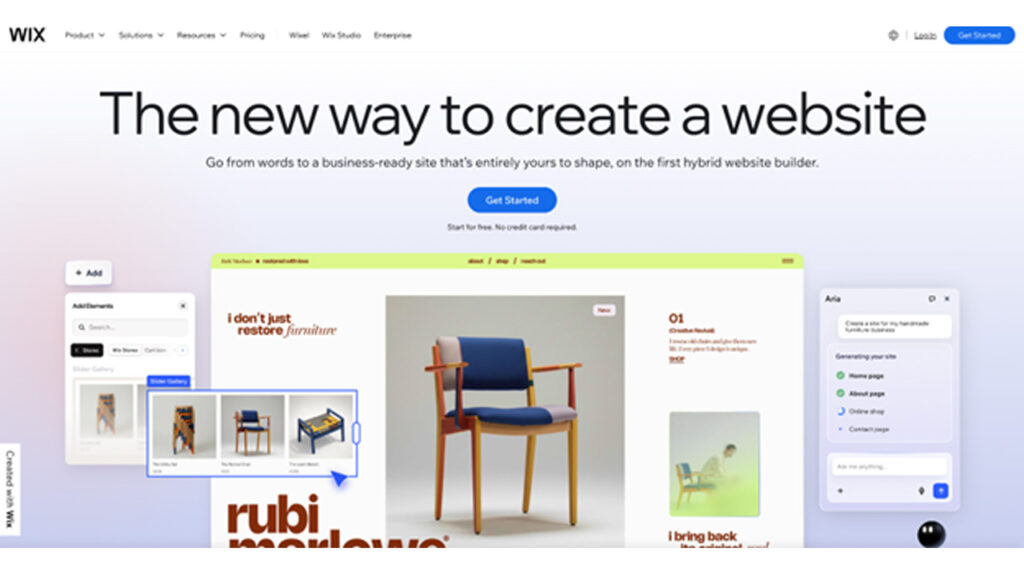
If you are currently building or rebuilding a site, mapping out this structure is the most important step you can take before you hit publish. When you use a free website builder like the one Wix offers, you get to set up clear categories and give Google the roadmap it needs to index your pages properly and rank them for the right searches.
The structure of your website is a way to organize your pages in a way that makes sense. It starts with your page then it gets narrower with categories and finally it gets to the individual pages with content or products. This is important because the computers that look at your website use this structure to decide how important your website is.
When these computers look at your website they try to find a path to follow. If your website is not organized, with pages over the place it is hard for these computers to know which pages are the most important. Think of your website like a file cabinet. A good file cabinet has folders and subfolders that are labeled clearly so you can find what you need easily. A website that is not organized is like a pile of papers all, over a desk.
The Three-Tier Framework Every Website Should Start With
Most successful sites rely on a straightforward three-tier model to create an SEO-friendly website structure that improves navigation and indexing. This framework keeps things tidy and ensures that link equity—the SEO value passed from one page to another—flows naturally downward.
Tier one is your homepage. It acts as the front door and holds the most authority. Tier two consists of your category or topic hub pages. These pages group similar topics together. Finally, tier three is made up of your individual blog posts, specific product pages, or detailed service descriptions. This structure ensures that your most vital content stays within two to three clicks of the homepage, which is a highly practical SEO goal.
Let’s look at how this plays out in the real world. For a local small business, tier one is the homepage, tier two might be an "Our Services" hub, and tier three holds the individual pages for "Plumbing," "Heating," and "Cooling." For a content-heavy food blog, tier two would feature recipe categories like "Dinner," "Dessert," and "Breakfast," while tier three hosts the specific recipes. By keeping the hierarchy shallow, you ensure visitors and search engines never get lost.
How to Map Your Pages Before You Build or Reorganise
Before you touch a single page template, you need to create a visual sitemap that supports an SEO-friendly website structure. This step-by-step process prevents headaches later on and ensures your architecture supports your goals. Start by listing all your existing or planned pages. Next, group these pages by topic or function. As you cluster similar pages together, you will easily identify which pages need to serve as the main hubs for each group.
This is where keyword research becomes incredibly useful. Pages that target high-volume, competitive search queries should sit higher up in your hierarchy—usually as your tier-two hub pages. These broader pages then attract internal links from the related, more specific supporting pages in tier three.
You do not need fancy software to map this out. A simple spreadsheet works wonders. Alternatively, you can grab a pen and paper, use sticky notes on a wall, or open a basic diagramming tool. The goal is to make the exercise accessible and visual, giving you a clear blueprint to follow when you start building.
Internal Linking as the Connective Tissue of Your Structure
If your visual sitemap is the skeleton of your website, internal links are the connective tissue that brings it to life. Internal links are the mechanism that makes your hierarchy real in Google's eyes. They pass authority between pages, establish relationships, and signal which pieces of content hold the most importance.
To maximize your SEO, you need to follow a few best practices. Always link from your broad hub pages down to your supporting content, and link those supporting pages back up to the hub. Use descriptive anchor text that tells the user and the search engine exactly what the destination page is about. Furthermore, you must aggressively avoid orphan pages. An orphan page has zero internal links pointing to it, making it nearly impossible for search engines to find or value. When you map your structure clearly from the start, internal linking feels completely natural because the content relationships are already logical.
Structuring Pages Around Your Audience, Not Just Keywords
While technical SEO is important, you must also design your hierarchy around human intent. A structure that reflects how your audience actually thinks about your topics will naturally perform better. When visitors find what they need quickly, it reduces your bounce rate and increases the amount of time they spend exploring your site.
Think about audience segmentation as a core organizing principle. Different sections of your site should serve different visitor types or accommodate different stages of the buying journey. For example, a software company might create separate hubs for "Small Business Owners" and "Enterprise IT Managers." This process of grouping audiences as per their interests, helps you structure your navigation and internal linking strategy in a way that feels intuitive. When you build for people first, search engines reward the great experience you provide.
Keeping Your Hierarchy Healthy as Your Site Grows
A well-organized site is easy to build, but maintaining it over time takes deliberate effort. Sites that start with perfect structure often drift into chaos as new blog posts, products, and landing pages are added without a central plan. This structural debt confuses search engines and frustrates users.
To prevent this, you should adopt a few simple maintenance habits. Conduct periodic site audits to see where new pages have landed. Consolidate or redirect thin, outdated, or duplicate pages that no longer serve a purpose. Most importantly, ensure that every single new piece of content maps directly to an existing hub—or deliberately creates a new one. This structural health ties directly into broader site maintenance. Keeping a clean, organized architecture makes it easier to monitor website security and ensures you provide an environment that both users and search engines implicitly trust.
Structure Is the Strategy — Everything Else Follows
Writing great content and optimizing your loading times are fantastic goals, but without a logical hierarchy, those efforts are actively working against themselves. Building an SEO-friendly website structure before you add content is one of the most powerful actions you can take for long-term SEO performance.
Your hierarchy guides search engines, passes authority to the right places, and ensures your visitors enjoy a smooth, intuitive experience. Do not wait until your site is a tangled mess of broken links and orphaned content. Grab a pen and paper, audit your existing pages, and plan out your site structure today—before you add even one more page to your website.
%201.png)

%201.png)

%201.png)