
YouTube continues to dominate as the world’s largest video-sharing platform in 2026. From entertainment and education to business and creative inspiration, billions of users rely on YouTube every day. But streaming isn’t always practical—especially when internet access is limited, slow, or expensive. That’s why YouTube video downloaders remain essential tools for offline viewing.
In this guide, we’ll explore why YouTube downloaders are useful, what features matter most in 2026, and a list of the best YouTube video downloaders, including why Vidssave stands out among them.
Why You Need a YouTube Video Downloader
Downloading YouTube videos offers more than just convenience. Here are the main reasons users rely on video downloaders:
- Offline Viewing: Perfect for travel, flights, or areas with weak internet signals.
- Educational Use: Students and teachers can store tutorials and lectures for easy access.
- Content Backup: Videos can be removed or restricted at any time—downloading ensures availability.
- Data Savings: Download once, watch multiple times without consuming extra bandwidth.
- Presentations & Sharing: Offline playback is ideal for classrooms, meetings, and workshops.
Short-form content like YouTube Shorts has become extremely popular. If you want to save not only full-length videos but also Shorts for offline viewing, you can check out our detailed guide on how to easily download YouTube Shorts.
With growing demand, modern downloaders must deliver speed, quality, safety, and flexibility.
Key Features to Look for in a YouTube Downloader
Before choosing a tool, make sure it includes the following features:
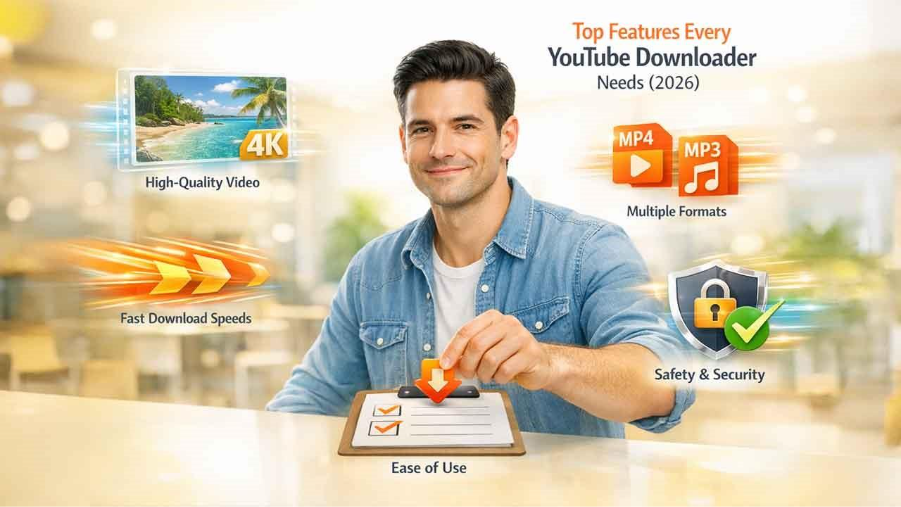
1. High-Quality Video Downloads
The best YouTube downloaders support HD, Full HD (1080p), and even 4K video resolution. High-quality output ensures a smooth and enjoyable viewing experience.
2. Multiple Format Options
Whether you want video or audio-only files, format flexibility matters. Popular formats include:
- MP4 for videos
- MP3 for audio and music
Tools offering easy youtube to mp4 and YouTube to MP3 conversion are especially popular.
3. Fast Processing Speed
Nobody wants to wait minutes for a single download. Efficient tools process videos quickly without compromising quality.
4. Safety and Privacy
Avoid platforms that require suspicious software installs or show excessive ads. Browser-based tools with no registration are safer and more user-friendly.
5. Simple Interface
A good downloader should work in just a few steps—paste link, choose format, download. No technical knowledge required.
How to Choose the Right YouTube Downloader
Not every YouTube downloader is designed for the same type of user. The best option depends on your device, preferred video quality, download frequency, and whether you want to install software.
For Quick, Occasional Downloads
Browser-based downloaders are a convenient choice when you only need to save a few videos. They typically require no installation and can be accessed from a desktop, tablet, or smartphone.
For High-Quality Downloads
If video quality is your priority, look for tools that support 1080p, 4K, or higher resolutions. Keep in mind that the available quality may depend on the original YouTube video.
For Playlists and Multiple Videos
Users who regularly download multiple videos may benefit from desktop applications that support batch downloads, playlists, and channels. These features can save considerable time compared with downloading each video individually.
For Mobile Users
Choose a downloader with a mobile-friendly interface that works smoothly on your phone or tablet. A simple browser-based solution can be more convenient when you do not want to install additional applications.
For Safer Downloads
Prioritize services that clearly explain how they handle user data and avoid platforms that require unnecessary permissions, suspicious software installations, or excessive pop-ups. You should also keep your browser and security software updated.
Best YouTube Downloaders in 2026
Here are some of the most popular and reliable YouTube video downloaders users rely on in 2026:
1. Vidssave (Top Recommendation)
Vidssave is one of the most efficient and user-friendly YouTube downloaders available today. It offers fast downloads, high-quality output, and works entirely online—no software installation needed.
Key Highlights:
- Supports MP4 and MP3 formats
- High-resolution downloads (720p, 1080p, 4K)
- No registration or login required
- Works on mobile, tablet, and desktop
- Clean, ad-free experience
Whether you want to download video YouTube or quickly convert YouTube to MP4, Vidssave delivers consistent performance.
2. 4K Video Downloader
A popular desktop application known for high-resolution downloads.
Pros:
- Supports 4K and 8K videos
- Playlist and channel downloads
- Subtitle support
Cons:
- Requires installation
- Free version has limitations
3. YTD Video Downloader
A long-standing downloader with both free and paid versions.
Pros:
- Simple interface
- Supports multiple platforms
Cons:
- Slower speeds in free version
- Ads and software installation required
4. SnapDownloader
A powerful tool mainly used by advanced users.
Pros:
- Supports over 900 websites
- Batch downloads
- High-speed mode
Cons:
- Not fully free
- Requires installation
5. Online Video Converter Tools
Many browser-based converters allow quick downloads without installing software.
Pros:
- Easy to use
- No setup required
Cons:
- Limited quality options
- Often ad-heavy
Compared to these, Vidssave offers the best balance of speed, safety, and simplicity, making it ideal for everyday users.
How to Download YouTube Videos Using Vidssave
- Copy the YouTube video URL
- Paste the link into Vidssave’s input box
- Select your preferred format (MP4 or MP3)
- Click download and enjoy offline viewing
The entire process takes just seconds.
Legal and Safety Considerations
Using YouTube downloaders responsibly is important:
- Personal Use Only: Download videos only when permitted by the creator or for personal use.
- Avoid Copyright Violations: Do not redistribute copyrighted material without permission.
- Use Trusted Platforms: Stick to reliable tools like Vidssave to avoid malware and data risks.
Common YouTube Download Problems and How to Fix Them
Even a reliable YouTube downloader may occasionally encounter problems. Users may also face difficulty accessing YouTube because of network or regional restrictions. If you're experiencing access-related issues, our guide to YouTube Unblocked explains some common reasons YouTube may be difficult to access and what you can do about them. Here are some common downloading issues and practical solutions.
Video Link Is Not Recognized
Make sure you copied the complete YouTube URL and that the video is publicly accessible. Try copying the link again directly from YouTube and pasting it into the downloader.
Download Quality Is Lower Than Expected
The available download quality usually depends on the original video's resolution and the formats provided by the downloader. If a video was uploaded in 720p, for example, you cannot create a genuine 4K version from it.
Download Is Taking Too Long
Slow downloads can result from network congestion, a weak internet connection, or high demand on the service. Check your connection and try again later if the problem continues.
Audio or Video Is Missing
Some videos may have separate audio and video streams at higher resolutions. If the downloaded file does not play correctly, try another supported format or quality option.
The Downloader Stops Working
YouTube can change its video delivery systems and policies, which may temporarily affect third-party downloaders. If a tool stops working, check whether the service has released an update or supports the current YouTube URL format.
Tips for Better Downloading Experience
- Choose the right resolution for your device and storage space
- Organize downloaded files into folders
- Download playlists during off-peak hours for faster speeds
- Always preview available quality options before downloading
To convert YouTube to MP3 legally, users should make sure the video content is either their own, licensed for reuse, in the public domain, or shared under Creative Commons permissions. Many people use MP3 converters for saving webinars, educational lessons, podcasts, and royalty-free audio for offline listening. The legal issue begins when copyrighted music, movies, or premium creator content is downloaded without permission. Before using any YouTube to MP3 tool, it is important to check the creator’s usage rights and YouTube’s terms so the download stays safe, ethical, and compliant with copyright rules.
Final Thoughts
In 2026, YouTube video downloaders remain essential for offline entertainment, learning, and productivity. While many tools are available, not all offer the same level of performance and security.
Among the top choices, Vidssave stands out for its ease of use, high-quality downloads, and safe, browser-based functionality. Whether you’re converting YouTube to MP4 or simply looking to download video YouTube without hassle, Vidssave is a reliable solution you can trust.
Frequently Asked Questions
What is the best YouTube downloader in 2026?
The best YouTube downloader depends on your requirements. For users who prioritize simplicity, quick processing, and browser-based downloads, Vidssave is a convenient option. Desktop applications may be better for users who need advanced features such as playlist downloads and batch processing.
Can I download YouTube videos for free?
Some YouTube downloader services offer free downloads, although available formats, quality levels, or features may vary. Always use a reputable service and make sure you have permission to download the content.
Can I download YouTube videos in 1080p or 4K?
Yes, some downloaders support 1080p and 4K downloads when those resolutions are available for the original YouTube video. The maximum quality depends on both the source video and the downloader.
Is it legal to download YouTube videos?
Downloading a YouTube video can involve copyright and platform-specific restrictions. Content you own, content licensed for downloading, public-domain material, or content where the creator has given permission is generally safer to download. Avoid downloading or redistributing copyrighted content without the necessary rights, and check YouTube's applicable terms.
Can I download YouTube videos on my phone?
Yes. Many browser-based YouTube downloaders work on smartphones and tablets without requiring desktop software. However, the exact download experience and available file formats can vary depending on your device, browser, and operating system.
%201.png)

%201.png)

%201.png)