


Video quality is really important these days. When you put videos on YouTube or share them on media or even just want to save old videos it looks a lot better if the quality is high. Higher resolution makes the video look nicer.
A lot of old videos or videos that have been compressed look blurry or have a lot of pixels on new screens.
That is where video enhancement tools that use intelligence come in. These tools can make videos look better by changing them to a resolution like 4K and you do not need to know a lot about editing videos or have expensive programs to do it.
In this guide we will show you how to make your videos look better by changing them to 4K for free on the internet using Vidmud video enhancer. We will go through each step. Talk about why using artificial intelligence to make videos look better is becoming popular with people who make videos and regular users of video tools, like Vidmud video enhancer.
What Does It Mean to Upscale a Video to 4K?
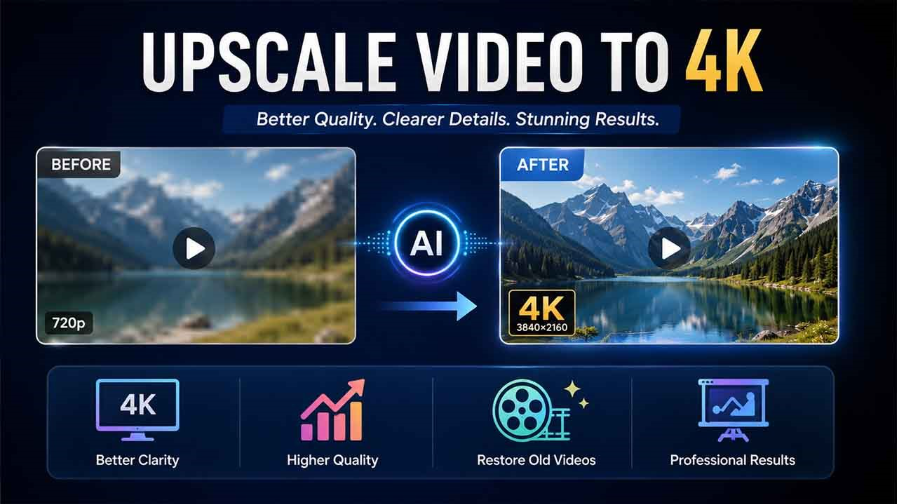
Video upscaling is the process of increasing a video’s resolution. For example, a low-resolution 480p or 720p video can be enhanced and converted into a higher-quality 4K version.
4K resolution typically refers to 3840 × 2160 pixels, which provides sharper details and improved clarity compared to standard HD videos.
Traditional upscaling methods often stretch pixels, which can make videos look soft or blurry. AI video enhancement works differently. Artificial intelligence analyzes video frames and predicts missing details to improve sharpness and quality more naturally.
Why People Upscale Videos to 4K
There are several reasons users want to improve video quality.
Better Viewing Experience
4K videos appear clearer on modern TVs, monitors, and smartphones.
Improved Social Media Content
Higher-quality videos usually perform better on platforms like YouTube, Instagram, and TikTok.
Restore Old Videos
AI enhancement helps improve older footage that may look blurry or faded.
Professional Presentation
Clearer videos can improve presentations, portfolios, tutorials, and marketing content.
Introducing Vidmud AI Video EnhancerIntroducing Vidmud AI Video Enhancer
AI video enhancer by Vidmud is an online tool designed to improve video quality using artificial intelligence.
The platform helps users upscale videos, sharpen details, reduce blur, and enhance overall clarity directly through a web browser.
One of the practical aspects of Vidmud is its focus on simplicity and accessibility. Users do not need advanced editing experience to improve video quality.
Key Features of Vidmud AI Video EnhancerKey Features of Vidmud AI Video Enhancer
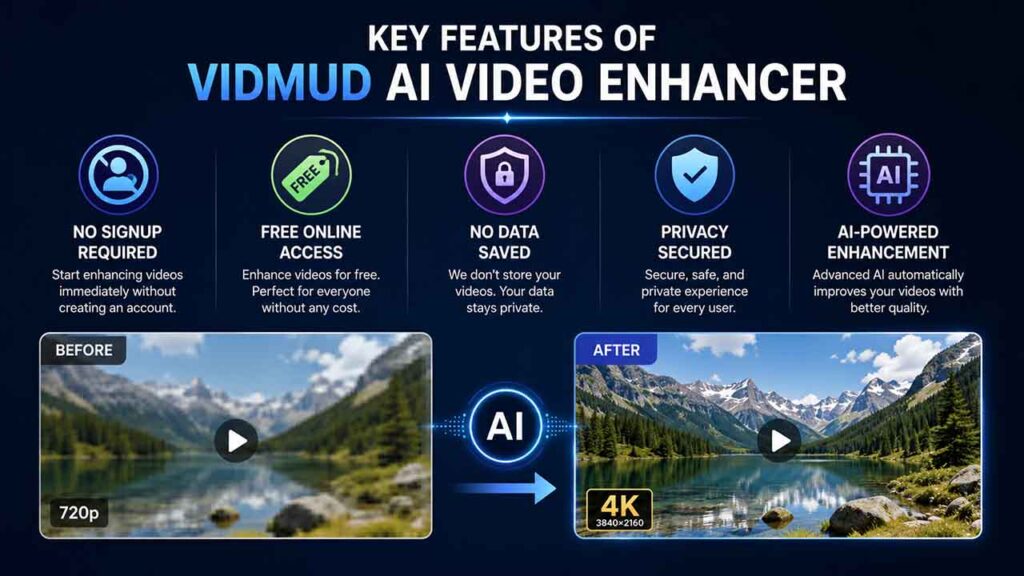
No Signup Required
Many online platforms ask users to register before accessing features. Vidmud allows users to start enhancing videos immediately without creating an account.
This saves time and simplifies the process.
Free Online Access
Vidmud offers free access to video enhancement features, making it accessible for casual users, students, creators, and anyone looking to improve videos without paying for expensive software.
No Data Saved
Privacy matters when uploading personal or sensitive videos online. Vidmud focuses on protecting user privacy by avoiding unnecessary data storage after processing.
This can be useful for users working with personal footage or private recordings.
Privacy Secured
The platform promotes a secure and privacy-focused experience for users. Since no signup is required and uploaded data is not permanently saved, users may feel more comfortable using the tool.
AI-Powered Video Enhancement
Vidmud uses AI technology to automatically analyze and improve video quality. The system helps enhance:
- Sharpness
- Clarity
- Resolution
- Noise reduction
- Visual details
The AI handles most adjustments automatically, which simplifies the workflow for beginners.
How to Upscale Video to 4K Free Online with VidmudHow to Upscale Video to 4K Free Online with Vidmud
Below is a step-by-step guide to using Vidmud AI Video Enhancer.
Step 1: Open Vidmud AI Video Enhancer
Visit the Vidmud AI Video Enhancer page using your browser.
Since the platform works online, there is no need to install software or applications.
Step 2: Upload Your Video
Click the upload button and select the video file you want to enhance.
Users can upload:
- Old videos
- Low-resolution footage
- Mobile recordings
- Social media clips
- Archived videos
The upload process is straightforward and beginner-friendly.
Step 3: Let the AI Process the Video
After uploading the video, the AI system automatically analyzes the footage.
The enhancement process may include:
- Upscaling resolution
- Sharpening details
- Reducing blur
- Improving overall clarity
Processing time depends on internet speed and file size.
Step 4: Preview the Enhanced Video
Once processing is complete, users can preview the enhanced result.
This helps compare the original video with the improved version before downloading.
Step 5: Download the 4K Upscaled Video
After reviewing the results, download the enhanced video to your device.
The improved video can then be used for:
- YouTube uploads
- Social media sharing
- Personal archives
- Presentations
- Content creation
Benefits of Using Online AI Video Enhancers
Online AI tools like Vidmud offer several advantages compared to traditional editing software.
Easy to Use
Users do not need editing experience or technical knowledge.
No Installation Required
Everything works directly in the browser.
Faster Workflow
AI automation reduces manual editing time.
Accessible Anywhere
Users can access the tool from different devices with internet access.
Beginner-Friendly
The simple interface makes the process easier for non-professional users.
Tips for Better Video Upscaling Results
To get better enhancement results, consider the following tips.
Use the Best Original File Available
Higher-quality source videos usually produce better AI enhancement results.
Stable Internet Connection
A stable connection helps with faster uploading and processing.
Avoid Over-Compressed Videos
Videos with extreme compression may have limited recoverable detail.
Check Before Downloading
Preview the result to ensure the enhancement meets your expectations.
Who Can Use Vidmud AI Video Enhancer? Who Can Use Vidmud AI Video Enhancer?
Vidmud can be useful for many types of users, including:
- Content creators
- Social media users
- Students
- YouTubers
- Video editors
- People restoring family videos
- Businesses improving marketing content
Its browser-based workflow makes it suitable for both beginners and casual users.
AI Video Enhancement vs Traditional Editing
Traditional video editing software often requires:
- Installation
- Manual adjustments
- Editing knowledge
- Strong hardware
AI enhancement tools simplify this process by automating improvements.
For users who only want to upscale and improve videos quickly, AI tools are often more convenient.
Final Thoughts
Upscaling videos to 4K is no longer limited to professional editors or expensive software. AI-powered online tools now make the process faster and more accessible for everyday users.
Vidmud AI Video Enhancer offers a simple way to improve video quality online without signup requirements or complicated editing workflows. Features like free access, no data saved, privacy-focused processing, and browser-based enhancement make it a practical option for users looking to upscale videos quickly.
For anyone searching for an easy method to upscale old or low-quality videos to 4K online, Vidmud AI Video Enhancer is worth considering.
%201.png)

%201.png)

%201.png)

