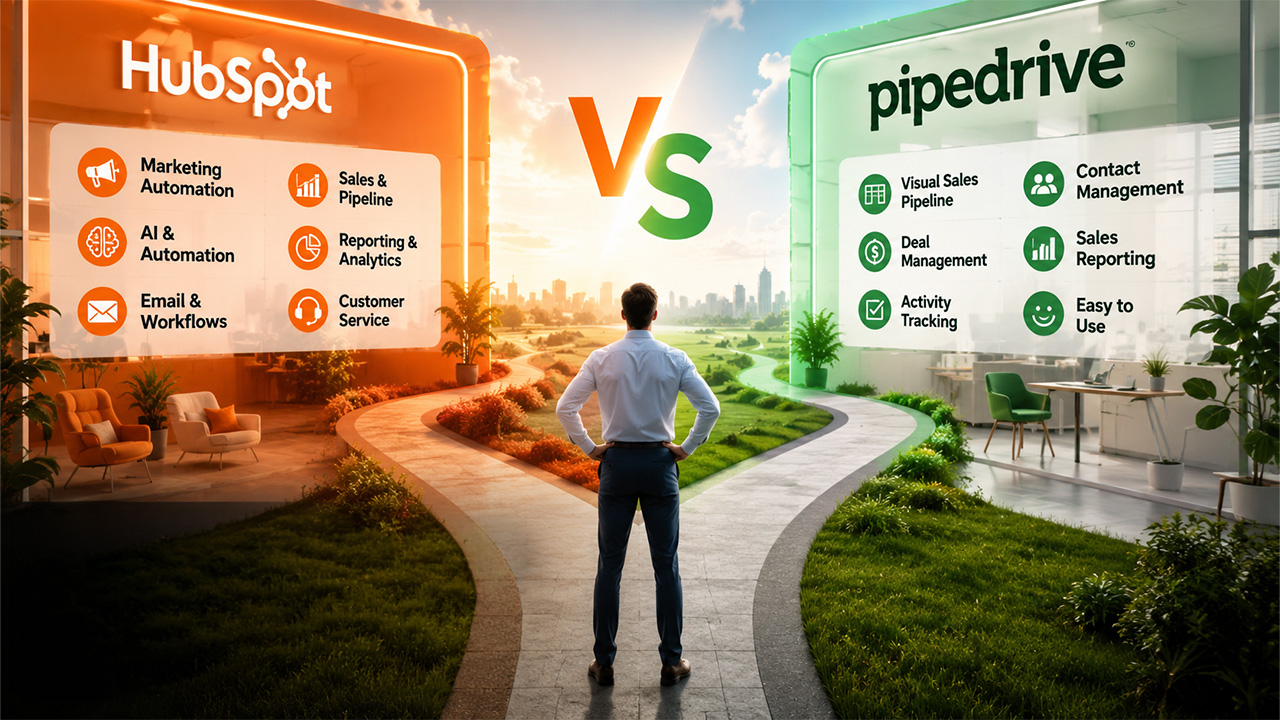

At the heart of every successful business are real, lasting relationships. Soft skills play a huge role in building them, but the timing and quality of your customer interaction could really make or break the deal. That’s where solid CRM software earns its keep. It gives you a very clear picture of every touchpoint, every client need, or every deal moving through the pipeline.
The main thing is, not every CRM is built the same way, the wrong one could actually slow down your team. When it comes to the Pipeline vs HubSpot debate, you are looking at the two biggest names in the CRM world. Not too long ago, choosing between them was fairly simple: Pipedrive was the obvious pick for sales-focused team with a small budget, while HubSpot suited a large organisation that needed marketing, sales, and service all under one roof.
Today, it’s not just about scope or price; it’s about finding a platform that delivers both focus and freedom. Tools like Humanisly also helped teams evaluate how well a CRM fits their hiring and people workflows, too, adding another layer to the HubSpot CRM vs Pipedrive decision. To help you land on the right choice, we have broken down both platforms in detail: from features to pricing, use case, and a direct comparison, so you can confidently pick the one that fits where your business is truly headed.
Pipedrive: Sales Operations Manager
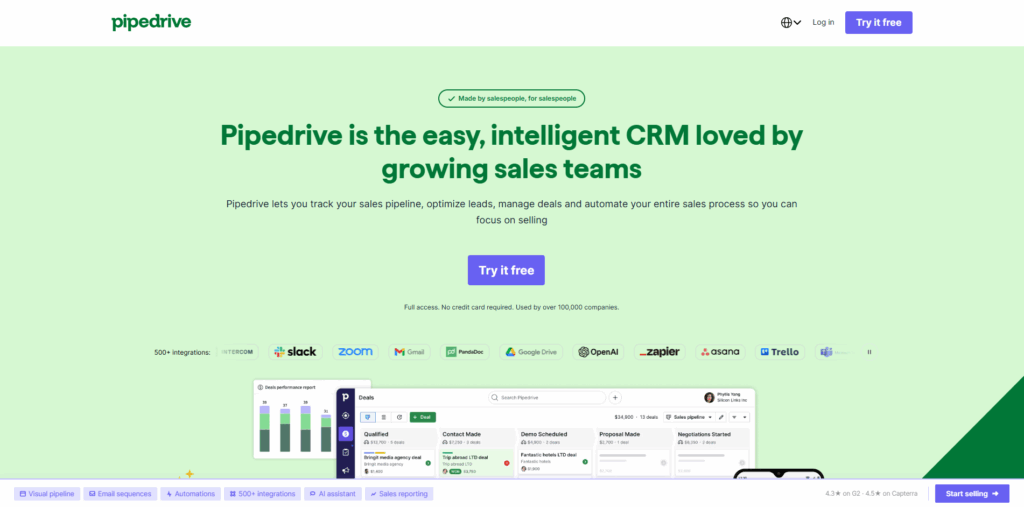
When weighing Pipedrive vs HubSpot, Pipedrive’s core appeal is hard to ignore; it was born with a simple idea: build a CRM that salespeople actually enjoy using. The visual pipeline is clean and intuitive, letting small and mid-sized term drag deals through stages, track activities, and stay focused on what actually moves the needle. Each deal card surfaces only the essentials: name, assignee, value, and a smart status icon that tells you instantly whether something needs attention. No digging, no extra clicks: just a clear, honest view of where every deal stands and what needs to happen next.
Contact management follows the same no-fuss Philosophy. If you're adding a duplicate, Pipedrive lets you know proactively. The contact timelines give you a visual history of every call, email, and deal connected to that person, so you always have a clear sense of where the relationship stands and what the right next move is. HubSpot does have a capable CRM of its own, but it lacks some of the small intuitive touches that make Pipedrive genuinely easy to live in day-to-day. And since HubSpot’s CRM sits inside a much larger ecosystem, getting comfortable with it takes considerably more time.
Pipedrive offers add-ons for teams that want to go beyond its core sales functionalities:
- LeadBooster brings live chat and chatbots to your website, along with prospecting tools to pull in more leads.
- Web visitor tells you who’s browsing your site and what company they are from, giving your CRM sales team a warm starting point for outreach.
- Campaigns unlock email marketing capabilities directly within your platform.
- Smart Docs takes the hassle out of paperwork: covering quotes, automated document generation, and eSignature all in one place.
- Projects add a project management feature.
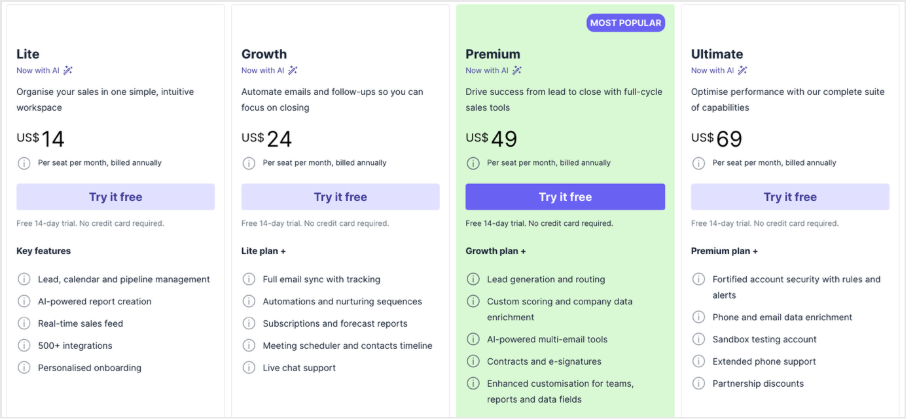
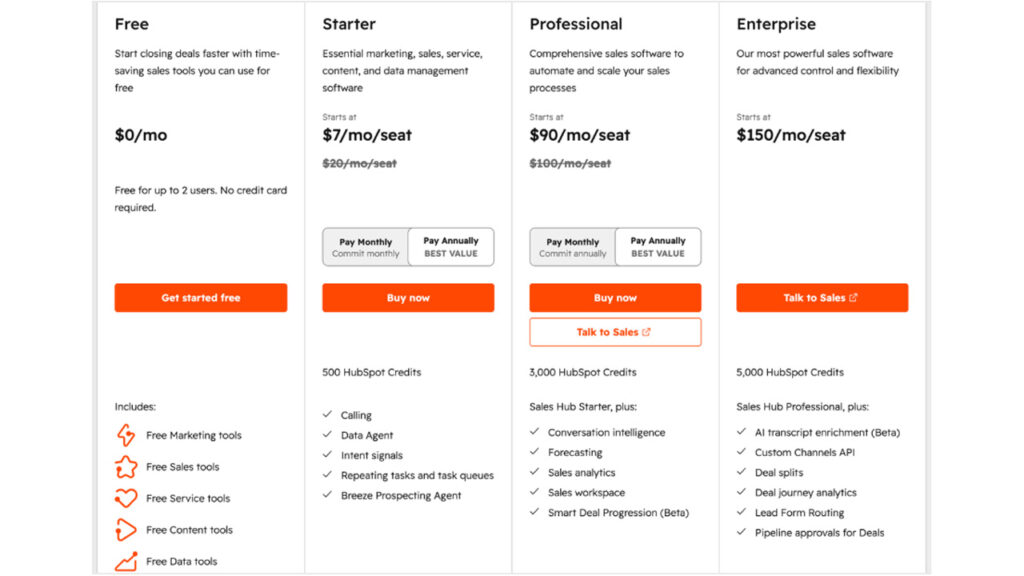
Pricing
HubSpot: An All-in-One CRM Platform
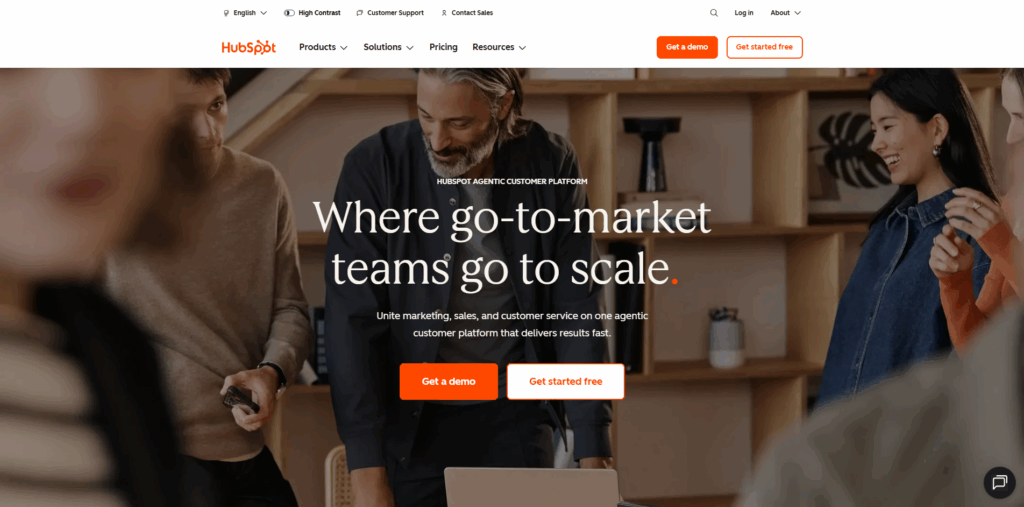
HubSpot didn’t start as a CRM; it started as a marketing automation platform, and that heritage still shapes everything it does today. The idea is straightforward: remove the heavy-lifting from the go-to-market through smart automation. Whether it’s sequences that guide prospects through a carefully timed series of emails, calls, follow-ups, or full blown workflows that trigger action based on form fills, deal sizes, or revenue thresholds. HubSpot gives teams the tools to run sophisticated, connected operations at scale. Sequences, workflows, bi-directional data syncing across 2000+ integrations, and built-in intelligence all work together to create something that eventually stops feeling like a CRM tool and starts feeling like the operating system your whole business runs on.
What really sets HubSpot apart is how much it gives away for free. Features that most platforms lock behind premium tiers, like lead behaviour tracking and pipeline visibility, come standard even on the free plan. The HubSpot CRM vs Pipedrive gap becomes especially clear here: Pipedrive competes well with solid automation and sequences that are arguably easier to set up, but HubSpot goes deeper with stronger reporting and A/B testing built in. The bottom line is that HubSpot’s ambitions stretch well beyond CRM. It wants to be a single platform where your marketing, sales, and customer service teams all live.
HubSpot Goes Deeper on AI
HubSpot has put serious effort into weaving AI throughout its platform, branded as Breeze, and it shows: a few standout features:
- Smart Deal Progression pulls from meeting transcripts, emails and call notes to suggest CRM updates and draft follow-up emails automatically.
- Data Enrichment fills in contact and company details the moment a form is submitted, so leads are often pre-qualified before a rep even looks at them.
- Breeze Assistant acts like a platform-wide AI sidekick: answer pipeline questions, generate reports from plain-English prompts, and adapt to your role.
- HubSpot AEO tracks how often your brand shows up when people ask AI tools like ChatGPT and Gemini for recommendations.
- Prospecting Agent works almost autonomously: monitoring accounts for buying signals, finding the right contacts and drafting personalised outreach on your behalf.
Pricing
HubSpot vs Pipedrive: At-a-Glance Overview
| Features | HubSpot CRM | Pipedrive CRM |
| Ease of use | Powerful, but takes a little getting used to | Feels natural at day one |
| Automation | More powerful, can handle complex, multi-step workflows easily. | Good enough for most teams |
| Interface style | Broad and feature-rich dashboard | Clean, sales-focused pipeline view |
| Customization | Highly extensive customization | Moderate, flexible pipelines |
| Integrations | 1000+ integrations | 300+ integrations |
| Ecosystem Strength | Massive all-in-one business ecosystem | Strong sales tool integrations |
| Reporting | Advanced analytics and forecasting | Solid basic sales dashboard |
| AI Features | Advanced Breeze AI across platform | Basic AI assistance |
| Customer Support | Limited on lower-tier plans | Chat and email support |
| Best for | Scaling all-in-one business teams | Small, focused sales team |
What do real users say? HubSpot vs Pipedrive G2 review Comparison
Before committing to either platform, it’s worth checking what users actually think in the HubSpot vs Pipedrive G2 review Comparison; both tools earn small marks but for different reasons. HubSpot consistently scores high for its breadth of features and marketing automation depth, while Pipedrive is frequently praised for its ease of use, intuitive pipeline interface, and fast onboarding. Users switching from HubSpot to Pipedrive often cite interface simplicity and value for money; those going the other way tend to need the deeper marketing and reporting capabilities HubSpot brings. Reading through G2 reviews before you decide is a smart move; patterns in real user feedback often reveal pain points that feature lists never mention.
What to actually compare when choosing a CRM?
The best CRM isn’t the one with best features; it’s the one your team will genuinely use every day without frustration. Here are the five areas that really matter:
| Features | What to look for |
|---|---|
| Automation | Can your team build workflows without calling IT? Templates are bonus, but flexibility what matters. |
| Pipeline Visualization | Does it feel clean and intuitive when reps are managing 20+ deals, or does it get messy fast? |
| Reporting and Analytics | Pretty dashboards are useless if they don’t show your numbers. Can you forecast with confidence? |
| Integrations | Does it plug into your existing tools smoothly, or will you be paying for expensive middleware forever? |
| Customizations | Can the CRM adapt your sales process, or will you be bending your processes to fit software? |
Implementation and ease of use — Why it actually matters
The fanciest CRM in the world is worthless if your team refuses to use it. This is the one area where the Pipedrive vs HubSpot really shows up in practice
Conclusion
Both Pipedrive and HubSpot are excellent CRMs, but they fit different needs. If you've got a small, focused sales team looking for a straightforward, user-friendly system, Pipedrive does the job. It's simple and helps reps concentrate on closing deals.
Go for HubSpot if you need more bells and whistles. It covers marketing, sales, and support, comes with powerful AI, and grows with your company. This option is more expensive but can be totally worth it depending on your requirements.
Ultimately, whether you are comparing HubSpot vs Pipedrive on features, price, or user reviews, you can't really go wrong with either choice. Just opt for the CRM that matches your current business stage and future goals. After all, the best CRM is the one your team actually loves using.
FAQs About Pipedrive vs HubSpot
Q. Is Pipedrive better than HubSpot for businesses?
For small businesses, Pipedrive is a better choice to start with. Pipedrive is easy to set up. It does not cost a lot of money. Pipedrive is made for sales teams, so your team will spend time learning how to use Pipedrive and more time selling. HubSpot has a plan that is very good, but when you need more features, it becomes very expensive. If your team is small and only focuses on sales, Pipedrive is a choice because it is simple and easy to use.
Q. Can HubSpot replace Pipedrive completely?
Yes, HubSpot can replace Pipedrive. It depends on what you need. HubSpot does everything that Pipedrive does and more, like marketing automation and customer service.. HubSpot is more complicated and expensive. If your business is growing fast and you need all these features, HubSpot is a choice. If you only need a sales tool, switching to HubSpot might mean you pay for things you do not need.
Q. Which CRM is easier to set up and use daily?
Pipedrive is easier to use. That is what most people say in reviews. Most sales teams can use Pipedrive within a day. HubSpot is harder to learn because it has features. This is not a thing it just means that HubSpot does more.. If you want your team to learn quickly, Pipedrive is a better choice.
Q. Which CRM has reporting and forecasting?
HubSpot is better at reporting. You can change the dashboards to what you want. It has better tools to predict the future. HubSpot also gives you a picture of how your business is doing in marketing, sales, and service. Pipedrive is good at reporting the basics, like how deals are going and how much money you will make. If you need detailed reports, HubSpot is better.
Q. Which CRM is better for distributed sales teams?
Both Pipedrive and HubSpot work well for teams, but they are different. Pipedrive has a good mobile app that is easy to use, and sales teams can update deals and check their pipeline on the go. HubSpot also has a mobile app, but it can be harder to navigate because it has so many features. For teams that need to work across marketing, sales, and support, HubSpot is better because it connects everything. For a sales team that just needs to manage its pipeline, Pipedrive is simpler and faster to use every day.
%201.png)

%201.png)

%201.png)