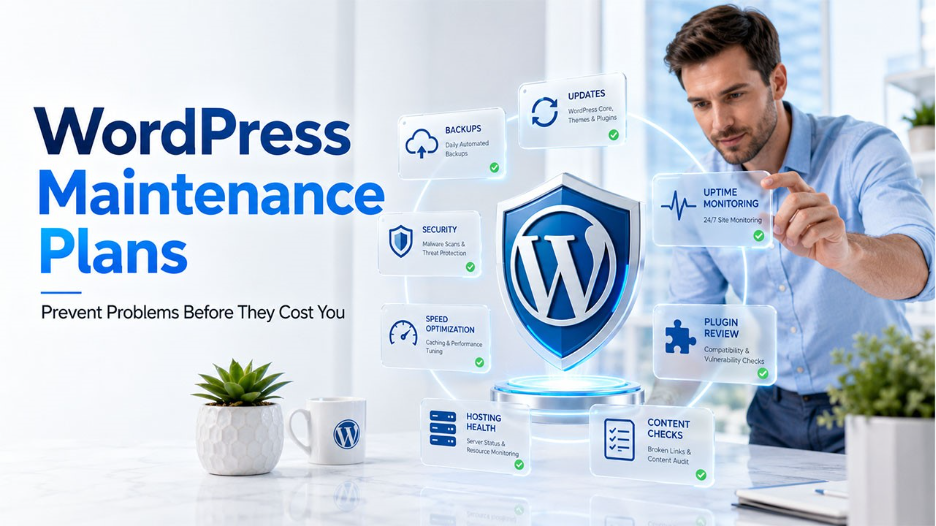

A business site rarely fails without warning. Missed patches, stale backups, exposed passwords, and heavy pages usually leave signals first. Forms may stop sending, checkouts may stall, or rankings may soften before revenue loss becomes obvious. Regular care gives teams a dependable inspection rhythm. It turns scattered technical chores into controlled upkeep, helping site owners protect trust, data, search visibility, and daily operations.
Routine Care Reduces Risk
Most site incidents begin with delayed attention, not instant failure. Updates, scans, backups, and uptime checks form a practical safety layer around our public presence. A well-managed service, such as WordPress maintenance plans, gives businesses a calendar for these tasks, clear records, and fewer preventable repairs before minor faults reach customers.
Updates Close Security Gaps
WordPress plugins, core files, and themes need to be up to date with the latest patches. Outdated code can expose login screens, payment paths, and customer records. Skilled maintenance teams test changes before release, which lowers the risk of visual breaks or failed features. That same routine keeps browsers, hosting settings, and extensions working together.
Backups Protect Business Data
A backup becomes valuable only when recovery works. Current copies can restore pages, media, orders, settings, and account details after mistakes or attacks. Reliable plans keep those copies away from the main server. They also confirm restoration steps, because an unchecked archive can fail at the one moment it matters.
Monitoring Catches Early Warning Signs
A site can look normal while hidden errors accumulate. Monitoring watches uptime, page speed, broken links, and server logs. Alerts help support teams respond before visitors notice trouble. That can prevent inquiries from getting lost, purchases from being abandoned, and confidence from weakening. Reports also reveal patterns that point to better hosting choices.
Performance Care Improves Experience
Slow loading creates friction. Visitors wait longer, forms feel less reliable, and search performance can suffer. Maintenance often covers image review, cache checks, database cleanup, and script control. These adjustments reduce server strain during each visit. Faster pages help people compare services, read details, and complete actions without irritation.
Security Checks Limit Damage

Security improves when checks follow a schedule. Scans can identify malware, altered files, unusual login behaviour, and risky permissions. Firewalls, password rules, and access limits add depth. If trouble appears, early cleanup reduces exposure. Written response steps also keep teams focused during stressful incidents.
Plugin Reviews Prevent Conflicts
Plugins can extend a site, but each one adds responsibility. Abandoned tools may stop receiving patches. Overlapping features can compete, slow pages, or trigger errors. Maintenance reviews remove unused extensions, confirm licenses, and check developer support. A leaner plugin set usually means fewer failure points.
Content Checks Support Trust
Outdated content damages confidence quickly. Broken images, dead links, old phone numbers, and inaccurate service details suggest poor care. Regular reviews keep contact pages, forms, policies, and offers accurate. Search engines also benefit from clear, current information. Visitors trust a business more when its site reflects reality.
Hosting Health Matters
WordPress performance depends on the server beneath it. Storage limits, memory allocation, error logs, software versions, and certificate status all affect reliability. Maintenance can include hosting checks that reveal pressure before outages occur. Better configuration often solves recurring slowdowns, upload failures, and random downtime.
Clear Records Help Decisions
Solid maintenance leaves a useful trail. Reports show completed updates, backup status, scan results, speed shifts, and security events. Owners can use that history to replace weak plugins, adjust hosting, or change internal workflows. Clear records also prevent teams from repeatedly fixing the same symptom.
Plans Save Repair Costs
Emergency repair is usually expensive and disruptive. It can interrupt sales, campaigns, bookings, and customer service. Planned maintenance spreads technical work across each month, which makes budgeting easier. Prevention cannot remove every threat, but it reduces avoidable downtime and lowers the chance of urgent, high-cost fixes.
Choosing the Right Coverage
Coverage should match site risk. A small brochure site may need updates, backups, and basic monitoring. An online store needs checkout testing, a stronger security review, and faster response times. The right plan reflects traffic, revenue impact, data sensitivity, plugin volume, and recovery needs. A clear scope prevents confusion under pressure.
Conclusion
Website problems usually have traceable causes. Missed updates, weak monitoring, untested backups, and neglected speed work create avoidable risk. WordPress maintenance plans give businesses a steady rhythm for prevention, response, and improvement. With regular checks, clean records, and verified recovery steps, owners can reduce downtime while protecting visitor trust. The outcome is a steadier WordPress site that supports daily work without constant technical surprises.
%201.png)

%201.png)

%201.png)