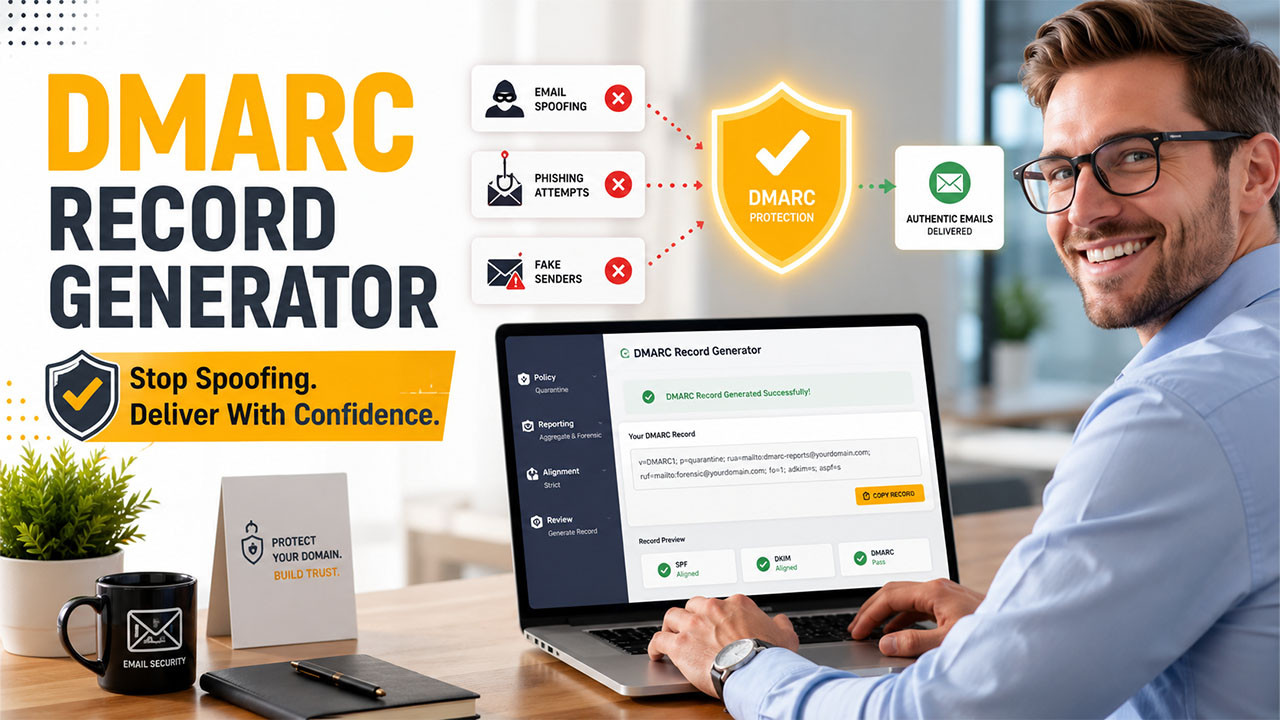

What Is a DMARC Record and Why Is It Important?
A DMARC record refers to a DNS-based rule of authentication that informs receiving mail servers how to manage messages that claim to come from your domain but do not pass authentication checks. The full form of DMARC is Domain-based Message Authentication, Reporting, and Conformance, and it operates with SPF and DKIM to validate whether an email is legitimate or not.
A DMARC record gets published as a TXT record in your DNS zone, generally at:
_dmarc.example.com
A standard DMARC record might appear as follows:
v=DMARC1; p=none; rua=mailto:dmarc-reports@example.com
The v=DMARC1 value recognizes the record as DMARC, while policy tag determines the active DMARC policy. Common policy values are p=none, p=quarantine, and p=reject.
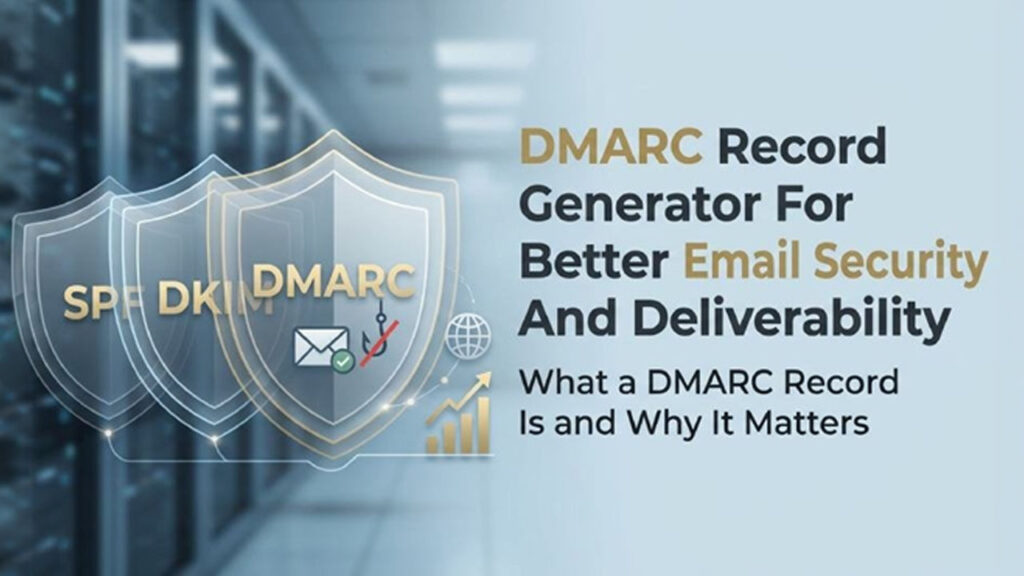
DMARC is important since it secures your domain from email spoofing, phishing, and business email compromises. Without an authentic DMARC record, attackers can impersonate your brand, send fraudulent messages, and can damage trust with partners, customers, ESPs, and ISPs. An effectively configured DMARC policy enhances authentication of email and provides support to much stronger email delivery by displaying mailbox providers that your domain is tracked and secure.
Why DMARC Improves Email Delivery?
DMARC is not just a security control. It is also a significant aspect of modern email delivery. Major mailbox providers assess whether a sending domain has successful email authentication, including DKIM, SPM, and DMARC. When your DMARC record is verified and complements your legit email flows, receivers naturally trust that your email is validated.
DMARC depends on domain alignment. This means that the authenticated domain must align with the header From domain, which the recipients can see. This is distinct from just passing DKM or SPM. For example, SPF may pass for a third-party sending service, but if SPF alignment does not match your visible domain, DMARC may still fail authentication. Similarly, DKIM signature alignment must connect the signed domain to the header From domain.
Robust alignment of identifier aids in preventing unauthorized platforms from sending on your behalf. DMARC provides support to both strict mode and relaxed mode, enabling businesses to decide how domains match closely.
How a DMARC Generator Streamlines Creation of Record?
A DMARC generator helps create a valid DMARC record without requiring deep knowledge of record syntax. Instead of performing manual DMARC creation, you answer guided questions about your DMARC policy, reporting preferences, and alignment requirements. The tool then produces an error-free TXT record that can be published in DNS.
A good DMARC record generator functions like a record wizard. It asks users whether they want monitoring-only mode, whether failed mail must be sent to spam, and whether unauthorized email must be blocked. It can also enable you to set up aggregate records, report recipients, forensic reports, and a reporting interval.
Platforms like dmarcian, EasyDMARC, and MXToolBox provide possible characteristics for creating and verifying a DMARC record. MXToolBox also ensures utilities like DNS Lookup, SuperTool, Email Health, Analyze Headers, Blacklists, and SPF Record Generator. EasyDMARC may involve characteristics like Domain Overview, Managed DMARC, Forensic Viewer, and Delivery Center, while dmarcian is well-reputed for DMARC reporting workflows and analysis. Some platforms also provide an API Reference, Blog, or XML-to-Human converter for interpreting reports.
Key DMARC Tags and Policy Options to Configure
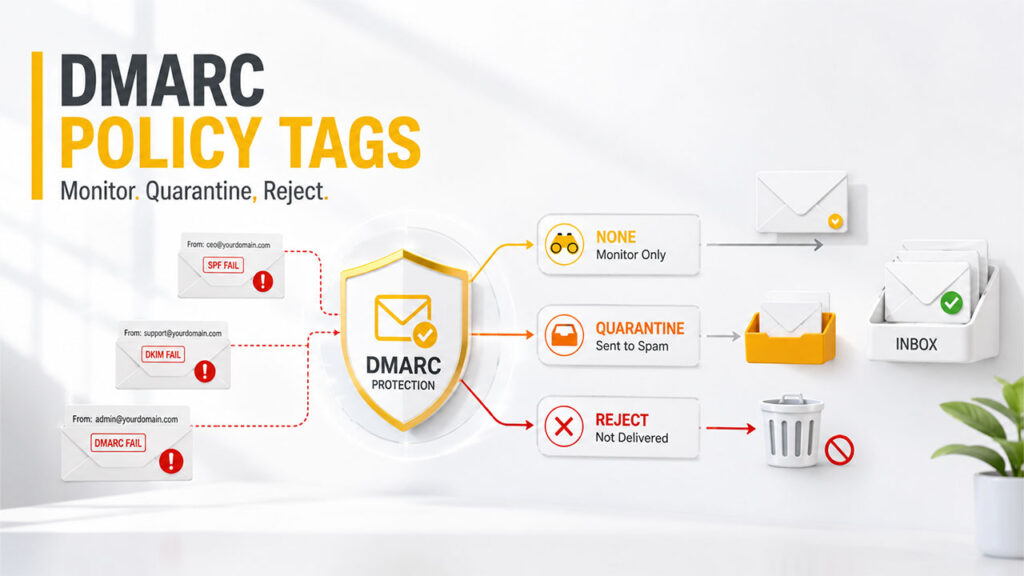
The core aspect of any DMARC record is the policy. Your DMARC policy lets receivers know what they should do when a message does not pass through DMARC.
Policy Tag: none, quarantine, or reject
The most important policy tag is p=. It defines enforcement:
- *p=none*: monitoring only; messages are not blocked.
- *p=quarantine*: suspicious messages may be sent to spam or junk.
- *p=reject*: failed messages should be rejected outright.
Most organizations begin with none to collect data, then move to quarantine, and finally to reject after confirming legitimate senders are authenticated. This phased policy change reduces the risk of disrupting email delivery.
Reporting Tags: rua and ruf
The rua tag defines where aggregate reports are sent. These are usually XML-based aggregate reports showing which sources sent mail to your domain, whether SPF and DKIM passed, and whether DMARC alignment succeeded.
The ruf tag is used for forensic reports, also called failure reports. These may include message-level details when mail fails authentication. Depending on the receiver, the report format may include *afrf* or *iodef*. Because forensic reports can contain sensitive data, choose forensic reporting options carefully and send them only to trusted report recipients.
External Reporting Domains
If your rua or ruf address uses a different domain, receivers may require verification of authorized reporting domains. This prevents attackers from directing high-volume email reports to third parties.
Alignment, Subdomain Policy, and Optional Tags
DMARC also includes optional tags for advanced control. The adkim tag controls DKIM alignment, while aspf controls SPF alignment. Both can use relaxed or strict mode.
The sp= tag defines the subdomain policy for a Subdomain, such as mail.example.com or news.example.com. You can also use the percentage tag pct= to apply enforcement gradually, such as enforcing *p=quarantine* on only 25% of failing mail.
Common Optional Tags
- ri= sets the reporting interval.
- pct= controls partial enforcement.
- fo= defines failure reporting behavior.
- adkim= sets DKIM alignment.
- aspf= sets SPF alignment.
TXT Record vs CNAME Record
A DMARC record is published normally as a TXT record, not a CNAME record. However, a few managed services can tell you to create CNAME record that signals DMARC Report generator or hosted platform configuration. Always follow the instructions of the provider since an incorrect DNS TXT record or CNAME record can break validation.
Step-by-Step Guide to Generating a DMARC Record
Leveraging a DMARC record generator is the quickest way to generate a validated DMARC record. The process is quite simple:
1. Enter Your Domain
Begin by providing the domain you wish to secure. The DMARC generator can scan your present SPF, DNS, DKIP, and available DMARC records. A few tools involve a record checker to recognize invalid syntax, missing tags, duplicate TXT entries, or conflicting policies.
2. Select Your DMARC Policy
Choose your DMARC policy: *p=none*, *p=quarantine*, or *p=reject*. If you are just beginning, use *p=none* to observe the flow of emails. Once you confirm that legitimate mail is authenticated, move toward quarantine and then reject.
3. Configure Reports
Add a rua address for aggregate reports and, if appropriate, a ruf address for forensic reports. Your DMARC record generator may recommend a dedicated mailbox such as:
mailto:dmarc-aggregate@example.com
or a reporting address from EasyDMARC, dmarcian, or another Managed DMARC provider.
Example DMARC Record
*v=DMARC1*; *p=none*; rua=mailto:dmarc@example.com; ruf=mailto:forensics@example.com; adkim=s; aspf=s; pct=100
This DMARC record utilizes strict mode for both DKIM and SPF alignment and applies the policy to almost 100% of mail.
Publishing the DMARC Record in DNS
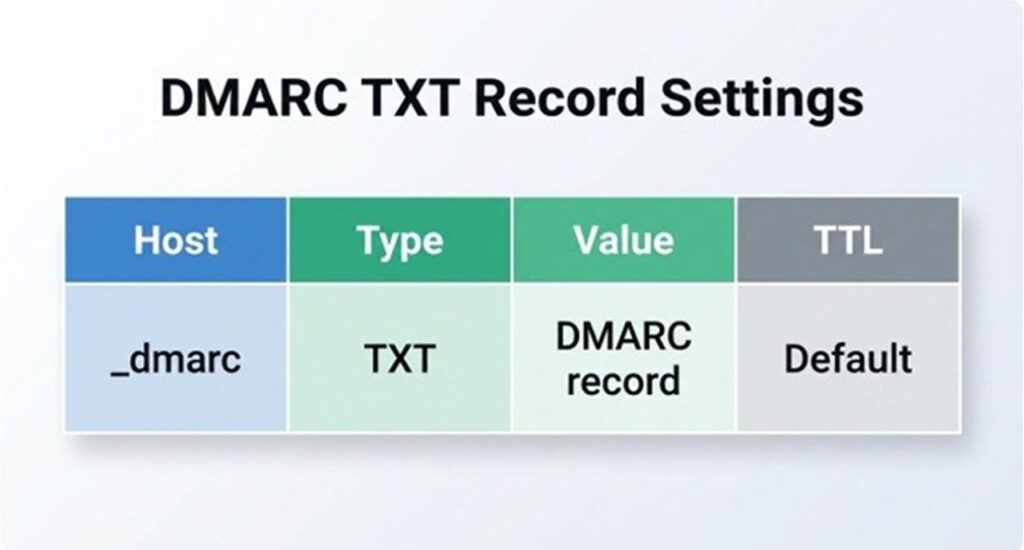
After creating the record, you can publish it in the control panel of DNS provider. If you utilize Cloudflare, GoDaddy, Route 53, or another DNS host, you can create a new DNS TXT record:
Use:
- Host/name: _dmarc
- Type: *TXT*
- Value: your generated DMARC record
- TTL: default or recommended value
Do not publish multiple DMARC TXT records for the same domain. Multiple records can cause receivers to ignore DMARC, harming email authentication, and email delivery. If a vendor asks you to send your CNAME record, confirm whether it is for reporting delegation, hosted DMARC, or another purpose. A DMARC TXT record and a CNAME record must be carefully managed to prevent DNS conflicts.
Once DNS records are published, you can utilize a record checker like EasyDMARC, MXToolBox SuperTool, DNS Lookup tool, dmarcian, etc., to validate the record. The objective is a validated and error-free DMARC record with the right syntax.
What Are the Right Practices for Testing, Monitoring, and Enhancing Email Deliverability?
DMARC is not just a one-time setup. Your email infrastructure evolves as teams add marketing solutions, customer relationship management tools, help desk tools, and billing systems. Every new sender can affect email authentication and email delivery.
For testing registrations and email workflows, you may also come across disposable email services such as Yopmail, which provide temporary email addresses for short-term use.
Review aggregate reports regularly to identify unknown senders, misconfigured SPF, missing DKIM, and broken alignment. An XML-to-Human converter can make XML-based aggregate reports easier to understand. For deeper investigation, use tools such as Analyze Headers, Domain Overview, Delivery Center, or Forensic Viewer.
Before you go from *p=none* to *p=quarantine* or *p=reject*, make sure that all legit platforms pass DMARC. Coordinate with ISPs, ESPs, and internal IT teams so record updates do not cause any interruption to the emails critical to businesses.
Ongoing DMARC Maintenance Checklist
- Monitor aggregate reports and forensic reports.
- Validate every policy change before enforcement.
- Keep SPF and DKIM updated for all authorized senders.
- Check DNS after record updates.
- Use a DMARC generator when editing tags.
- Test the TXT record with a reliable record checker.
- Review subdomain policy settings for every important Subdomain.
- Ensure proper documentation for all approved vendors and email flows.
A well-handled DMARC record, aided by a dependable DMARC record generator, provides your domain with much better protection against spoofing while enhancing authentication, trust, and lasting email delivery.
Conclusion
A well-published DMARC record is one of the best steps you can take to secure your domain and boost email delivery. By working along with DKIM and SPF, it closes the gap between spoofing and phishing attempts you depend on, while providing you visibility into each source sending an email on your behalf.
- Start with p=none to track traffic without you having to disrupt legitimate email.
- Regularly go through aggregate reports to detect misconfigured senders early on.
- Move to p=quarantine and ultimately p=reject only after making sure that there is complete alignment.
- Leverage a DMARC record generator to prevent duplicate TXT entries and syntax errors.
- Review your subdomain policy and reporting tags as your email infrastructure evolves.
Consider DMARC as a consistent practice instead of a one-time setup. With regular tracking, a verified policy, and a clean SPF/DKIM alignment, your domain remains secure against impersonation while mailbox providers continue to have confidence in your email and continue to deliver it reliably.
Frequently Asked Questions
What is a DMARC record?
A DMARC record is a DNS-based email authentication policy that tells receiving mail servers how to handle emails that fail SPF or DKIM authentication. It helps protect your domain from spoofing, phishing, and unauthorized email use.
How does a DMARC record improve email deliverability?
A properly configured DMARC record helps mailbox providers verify that emails sent from your domain are legitimate. When SPF, DKIM, and DMARC are correctly aligned, it can improve trust in your domain and reduce the risk of legitimate emails being rejected or sent to spam.
What is the difference between p=none, p=quarantine, and p=reject in DMARC?
p=none allows you to monitor email authentication without affecting message delivery. p=quarantine tells receiving servers to treat failed messages as suspicious, while p=reject instructs them to reject messages that fail DMARC. It is generally best to start with p=none and move toward stricter policies after reviewing your reports.
Can I create a DMARC record without technical knowledge?
Yes. A DMARC record generator can simplify the process by guiding you through policy, reporting, and alignment settings and then generating the required DNS TXT record. You should still verify the generated record before publishing it.
How often should I monitor and update my DMARC record?
DMARC should be monitored regularly rather than treated as a one-time configuration. Review aggregate reports, check for unknown senders, keep SPF and DKIM records updated, and validate your DNS configuration whenever you add or change an email service.
%201.png)

%201.png)

%201.png)