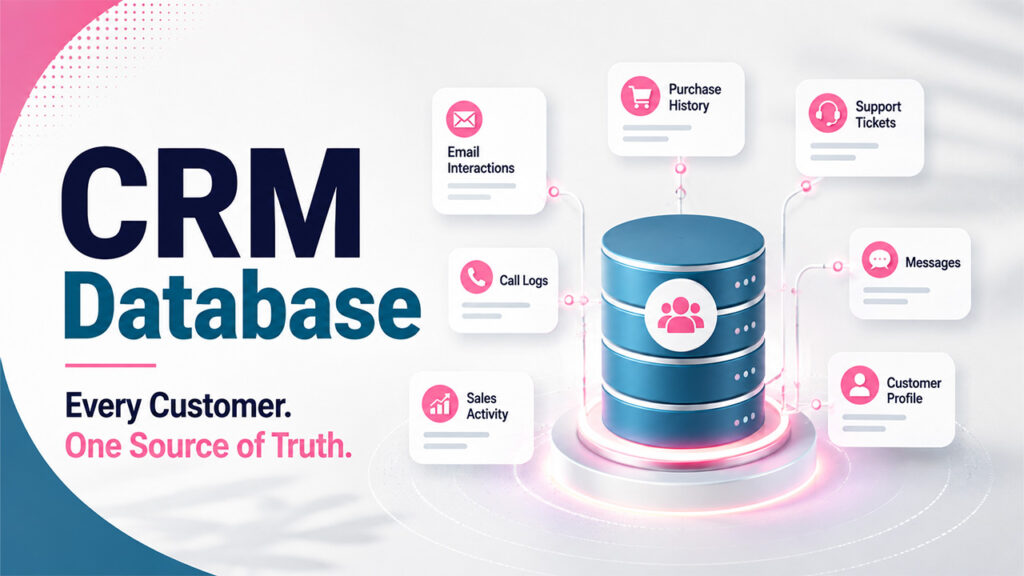



Ask most agents what software runs their business, and they will name their CRM. Ask them where the deal actually lives once a contract is signed, and the answer gets vague fast.
Usually, it is a spreadsheet. Sometimes a legal pad, a notes app, and whatever the transaction coordinator emailed over last Tuesday.
A CRM serves as the central hub for client relationships, lead management, and pipeline visibility. As transactions move from prospecting to closing, many real estate professionals complement their CRM with specialized tools for calculations, compliance, and transaction tracking.
Key Takeaways
- A CRM serves as the foundation for managing client relationships and sales pipelines.
- Transaction management often introduces additional operational requirements after a contract is signed.
- Many real estate professionals use CRM integrations or complementary tools to manage deadlines, documents, and financial calculations.
- Selecting solutions that integrate well with your CRM can improve efficiency while maintaining a centralized customer record.
- Mobile accessibility and workflow compatibility remain important considerations for busy agents.
What Your CRM Is Genuinely Built For
A CRM earns its keep on the relationship side. Lead capture, source tracking, follow-up sequences, segmentation and the long nurture cycle that turns a lukewarm open house visitor into a client eighteen months later.
It also handles pipeline visibility. Which deals are at which stage, what the forecast looks like, and where things are stalling.
Those are real problems, and a good CRM solves them well. The standard CRM best practices around clean data, consistent stage definitions and automated follow-up apply to real estate as much as any other industry.
While many CRMs excel at relationship management, transaction-related tasks such as deadline calculations, commission tracking, document management, and state-specific closing estimates may require additional workflows or integrations depending on the CRM being used.
The Gap Between Under Contract and Closed

The moment a contract is executed, the job changes character completely. Relationship management gives way to deadline management, and the tolerance for error drops to roughly zero.
A typical residential transaction has dozens of dependent dates. Inspection windows, appraisal ordering, loan commitment, title work, walkthrough and closing, most of which cascade off the contract date rather than sitting on fixed calendar days.
Miss one and you are not looking at a slightly delayed follow-up. You are looking at a lost earnest money deposit or a blown financing contingency.
Layer three or four active files on top of each other, and the real risk becomes collision. Two closings on the same afternoon in different counties is a problem you want to discover in week one, not the night before.
Spreadsheets are the default answer here, and they fail in a specific way. They do not fail loudly with an error message. They failed silently because someone copied last month's template and forgot to update one formula.
The other quiet failure is that a spreadsheet does not know today's date. It will happily show you a deadline that passed on Tuesday with no more urgency than one three weeks out.
There are reason transaction coordinators exist as a profession. The work is real, it is detailed, and it does not fit neatly into either a calendar app or a contact database.
The Four Calculations Agents Keep Redoing by Hand
Underneath the deadline problem sits a math problem, and it shows up in four predictable places.
Seller net proceeds is the first. Sellers ask what they will walk away with, and answering properly means transfer taxes that differ by state, property tax and HOA prorations and an itemized list of closing costs.
Commission is the second. Gross commission is the easy number and the useless one, because your actual take-home depends on your brokerage split, whether you have hit your cap and the transaction and errors-and-omissions fees that most calculators quietly ignore.
Annual income projection is the third, and it is the one agents avoid because it is genuinely hard. Modeling a full year of deals against splits, caps, franchise fees and referral obligations is not something you sketch on the back of an envelope.
This is the category DashLoops built for. It offers four free browser-based tools covering exactly those gaps: a state-aware seller NETSheet, a transaction tracker that generates more than fifty tasks from your contract and close dates, a commission calculator that accounts for split and cap math and an income projection tool that returns a realistic range rather than a single optimistic number.
Different brokerages solve this challenge in different ways. Some rely on built-in CRM transaction modules, while others use dedicated transaction management platforms, digital document systems, commission calculators, or custom spreadsheets. The right combination depends on transaction volume, team size, and workflow preferences.
Two things stand out about the approach. You can use the tools without creating an account at all, and the founder runs multiple brokerages, which shows in details like the Deal Calendar laying every active transaction side by side in its own color so date collisions surface early.
There is also a feature worth noting for anyone already using AI. The tracker generates ready-made prompts preloaded with a specific deal's live details, then hands them to whichever assistant you already use, rather than selling you another AI subscription.
Wiring the Two Layers Together

The temptation is to pick one system and force everything into it. That usually ends with a heavily customized CRM that nobody on the team wants to use.
A cleaner split works better. Let the CRM own the person and the relationship history, and let the deal tool own the transaction mechanics and dates.
The connection point is simple discipline. When a deal goes under contract, log the key milestone dates back into the CRM record so your pipeline view stays honest. Keep the granular task list where it belongs.
Client-facing outputs should flow the same direction. A net sheet or commission breakdown produced during a listing appointment belongs attached to the contact record afterward, because that is what you will want six months later when the seller asks why the number changed.
Why CRM Integrations Matter
Many modern CRMs allow businesses to extend their capabilities through integrations with document management platforms, e-signature software, accounting systems, transaction management solutions, and communication tools.
Instead of expecting one application to perform every function, integrating specialized software with a CRM often provides greater flexibility while keeping customer information centralized.
Choosing the Right Transaction Management Approach
Choosing the right transaction management approach depends on your brokerage's workflow, team size, and the capabilities of your CRM. Rather than assuming one platform should handle everything, consider how different tools work together to support your business.
1. CRM-Native Transaction Modules
Many real estate CRMs offer built-in transaction management features, allowing agents to manage contacts, pipelines, documents, and deal milestones from a single platform.
2. Integrations That Extend Your CRM
Not every CRM is designed to handle every aspect of a real estate transaction. Integrations with e-signature platforms, document management systems, accounting software, or transaction management applications can add specialized functionality while keeping your CRM as the central source of client and deal information.
3. Dedicated Transaction Management Software
For brokerages handling a high volume of transactions or complex workflows, dedicated transaction management software may provide additional capabilities such as automated task lists, deadline tracking, document compliance, commission management, and team collaboration.
The Practical Version
Your CRM is not underperforming because it cannot calculate a seller net sheet. It was never supposed to.
The agents running smoothly are usually running two layers: a CRM for relationships and pipeline plus something purpose-built for the mechanics of getting a signed contract to a closing table. Neither one replaces the other.
Start by writing down where your deals currently live once they go under contract. If the honest answer is a spreadsheet you rebuild for every file, that is the gap worth closing first.
Conclusion
A CRM remains one of the most valuable systems in a real estate business because it centralizes client relationships, communication history, and sales opportunities.
As transactions move toward closing, many brokerages extend their CRM with transaction management processes, integrations, or specialized tools to handle deadlines, documentation, financial calculations, and compliance requirements.
Rather than replacing a CRM, these workflows support it. Building a process that keeps customer information, transaction milestones, and closing activities connected helps reduce manual work while maintaining visibility throughout the entire client journey.
FAQs About CRM vs Transaction Management
Q1. Can a real estate CRM handle transaction management too?
Some CRMs include transaction modules, and a few do it well. General-purpose CRMs typically do not, because contract-to-close work needs date-dependency logic and state-specific calculations that sit outside standard CRM architecture.
Q2. What is a seller net sheet?
It is an estimate of what a seller actually receives at closing after mortgage payoff, closing costs, commissions and prorated taxes or HOA dues. Agents produce them during listing appointments to set realistic expectations before a property goes live.
Q3. Why do commission calculators give different answers?
Because most only calculate gross commission against a split. Your real take-home also depends on whether you have hit your brokerage cap, plus per-transaction and errors-and-omissions fees that vary by brokerage.
Q4. Do I need to pay for transaction management software?
Not necessarily. Several tools now offer genuinely functional free tiers, with paid plans unlocking higher volume rather than core features. Test the free version on a live deal before committing to a subscription.
Q5. How many deadlines does a typical residential transaction have?
More than most agents track manually. A standard contract-to-close timeline generates dozens of dependent dates, and purpose-built trackers commonly produce fifty or more tasks from a single contract.
Q6. Should a small team use different tools than a solo agent?
The relationship layer scales differently than the transaction layer. Solo agents can often run a lightweight CRM plus free deal tools, while teams usually need shared visibility and assignment features on both sides.
%201.png)

%201.png)

%201.png)