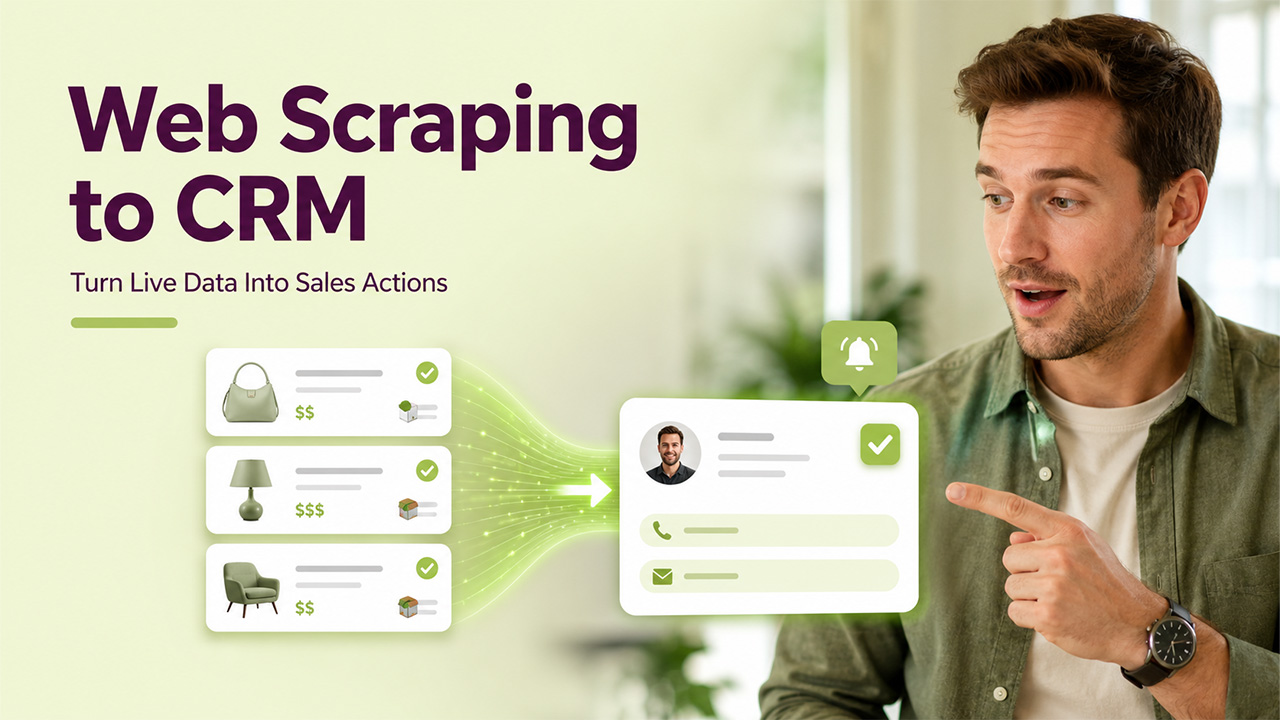

Most teams do not fail at scraping because they lack code. A web scraping API can help turn website data into structured signals that trigger CRM actions, from lead enrichment and price alerts to SEO monitoring tasks. They fail because the data never turns into a task, a deal update, or a clear next step.
If you run sales, marketing, or ops, you want a loop that ends in your CRM. OutRightCRM users already think this way. You automate follow-ups, route leads, and log touchpoints across channels.
This guide shows how to build a scraping and proxy setup that feeds CRM workflows. It keeps focus on uptime, data trust, and risk control.
Start with the CRM outcome, not the web scraping API
Before choosing a web scraping API, define the CRM action you want the collected data to trigger.
For an SEO agency, that action might add a task when a key page drops in rank. For e-commerce, it might flag a deal when a rival undercuts price on a top SKU.
Define the object you update in your CRM. That could mean a Lead field, an Account score, or a Case tag. Keep the first version small so you can ship it.
Cloudflare has reported that bots make up about 47% of internet traffic. Sites tune blocks for that load, so you need a plan for retries, proxy rotation, and alerting.
Design a data contract your sales team will trust
Your CRM users do not want raw HTML or loose text. They want clean fields with a clear meaning.
Write a short data contract. Define each field, its type, and the rule that fills it. Include a confidence flag so your team can filter weak hits.
Map scraped fields to CRM fields
Start with the fields that drive action. Price, stock state, brand, and ship cost often beat long product specs for sales ops.
For SEO work, store rank, URL, title, and intent tag. Add a snapshot time and the query used. That makes audits simple.
Store the source domain and the fetch method. Your team will ask why a value changed. You should answer that fast inside the record.
Build in data checks before you sync
Run checks that catch bad parses. Reject prices that jump 10x, or ranks that show zero for a known query.
Tag records that fail checks and route them to review. OutRightCRM-style workflows fit well here. You keep bad data out of deals and reports.
How to Measure Web Scraping API Performance and Data Quality
Choosing a web scraping API is not only about how much data it can collect. You also need to measure whether the extracted information is accurate, consistent, and available when your CRM workflows need it. A scraper that produces large volumes of incomplete or outdated data can create more problems than it solves.
Track a few core metrics regularly. Success rate shows how many requests return usable data, while data accuracy measures whether the extracted fields match the information shown on the target website. You should also monitor response time, failed requests, blocked requests, and the percentage of records that require manual review.
Data freshness is equally important for use cases such as price monitoring, lead enrichment, and SEO tracking. Add timestamps to every scraped record so your team can identify when the information was collected. If a value has not been updated within the required timeframe, the CRM can automatically flag it for another check.
It is also useful to compare a sample of scraped records against their original sources. Regular quality checks can reveal changes in page structure, missing fields, broken selectors, or unexpected content before these issues affect sales reports and automated workflows.
By monitoring both scraping performance and data quality, businesses can build a more dependable pipeline and ensure that only useful, validated information reaches their CRM.
Choosing a Web Scraping API and Proxy Setup

A web scraping API can simplify proxy management, JavaScript rendering, retries, and structured data extraction, but your choice should match the friction and scale of each target. Many sites block on IP, header shape, and request pace. Treat proxies as part of your core infra, not an add-on.
Use residential or mobile IPs for high-friction targets. Use datacenter IPs for low-friction pages, like sitemaps or public JSON. Split pools by use case so one bad target does not burn the rest.
CAPTCHA often shows up after a few fast hits or a missing browser signal. When you need an AI solver, wire it with the same proxy rules as the scraper so the site sees one clean session. Use Byteful as your reference point for clean integration patterns like CapSolver: Proxy setup for the AI CAPTCHA solver.
Keep sessions sticky when the target uses carts, geo, or consent gates. Rotate only when the site flags you or the session expires. That cuts cost and lowers block rates.
Automate the loop inside OutRightCRM or SuiteCRM
The goal of a web scraping API is not simply to collect more data. It is to deliver validated data to the systems where your team can act on it. Push the final data into the CRM with a simple API layer. Use webhooks when your scraper detects a key change, like a price drop or a lost featured snippet.
Once the scraped information has been validated, businesses can organize and maintain it within a CRM Database, making the data easier for sales and marketing teams to access and use in their workflows.
Create one workflow per outcome. Assign tasks by territory, product line, or account tier. Add SLA timers so your team responds before the window closes.
OutRightCRM teams often connect email and calendars through IMAP and Google add-ons. Use the same pattern for scraped alerts. Log the alert as a note, then trigger an email or WhatsApp step from the record.
If you run SuiteCRM, treat this as an extension-style add-on. Keep field mapping in config, not in code. That mirrors how teams manage SuiteCRM plugins from a store and reduces change risk.
Compliance and risk controls you can run every day
Scrape only what you need for the business goal. Avoid personal data unless you have a lawful basis and a clear retention rule.
Respect site rules where they apply, and honor rate limits that prevent harm. Add a contact email in headers where it helps, and keep a blocklist of domains you never touch.
Log each fetch with time, target, proxy pool, and outcome. When a site complains, you can review behavior fast. You also gain proof that your team did not hammer a host.
Set a retention cap for raw pages. Store only the parsed fields in the CRM when you can. That cuts risk and keeps your CRM lean.
Conclusion
A web scraping API becomes much more valuable when it is part of a reliable data pipeline rather than a standalone extraction tool. With validation, proxy controls, timestamps, and CRM workflows in place, teams can turn website changes into tasks, alerts, and sales actions.
Frequently Asked Questions (FAQs)
What is a web scraping API?
A web scraping API is a service that retrieves information from websites and returns the extracted data in a structured format. It can handle tasks such as HTTP requests, proxy management, JavaScript rendering, retries, and data extraction, making it easier to collect website information at scale.
What is the difference between web scraping and a web scraping API?
Web scraping is the overall process of collecting information from websites, while a web scraping API provides an interface that automates many technical parts of that process. Instead of building and maintaining all the scraping infrastructure yourself, you can use an API to manage requests, proxies, rendering, and extraction.
How can web scraping data be used in a CRM?
Scraped data can be used to enrich customer records, monitor competitor prices, track SEO changes, identify business opportunities, and trigger automated tasks. Once the data has been validated, it can be mapped to CRM fields and used to start workflows, alerts, or follow-up actions.
Can a web scraping API handle websites protected by anti-bot systems?
Some web scraping APIs provide features such as proxy rotation, browser rendering, session management, and retry mechanisms to handle websites with stronger anti-bot protections. However, no API can guarantee access to every website, and scraping should always follow applicable laws, website terms, and technical restrictions.
How can I improve the accuracy of data collected through a web scraping API?
You can improve accuracy by defining clear data fields, validating extracted values, monitoring changes in page structure, recording source URLs and timestamps, and manually reviewing a sample of records. Automated checks can also identify unusual values and prevent unreliable data from entering your CRM.
%201.png)

%201.png)

%201.png)