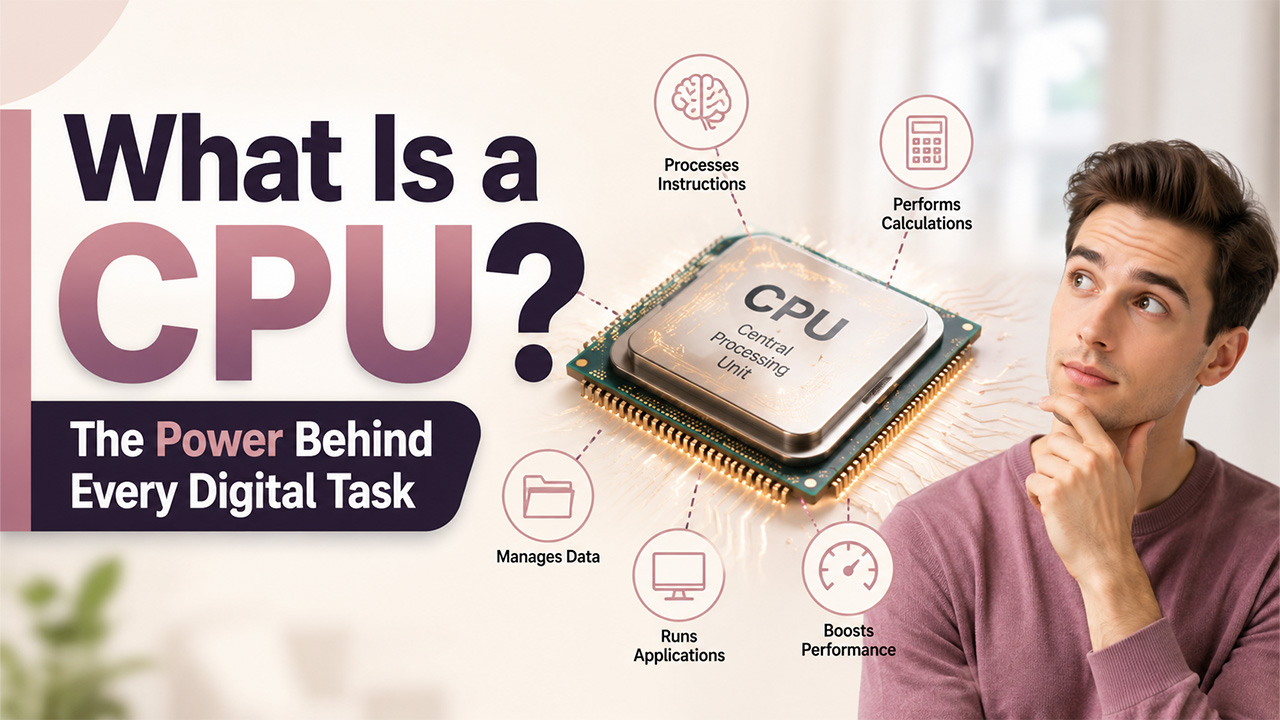

Every smartphone, laptop, and server you use on a daily basis runs on a single component that does the heavy lifting quietly: the CPU. Irrespective of whether you are fixing a slow computer or just curious about how devices actually work, being familiar with the CPU meaning aids in making sense of daily technology. In this blog, let us break down what a Central Processing Unit is, how it operates, why it is important, and how it aligns into the wider system that keeps the device operational.
What is a CPU?
What is a CPU? In plain English, it is just a hardware component that works as the brain of a computer. It takes instructions from software programs, performs calculations, and coordinates the flow of data between other hardware components and memory.
Essentially, the CPU takes instructions from memory, executes them, and carries out the needed operation before giving output back to the memory. It manages the tasks required to run both the applications installed on a device as well as the operating system. Without a working CPU, none of the software on tablets, computers, or phones would function.
Though the term sounds like a bit of a single piece of equipment, a CPU is essentially an assembly of numerous components working together in a highly coordinated way. Each part plays a very different role, and together they enable the processor to manage everything, starting from opening a browser tab to executing complex business software.
A few key features of a Central Processing Unit:
- It is available in each computing device, irrespective of the size.
- CPU works along with storage, memory, and input/output components.
- It determines considerable overall processing speed of the device.
- Central Processing Unit implements millions of instructions each second.
- It handles consumption of power and coordinates connected hardware.
What Are the Core Components of a Central Processing Unit?
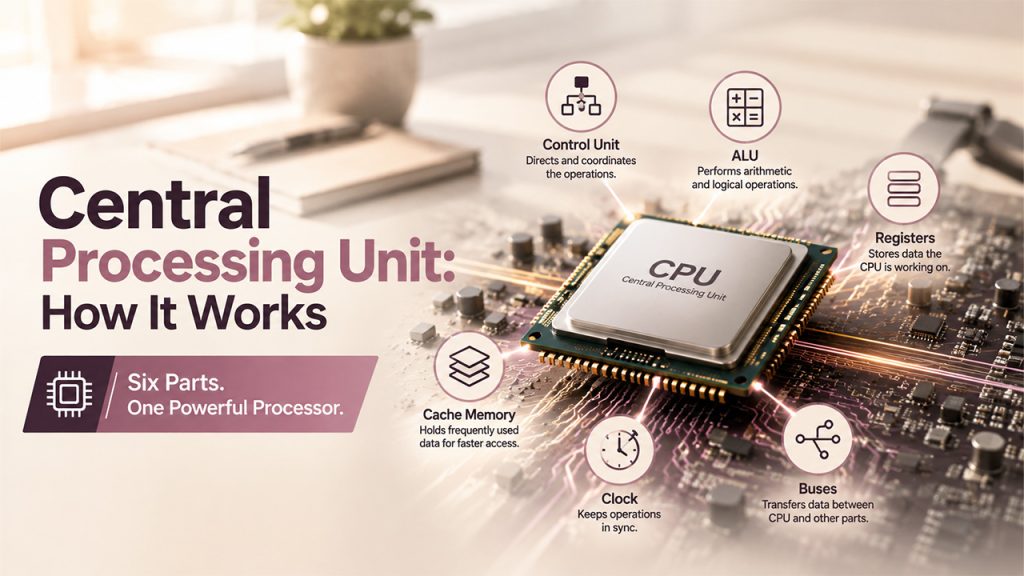
A Central Processing Unit is not really a single part but rather an assembly of smaller components collaborating. Understanding such parts makes it simpler to check how a CPU processes information actually.
- Control Unit (CU): Directs the information flow and coordinates activity between other Central Processing Unit, just like how a manager assigns different tasks to the team member instead of directly doing the work.
- Arithmetic Logic Unit (ALU): Manages different mathematical operations like subtraction, addition, and division, along with logical comparisons such as OR, AND, and NOT.
- Registers: Small as well as high-speed storage locations that store data that CPU is busy, providing quicker access than cache or RAM memory.
- Cache Memory: A fast layer of memory in-built into the processor that frequently stores accessed data, minimizing the need to fetch it from slower memory.
- Clock: Creates timed electrical pulses that make sure that CPU operations remain synchronized, with speed in metrics such as gigahertz (GHz) or Hertz (Hz).
- Buses: Pathways that facilitate data transfer between CPU and other components, such as storage devices and memory.
Such components work side-by-side to make sure that the data keeps moving through the processor efficiently, which is a main reason CPU performance affects overall device speed directly.
Understanding the Working of CPU
A CPU processes instruction or data via a repeating sequence known as the instruction cycle. This cycle generally involves three main steps:
- Fetch: The CPU fetches instructions from the memory.
- Decode: The control unit interprets the instructions and then decides which components are required to carry out the instructions.
- Execute: The CPU performs the needed operation, whether that is a data transfer, calculation, or a logical comparison.
This cycle continuously repeats itself, generally billions of times per each second on modern processors. A lot of CPUs today also involve multiple cores, enabling them to manage numerous instruction cycles at once. This multi-core design enhances overall efficiency and multitasking, since distinct cores can process different threads at the same time instead of working through tasks one by one.
Processors are generally categorized by the total number of cores that they have:
- Single-core Processors: Manage one instruction cycle at a time and are often slower under higher workloads.
- Dual-core Processors: Contains two processing units that simultaneously work, enhancing performance over single-core designs.
- Quad-core Processors: Involves four processing units, enabling simplified multitasking and quicker management of application.
- Multi-core Processors: Entails 4+ cores and are prevalently used in devices that run resource-heavy or demanding applications.
A few CPUs also provide support to hyper-threading, a technique that enables each core to handle numerous threads at once, further enhancing how efficiently hardware resources are utilized.
The Central Processing Unit does not work on its own. It closely works in coordination with the operating system, which schedules tasks, allocates processing resources, and handles how programs communicate with the hardware.
Why Is the Central Processing Unit Important?

The CPU impacts almost every facet of the device's performance, from how fast apps open to how effectively a system manages different tasks at once. A few key reasons that make CPU important are as follows:
- Application Performance: Quick CPUs processes instructions much more quickly, minimizing load times.
- Multitasking: Multi-core CPUs enable numerous programs to smoothly run simultaneously.
- Power Efficiency: Modern CPUs create a fine balance between energy consumption and performance, which is important for mobile devices and laptops.
- System Compatibility: Which operating systems and applications a device can run extensively depends on CPU architecture.
- Long-term reliability: A well-matched Central Processing Unit minimizes strain on a specific system, enabling hardware to last a lot longer under consistent use.
Businesses that depend on cloud-powered tools, Customer Relationship Management tools, or data-intensive apps must pay close attention to the capability of CPU, since inadequate processing power can protract daily processes. For teams that work with on-premises software to manage customer data, create reports, or manage distinct integrations simultaneously, a powerful CPU ensures that workflows remain responsive instead of being sluggish.
CPU vs GPU: A Brief Difference
It is worth keeping note that CPU and GPU (Graphics Processing Unit) are separate units. While the Central Processing Unit manages general-purpose processing across a complete system, a GPU is specially built to accelerate image processing and graphics rendering. A lot of modern devices use both together; while the CPU handles overall processes, the GPU manages tasks that require intense visuals like video editing or gaming.
Conclusion
Comprehending What a CPU is aids in understanding the exact function of the computers. As the core processing hardware behind each device, the Central Processing Unit decodes, fetches, and implements instructions in a consistent cycle, working along with operating system and memory to make sure that everything runs in a smooth way. Irrespective of whether you choose new hardware, assess a business tool, or just want to know the detailed meaning of CPU, understanding how this component works is a valuable foundation for working with any kind of tech.
Frequently Asked Questions
What does CPU stand for?
CPU stands for Central Processing Unit, which is the core hardware component that implements instructions and manages processing tasks of the device.
What is the core function of a central processing unit?
It extracts instructions from memory, decodes, and implements instructions such as data transfers and calculations, and then sends the output back to the memory.
What is the key difference between a CPU and a GPU?
A CPU manages general purpose processing across the entire system, while a GPU is purpose-built to expedite image-heavy and graphics tasks such as video editing or gaming.
Does a multi-core CPU enhance performance?
Yes, multiple cores enable the CPU to process multiple threads or instructions at once, elevating overall speed and multi-tasking.
Why is CPU performance important for business?
A fully functioning CPU makes sure that CRMs, cloud tools, and data-heavy applications operate seamlessly, avoiding slowdowns during routine workflows.
%201.png)

%201.png)

%201.png)