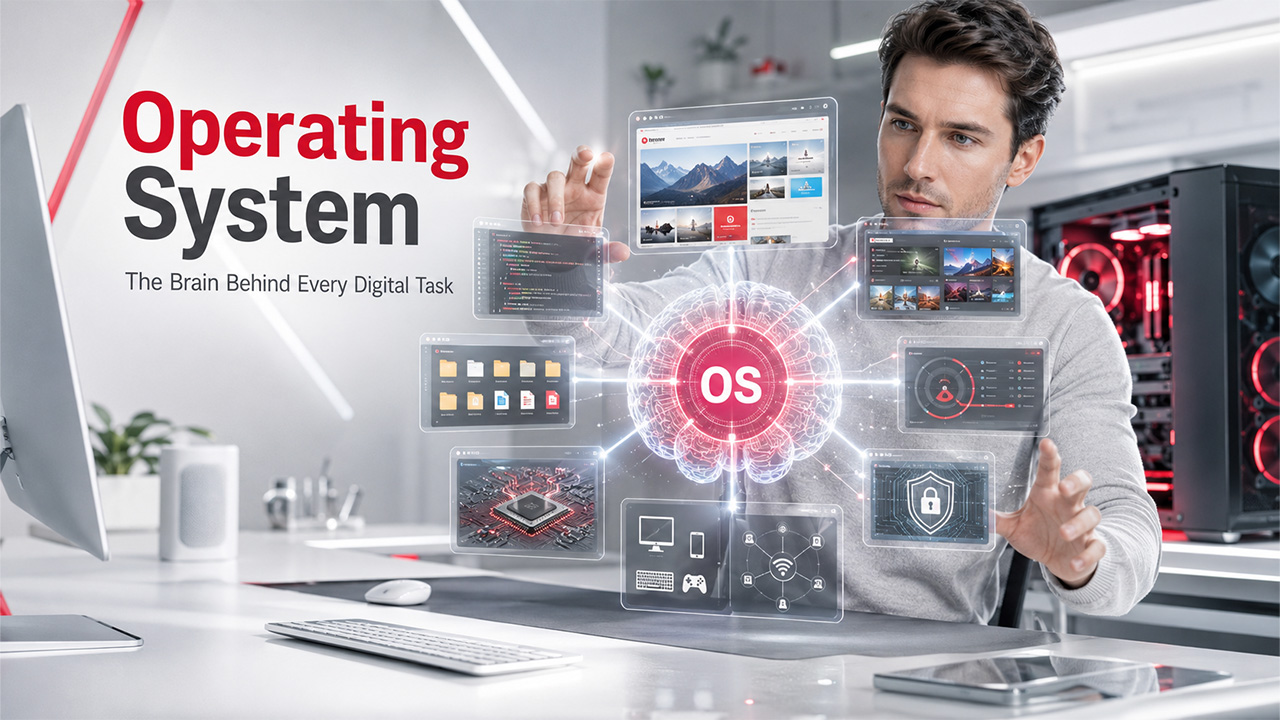

An operating system contains hundreds to thousands of programs that manage the hardware and applications of a computer by allocating resources including Central Processing Unit, memory, input/output devices, and file storage. A user interacts with an OS via a user interface (UI), which then gives commands to the OS in machine-friendly language. Billions of people depend on operating systems as the core management system for tasks such as browsing the internet, sending emails, playing video games, and more. Operating systems enable users to not interact with the hardware and manage all system resources. You can say that it is an intermediary between the user and the system.
What Are the Goals of an Operating System?
The goals of an operating system can be categorized as follows: primary goals and secondary goals.
Primary Goals:
- User-Convenience: It must be simple-to-use, providing you with a user-convenient interface and making it straightforward to interact with the platform.
- Execution of Programs: It ensures effective execution of programs, facilitating the necessary environment and services for them to run.
- Management of Resources: The OS manages and allocates the resources of the computer, including the memory, central processing unit, disk storage, and input/output devices, which is crucial for fair utilization of resources.
- Security: The Operating System makes the system and user data secure from unauthorized access. This ascertains integrity, confidentiality, and data availability.
Secondary Goals:
- Efficient Utilization of Resources: It focuses on optimizing the performance of computer systems and utilization of computer resources such as memory, CPU, and I/O devices. This makes sure that the system runs in an efficient and smooth manner.
- Reliability: It must be reliable and robust, i.e., it should gracefully handle errors and exceptions well. This makes sure that the system continues to function smoothly. It must be simple-to-debug and modular in design.
Key Components of an Operating System
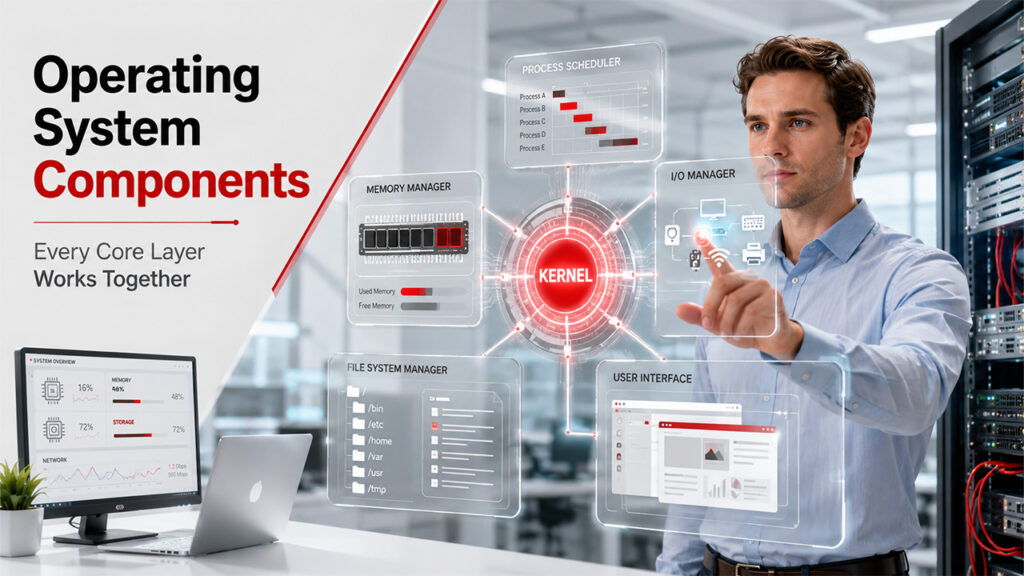
An operating system comprises of numerous important components working together to make sure that there is total efficiency and functionality within the system:
Kernel:
The Kernel is the most important component of the operating system, handling vital system processes and facilitating interactions between software and hardware. It manages tasks such as CPU management, I/O, file systems, device drivers, and network communication.
For instance, in the Linux Operating System, Linux Kernel forms the vital interface between the software and hardware layers, enabling the Operating System to manage numerous components at the same time.
Process Scheduler:
The process scheduler allocates Central Processing Unit time to processes, making sure resource usage is efficient, managing multitasking and avoiding process monopolization. It also manages context switching to make sure that the performance is smooth across different applications.
Memory Manager:
The memory manager re-allocates as well as allocates memory to processes, handling both virtual memory and Random Access Memory. In enterprise platforms, advanced techniques like distributed memory management and demand paging are leveraged to ensure scalability and resource utilization.
I/O Manager:
The I/O manager facilitates effective data communication between external devices and systems. It manages data transfer, handles accessibility of devices, and ascertains error-free communication. In enterprises, it makes sure data flow is smooth between networked storage, servers, and peripherals.
File System Manager:
In Operating System, there is a file system manager that organizes, fetches, and secures files across distinct file systems (for instance, NTFS, FAT). It maintains data integrity, optimizes access performance, and enforces permissions. In enterprise environments, file management is generally centralized for efficiency across wide networks.
User Interface:
The OS gives you an interface (for instance, Graphical User Interface or Command Line) for users to communicate with the system, handle files and set-up settings, and implement computer programs.
What Are the Main Types of Operating System?

Operating systems can be categorized into different types as per their compatibility, features, and functionality with distinct software and hardware applications. They are as follows:
- Distributed Operating Systems
- Embedded Operating Systems
- Network Operating Systems
- Real-time Operating Systems
- Cluster Operating Systems
Distributed Operating Systems:
A distributed operating system coordinates different independent computers to collaborate together as a centralized system. It enables resources from distinct machines to be shared, ensuring a transparent and single interface to the application and user programs. The OS handles data sharing, communication, and task synchronization across distinct nodes. This makes sure that users can interact with the system without any concerns regarding physical distribution of physical resources.
For example, Google File System is a part of the distributed system architecture of Google, enabling data to be distributed across numerous servers and ascertaining fault tolerance and high availability.
Embedded Operating Systems:
An embedded operating system is built to handle hardware resources in specialized devices such as automotive systems, smartphones, and household appliances. Contrary to general-purpose OS, embedded OS-es are specially built for efficiency, reliability, and reliability, especially in environments that are more resource-constrained. They are generally compact, with minimum user-interfaces, and they are created to implement specific applications in real-time.
Network Operating Systems:
An NOS, i.e., Network Operating System is a software that coordinates and manages the software and hardware resources of numerous computers tethered to each other in a network. It facilitates sharing of files, communication between devices, and management of resources across the network.
A NOS mainly involves features like user authentication, network security, and centralized administration, enabling system administrators to set up settings and control access across all connected devices. Key examples of network operating system are CISCO iOS, Microsoft Windows Server, and macOS server.
Real-time Operating Systems:
A real-time operating system is built to manage time-sensitive tasks with accurate time constraints. In an RTOS, the system ascertains that vital processes are completed within a particular time frame, ascertaining stability and predictability.
Such operating systems are leveraged in applications such as robotics, industrial automation, and medical devices. They rely on control systems where delays or failures can have major consequences. Real-time operating systems like VxWorks are prevalently used in embedded systems for defense and aerospace applications, where real-time performance is vital for performance and safety.
Cluster Operating Systems:
A cluster operating system handles a collection of tethered computers (nodes) that collaborate to perform tasks like a single system. Such systems are generally utilized in high-performance computing systems (HPC) settings (for instance, scientific research, web hosting) and give you fault tolerance, load balancing, and resource sharing among the nodes. Cluster operating systems increase computation power by connecting different machines, enhancing overall reliability and performance of the system.
| Type | Best Suited For | Key Feature | Example |
| Distributed OS | Large-scale and multi-server systems | Coordinates different machines as a single system | Google File System |
| Embedded OS | Appliances, smartphones, automotive | Resource-efficient, compact, minimum UI | Automotive control systems |
| Network OS | Connected enterprise/office networks | Centralized security and user authentication | MacOS, Windows Server, Cisco iOS |
| Real-time OS (RTOS) | Operations are time-critical | Ensures completion of task within a set time limits | VxWorks (aerospace/defense) |
| Cluster OS | High-performance computing | Fault tolerance and load balancing across nodes | Web hosting, scientific research clusters |
Which Is the Most Popular Operating System?
All computer systems including smartphones, desktops, tablets, and mainframes need at least one Operating System to run applications, perform tasks, and interact with the hardware. According to a report from Statista, Microsoft Windows is one of the most broadly utilized operating systems around the world, controlling close to 67% of tablets, desktops, and console OS markets. The macOS of Apple holds second position in this category. In the mobile Operating System category, Android leads by holding a market share of 72.04%. On the other hand, Apple's iOS is in second position with 27.49%.
Linux dominates open-source markets. popular amongst both individuals and organizations for its security and flexibility.
Read More: What is Shell Scripting? Understanding How It Works in Linux?
Operating Systems and AI

The Artificial Intelligence Operating System is well-positioned for major growth, with Knowledge Growth Intelligence indicating an improvement from $12.496 billion in 2024 to $29.297 billion, at an approximate CAGR of 18%.
In enterprise ecosystems, AI-driven operating systems utilize automation and machine learning to forecast user behaviors, streamline allocation of resources, and adjust to varying real-time workloads. Self-healing capabilities minimize downtime by automatically detecting and fixing issues, while AI-powered security systems recognize and reduce cyberthreats, ascertaining that enterprise data remains secure.
Leading operating systems such as macOS and Windows integrate AI to streamline management of resources, improve security (for instance, Windows Defender Face ID) and ensure tailored user experiences.
Read More: Operating system is not the only branch where AI and machine learning are making the difference. Understand how AI and ML are transforming CRM systems.
Conclusion
An operating system becomes a pillar of each computing device, converting user commands into hardware actions while handling processes, memory, and security in the background. From distributed systems enabling global platforms to embedded systems powering daily appliances, each OS type works as a different purpose as per the environment it works in. As AI integration goes deeper, operating systems continue to evolve toward more intelligent allocation of resources, robust in-built security, and predictive maintenance. This makes them more vital to routine digital life than ever before.
Frequently Asked Questions
What is the core function of an operating system?
It handles hardware resources such as memory, central processing unit, and storage while enabling users to operate programs via a simple interface.
What are the different types of operating systems used in the industry?
Common categories of operating systems include embedded, distributed, real-time, network, and cluster operating systems; each aligned to distinct use cases.
Which is the most popular operating system in the world?
Windows leads the worldwide market in laptops and desktops, while Android dominates the international Android OS market.
What is the work of “Kernal” in the operating system?
The kernel is the main component that tethers hardware and software, handles memory, CPU, and device communication.
How is AI modifying the landscape of operating systems?
AI allows automated issue detection, predictive resource allocation, and robust security features such as threat recognition.
%201.png)

%201.png)

%201.png)