


Managing customer relationships becomes challenging when sales conversations, contact details, support requests, and follow-up activities are scattered across different applications. A sales representative might have updated customer information in an email, while the support team maintains a separate spreadsheet. This creates confusion, delays, and missed business opportunities.
A Customer Relationship Management (CRM) system solves this problem by bringing customer information and business interactions into one place. One platform worth exploring is SuiteCRM. But what is SuiteCRM, and why do businesses consider it an alternative to subscription-based CRM solutions?
What Is SuiteCRM?
SuiteCRM is an open-source Customer Relationship Management platform that helps organizations manage sales, marketing, customer support, and customer information through a centralized application.
Unlike many commercial CRM platforms that charge recurring licence fees for individual users, SuiteCRM makes its core software available under an open-source licence. Businesses can download, install, customise, and manage the platform according to their operational requirements.
So, what is SuiteCRM beyond basic contact management? It is a flexible business platform that connects several customer-facing activities and helps teams maintain consistent information throughout the customer lifecycle.
Key SuiteCRM Features
The available suitecrm features cover different stages of customer relationship management. Businesses can use individual modules or connect them to create workflows that support their operations.
1. Contact and Account Management
SuiteCRM provides dedicated modules for managing accounts and contacts.
An account represents a company or organisation, while a contact represents an individual associated with that organisation. Employees can attach notes, meetings, calls, emails, and documents to these records.
2. Sales Pipeline and Opportunity Management
Sales teams can use SuiteCRM to organise potential customers and monitor opportunities throughout the sales process.
A lead represents a potential customer who has not yet been fully qualified. After the sales team confirms the prospect's requirements, the lead can be converted into an account, contact, and sales opportunity.
3. Marketing Campaign Management
SuiteCRM includes campaign management tools for organising marketing activities.
Marketing teams can create target lists, manage campaign recipients, and monitor email campaign responses.
4. Customer Support and Case Management
Customer service teams can use the Cases module to record complaints, questions, and service requests.
5. Workflow Automation
Workflow automation tools helps businesses reduce repetitive administrative activities.
Administrators can configure automated actions based on predefined conditions. For example, when a new lead enters the system, SuiteCRM can assign it to a sales representative or trigger a notification.
6. Reporting and Dashboards
SuiteCRM provides reporting capabilities that help managers understand business activities. Users can create reports, apply filters, examine sales information, and configure dashboards around relevant performance indicators.
SuiteCRM Open Source CRM: How Does It Work?
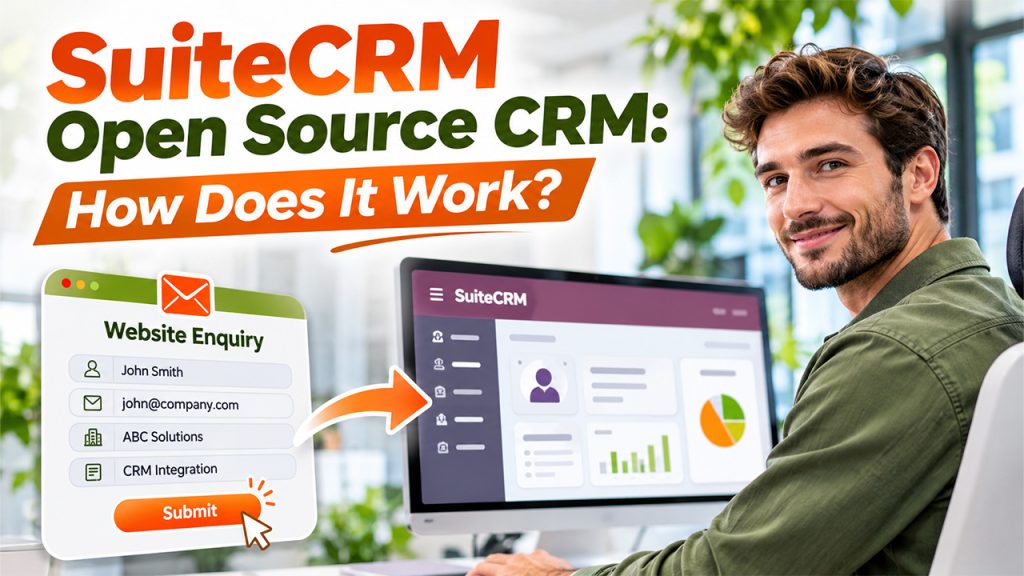
The suitecrm open source crm model gives organisations access to the application's source code under its open-source licence.
This means businesses can install the platform on their own infrastructure and modify its functionality according to their requirements. Developers can configure existing modules, customise fields, and create integrations with other applications.
Consider a business that wants its website enquiry forms connected to its CRM. Developers can build an integration that transfers submitted customer information into the appropriate CRM records.
SuiteCRM Pricing: Is It Really Free?
Pricing is an important consideration when researching what is SuiteCRM and comparing it with commercial CRM platforms.
The core SuiteCRM software is available to download without a per-user licence fee. Organisations can install and manage it independently, provided they have the necessary infrastructure and technical knowledge.
However, additional services may involve separate costs.
| Pricing Component | Pricing Model |
| Self-hosted software | Free to download |
| Self-managed installation | No software licence fee |
| Managed hosting | From £50 per month |
| Quick Start implementation | From £2,520 one-time |
| Standard support | £1,200 for 10 support hours |
| Enterprise implementation | Custom pricing |
| SuiteASSURED | From £3,350 per year |
Prices are indicative figures from SuiteCRM's official pricing information and may change.
SuiteCRM Review: Advantages and Limitations
A useful suitecrm review should examine both the platform's benefits and the responsibilities involved in maintaining it.
Advantages
- No per-user licence fees: Businesses can avoid recurring software licence charges for individual CRM users.
- Customisation flexibility: Developers can modify modules, fields, layouts, and workflows.
- Greater infrastructure control: Self-hosting allows organisations to manage their own environment and customer information.
- Multiple business functions: Sales, marketing, support, and reporting capabilities are available within one application.
- Integration opportunities: APIs and extensions support connections with other business applications.
Limitations
- Technical maintenance: Self-hosted installations require regular backups, server monitoring, and security updates.
- Implementation complexity: Businesses with advanced requirements may need experienced developers.
- Employee training: Users may require time to understand the interface and available modules.
Who Should Use SuiteCRM?
Understanding what is SuiteCRM becomes easier when considering the organisations that can benefit most from its capabilities.
Small and Medium-Sized Businesses
SMBs that want to organise customer records, manage sales activities, and track customer communication can consider SuiteCRM.
Its licensing model may appeal to growing businesses that want to avoid increasing software licence expenses as their teams expand.
Organisations with In-House Technical Teams
Businesses with experienced developers and system administrators can benefit from the platform's customisation and self-hosting capabilities.
They can adapt existing functionality and connect the CRM with internal business applications.
Businesses with Specific CRM Requirements
Some organisations follow workflows that standard subscription-based CRM products cannot easily accommodate.
The suitecrm open source crm model allows developers to build additional functionality around existing business processes.
Organisations Seeking Greater Data Control
Companies that prefer managing their own infrastructure may find self-hosting useful. However, they must also take responsibility for access controls, security, backups, and data protection.
Before deciding what is SuiteCRM worth for their organisation, decision-makers should evaluate their technical resources, business processes, and long-term maintenance requirements.
Conclusion
Choosing a CRM system involves more than comparing monthly subscription prices. Businesses should consider their workflows, integration requirements, technical capabilities, and ongoing maintenance responsibilities.
What is SuiteCRM ultimately comes down to a flexible, open-source CRM platform that brings customer management, sales activities, marketing campaigns, and support operations together.
A practical suitecrm review should therefore consider both its flexibility and the resources needed to operate it effectively.
Frequently Asked Questions
The core SuiteCRM application is free to download under its open-source licence. However, businesses may need to pay for hosting, implementation, customisation, maintenance, and professional support depending on their deployment requirements.
Its main capabilities include contact and account management, lead tracking, sales opportunities, marketing campaigns, customer support cases, workflow automation, reporting, and custom dashboards.
Yes. Developers can customise modules, fields, layouts, workflows, and integrations to match business requirements. The level of customisation depends on the organisation's technical resources and implementation approach.
SuiteCRM can work well for small businesses that need centralised customer management and have the resources to maintain the platform. Managed hosting is another option for organisations without an internal IT team.
Yes. SuiteCRM provides API capabilities and supports extensions that allow businesses to connect it with external applications. Integration requirements should be evaluated before implementation to ensure compatibility and reliable data exchange.