
A team finishes a product demo at midnight. The export bar hits one hundred percent. The preview shows a logo stamped across the corner. The video cannot ship.
This scene repeats in many companies. Free video editors promise a lot, but the limits appear only at export. These Video Editing Tips explain what free tools usually include, where hidden costs arise, and how to test an editor before building a workflow around it.
What Does Free Really Mean in a Video Editor?
Free covers at least four different models. Some tools are fully open source. Others are freemium, with core editing free and advanced features paid. Some are free trials with expiry dates. Others are free with ads or branding on every export.
Each model shifts cost somewhere. Open source tools shift cost to learning time. Freemium tools shift cost to locked features. Branded exports shift cost to credibility. Knowing which model applies prevents surprises on delivery day.
Which Free Video Editors Are Worth Testing?
Editors fall into four groups. The groups matter more than individual brand names, since plans change often.
Browser Based Editors
Browser based editors remove the install step. CapCut offers a free video editor no watermark in the browser. According to its page, it covers trimming, captions, music, transitions, and a timeline, with export up to 1080p. The page says exports carry no visible platform watermark, subject to the current plan and asset conditions. It also notes that some templates or music tracks may have separate attribution or branding rules.
Open Source Desktop Editors
Open source editors carry no license fees and no forced branding. They run locally, so performance depends on the machine. Format support and plugin stability vary. Teams should expect a longer setup and a steeper learning curve.
Freemium Professional Editors
Some professional suites offer capable free versions. They often lock certain codecs, effects, or export settings behind a paid tier. The editing core is usually strong. The export menu is where limits appear.
Mobile Apps
Mobile editors suit quick social clips. Many add watermarks, ads, or storage limits on free plans. Long projects can strain phone memory and battery.
How Do Free Editors Compare on Technical Limits?
The table below lists where limits usually appear in each group. It avoids specific numbers, since vendors change plans often. Each row shows what to verify on the current pricing page.
| Editor type | Where free limits usually appear | What to verify before committing |
| Browser based | Export resolution, plan rules, asset conditions | Max resolution, watermark policy, template attribution |
| Open source desktop | Learning curve, codec support, hardware load | Supported formats, GPU acceleration, plugin stability |
| Freemium pro desktop | Locked codecs, effects, and export options | Which codecs and resolutions are paid |
| Mobile apps | Watermarks, ads, storage, and project size | Export branding, ad placement, file size handling |
What Technical Specs Matter Most Before Choosing?
Export Resolution
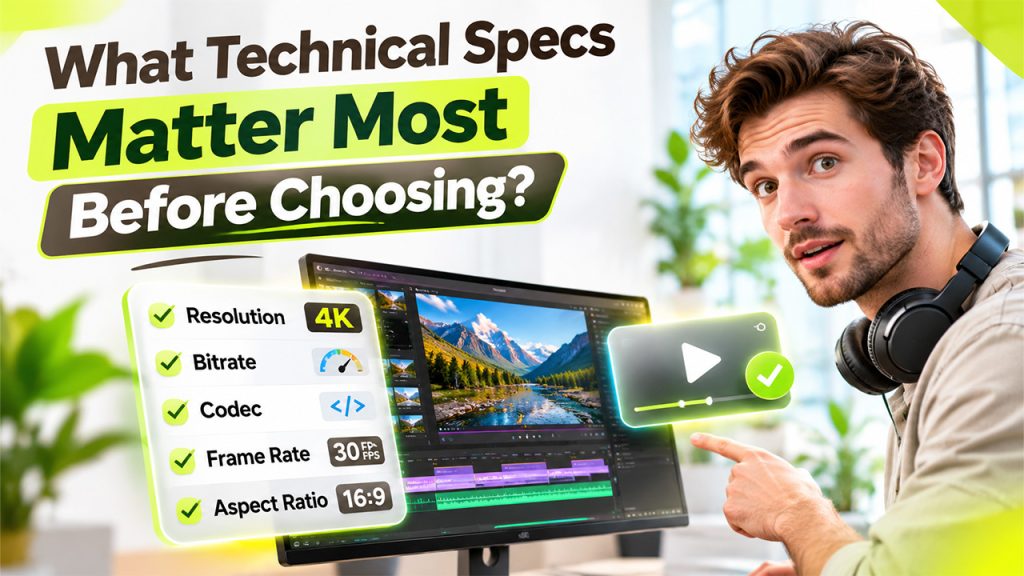
Resolution sets the maximum sharpness of the final file. Common targets are 720p, 1080p, and 4K. Social platforms often compress uploads anyway, so 1080p suits most business videos. Training videos and product demos with small text benefit from the highest clean resolution.
Bitrate and Codec
Bitrate controls how much data each second of video holds. Low bitrate causes blocky gradients and smeared text. Codec decides the compression method. H.264 offers wide compatibility. H.265 gives smaller files at similar quality but plays less universally. Free editors sometimes limit these settings.
Frame Rate and Aspect Ratio
Frame rate affects motion smoothness. Thirty frames per second suits most screen recordings and marketing clips. Aspect ratio decides the platform fit. Vertical suits short social video, and wide suits websites and presentations. A good editor resizes without distorting the frame.
Watermarks and Branding
Watermarks come in several forms. Some tools stamp a logo across the video. Others add an end card or intro clip. A few brands only specific templates or music tracks. The pricing page and export dialog show which rules apply.
Render Time and Hardware Load
Rendering speed depends on the machine and on the tool. Desktop editors can use the graphics card when acceleration is available. Browser editors depend on the connection and the processing path. Long exports on weak laptops may stall or crash.
How Do Containers and Codecs Affect Compatibility?
A video file has two layers. The container, such as MP4 or MOV, holds the streams. The codec compresses the picture and sound inside. A free editor may open one container and refuse another.
Problems appear most often with footage from phones, screen recorders, and action cameras. Variable frame rate files can drift out of sync with audio. Some codecs decode slowly and make the timeline stutter. Converting source files to a standard format before editing solves many of these issues.
Why Do Free Editors Slow Down on Large Projects?
Editing performance depends on three things. The first is decoding speed, which affects playback. The second is effect load, since each filter or transition adds processing. The third is memory use, which grows with layers and resolution.
Many editors offer proxy files for this reason. A proxy is a small copy of each clip used during editing. The full quality files return at export. This keeps the timeline smooth on modest hardware. Teams should check whether a free tier includes this feature.
Which Mistakes Cause Most Free Editor Problems?
- Testing with a short clip only. Limits often appear on long timelines, not on ten second samples.
- Skipping the final export check. A preview can look clean while the file carries branding.
- Ignoring asset terms. A free editor does not make every bundled song or template free to use commercially.
- Choosing by feature list. Features matter less than stable exports and readable text.
How Can a Team Test a Free Editor in Six Steps?
A short test prevents long regrets. The process below takes under an hour.
- Build a ninety second sample. Include a screen recording, captions, music, and a title card.
- Export at the target resolution. Check the output settings before pressing export.
- Inspect for watermarks. Play the full file and look at corners, intros, and end cards.
- Check text sharpness. Pause on small captions and interface text.
- Measure render time. Note how long the export takes and whether the device struggles.
- Read the license terms. Confirm that commercial use of the output and the assets is allowed.
What Hidden Costs Do Free Editors Carry?
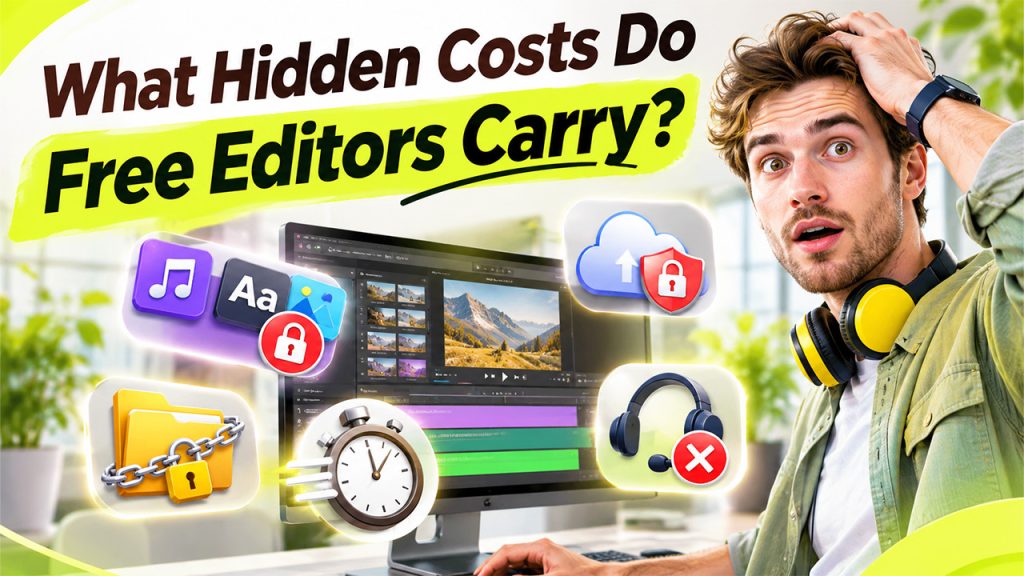
- Asset licensing. Templates, fonts, and music tracks may carry separate conditions.
- Project lock in. Some projects cannot move to another editor without losing edits.
- Time cost. Free tools with weak shortcuts can double editing time.
- Privacy. Cloud editors upload footage. Sensitive material may need local tools.
- Support. Free plans rarely include fast human help.
Which Free Editor Fits Which Team?
The right pick depends on the workflow. Marketing teams that publish short clips often value speed and templates. Technical teams that record product walkthroughs need clean text rendering and caption control. Teams working with sensitive footage often prefer local editors with no cloud upload.
A mixed approach also works. Some teams cut quick social clips in a browser tool and reserve a desktop editor for long form projects.
Frequently Asked Questions
Often yes, if the license allows commercial use and exports meet quality needs. A test export confirms this quickly.
Some can, but rules depend on the plan and on the assets used. Each tool's current terms should be checked.
1080p suits most social and business videos. Higher resolution helps for detailed screen recordings.
It depends on the tool and the connection. Limits on length and file size should be checked first.
Free editors can deliver professional results. The cost simply moves from the invoice to the workflow. A thirty-minute test export reveals most of those costs before a deadline does.