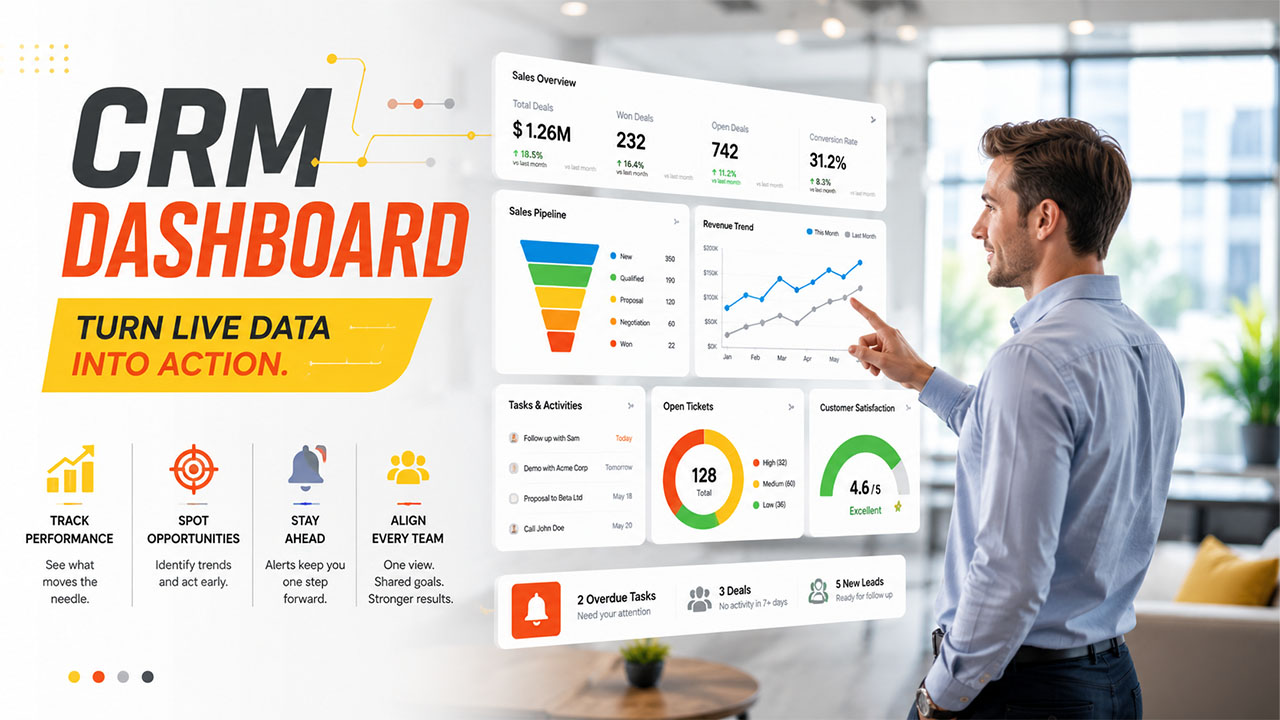

Sales teams create a copious volume of information every day; follow-up calls, new leads, closed deals, and support tickets all accumulate across distinct tools. Understanding this data manually is quite slow, and by the time a spreadsheet gets updated, the numbers already become outdated. Customer service and marketing teams face a similar challenge, just with distinct metrics to chase. Thus, what businesses need is a neatly designed dashboard.
A CRM dashboard solves this issue by extracting scattered data into one easy-to-read and visual screen. Instead of juggling between tools to assess pipeline status or customer service response times, teams get a real-time snapshot of what is most important, consistently updated. As businesses evolve and customer touchpoints become diverse, this kind of simplified visibility stops being an additional choice and instead becomes a genuine necessity.
Understanding CRM Dashboard
A CRM dashboard refers to a customizable and visual interface within the CRM platform. It showcases important metrics, reports, and charts related to marketing, sales, and customer service activity, all on one screen.
Instead of digging through static reports or raw data, users get a holistic view of performance. A well-executed CRM dashboard generally gathers data from distinct sources like call logs, email activity, website interactions, and deal stages, and presents data through charts, graphs, and summary cards.
The objective is quite straightforward: enable teams to absorb the most significant numbers fast, without laboring through long-form reports or spreadsheets. When it is designed well, a dashboard not only looks organized but becomes the first thing a marketer, a sales representative, or a support agent can check each morning. It sets the tone for the day by revealing what instantly requires attention, whether that is an overdue task, stalled deal, or a rise in support tickets.
The majority of platforms also enable dashboards to automatically update as new information enters the system. This means that the numbers on screen show a clearer picture of what is happening currently than what happened last week. The real-time quality is what differentiates a modern CRM dashboard from static reports that businesses have depended on in the past.
Important Features of a Powerful CRM Dashboard
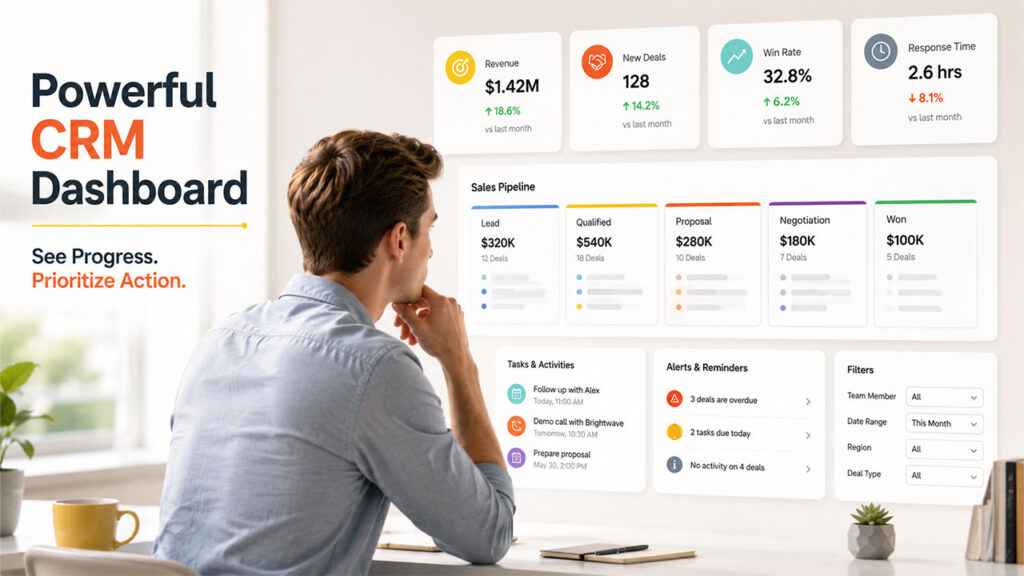
Not every CRM dashboard can look the same, since requirements evolve based on the role and team side. Having said that, most powerful dashboards share a few important features:
- Goal Tracking: A running view of progress, targets, and time remaining on important goals.
- KPI Widgets: Compact visual cards displaying metrics such as deal value, conversion rate, or response time.
- Pipeline Visualization: A stage-by-stage categorization of the sales pipeline, which breaks down the present deals in progress, generally displayed as a Kanban-style dashboard.
- Task and Activity Feeds: Follow-ups, upcoming calls, and appointments are showcased in a single place.
- Custom Filters: The capability to arrange data by team member, date range, region, or deal type.
- Alerts and Reminders: Automated notifications that showcase overdue deals or tasks with no progress in a while.
Businesses aiming to get more out of their software setup can refer to this detailed breakdown of essential CRM features for a more comprehensive look at what an advanced platform offers, beyond just a neat dashboard view.
A CRM dashboard is only as valuable as the information entering it. It depends on accurate data fed into deal pipelines, contact records, and communication logs to remain up-to-date and accurate. A dashboard tethered to outdated or incomplete records will always reveal an incomplete picture, irrespective of how refined the visual design is.
Types of CRM Dashboards by Team
Distinct departments require different viewpoints, which is why the majority of platforms allow more than CRM dashboards to be available within the same environment.
- Sales Dashboards: Emphasis on deal stages, pipeline value, quota progress, and individual performance of representatives.
- Marketing Dashboards: Keep track of campaign performance, click-through rates, cost per lead, and channel effectiveness.
- Customer Service Dashboards: Average resolution time, highlight open cases, and customer satisfaction scores.
- Executive Dashboards: Give a high-level summary including marketing, sales, and service data for leadership review.
Ensure role-based dashboard access, instead of making everyone see the same screen. This not only makes sure that the CRM dashboard remains relevant and focused for all users but also boosts security. A sales representative does not need to see data from marketing campaigns, and a marketer does not have anything to do with individual support tickets.
Benefits of Leveraging a CRM Dashboard
A well-organized CRM dashboard provides benefits that go beyond just a neat display of data. Here are some of the most practical benefits:
- Quicker Decision-Making: Problem areas and trends are simpler to identify in a chart instead of in rows of raw numbers.
- Better Team Alignment: When everyone sees the same real-time data, there is slightly less confusion about priorities.
- Improved Forecasting: Current pipeline and historical data aid in forecasting revenue with greater confidence.
- Higher Accountability: Managers can monitor team and individual performance without scheduling the updates manually.
- Stronger Customer Service: Support teams can see response times, case volume, and satisfaction scores on a single screen.
- Reduced Administrative Work: Less time being spent on developing manual reports means that the team is free to spend more time on actual support or selling.
The wide range of advantages increases when a business also boosts the data entering the dashboard.or instance, teams that enrich CRM records automatically to streamline their pipeline will see much more detailed dashboard reporting because the source data is itself more complete and cleaner.
It is worth making note of the fact that a CRM dashboard is not a replacement for in-depth reporting. It is a summary layer built to accentuate what requires attention, while complete reports are available for more comprehensive analysis. Teams that consider this dashboard as their only source of truth sometimes fail to see nuances that appear in raw data export or a complete report.
How to Select or Develop the Best CRM Dashboard?
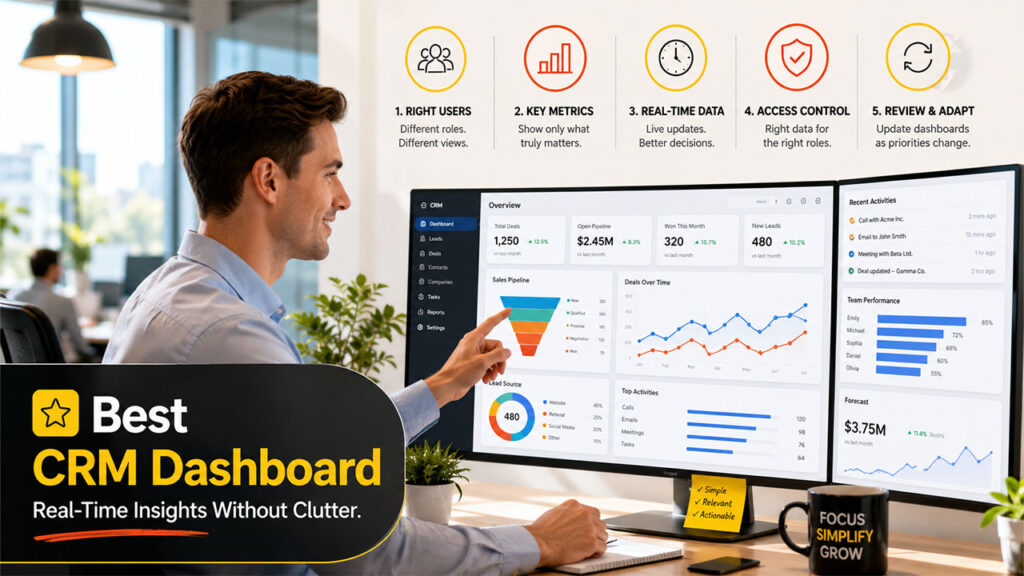
Choosing or setting up a CRM dashboard must begin with a clear comprehension of who will utilize it and why. The requirements of a sales manager quickly change from those of a customer service lead, so an approach of one-size-fits-all rarely works.
A few possible steps you can follow are as follows:
- Recognize the Main Users: Managers, sales representatives, marketers, and support staff each require distinct views.
- Restrict the Metrics Shown: Around five to seven important data points per dashboard is a preferable ceiling; way too many of them create a lot of clutter.
- Prioritize Real-time Information: A dashboard quickly loses value if it is not reflecting present activity.
- Establish Effective Access Permissions: Sensitive data must only be visible to the roles that require it.
- Review and Regularly Adjust: The priorities of businesses shift regularly, and dashboards must be updated to match.
For businesses that are interested in learning about a wider toolkit in CRM, this overview of common CRM modules is a crucial starting point before we can specifically delve into dashboard configuration.
A CRM dashboard that is poorly organized or cluttered tends to be ignored within a few weeks. Relevance and simplicity are more important than displaying every metric at once.
Common Mistakes You Can Avoid
Even a CRM dashboard, which is technically capable, can fail to provide value if it is poorly set up. A few mistakes that get repeated are as follows:
- Showing Too Many Metrics All At Once: This can overwhelm the users instead of helping them.
- Ignoring Role-driven Personalization: This makes every team see a similar generic view that includes data that has nothing to do with their actual job.
- Failing to Make Sure That the Source Data Remains Clean: This gives a dashboard that shows outdated or inaccurate numbers.
- Skipping Consistent Reviews: Your dashboard keeps monitoring outdated goals long after your objectives have shifted.
- Overlooking Mobile Access: This is important for sales representatives and field staff who are not at desk always.
Preventing such pitfalls often comes down to considering the CRM dashboard as a necessary tool instead of a one-time setup task. Consistent check-ins with the teams often reveal these problems early on.
Conclusion
A CRM dashboard converts scattered sales and customer data into something teams can use on a day-to-day basis. Instead of scrambling through inaccurate and cluttered spreadsheets or waiting for manual reports, users get a visual and clear summary of what is most important, updated as things occur.
Whether the objective is monitoring sales targets, tracking campaign performance, or keeping tabs on customer service response times, a well-built CRM dashboard makes that data accessible at a glance. Businesses that aim to set up their dashboards around actual priorities and data volume requirements often adopt CRM better and see better use across their teams in the long run.
FAQs About CRM Dashboard
Q1. Why do businesses need a CRM dashboard? What is its main goal?
A- Its main goal is to provide teams with a visual and quick summary of marketing, sales, and customer service performance without needing manual report creation.
Q2. Can you personalize the CRM dashboard?
A- Yes. Most of the modern CRM solutions enable users to adjust which charts, metrics, and widgets show up as per their priorities and roles.
Q3. Who generally utilizes a CRM dashboard?
A- Sales managers, sales representatives, marketing teams, business leaders, and customer service agents all leverage a detailed dashboard, though the specific data shown often changes by role.
Q4. Will there be a real-time update on the CRM dashboard?
A- In reliable CRM platforms like OutRightCRM, you get a real-time dashboard. As new information enters the CRM, like a new support ticket or closed deal, the dashboard automatically shows such changes.
Q5. What is the overall number of metrics a CRM dashboard reveals?
A- Most of the experts suggest keeping around five to seven metrics per view. This is because too many data points can make the dashboard cluttered and difficult to read.
%201.png)

%201.png)

%201.png)