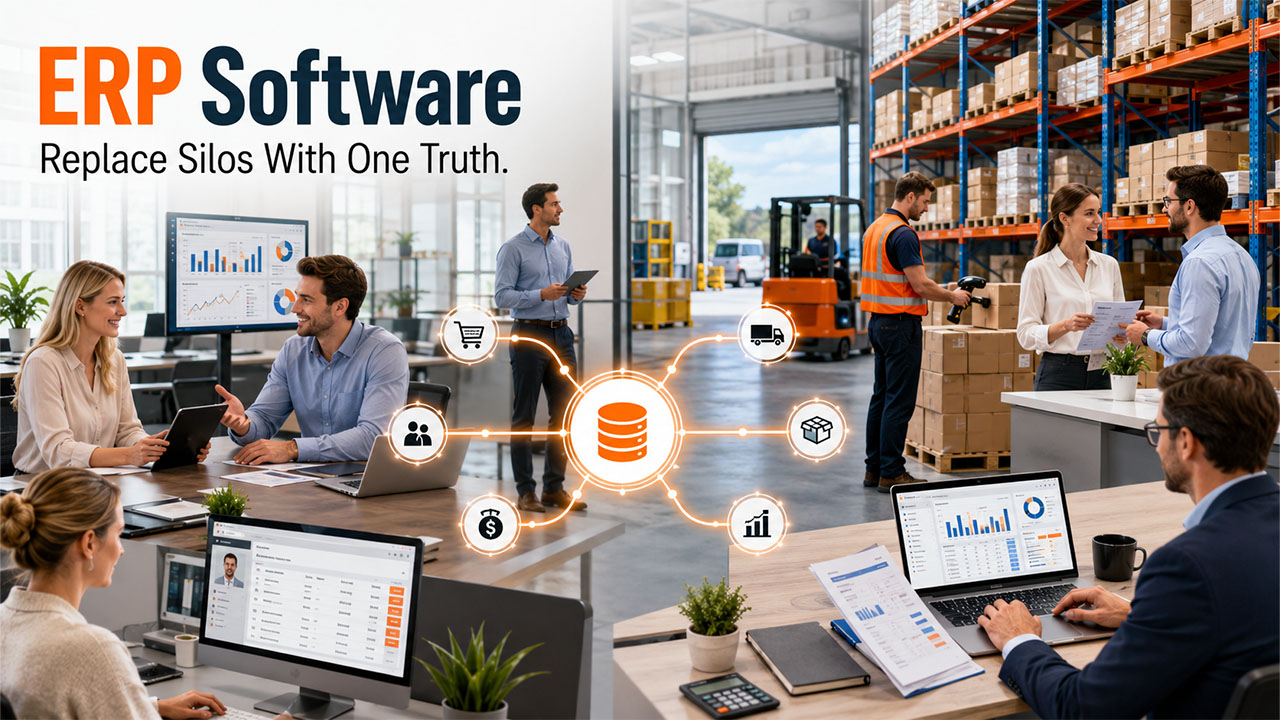

Most organizations do not struggle because they do not have the right tools. They struggle since their tools do not communicate with one another. Sales works off one number, the warehouse off another number, and finance looks for what really happened days later. That disconnect is exactly what ERP, enterprise resource planning, was created to solve. It tethers, inventory, finance, HR< procurement, and sales into one platform operating on shared data, so data entered once is immediately accurate everywhere else. In this guide, let us break down, what do we really mean by ERP, what are the modules it incorporates, the available types, its costs, and how to select the right option for your business.
Key Takeaways
- ERP, enterprise resource planning, is the software that connects a company's core operations into one system with shared data. Finance, inventory, HR, procurement, and more stop running as disconnected tools and start working from one source of truth. Companies that need a system shaped to their exact operations sometimes engage an ERP software development company, but most should start by buying a packaged product.
- The real benefit is one source of truth. Information entered once is available everywhere; departments stop working from conflicting versions of the data, and decisions get made on a single current view rather than on guesses pieced together from separate systems.
- You do not need every module. A good ERP lets you adopt the modules that match your operations and add more over time, rather than forcing the whole system on you at once.
- Most companies should buy, and most should choose clouds. Build a custom ERP only where your operations are a genuine competitive edge no product can serve. For everyone else, a packaged cloud ERP is faster, cheaper, and sensible.
What Is ERP, in Plain Terms?
ERP, which stands for enterprise resource planning, is software that connects a company's core operations into one system with shared data. Finance, inventory, procurement, manufacturing, human resources, and sales all run inside or through the same system, working from the same information, instead of each department keeping its own separate tools and spreadsheets that never quite agree with one another.
I am a Project Manager at Clockwise Software, and the simplest way I explain ERP to someone hearing the term for the first time is this: it is the operational backbone of a business. Picture a company where the sales team, the warehouse, the finance department, and the purchasing team each quietly keep their own separate records. Sales promise a customer something the warehouse cannot actually deliver, because the two are looking at completely different stock numbers. Finance chases figures that procurement has already changed. An ERP fixes this by giving all of them one shared, current view, so a fact entered once, a sale, a shipment, a payment, is instantly true everywhere.
That is the whole idea, and everything else about ERP, the modules it contains, the types you can choose between, the cost you end up paying, follows directly from it. ERP exists to stop a company from operating as a set of disconnected islands and to make it operate as one connected whole. In this article I will explain what an ERP system actually contains, what it really does for a business, the different types you can choose from, and how to pick the right one for your situation, all in plain language and without the jargon that usually surrounds the topic.
What Does ERP Stand For, and Where Did It Come From?

ERP stands for enterprise resource planning. The name is a little misleading today, because it comes from the system's origins decades ago in manufacturing, where the software's job was to plan the materials and resources needed for production. The planning of resources was the original purpose, and the name stuck even as the software grew far beyond it.
A modern ERP does much more than plan resources. It runs finance, tracks inventory, manages people, handles procurement, processes orders, and connects all of it. So, while the acronym still officially says enterprise resource planning, the honest plain-language meaning today is much closer to the central system that runs and connects with an entire business. When someone asks what ERP stands for, the letters are the easy part; understanding that the term now means a company's operational core is the part that matters.
This bit of history is worth knowing because it explains why ERP systems can still feel heavy and complex to newcomers. They grew out of manufacturing, accumulated function after functioning over decades, and many carry that weight. The modern cloud ERPs are far lighter and more approachable than their ancestors, but the category still carries a reputation for complexity and pain that comes straight from where it started decades ago. Knowing that history helps you read past the intimidating reputation to the genuinely simple idea underneath it all: one connected system for how a business actually runs.
The Core ERP Modules
An ERP is built from modules, each handling one area of the business, all sharing the same underlying data. You do not need every module; you adopt the ones that match how your company operates. Here are the core ones.
| Module | What it Handles | Who Relies on It |
| Finance and accounting | Ledgers, payments, reporting, budgets | Finance, leadership |
| Inventory and supply chain | Stock levels, warehouses, movement of goods | Operations, warehouse |
| Procurement | Purchasing, suppliers, orders | Purchasing teams |
| Manufacturing | Production planning and scheduling | Production, planning |
| Human resources | People, payroll, time, records | HR, managers |
| Sales and order management | Quotes, orders, fulfillment | Sales, fulfillment |
The reason modules matter is that they are what makes an ERP both connected and flexible. Each module does its own job, but because they all share the same data, an action in one is instantly reflected in the others. When sales record an order, inventory sees the stock commitment, finance sees the revenue, and procurement sees whether more stock is needed, all from the single entry. That automatic cross-module flow, where one entry updates everything that depends on it, is the practical, everyday form of the one-source-of-truth benefit.
Many ERPs also include modules beyond the core, such as CRM for customer relationships, project management, or business intelligence and reporting. A company adopts the modules it needs and can usually add later as it grows. This modularity is also why ERP costs vary so widely: a company running three modules has a far smaller, cheaper system than one running ten. The right approach is to start with the modules that solve your most pressing problems and expand from there, rather than switching on everything at once and drowning in complexity you do not yet need.
How ERP Has Evolved, and Where It Is Going
Understanding what ERP is today is easier with a sense of how it got here, because the category has changed enormously and a lot of outdated impressions still cling to it. The ERP of twenty years ago and the ERP a company adopts now are very different in everything but the core idea.
The early ERPs were large, on-premise systems that ran on a company's own servers, cost a fortune, took years to implement, and were notoriously rigid. They earned the category its reputation for being heavy, painful, and risky. Many of the horror stories people still associate with ERP, the multi-year implementations, the budget overruns, the projects that nearly sank companies, come from that era of monolithic on-premise systems that forced the whole business to bend to the software all at once.
The shift to cloud changed the picture fundamentally. As a digital product development company that builds modern systems, what I see now is ERP delivered as a subscription service, updated continuously, accessed from anywhere, and adopted module by module rather than in one terrifying leap. The cost moved from a huge upfront purchase to a predictable monthly fee. The implementations got shorter and less risky because of phased adoption. The systems got more approachable. The core idea, one connected source of truth, stayed exactly the same, but the way it is delivered became far friendlier to the businesses adopting it.
Looking at where ERP is going, the clearest direction is more intelligence built into the system: ERPs that not only record what happened but help predict and suggest, flagging a stock shortage before it bites or spotting an anomaly in the numbers. The promise is real and worth paying attention to, but the foundation underneath it has not changed at all. An ERP that records the business accurately and connects its parts is still the prerequisite for any cleverness on top, and a company evaluating ERP today should still judge it first on how well it captures and connects their operations, then on the smarter features layered above that base.
ERP, CRM, SCM, and MRP: Sorting Out the Acronyms
ERP sits among a family of business-system acronyms that get tangled together, so it helps to sort them out. Knowing where ERP ends and the others begin clarifies what you are actually choosing.
| System | What It Handles? | Relationship to ERP |
| ERP | Core operations across the whole business | The central system |
| CRM | Customers, sales pipeline, support | Often an ERP module or integrated |
| SCM | The supply chain, suppliers to delivery | Often an ERP module or integrated |
| MRP | Materials and production planning | ERP's historical ancestor, now a part of it |
MRP, material requirements planning, is worth singling out because it is ERP's direct ancestor. MRP was the manufacturing planning software that ERP grew out of in the first place, focused narrowly on calculating the materials and quantities needed for production. ERP expanded that idea outward to cover the whole business, so today MRP is best understood as one capability within a manufacturing ERP rather than a separate category most companies shop for on its own.
CRM and SCM, by contrast, are full categories in their own right that overlap with ERP at the edges. CRM manages the customer-facing side, SCM manages the flow of goods, and ERP manages the operational core, with both CRM and SCM frequently appearing as ERP modules or integrating with it. The practical upshot is that you rarely choose between ERP and these others; you choose how much of CRM and SCM you want inside your ERP versus handled by dedicated tools alongside it. That is the real decision, and it depends on how sophisticated your needs are in each area relative to your operational core.
The Benefits of an ERP System
The benefits of an ERP system all trace back to the one core idea: connecting the business around shared data. Let me lay out the practical benefits and, just as importantly, what causes each one.
| Benefit | What it means in practice |
| One source of truth | Everyone works from the same current data, not conflicting copies |
| Less manual work | Data entered once flows everywhere, ending duplicate entry |
| Better visibility | Leaders see the whole business in one place for decisions |
| Smoother handoffs | Departments pass work without re-keying or reconciling |
| Easier compliance | Reporting and audit trails come from one consistent system |
The benefit I would put first is the end of conflicting data. In a company without an ERP, the single most common and costly problem is that different parts of the business hold different versions of the truth, and a great deal of effort goes into reconciling them, working out whose numbers are right before anyone can act. An ERP removes that whole category of waste by making one version the only version. The hours people used to spend reconciling spreadsheets and arguing about whose numbers were right simply disappear, freeing that time for actual work.
The second benefit worth highlighting is visibility for decisions. When the whole business runs through one system, leadership can see what is actually happening, across sales, stock, cash, and production, in one place and in real time, rather than waiting for each department to compile its own report and then trying to stitch a picture together from pieces that may not align. Decisions made on a single current view are simply better than decisions made on a guess assembled from fragments that may not even agree, and that improvement in decision quality is one of the largest, if least visible, returns an ERP delivers to a business.
Types of ERP

ERP is not one thing; there are several types, and understanding the dimensions they vary along helps you find the right fit. ERPs differ by deployment, by the size of business they serve, and by how specialized they are.
By deployment: cloud, on-premise, or hybrid
| Deployment | How it works | Best for |
| Cloud ERP | Hosted by the vendor, accessed online | Most companies today |
| On-premise ERP | Runs on your own servers | Strict data-control needs |
| Hybrid ERP | A mix of both | Transitioning or mixed needs |
For most companies today, cloud ERP is the sensible default. It requires no hardware to buy or maintain, it updates automatically, it scales as you grow, and it turns a large upfront purchase into a predictable subscription. On-premises ERP, which runs on your own servers, still suits organizations with strict data-residency rules or unusual control requirements, but the clear trend, and the right choice for the majority, is cloud. A company choosing an ERP today should treat cloud as the starting assumption and only move on premises for a specific, deliberate reason. If you want to take a deeper look at how the leading systems today stack up, the detailed breakdown of popular ERP platforms is a great starting point.
By Business Size and By Focus
ERPs also vary by the size of the company they are built for. Small-business ERPs are simpler and cheaper; mid-market ERPs add depth; enterprise ERPs handle the scale and complexity of large multi-entity organizations. Choosing an ERP built for a much larger company than yours means paying for complexity you do not need and struggling with a system heavier than your operations warrant. Choosing one built for a smaller company means outgrowing it. Matching the ERP to your actual size, rather than the company you hope to become, or the one you used to be, is one of the most practical fit decisions you will make.
Finally, ERPs vary by focus. General-purpose ERPs serve any industry; industry-specific ERPs are tailored to the needs of, say, construction, manufacturing, or distribution, with features and workflows built in for that field. An industry-specific ERP can fit a specialized business far better out of the box, with the right workflows already built in, while a general-purpose one offers more flexibility to shape it yourself. And beyond all of these sits the build choice: a packaged vendor ERP that you buy, or a custom ERP built specifically for you, which is the subject of its own section later.
How to Choose an ERP System
Choosing an ERP is a significant decision, and the companies that choose well follow a consistent approach. The single most important principle: map your actual processes first, then match systems to them, not the other way around.
The most common and damaging mistake in ERP selection is to start by comparing systems, get impressed by features, and pick a product before truly understanding your own operations. The result is a company bending its proven processes to fit a system's assumptions, or paying for capability it will never use. The right sequence is the reverse: understand how your business actually works, what your real requirements are, and which problems you most need solved, and only then evaluate which ERP fits that picture best.
| Selection factor | Question to ask |
| Fit to your operations | Does it match how we actually work? |
| Modules you need | Does it cover our real needs without bloat? |
| Deployment | Cloud unless we have a specific reason not to |
| Total cost over years | Including implementation, not just the license |
| Integration | Will it connect to our other tools? |
| Vendor track record | Have they served companies like ours? |
Weigh those factors honestly and one or two options usually rise to the top. Pay particular attention to total cost over several years rather than the first-year license, because ERP carries substantial implementation and ongoing costs beyond the software itself, and to fit in your specific industry, because a vendor that has served companies like yours will understand your needs in a way a generalist will not. The decision is too consequential to rush, and the companies that take the time to map their processes before shopping consistently choose better than those that start by browsing products.
ERP vs CRM: What Is the Difference?
ERP and CRM get confused constantly, so let me draw the line clearly. ERP manages the company's internal operations and resources across the whole business. CRM, customer relationship management, manages the relationship with customers, the sales pipeline, marketing, and support. ERP is operations-facing; CRM is customer-facing.
The simplest way to hold the difference is by the question each answers. ERP answers how the company runs: how money flows, how stock moves, how production is scheduled, how people are managed. CRM answers how the company wins and keeps customers: who the leads are, where they are in the pipeline, what support they have needed. A business often needs both, because running well and selling well are different jobs.
The complication is that many ERPs include a CRM module, and the two frequently integrate, so the line can blur in practice. A small company might run a single ERP with a built-in CRM module; a larger one might run a powerful standalone CRM integrated with a separate ERP. Which approach fits depends on how sophisticated your customer-management needs are relative to your operational ones. The key point is simply not to confuse the two functions: operations and customer relationships are different problems, even when one system handles both.
Packaged ERP or Custom-Built?

Beyond choosing among packaged products lies a bigger decision: buy a packaged ERP, or build a custom one? For most companies, the answer is buy, and I say that as someone whose company builds custom software.
A packaged ERP, bought from a vendor, fits most businesses well because most businesses operate in fairly standard ways. The product is faster to deploy, cheaper upfront, maintained by the vendor, and proven across many customers. The cost is that you adapt your processes to the software's assumptions, which standard operation is a fair trade. The mistake is buying a packaged product and then customizing it so heavily that you lose the speed and support benefits while still not getting a perfect fit.
A custom ERP, built specifically for your business, makes sense only when your operations are a genuine competitive advantage that no packaged product supports, and your scale justifies the considerable investment. As a custom software studio, I turn away companies that want a custom ERP for standard operations, because the honest answer for them is to buy a product. Custom ERP is right for the company whose distinctive way of operating is itself part of why it wins, where forcing those operations into a packaged product would mean throwing away the very thing that makes the company competitive in the first place. For everyone else, packaged is the better and cheaper choice.
Read More: SAP/ S/4 HANA Vs NetSuite: Which ERP System Is Right for Your Business?
What Does an ERP Cost?
Since cost is one of the first questions anyone asks about ERP, here is the honest shape of it, though the full detail deserves its own discussion. ERP cost varies enormously by company size and by whether you buy or build, and the consistent surprise is that the software itself is the smaller part of the total.
| Company size | Year-one ERP cost | Note |
| Small business | $55,000 to $230,000 | Vendor SaaS plus implementation |
| Mid-market | $300,000 to $700,000 | More modules, more integration |
| Enterprise | $700,000+ | Scale, multi-entity, heavy integration |
| Custom ERP | $180,000 per module to $1,100,000+ | Only when operations are an edge |
The pattern that catches companies off guard is that the implementation services, the data migration, the integrations, the training, and the internal staff time, usually cost more than the software license or subscription itself. A company that budgets for the software and treats everything else as a rounding error is the company whose ERP project runs over. There is also an ongoing cost, typically 18 to 25 percent of the year-one figure each year, for maintenance, support, and licensing, because an ERP is a long-term operating commitment rather than a one-time purchase.
This is why understanding what an ERP is matters before talking price: the cost reflects the breadth of what the system does and the work of fitting it to your business, not just the software. A realistic ERP budget assumes the services around the software are the majority of the spend, plans for the multi-year ongoing cost, and treats the license as just the visible tip of the total. Going in with that expectation, the software is the smaller part, the services are the larger, is the difference between a budget that holds through the project and one that surprises you in the second quarter.
Who Actually Uses an ERP?
ERP can sound like something only giant corporations need, but that picture is out of date. The cloud shift brought ERP within reach of much smaller companies than ever before, and the range of businesses running one today is genuinely wide.
At the large end, enterprises run ERP because the scale and complexity of their operations make a connected system essential; without one, a company of that size simply could not keep its many parts in sync, and the operation would fracture into disconnected pieces. But mid-sized companies are now the heart of the ERP market, adopting systems sized for them as they outgrow the disconnected tools that served them when they were small. And small businesses increasingly run lightweight cloud ERPs that would have been unthinkable for a company their size a decade ago, because the subscription model made the entry cost manageable.
Within a company, an ERP touches almost everyone, which is part of why adoption matters so much. Finance lives in it, operations and the warehouse depend on it, procurement runs through it, HR uses its people module, and leadership relies on its reporting for the whole-business view. This breadth is exactly why an ERP delivers so much value when it works well, because it connects all of these people around the same shared data, and it is exactly why adopting one is such a significant project, because it changes how every one of them does their job. Understanding that an ERP is a system the whole organization touches, not a tool for one department, is central to understanding what it is and why adopting one is a substantial undertaking.
What Adopting an ERP Involves

Knowing what an ERP is leads naturally to the question of what it takes to put one in place, because adopting an ERP is a project in its own right, not a purchase you switch on overnight. A brief picture of the process helps set realistic expectations.
Adoption moves through a recognizable sequence: understanding your processes and choosing the right system, configuring it to fit how you work, migrating your existing data into it, integrating it with your other tools, training the people who will use it, going live, and then settling in as the organization adjusts. A single module can be live in a few months; a full system across a larger company can take many months to a year or more. The pace depends most on how many integrations are involved and how clean your existing data is, the two factors that quietly drive almost every ERP timeline.
The part companies most often underestimate is the human side. An ERP changes how people across the business do their daily work, and a system that the staff never fully adopt delivers a fraction of its value no matter how well it was built. The most successful adoptions involve the eventual users early, train them properly, and accept that there will be a period where the new system briefly slows everyone down before it speeds them up. Treating ERP adoption as a technology project alone, and neglecting the people who have to live in the system, is one of the surest ways to waste the investment.
The Mistakes Companies Make With ERP
- Shopping for systems before understanding their own processes. Companies get impressed by features and pick a product before mapping how they actually operate, then bend proven processes to fit the software. Map your operations first, then match a system to them. The order matters more than anything else in ERP selection.
- Buying an ERP built for a different size of company. Choosing an enterprise ERP when you are mid-market means paying for complexity you cannot use; choosing a small-business one when you are growing fast means outgrowing it quickly. Match the system to your actual size and trajectory.
- Switching on every module at once. Adopting the entire ERP in one go overwhelms the organization and the project. Start with the modules that solve your most pressing problems, get them working, and add more over time. Phased adoption beats a big-bang rollout almost every time.
- Budgeting only for the software. The license is a fraction of the true cost. Implementation, data migration, integration, training, and the internal staff time the project consumes often cost more than the software itself. Budget for the whole project, not just the subscription.
- Building custom when a product would do. Convincing yourself your standard operations are special and commissioning a custom ERP for them is an expensive way to own software that gives you no advantage. Build custom only where your operations are a genuine edge no product can serve.
How ERP Fits With Other Systems
An ERP rarely runs alone. Most companies have other systems, a CRM, an e-commerce platform, specialized industry tools, and the ERP needs to connect with them so data flows rather than being re-keyed between systems. Understanding this is part of understanding what an ERP is, because a disconnected ERP undermines the very benefit it exists to deliver.
The value of an ERP comes from being the central, connected source of truth. If it sits isolated while important data lives in unconnected systems, the company is back to the problem the ERP was meant to solve: separate islands of conflicting information. So integration with your other systems is not an optional extra to bolt on later; it is part of making the ERP do the one job it exists for. When you evaluate an ERP, how well it connects to the other tools you already depend on is every bit as important as its own list of features, and sometimes more so.
This is also where many ERP projects run into hidden cost and complexity, because each integration is real work to build and maintain. A company with a dozen existing systems faces far more integration work than one with two or three, and that integration work is a major, frequently underestimated driver of both the project timeline and the final budget. Knowing this upfront, and being honest about how many systems your ERP will need to connect to, is part of choosing and planning sensibly rather than being surprised later.
When Does a Business Actually Need an ERP?
Not every company needs an ERP, and adopting one before you need it is as much a mistake as adopting one too late. So when does a business genuinely need one? The signs are consistent and worth recognizing.
A business needs an ERP when its growth has outrun its disconnected tools, when the cost of reconciling separate systems and re-keying data between them has become a real drag, and when leadership can no longer get a clear, current picture of the whole operation because the information is scattered. These are the classic symptoms of a company that has outgrown its spreadsheets and point tools and genuinely needs a single connected system to hold it together. When people spend significant time moving data between systems, when departments routinely work from conflicting numbers, and when a simple question about the state of the business takes hours to answer, an ERP is likely overdue.
Conversely, a small company whose few tools serve it well, whose data is manageable, and whose leadership can see the whole picture easily does not yet need the weight and cost of an ERP. Adopting one prematurely means paying for, implementing, and maintaining a system considerably heavier than the business actually requires, which is its own kind of expensive mistake. The right time is when the disconnection genuinely hurts, not before. As with most of the decisions in this article, the honest answer is to match the system to the real need rather than to adopt complexity for its own sake.
How an ERP Actually Works, Day to Day
Theory aside, it helps to picture how an ERP works in the daily life of a business, because that is where the abstract idea of shared data becomes concrete and you can see why it matters.
Take a single order moving through a company that runs an ERP. A salesperson enters the order, and that one action ripples outward automatically. Inventory immediately reflects the committed stock, so no one else sells what is no longer available. Finance sees the expected revenue without anyone re-entering it. If stock is low, procurement is alerted to reorder. The warehouse sees the order to fulfill. Shipping picks it up when it is ready. At no point does anyone re-key the order into a separate system, and at no point do two departments hold different versions of what was sold. The single entry stays true everywhere it is needed.
Now picture the same order in a company without an ERP. The salesperson records it in one tool, then emails the warehouse, who logs it in their own system. Finance learns about it from a separate report, possibly days later. Procurement finds out about the stock impact when someone notices. Each handoff is a chance for a number to be mistyped, a step to be missed, or two records to drift apart. The constant work of keeping everyone aligned, and the real cost of the errors that creep in when they are not, is exactly what the ERP removes from the business.
That contrast is the clearest answer to what an ERP does. It is not really about any single feature; it is about the order, the invoice, the stock count, and the payment all being one shared truth that flows through the business automatically, instead of separate facts that people spend their days reconciling. Once you have seen the same business run both ways, the value of the connected version becomes obvious, and the cost of the disconnected version, paid quietly every day in wasted hours and avoidable errors, becomes impossible to unsee.
Signs Your Business Has Outgrown Its Tools
Because adopting an ERP is a significant step, it is worth recognizing the concrete signs that a business genuinely needs one rather than adopting it on a vague sense that it should. The symptoms are consistent across companies.
The clearest sign is that people spend meaningful time moving data between systems, exporting from one tool and importing into another, or re-keying the same information in several places. That manual shuttling of data from tool to tool is the disconnection tax a business pays for staying fragmented, and when it grows large enough to occupy real hours every week across the team, a connected system starts to pay for itself quickly. A second sign is that departments routinely work from conflicting numbers, and meetings start with arguments about whose figures are correct rather than decisions based on agreed ones. A third is that a simple question about the state of the business, how much stock is on hand, what this month's revenue actually is, takes hours or days to answer because the information is scattered across systems that do not agree.
When several of those are true, a business has outgrown its disconnected tools and an ERP is likely overdue. But the reverse is equally worth honoring: a smaller company whose handful of tools serve it well, whose data is manageable, and whose leadership can see the whole picture without trouble does not yet need the weight and cost of an ERP, and adopting one early just adds complexity ahead of the need. The honest answer, as with most decisions in this article, is to match the system to the real situation rather than to adopt complexity for its own sake. The right moment is when the disconnection genuinely hurts, and not a moment before.
What to Remember About ERP

If the term ERP felt intimidating before, I hope it feels simpler now, because the idea underneath all the acronyms and modules and types is genuinely straightforward. An ERP is simply the system that connects a company's core operations around shared data, turning a set of disconnected, siloed departments into one coordinated whole that works from a single picture. Everything else, the modules you pick, the deployment you choose, the cost you pay, follows from that single purpose.
The practical guidance is equally simple. Adopt an ERP when your disconnected tools have genuinely started to hurt, not before. Map your real processes before you shop for a system, so you match a product to how you work rather than bending how you work to a product. Choose cloud unless you have a specific reason not to, adopt the modules you need and add more over time, and budget for the whole project rather than just the software. And buy a packaged ERP unless your operations are a genuine competitive edge that no product on the market can serve, in which case, and only in that case, a custom build is worth its considerable cost.
Get those right and an ERP becomes one of the most valuable systems a company can run, a single accurate picture of how the whole business operates, available to everyone who needs it. Get them wrong, by adopting too early, choosing a poor fit, or building custom when a product would have done, and the same system becomes an expensive burden. The difference is not luck or budget; it is the care taken in understanding your own needs before choosing. That understanding is what this article has tried to give you, and it is the foundation every good ERP decision is built on.
How Clockwise Software Approaches ERP
Clockwise Software was founded in 2014. We are a distributed product studio of 80-plus people across engineering, design, project management, and QA, and we have shipped 200-plus projects since founding, including custom ERP and enterprise systems across logistics, manufacturing, and other operational fields.
Our approach to ERP starts with honesty about whether you should build at all. We begin every engagement with a fixed-price discovery phase, starting at $12,000, that maps your actual processes, your integrations, and your data before any decision about building. Often that discovery confirms that a packaged ERP would serve you better and faster than anything we could build custom, and we say so plainly, because steering a company into a custom build it does not actually need helps no one and damages the relationship we depend on. When custom genuinely is the right call, because your operations are a real competitive edge no product supports, the discovery produces a clear plan with real numbers.
Our publicly verifiable record includes a 4.9 out of 5 rating on Clutch across 22 client reviews, a Cost Performance Index under 10 percent, meaning our projects come in within 10 percent of the estimate, a 99.89 percent work acceptance rate, and an average engineer tenure of 3.8 years, which matters for ERP because the people who design your system are still there to support it after launch. All of it is documented at clutch.co/profile/clockwise-software, with updates at linkedin.com/company/clockwise-software.
If you are weighing whether you need an ERP, and whether to buy one or build one, get in touch. Thirty minutes, no slides, no pressure. We will map your situation honestly, and if the right answer is to buy a packaged product rather than build custom, we will tell you that and point you in the right direction.
Contact clockwise.software or at linkedin.com/company/clockwise-software.
Conclusion
ERP is not complicated once you take away all the complications. It is a single connected platform that replaces the disconnected systems and conflicted spreadsheets that majority of businesses outgrow eventually. The best approach is to first map your accurate processes first, select cloud unless you have a good reason not to, adjust only the modules you require, and budget for execution, and not only the license. Develop custom only if your processes give you a real competitive edge which no packaged product will be able to match. Get your basics right, and ERP turns out to be one of the most crucial platforms a business can implement. This is a single precise picture which everyone can work with.
By Alex Novak, Project Manager at Clockwise Software, May 10, 2026
Frequently Asked Questions
Q1. What is ERP?
A- ERP, or enterprise resource planning, is software that connects a company's core operations, finance, inventory, HR, procurement, manufacturing, and more, into one system with shared data. Instead of each department running its own disconnected tools, an ERP gives the whole business one source of truth, so information entered once is available everywhere and the parts of the company stay in sync.
Q2. What does ERP stand for?
A- ERP stands for enterprise resource planning. The name comes from its origins in manufacturing planning, but a modern ERP does far more than plan resources. It is the central system that runs and connects the core operations of a business, which is why the plain meaning today is closer to a company's operational backbone than to the literal words behind the acronym.
Q3. What are the main ERP modules?
A- The core ERP modules are finance and accounting, inventory and supply chain, procurement, manufacturing, human resources, and sales or order management. Many ERPs also include CRM and project modules. A company does not need every module; it adopts the ones that match its operations, and a good ERP lets modules be added over time rather than all at once.
Q4. What are the benefits of an ERP system?
A- The main benefits are one source of truth across the business, less manual and duplicate data entry, better visibility for decisions, smoother handoffs between departments, and easier compliance and reporting. The underlying benefit is that the parts of the company stop working from separate, conflicting versions of the data and start working from one shared, current view.
Q5. What are the types of ERP?
A- ERP types split a few ways: by deployment (cloud, on-premise, or hybrid), by size of business served (small-business, mid-market, or enterprise), and by focus (general-purpose or industry-specific). There is also the build choice between a packaged vendor ERP and a custom-built one. Most companies today choose cloud ERP, and most should buy a packaged product rather than build custom.
Q6. How do I choose an ERP system?
A- Map your actual processes first, then match them to systems rather than the reverse. Weigh fit to your operations, the modules you need, deployment type, total cost over several years, integration with your other tools, and the vendor's track record in your industry. Most businesses should buy a packaged ERP and build custom only where their operations are a genuine competitive edge.
Q7. What is the difference between ERP and CRM?
A- ERP manages the company's internal operations and resources across the whole business, while CRM manages the relationship with customers, the sales pipeline, and support. ERP is operations-facing; CRM is customer-facing. Many ERPs include a CRM module, and the two often integrate, but they answer different questions: how the company runs versus how it wins and keeps customers.
Q8. Is cloud ERP better than on-premise?
A- For most companies today, cloud ERP is the better default, because it requires no hardware, updates automatically, scales easily, and shifts the cost from a large upfront purchase to a predictable subscription. On-premise ERP still suits organizations with strict data-residency rules or unusual control requirements, but for the majority, cloud is now the standard and sensible choice.
%201.png)

%201.png)

%201.png)