

Open your Chrome browser immediately and go to any famous news website or blog. You will be bombarded with multiple banner ads, auto-playing blogs, pop-ups, and sidebars cluttered with promotional content even before you can start reading the first paragraph. Click to read an article, and you'll wait through multiple ad-loading delays. Try to watch a video, and you're forced through unskippable ads. This is the reality of modern web browsing—and it's getting worse every year unless you use an Ad Blocker for Chrome to restore a clean and fast browsing experience.
The average Internet user sees from 4,000 to 10,000 ads every day, a large number of which occur while surfing the web. For Chrome users, this challenge is particularly acute. Chrome is the most popular browser in the world, with over 65% share of the global browser market. Advertisers looking to reach the most audiences often target most Chrome users. This results in an experience that is overwhelming, frustrating, and invasive, while slowing your computer, diminishing your privacy, and pulling you away from focus.
This is precisely why millions of users have turned to an ad blocker chrome extension to reclaim control of their browsing experience. But ad blocking is more than just removing visual annoyances; t's about fundamentally changing the way you engage with the web. Its benefits go beyond simply removing advertisements such as significantly faster page load times, privacy of personal information, blocking harmful malware, to saving money through reduced data usage.
Reason 1: Improve Browsing Speed
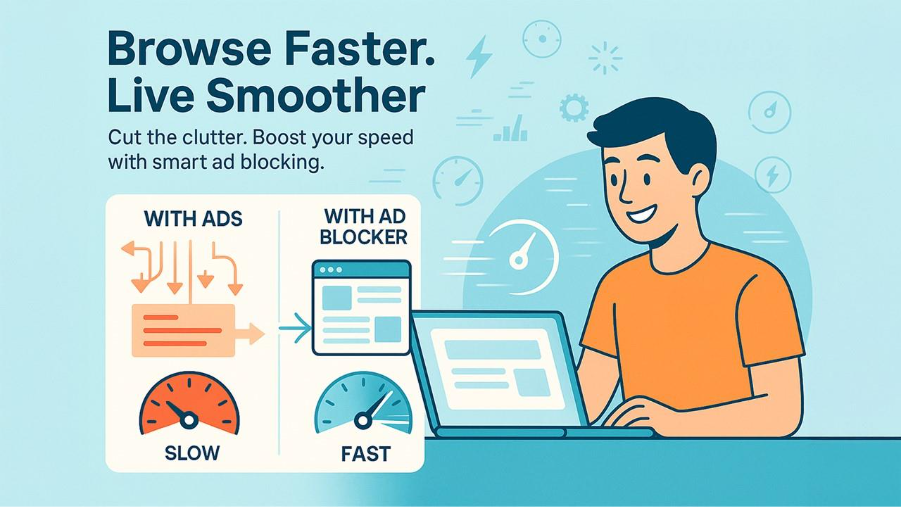
Every ad you see on the webpage triggers multiple server requests to ad networks, analytics services, and tracking companies. When you visit a typical news site, you are not downloading a single article; you are actually downloading and executing dozens of ad-related files, running real-time auctions to fill ad placements in your browser, and running tracking scripts that observe how you engage with web. Each ad goes through this entire resource-consuming process, and there might be at least ten or more ads on a single page.
Ad blocking dramatically improves speed. Ad blockers load pages 40-60% faster. Typical news articles load in just three seconds instead of eight. It also helps in bandwidth savings — ads and tracking scripts take up 50-70% of a webpage's total data. For those users who have restricted mobile plans or metered connections, this could potentially increase the speed of accessing content before hitting data caps.
Chrome already has a reputation for consuming significant resources, and advertising compounds this problem. Adblocker helps Chrome perform dramatically better by preventing resource multiplication. Stands ad blocker exemplifies efficient design, using streamlined filtering that blocks ads without adding overhead, providing maximum performance benefits while maintaining a minimal footprint.
Reason 2: Protect Your Privacy and Data

Cookies, pixels and browser fingerprinting monitors and tracks every website visit, link click, and product view. Advertising companies build comprehensive profiles including your interests, shopping habits, health concerns, financial situations, and location history—then share or sell this data.
Ad blockers prevent tracking by blocking requests before data transmission. Scripts never load, pixels never fire, and no information reaches advertising networks. This stops collection entirely, unlike privacy settings that merely limit sharing.
Chrome users face unique challenges since Google's business depends on advertising. Chrome's sync features and services send extensive data to Google's servers. When choosing any Chrome extension, it's crucial to review the Chrome Extensions Privacy Policy to understand what data they collect. Reputable extensions like Stands ad blocker become crucial on Chrome because they implement strict policies of no-data-collection and block sophisticated tracking tactics that go far beyond conventional advertising networks."
Reason 3: Block Malicious Ads and Malware
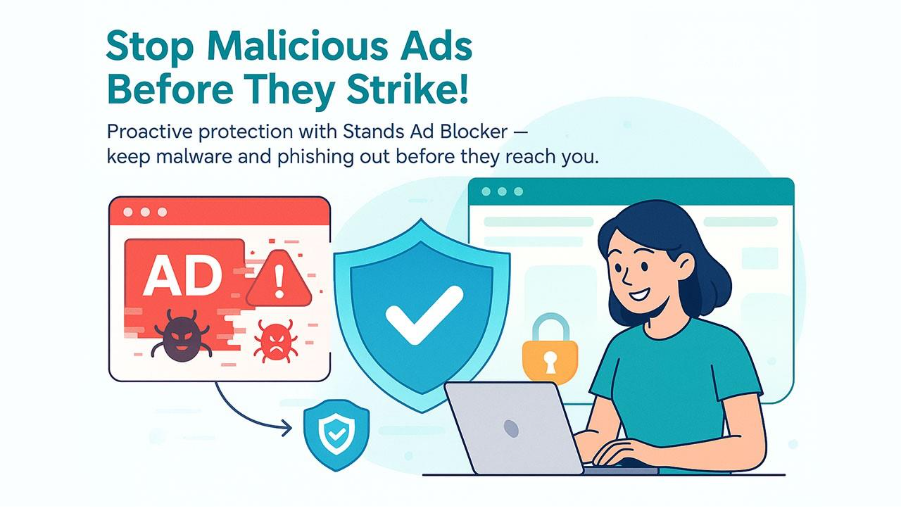
Malvertising takes advantage of the trust you put in legitimate websites. Even the most popular and reputable sites such as major news outlets can expose you to malware through compromised advertising networks they don't directly control. Hundreds of millions of malicious ads circulate annually, installing ransomware, cryptominers, or stealing credentials through phishing.
Ad blockers provide security by blocking advertisements before they execute code. Malicious ads can exploit weaknesses or infect your system if they won’t load. Good blockers maintain filter lists that identify malicious domains while also minimizing your browser's attack surface.
Chrome has solid inherent built-in security, but it operates reactively. Stands Ad Blocker not only detects threats but adds proactive protection and prevents exposure to malware. This approach is layered by combining Chrome's protections with ad blocking which offers significantly better security than either tool alone.
If you are also interested in learning how browsers can handle access restrictions, check out our guide on Unblock Website Browser for more information.
Reason 4: Eliminate Distractions and Improve Focus

Advertisers build ads to attract attention by any means necessary— from motion, to bright colors, to flashing lights, to unexpected or unwanted sounds. They take advantage of how brains automatically notice movement, triggering attention shifts even if you're trying to focus on something else at the moment.
Research has shown that it takes 23 minutes to regain full focus after a distraction. While individual ads interrupt for seconds, cumulative effects devastate productivity. Pop-ups block content, auto-playing videos blast their audio out of nowhere, animated banners create motion within your peripheral sight, and interstitials take up your entire screen.
Ad blocking software removes this clutter to help websites be cleaner and more focused. You can read and watch videos without distractions. You can research without interruptions. Stand ad blocker provides an intuitive interface that will allow you to create a distraction-free experience, while also allowing you to whitelist for important websites.
Reason 5: Save Money on Data Usage

Ads and tracking scripts take up 50-70% of webpage data. Video ads are particularly bad, but images, scripts, and analytics quickly add up. For mobile users with limited data plans, this hidden cost is large; in fact, blocking ads could double the amount of content that would be usable before reaching the data cap.
The financial effects are important for rural users with costly internet plans, travelers who pay roaming charges, or users based in countries with high data costs. Monthly savings add up substantially over time.
There are also environmental concerns. It consumes energy in loading unnecessary ads across data centers, servers, and devices. Ad blockers remove this waste by stopping downloads entirely, reducing the burden on your wallet and enabling sustainable internet usage.
How to Choose the Best Ad Blocker for Chrome
Not every ad blocker for Chrome offers the same level of protection or performance. Some focus mainly on removing advertisements, while others also block trackers, malicious scripts, pop-ups, and other unwanted content. Before installing an ad blocker, consider the features that matter most for your browsing needs.
Ad-blocking effectiveness: Choose an extension that can block common banner ads, pop-ups, video ads, and other intrusive advertising formats without breaking the websites you regularly visit.
Privacy protection: A good ad blocker should also limit tracking scripts, third-party cookies, and other technologies used to monitor your online activity.
Performance: The extension should improve or maintain browsing speed rather than consuming excessive memory or processing power. Lightweight extensions are generally preferable for everyday browsing.
Whitelisting: Look for an ad blocker that allows you to whitelist trusted websites. This lets you support websites and creators that rely on advertising revenue while blocking unwanted ads elsewhere.
Security features: Some ad blockers can also help prevent malicious advertisements and suspicious scripts from loading. However, an ad blocker should complement rather than replace Chrome's built-in security protections.
Before installing any Chrome extension, check its permissions, developer information, update history, and privacy policy. This helps ensure that the tool you use to improve privacy does not introduce unnecessary privacy risks.
How to Install an Ad Blocker on Chrome
Installing an ad blocker on Chrome is relatively simple and usually takes only a few minutes. Most ad blockers are available as Chrome extensions, so you do not need to install separate desktop software.
Follow these steps:
- Open Google Chrome on your computer.
- Visit the Chrome Web Store and search for a reputable ad blocker.
- Open the extension's listing and review its features, permissions, ratings, and privacy information.
- Click Add to Chrome.
- Review the permissions requested by the extension and confirm the installation.
- Once installed, click the extensions icon in Chrome's toolbar and open the ad blocker.
- Adjust the available settings according to your preferences.
- If necessary, add trusted websites to the extension's allowlist or whitelist.
After installation, open a website that normally displays advertisements and check whether the unwanted ads are being blocked. If a website stops working correctly, you can temporarily disable the extension for that site or add the website to the allowlist. If you also want to learn about accessing websites when browser-based restrictions prevent them from loading, check out our guide on YouTube Unblocked Proxy for more information.
Stands Ad Blocker for Chrome
Stands ad blocker provides the ideal balance of effectiveness and easy use for Chrome users. Its regular updates ensure consistent performance, the intuitive interface works for beginners and experienced users alike, and the unique Support Mode enables ethical ad blocking—whitelist favorite creators while maintaining protection elsewhere.
If you're browsing without an ad blocker, you're experiencing a slower, more invasive, less secure internet. Installation takes two minutes. Here's what you should do: visit the Chrome Web Store, look for Stands ad blocker, and enhance your experience instantly.
Use whitelisting to support creators you value and consider direct support through Patreon or memberships. The goal is not to eliminate all advertising but to regain control while supporting more respectful practices. Your decision sends a strong message to make the industry better.
Don't accept the cluttered, slow, and invasive web experience that has become the norm. Download and install Stands ad blocker for Chrome today and rediscover what browsing the web is meant to be—fast, clean, private, and focused on the content that are insightful for you.
Conclusion
An ad blocker for Chrome can make your browsing experience faster, cleaner, and more secure by reducing intrusive advertisements, protecting your privacy, blocking potentially harmful ads, and saving data. It can also help you stay focused by removing unnecessary distractions while browsing. However, choosing a reliable ad blocker is important to avoid compatibility or privacy issues. Consider your browsing needs and select a trusted extension that offers useful features without compromising your online experience. With the right ad blocker, you can enjoy a smoother and more comfortable browsing experience on Chrome.
Frequently Asked Questions (FAQs)
What is an ad blocker for Chrome?
An ad blocker for Chrome is a browser extension that prevents certain advertisements and related web elements from loading on websites. Depending on the extension, it may also block pop-ups, trackers, malicious advertising, and other unwanted scripts to provide a cleaner browsing experience.
Is it safe to use an ad blocker on Chrome?
Generally, reputable ad blockers are safe to use, but you should check the extension's developer, permissions, privacy policy, and update history before installing it. Avoid extensions that request unnecessary permissions or have unclear data-collection practices.
Can an ad blocker make Chrome faster?
Yes. An ad blocker can improve page-loading performance by preventing advertisements, tracking scripts, and other resources from loading. The actual improvement depends on the website, your device, network connection, and the type of ads being blocked.
Can websites detect that I am using an ad blocker?
Yes. Some websites use ad-block detection technology to identify whether advertisements are being blocked. They may ask you to disable the ad blocker, allow advertisements on their website, or subscribe to an ad-free version.
Can I allow ads on specific websites while using an ad blocker?
Yes. Most reputable ad blockers provide a whitelist or allowlist feature. You can use it to allow advertisements on websites you trust or want to support while continuing to block unwanted ads on other websites.
%201.png)

%201.png)

%201.png)