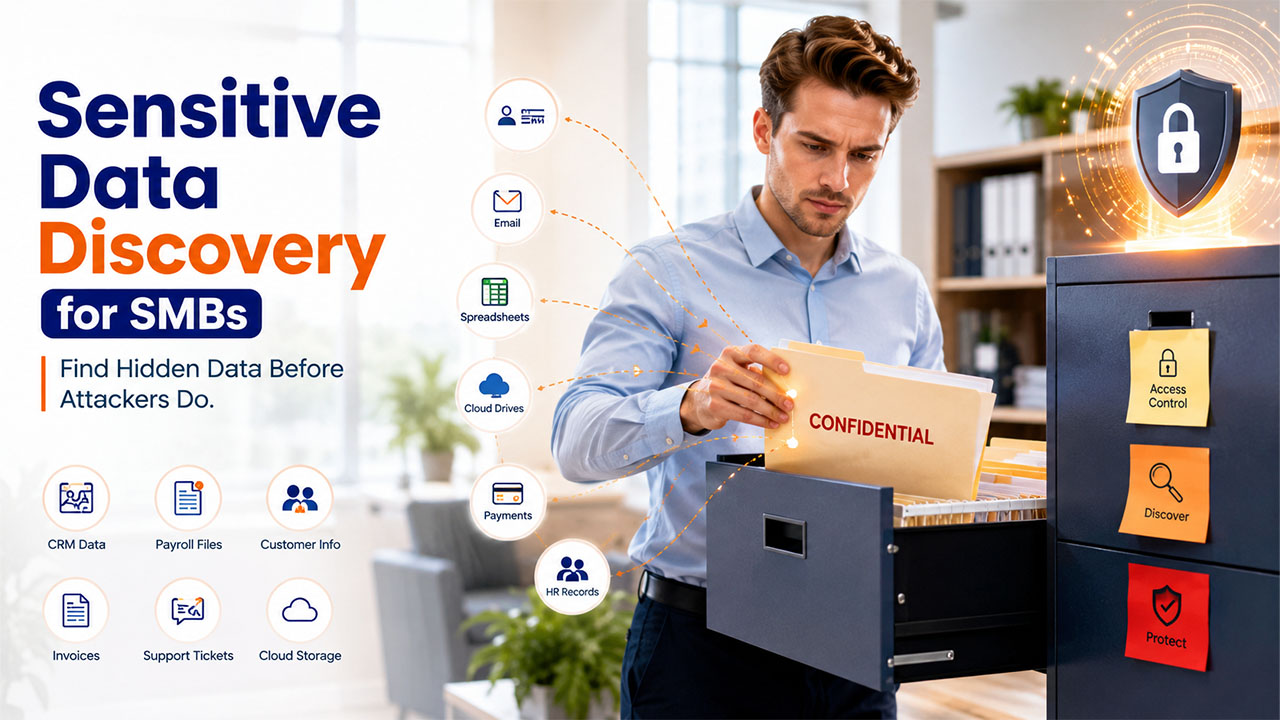

When you ask a small business owner whether they have sensitive data worth protecting, most of them will say no before you finish the question.
However, when you remind them what is actually sitting in their CRM, their inbox, and their shared drive, the answer would change fast. Sensitive data discovery is the process of figuring out what confidential data actually is, where it lives, and who can reach it, before someone else finds out first.
Even though for a ten-person company still figuring out payroll, that sounds like a problem for later. It rarely stays that way for long.
What actually counts as sensitive data for a small business
Most owners picture sensitive data as something dramatic, medical records, government files, the kind of information only a hospital or a bank would hold.
In reality, it is much more ordinary and much closer at hand.
It could be anything from customer names and emails to phone numbers and purchase history sitting in your CRM. It may be the payment details passed through an invoicing tool, the Social Security numbers, and the bank details in your payroll system.
It can even be the support ticket where a customer mentioned a medical condition in passing.
Although none of this feels like a vault full of secrets, it is exactly what a regulator, a customer, or an attacker would deem sensitive.
Our own rundown of data privacy tools goes deeper into why a CRM in particular tends to be the single richest source of sensitive data in the whole company.
Are small businesses actually a target?
Yes, and the gap between how safe small businesses feel and how safe they actually are is wide enough to be alarming.
Proton’s Data Breach Observatory tracked breaches across 2025. The report found that small and medium businesses accounted for 63% of all recorded breaches that year, totaling 352 million leaked records. And that number is higher than the combined total of mid-sized organizations and large enterprises.
Proton’s own March 2026 report on the finding is blunt about why smaller companies hold real, sellable data and rarely have the resources of a larger enterprise to prevent or absorb a breach. Attackers appear to be targeting them because the payoff-to-effort ratio is better.
Why does this feel like an enterprise problem when you are nowhere near enterprise size?

Because, quietly, your data footprint already looks like an enterprise’s.
A ten-person company today is not running one system. It is running a CRM, an invoicing tool, an email marketing platform, a support desk, a video conferencing app, and a cloud storage folder, often five or six different vendors before the business even turns two years old.
Each one holds its own slice of the same customers. Each one has its own login, its own export button, and its own security posture that nobody on your team has time to evaluate closely.
A growing company assembling that stack is dealing with a lot of the same cloud data security challenges a much larger company faces, the same sprawl across vendors, the same question of who can access what, just without the security team a larger company would have built to handle it.
Where is all of this data actually sitting?
Almost never in just the one system you think of first.
A CRM export gets downloaded to someone’s laptop to build a quick report and never gets deleted. A spreadsheet of customer details gets emailed to a new hire during onboarding because it is faster than setting up proper access.
A free trial of a tool was added to your customer list eight months ago to test a feature nobody ended up using, and the connection was never revoked. An old employee’s personal cloud storage still syncs a folder full of client contracts from a project that wrapped up last year.
Our breakdown of seven ways to protect your business from data security threats covers a lot of these exact entry points, the ones that rarely show up on a checklist because nobody planned for them to exist in the first place.
Who is actually responsible for finding it?
Usually nobody, which is the actual root of the problem.
At a company with a dedicated security team, someone owns this question by job description. At a ten- or fifty-person company, the CRM is owned by sales, the invoicing tool is owned by finance, the cloud storage is owned by whoever set it up first, and no single person has visibility across all of it at once.
Everyone assumes someone else is keeping track, and growth makes this worse. Every new hire, new tool, and new customer adds another place for data to land before anyone circles back to check on it.
What happens if nobody ever looks?
The best case is that nothing happens, and the company simply carries a risk it never has to pay for. The realistic case is that a customer, a regulator, or an attacker finds the gap before you do.
A support ticket sits in a help desk tool, and nobody remembered that they still had access to old exports. A departing employee’s laptop still syncs a folder of client contracts three months after they left.
A state privacy law requires you to say exactly what customer data you hold and where, and the honest answer is that nobody actually knows.
Does this mean buying expensive new software?

Not at first, and treating it that way is how most small businesses talk themselves out of starting at all. Sensitive data discovery begins as an exercise. It means sitting down and listing every tool that touches customer or employee data, who has access to each one, and what happens to that access when someone leaves the company or a vendor contract ends.
Spreadsheets and a Sunday afternoon can get a ten-person company most of the way there. The tooling only becomes worth paying for once the manual list gets too large to maintain by hand, which for a genuinely growing company happens faster than most owners expect.
What does starting actually look like this month?
Pick one system, ideally the CRM, since it usually holds the most customer data in the smallest number of places. List every person and every connected app with access to it.
Ask, honestly, whether each one still needs that access. Do the same for invoicing, payroll, and cloud storage over the following few weeks. Write down what you find, even in a plain spreadsheet, because a written inventory beats a mental one every time someone asks what data you actually hold.
Our guide to cybersecurity essentials for small businesses is a reasonable next stop once the inventory is done, since knowing what you have is only useful once you also know how to lock it down.
None of this requires becoming a security company overnight. It requires admitting that growth has already made you look like one, at least from the data’s point of view, whether you feel ready for that or not.
Conclusion
Sensitive data discovery is more than just buying expensive security software. It is about knowing what sensitive information your business has, where it is stored, and who can access it. With your company growing, your digital footprint grows too and the risks that come with it. Start with a simple data inventory today so that you can prevent security issues, strengthen compliance, and protect both your business and your customers in the long run.
%201.png)

%201.png)

%201.png)