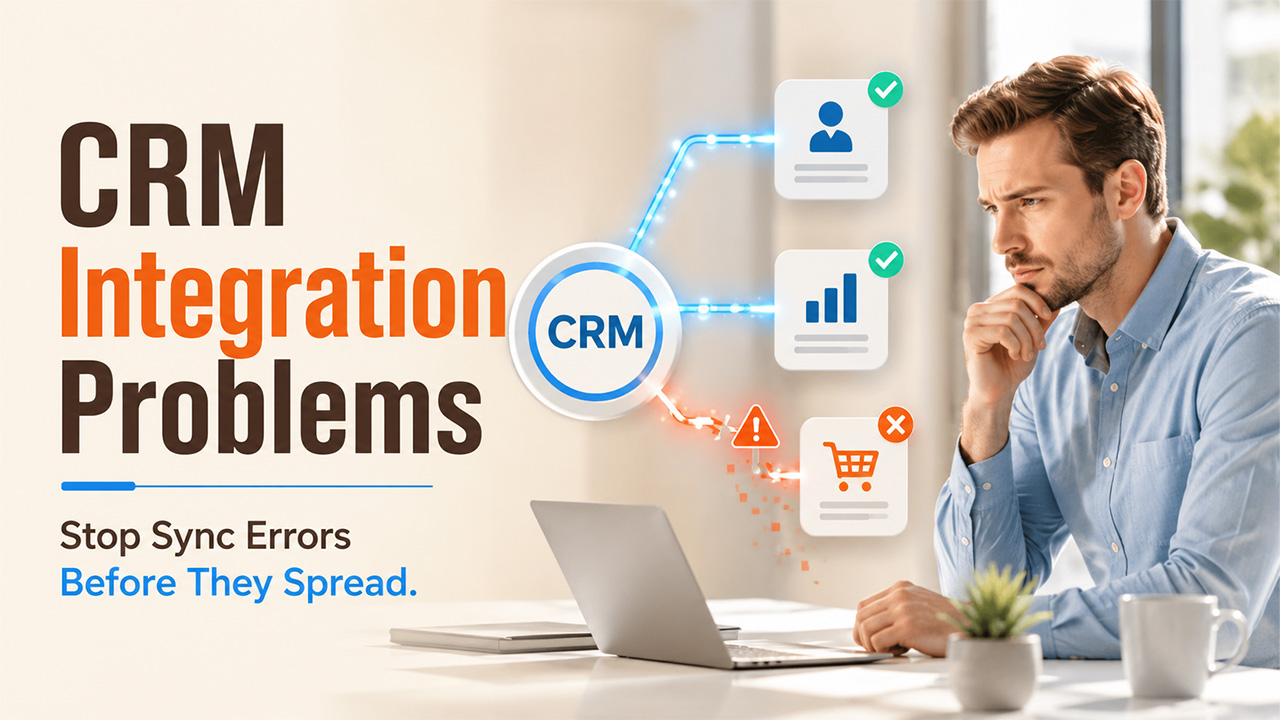

Customer Relationship Management integrations are seldom "plug and play." Projects generally face CRM integration problems like integration errors, sync failures, authentication problems, API limits, and other problems that affect finance, sales, and customer experience. In this write-up, let us break down the most prevalent CRM integration issues, elucidate why they happen, and ensure practical solutions so you can quickly fix errors and ensure your system remains in synchronization.
CRM integration challenges often show up as synchronization errors, duplicate or missing data, throttling from CRM API limits, or automations that do not work as anticipated. In this comprehensive guide, you will essentially learn:
- Recognize and fix common failure patterns and CRM integration errors.
- Deal with authentication problems, CRM API limits, and schema changes without breaking live integrations.
- Stabilize integrations through effective practices for testing, tracking, and error management.
- Minimize CRM integration failures by following monitoring steps and organized troubleshooting.
While it is important for business efficiency, CRM integration introduces numerous important challenges including security, data quality, technical complexity, scalability, and user adoption. Comprehending integration challenges and executing personalized solutions is important for successful CRM integration projects. Using our 16 years of experience in CRM development, we will explain you the main CRM integration challenges and how you can address them-
What Is CRM Integration?
CRM integration connects the CRM environment with other business tools and software. Cross-platform integration streamlines synchronization of data and business process optimization between numerous departments and systems to organize and automate business processes.
CRM integration enables automatic data flow including:
- Sales orders and quotes
- Customer data
- Leads and opportunities
- Invoices
- Other relevant business data including stock, product, pricing, and other customer service queries.
By incorporating CRM with other business tools such as Enterprise Resource Planning and marketing automation systems, businesses will be able to eliminate routine bi-directional data entry from employee workloads, greatly minimizing administration problems and enhancing overall efficiency. A lot of the common CRM integration issues surface at this stage, specifically when businesses first start identifying caused by validation rules, data mismatches, or hidden configuration conflicts.
What Are the Key CRM Integration Problems?
Business extensively faces numerous recurring CRM integration challenges, ranging from issues in data quality and CRM API limits to failures in authentication and breakdown in workflows across connected platforms. Such challenges generally come up in CRM to ERP order to cash integration first, where exceptions such as partial shipments, credit holds, and disputes are common.
1. Data Quality and Consistency:
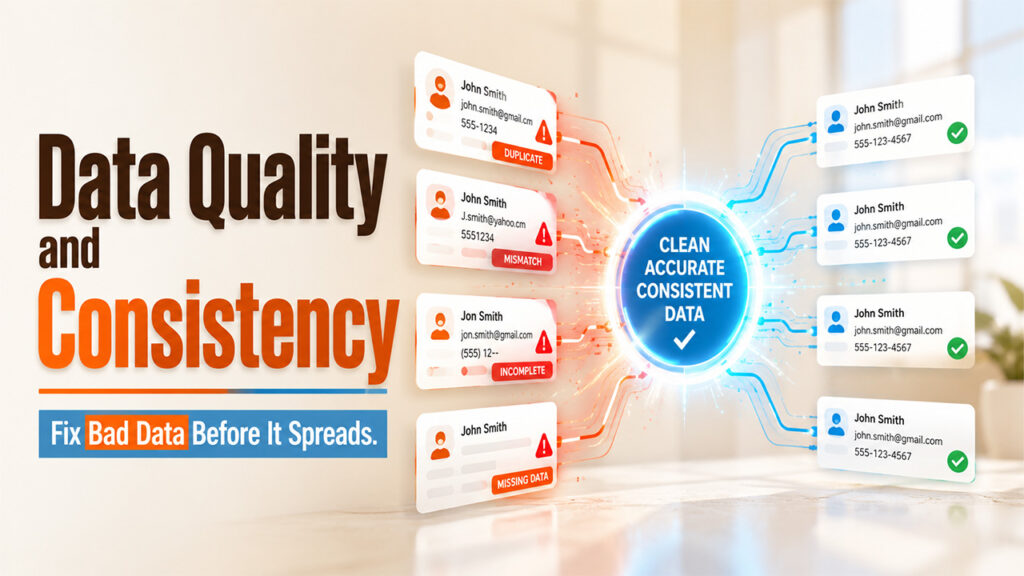
Challenge: In CRM integration, making sure data quality and consistency across different systems can be complex. Customer data in the Customer Relationship Management platform may conflict with data in other business apps, causing errors and inconsistencies. Such discrepancies can affect the entire business, minimize customer trust, and cause operational bottlenecks.
Poor quality of data can exist in numerous ways, such as duplicate records, inaccurate contact data, and incomplete customer histories. This outdated and inaccurate data can affect business intelligence and decision-making. For instance, a salesperson that misses out on contacting churned customers or missing follow-up calls, or marketing teams sending misaligned communications that can affect customer relationships.
Solution: Setting up a single "Source of Truth" is vital for CRM integration. This makes sure that all incorporated platforms reference a credible data source to minimize data-related confusion and minimize errors. For instance, when the contact data of the customer is updated in the CRM, automated data synchronization makes sure that all connected systems instantly represent those changes.
Automated cleansing of data for CRM integration can greatly increase data accuracy. ETA tools integrated with CRM process automation tools allow you to extract, transform, and load data to remove duplicates, standardize data formats, and verify data in real-time. Following the best practices of CRM data governance, like executing validation rules, clear ownership of data, and auditing quality of data consistently, can ensure consistency across all incorporated platforms.
The key to effective CRM integration exists in proactive management of data. Regular assessments of data quality, combined with automated data validation processes, will make sure that CRM integration gives your business actionable and reliable insights. Proactive data verification also minimizes long-term CRM integration challenges by avoiding poor data from reaching downstream systems.
2. Data Security and Compliance:

Challenge: CRM platforms contain confidential customer data. Incorporating CRM with other platforms elevates the risk of data breaches and can affect compliance with regulations such as CCPA or GDPR. This greater risk needs powerful CRM data protection strategies to secure customer data while ensuring system functionality.
Global data transfer regulations may offer another complexity layer. Businesses need to carefully manage requirements like local data residency laws and EU-US data transfer mechanisms. This generally means executing advanced data routing and storage solutions that ensure compliance while making sure that there is smooth integration between systems.
Solution: To ascertain CRM integration process remains CCPA and GDPR-compliant, execute powerful security measures in your CRM integration strategy, like encryption for data at rest and data in transit.
MFA (Multi-factor Authentication) acts as a vital first line of defense in incorporated CRM ecosystems. By leveraging numerous verification forms, businesses can make sure that only authorized personnel can access confidential customer data, even when platforms are interconnected. RBAC, i.e., Role-based access control further improves security by restricting user permissions as per job functionalities, and avoiding unnecessary exposure of confidential data across integrated platforms-
Compliance risk mitigation in risk integration needs a comprehensive approach, including:
- Regular audits of security across all points of integration.
- Encrypted transmission of data between platforms.
- Automated compliance tracking and reporting.
- Clear policies on data retention and deletion.
- Detailed trails of audit for all access to data and modifications.
Getting success in this area requires a careful balance between functionality and security. While powerful security measures are vital, they must be deployed in ways that do not impact the efficiency advantages that CRM integration promises.
3. Scalability and Performance:

Challenge: As businesses scale, the volume of customer data in the CRM platform improves. To enhance customer data management, integration solutions need to manage the increasing volume of data without sacrificing performance. This challenge becomes specifically acute when businesses experience seasonal spikes or rapid growth in customer interactions, needing robust and flexible CRM integration architectures.
Solution: The Business Process Automation platform provides scalable CRM integration solutions for small and medium businesses that can manage high volumes of data. Consider cloud-driven integration solutions for CRM that can scale resources easily and execute efficient methods of data synchronization, like incremental updates, to manage copious volume of CRM data without affecting performance of the system.
Leveraging cloud-driven CRM integration enables businesses to adjust resources dynamically as per the demand, making sure that performance remains optimal during peak periods while handling costs during quieter periods. This flexibility is of paramount importance to make sure that the system's performance remains consistent even when the volume of data increases.
A microservice architecture approach to CRM integration ensures businesses get improved scalability and flexibility. Once you break down integration components into shorter and independently deployable integrations, businesses can:
- Scale specific functionality as required.
- Ensure updates into individual components without causing downtime across the system.
- Efficiently include more features.
- Minimize the risk of failures across the system.
Optimizing CRM performance across the system needs close attention to numerous important factors, these involve:
- Smart caching strategies.
- Efficient patterns of data synchronization.
- Query optimization.
- Asynchronous processing for resource-intensive processes.
- Load balancing across services.
Future-proofing CRM integrations implies designing integrations and systems that can adjust to evolving business requirements. This involves executing flexible APIs, ensuring clean architectures of data, and selecting integration platforms that provide support to emerging technologies. It is also worthwhile to consider the potential impact of future acquisitions, product line expansions, or new market entries on their integration infrastructure.
Consistent tracking of performance and proactive capacity planning make sure that integration solutions continue to meet business requirements as they evolve. This future-oriented approach is useful in preventing expensive overhauls later.
4. Technical Complexity:

Challenge: CRM platforms typically need to incorporate a broad variety of business applications, each with their own APIs and data structure. This technical complexity is one of the main reasons CRM projects are time-consuming and challenging. Overcoming this challenge successfully needs a strategic approach to simplify CRM integration workflows while maintaining integrity of the system.
Solution: Utilize platforms of integration with pre-created connectors for common business and CRM applications. These can greatly minimize the technical complexity of CRM integration projects. Integrate a phased approach to integration, beginning with vital systems and expanding gradually.
Effective API management is vital for managing complex integrations. API gateways are often employed to:
- Standardize communication between distinct platforms.
- Handle API dependencies and versions.
- Keep track of API performance and usage.
- Consistently execute security policies.
- Gracefully manage error conditions.
As the number of integrations increases, CRM API limits and throttling become a frequent source of hidden challenges of integration. Tracking API usage, applying controlled backoff and retry options, and scheduling non-urgent jobs outside busy periods can minimize errors triggered by quota exhaustion or rate limiting.
5. Change Management and User Adoption:

Challenge: It is quite simple to underestimate the overall impact of integration projects on user behavior and daily operations. Even the most effective CRM project can fail if employees resist new workflows or struggle to change to modified processes. This can lead to minimized productivity, errors in data entry, and possible workarounds that can devalue the effectiveness of integration. Effectively handling the transition to an automated business needs a balanced approach that factors in both human elements and technical implementation impact user adoption.
Solution: Significant success in this area exists in executing a complete change management strategy that emphasizes user support and engagement. Setting up a clear communication framework that explores the advantages of the incorporated CRM platform will help to proactively address concerns.
Structured training programs will play a crucial role as employees switch to an automated process. This should involve:
- Training sessions are specific to a role that emphasize routine workflows.
- Hands-on workshops with real-world situations.
- Quick reference guides and self-service guides.
- Reinforce learning through regular refresher sessions.
Executing a roll out in phases can enable you to effectively handle the transition:
- Begin with a pilot group to recognize and fix issues early on.
- Giving time for optimization of system as per the initial user feedback.
- Boosting confidence through consecutive small victories.
- Avoiding disruptions across the organization.
User feedback loops are vital for regular improvement. Businesses should:
- Set up different channels for user feedback, e.g., focus groups, surveys, help desks, etc.
- Set up a dedicated support system for issues related to integration.
- Promptly keep track and address user concerns.
- Share best practices and success stories across teams.
6. Real-time Data Synchronization:
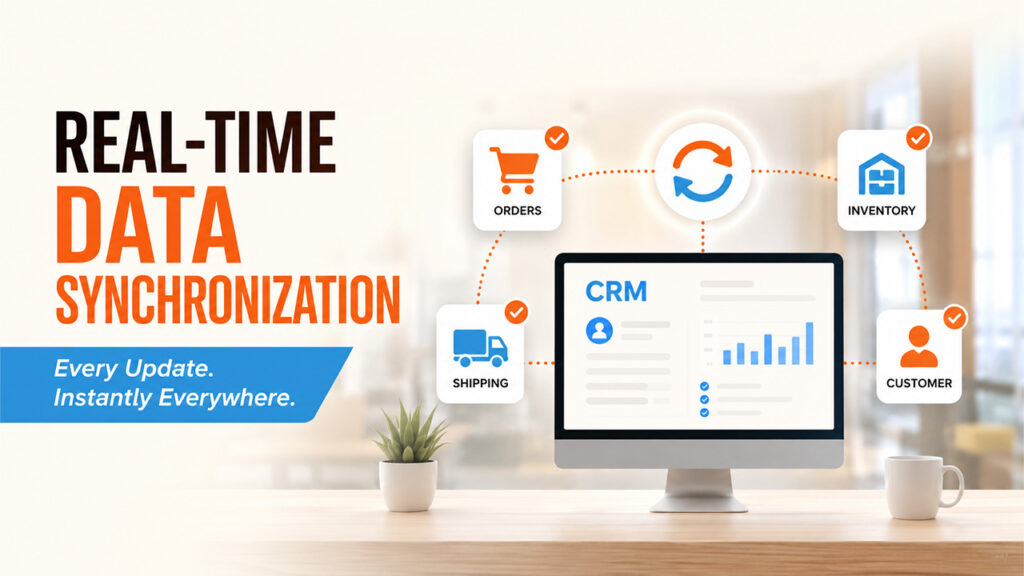
Challenge: Scheduled updates and conventional batch processing can create significant lag times between systems, which can be dangerous. When a customer provides their details with the help of an e-commerce platform, delays in synchronizing this data to your customer relationship management software can lead to duplicate entries, misaligned communications, and frustrated customers. Similarly, when sales teams cannot access inventory data in real-time within their CRM app, they risk not being able to fulfil promises.
Solution: Business Process Automation addresses such challenges through event-based integration architecture. When a change takes place in any linked business platform, whether it is a new order in your eCommerce platform, an update in Inventory in your ERP solution, or a ticket for support in your customer service app. Business Process Automation causes instant synchronization of data across all relevant platforms.
The main advantages are listed below:
- Immediate update of customer data across all channels.
- Real-time visibility of inventory for sales teams.
- Shipping data and order status are synchronized in real-time.
- Automated escalation of vital customer problems.
7. Mobile CRM Integration:

Challenge: There are unique challenges that come with mobile CRM integration beyond conventional desktop-based systems. Field service and sales teams need dependable access customer information irrespective of the network connectivity. In addition, mobile devices ensure vulnerabilities in security, with sensitive customer data potentially exposed across different company-owned and personal devices.
Solution: Make sure that the system has the capability of caching. Open-source CRM platforms such as SuiteCRM or SugarCRM can give you offline capabilities with the mobile application to enable users to cache records, synchronize changes, and buffer changes when connection to the network is re-established.
Smart synchronization leads to:
- Smarter offline caching to prioritize vital data for field processing.
- Automatic resolution of conflict when different users update the same record.
- Bandwidth efficient organization that transfers changed data only.
- Synchronization of background data when network conditions enable it.
Improved security measures for mobile CRM integration involve:
- End-to-end encryption for data at rest and data in transit.
- Remote wipe capabilities for compromised or lost devices.
- Authentication protocols specific to devices.
- Micro permission controls for mobile access.
Conclusion
CRM integration problems, including API rate limits, data quality gaps, and authentication failures, are common but manageable when they are solved with the right strategy. By setting up a single source of truth, enforcing robust security protocols, and adopting event-based and scalable architectures, businesses can greatly minimize downtime and sync errors. Structured change management and mobile-ready synchronization further make sure that adoption is smooth across teams. With phased rollouts, proactive tracking, and consistent troubleshooting practices, businesses can maintain reliable and stable CRM integrations that provide support to long-term efficiency and growth.
Also Read: Top Challenges in CRM Implementation and How to Overcome Them?
Frequently Asked Questions (FAQs)
What causes most failures in CRM integration?
Most failures emerge from authentication errors, data mismatches, schema changes, and API rate limits between connected platforms.
How can businesses prevent duplicate or inconsistent CRM data?
Setting up a single SOT (Source of Truth) and leveraging automated data cleansing tools aid in ensuring there is total consistency across integrated platforms.
What is the biggest security risk in CRM integration?
Integrating CRM with other tools raises exposure to data breaches, making MFA, encryption, and RBAC vital safeguards.
How can CRM API limits impact integrations?
Going beyond specified API limits causes errors or throttling; keeping track of usage and applying backoff/retry aids in preventing disruptions.
%201.png)

%201.png)

%201.png)