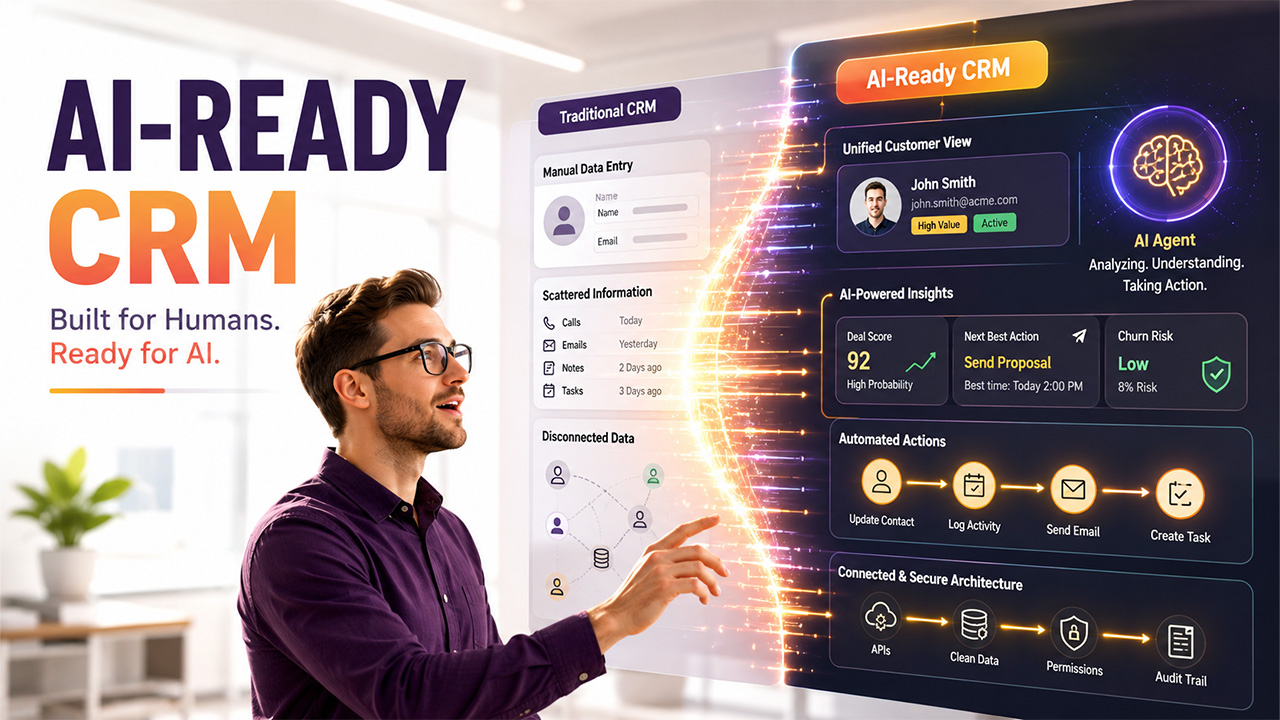

The rise of AI in CRM is changing more than how sales teams use customer relationship management software. It is changing the underlying architecture, data models, permissions, and workflows that CRMs rely on.
Ever since the first CRMs hit the market, their primary purpose has remained unchanged: be the single source of truth for customer data. However, in the pre-AI era, CRMs were passive storage that employees reported to and updated. Those systems simply were not meant to provide input to be acted upon.
In the AI era, humans are no longer the only CRM users. But as AI joins their ranks, traditional architecture and workflows can either break or severely limit the ROI of AI in CRM.
Here’s how AI creates tectonic shifts in CRM architecture — and why traditional systems simply weren’t built for AI capabilities.
The Original CRM Paradigm: Built Around Human Interaction
Under the pre-AI status quo, any CRM software was a system of record above all else. It consolidated contacts. It tracked deal statuses. It kept logs and helped manage support tickets.
Ultimately, despite their automation capabilities, traditional CRM systems were meant for human users. So, they were built around human interaction; no surprise there. In practice, it meant:
- User-friendly interface. Dashboards, forms, user flows — every part of the interface is designed for a good user experience (well, ideally). The UI is meant to be viewable, clickable, and intuitive for humans — not machine-readable and machine-actionable.
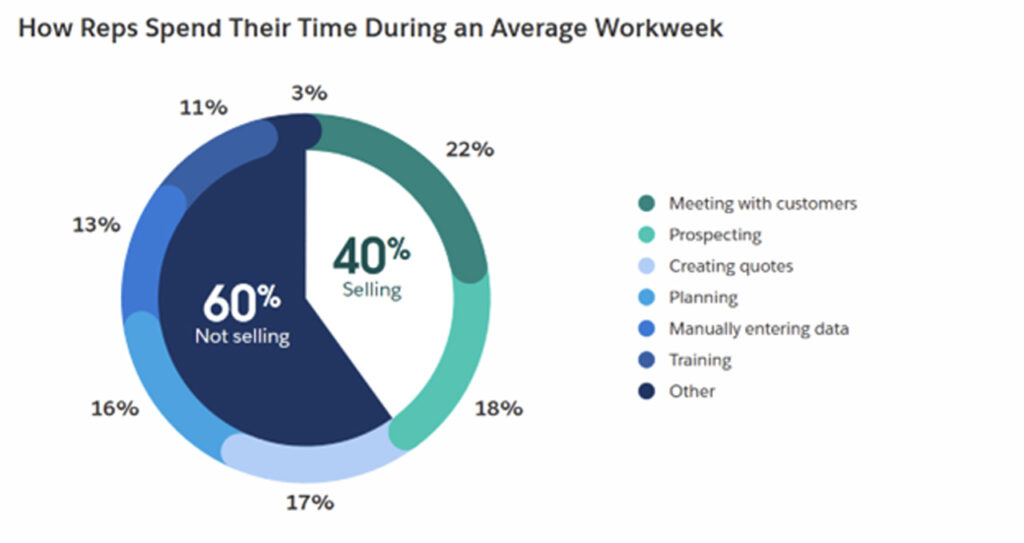
- Manual data entry. While modern CRM software can also automate data capture and report generation, manual work never went away. Reps continue to log their activity and update contacts manually. In fact, an average rep spends 13% of their time manually entering data in 2026 — that’s around 4.5 hours per 35-hour working week.
- Search-based workflows. Whenever a user needs a particular piece of information, their first instinct is to look it up using the search bar. So, traditional CRMs are built to make information searchable — although they typically look for exact matches rather than contextual results.
- Role-based permissions. These permissions define which data actions can be performed on specific assets. In traditional CRMs, permissions are defined by user roles (e.g., account executives, managers, RevOps, sales development representatives).
What Happens When AI in CRM Becomes a New System User
When AI is added into the mix, it breaks this paradigm in several ways:
- AI becomes another actor within the system. AI is now the one moving deals down the pipeline, updating contacts, and logging activity. So, it needs a way to interact with the system without passing through built-for-humans UIs.
- AI acts autonomously. AI-native systems go beyond CRM automation with AI. Within them, AI agents handle tasks end-to-end, all on their own. So, there must be guardrails around what they can and can’t do — but role-based permissions won’t be enough.
- System-to-system interaction ramps up. AI retrieves data from the CRM and other systems, sends its output to the dashboards, and triggers actions. To that end, AI uses APIs, thus requiring an API-first architecture.
Ultimately, AI CRM systems need a well-defined, properly architected data and actions layer alongside a user-friendly UI.
Key Architectural Shifts in AI-Ready CRM Systems
The architectural shifts driven by AI in CRM go far beyond adding an AI assistant or chatbot to an existing platform.
Some off-the-shelf CRM vendors attempt to bolt AI features onto existing architecture. Yet, traditional CRM architecture simply can’t support the full range of AI capabilities. That’s why designing CRM systems for AI usage is a whole different beast.
Here’s how AI changes CRM architecture in five very specific ways.
APIs Become the Primary Interface
One of the biggest changes brought by AI in CRM is the shift from UI-centered workflows toward API-driven interactions.
Of course, APIs aren’t exactly a novelty in CRM architecture. Most CRM systems already use APIs to sync data with other systems, such as ERPs, email services, communication tools, social media, and calendars.
The thing is, those REST APIs are designed for human-paced workflows. Vendors impose API request limits with that in mind, too. For example, Salesforce’s overall annual API allowance averages out to 228 requests per hour for its lowest tier. An AI agent can send this many requests in a matter of seconds.
That’s why AI-native systems need a CRM API architecture that can handle high volumes of requests for real-time data exchange. Plus, it has to provide structured access to data — and that’s no cakewalk if your data model is built around discrete, human-readable fields.
Data Must Be Structured, Clean, and Contextual
High-quality data is the foundation of successful AI in CRM, because AI agents need structured, contextual information to make reliable decisions.
If you’ve already tried AI features packaged into off-the-shelf CRM software, you might’ve noticed that their results sometimes feel off. Most likely, that’s because AI doesn’t have the high-quality, machine-readable CRM data it needs to deliver meaningful insights or execute actions with precision.
AI simply can't work with messy data that your reps understand only because they were the ones to put it in. It also can’t understand implicit context.
Yet, 76% of organizations admit that over half of their CRM data is inaccurate or incomplete.
AI-ready data requires:
- Normalization. This is what makes data usable for AI. It involves eliminating redundancies in the database; every fact is stored once and referenced everywhere else. It may also require standardizing data formats and fields.
- Metadata. This “data about data” describes where data came from, what it means, how it’s been transformed, who owns it, and how it should be used. It’s essential for giving AI models the much-needed context for every data asset.
- Relationships. A human user can infer semantic relationships between data points. AI can’t. That’s why explicit data relationships are crucial in preventing hallucinations and speeding up the time-to-accurate-answer.
Permissions Need to Evolve Beyond Roles
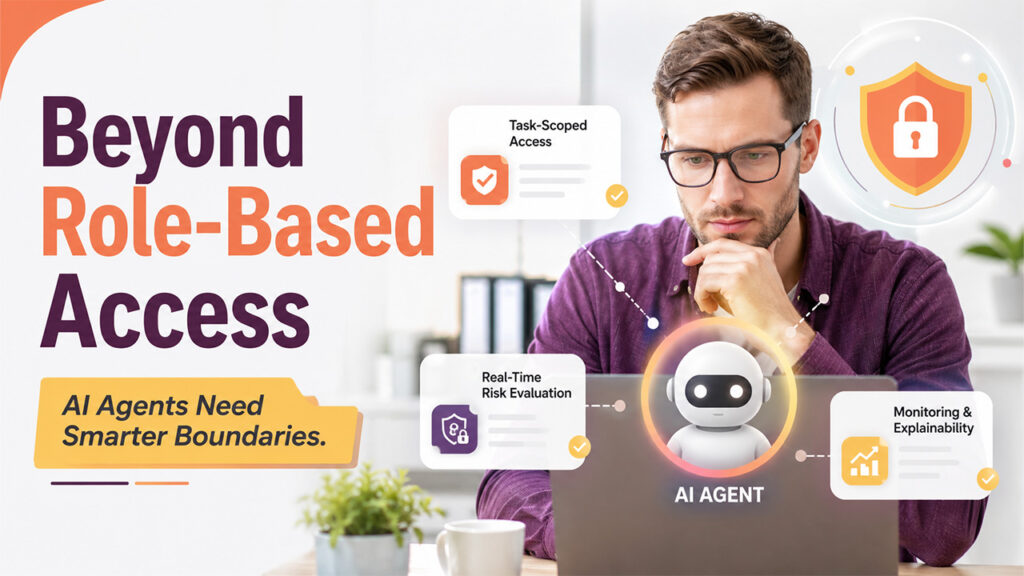
Role-based access control (RBAC) has been the gold standard in system security, but it can’t keep AI agents at bay. That’s because AI agents are not your typical human users.
Human users can use their best judgment and common sense. AI agents can’t; instead, they’ll do everything they can to achieve the goal you set for them.
That’s not the only problem, though. Take your typical solution to lack of granularity in RBAC: creating more roles. If you apply it to AI agents, you’d get a “role explosion.” The result? Too many highly specific roles that are difficult to manage, maintain, and audit.
That’s why AI-powered customer relationship management systems need a different kind of access control, one that’s dynamic and context-aware. It involves:
- Automated, task-scoped least privilege for action-based access
- Real-time context and risk evaluation
- Continuous monitoring, alerts, and explainability
Actions Over Interfaces: CRM as an Execution Layer
With AI in CRM, the platform increasingly becomes an execution layer rather than simply a system that employees interact with through a UI. Intelligent CRM platforms don’t need to pass all the tasks through the central UI. Why would they if AI agents can call and trigger actions directly?
There’s a catch, though: every capability needs to be exposed as an API, tool, or command. Untangling the web of capabilities and making them accessible to AI, of course, can require tons of architectural rework.
Case in point: Salesforce managed to complete this work only in 2026, four years after the first version of Einstein was launched.
Auditability and Explainability Become Critical
Imagine your AI agent consistently highlights deals as at risk for no obvious reason. The problem is that, by default, AIs are black boxes — so it’s hard to understand their reasoning.
Any AI CRM has to make AI features explainable to shed light on why they produce the outputs they do. That’s important not just for making AI features trustworthy within your organization. During audits, you’ll inevitably have to provide decision logs and justifications.
Ensuring your AI CRM is both auditable and explainable means:
- Logging all actions to track which agent version made the decision and what it changed
- Collecting and storing decision justifications as decisions are being made, along with the decision context
- Ensuring human oversight at crucial points of the process and documenting approvals
Why Some Off-the-Shelf CRMs Are Not AI-Ready
Not all CRMs are ready for truly AI-driven workflows. Why? These seven limitations are the usual suspects:
- Rigid data schemas. Some CRMs may not let you change the underlying data models, modify data relationships, or add contextual data any way you want.
- Limited APIs. API limits may already be the bane of your existence, but the limited range of accessible records, actions, and fields can also block AI integration.
- Poor data quality. Duplicate, incomplete, outdated, and inconsistent records are virtually guaranteed to bring down the quality of context data and AI accuracy.
- Limited access to historical data. Some customer interactions, activities, and older records may be out of reach for AI because they’re inaccessible to APIs or stored outside the CRM.
- Limited workflow flexibility. Your CRM may support rule-based automation, but that doesn’t mean it can also enable AI to trigger actions or modify workflows.
- UI-centered architecture. Some CRM processes are built around interface-based interactions. AI integration in CRM systems requires programmatic access to the same data and actions.
- Restricted integration options. Your CRM may come with pre-built integrations but limit custom connections with AI services, data platforms, or other business systems.
The Role of Custom AI Development in Modern CRM Systems
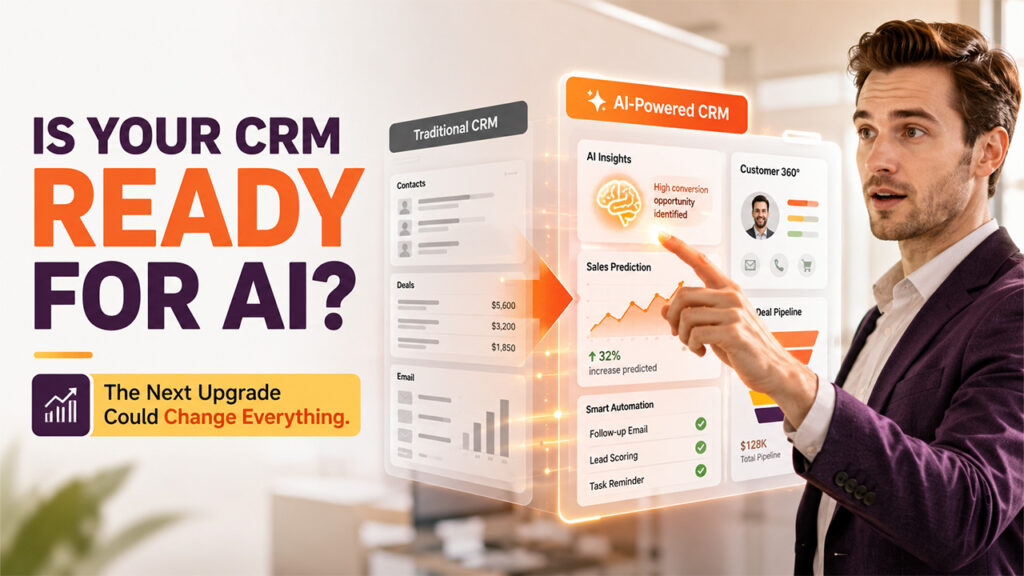
All of these challenges can lead you to reconsider your commitment to your current CRM. At Integrio Systems, an AI/ML development company with 10+ years of experience, we often sit down with business owners in this very situation. Here’s how our expertise helps them get unstuck:
- AI readiness assessment. A technology partner can take stock of your CRM’s architecture, data schemas, and integration capabilities. Following the audit, you get an overview of your options — modernize, migrate, build, customize — and their trade-offs.
- AI integration. Want to make AI capabilities part of your current CRM? A development partner can prepare the system — and your data — for AI integration, whether you decide to go with an off-the-shelf CRM or a custom AI model.
- Custom AI development. If you’re using a custom CRM, adding AI to its toolkit will probably require architectural rework. Companies like Integrio Systems can take care of it — and create and develop custom AI models or agents tailored to your use cases.
Real-World Use Cases of AI-Native CRM Systems
AI-native CRM systems can do way more than sum up emails or generate reports. For example:
| Use case | Description |
| Predictive sales actions | Forecasting sales, identifying at-risk deals, scoring leads, identifying new sales opportunities |
| Automated lead qualification | Predicting conversion likelihood based on dynamic behavioral signals |
| AI-driven customer insights | Identifying churn risks, suggesting the next best action for preventing churn |
| Autonomous follow-ups | Drafting follow-ups, determining the best channel and timing for follow-ups, sending personalized follow-up messages |
Preparing Your CRM for AI Agents: A Practical Checklist
Before investing in AI in CRM, businesses should evaluate whether their existing CRM has the data, APIs, integrations, security controls, and monitoring capabilities required for AI agents. At Integrio Systems, we evaluate these 10 things to make sure your CRM is ready to make the most out of AI:
- API readiness. Does the CRM have stable APIs and all the endpoints required for AI integration and real-time data processing?
- Data quality. Is the CRM data accurate, up to date, and complete? Does it contain any duplicates or errors?
- Data accessibility. Can AI access customer, interaction, sales, and support data from different CRM modules?
- Data structure and consistency. Do fields, naming conventions, formats, and record relationships follow a standard structure?
- Workflow automation. Can the CRM allow AI agents to call actions and trigger workflows (e.g., create tasks, change their status, or send follow-ups)?
- Integration capabilities. Can the CRM exchange data with email services, support systems, ERPs, marketing platforms, data warehouses, and other systems required for end-to-end AI workflows?
- Permissions and access controls. How do user roles and permissions impact which CRM data AI can read or modify?
- Data privacy and security. How does the CRM process customer data, sensitive fields, data retention, and data transmission to external AI services?
- Historical data availability. Do you have enough quality historical data (e.g., interactions, deals, tickets) for your specific AI use case?
- Monitoring and auditability. Is it possible to set up monitoring and logging for AI actions, inputs, and outputs in the CRM?
Conclusion
Ultimately, AI in CRM is not simply about adding an AI assistant to an existing platform. It represents a fundamental shift in how CRM systems store data, expose capabilities, enforce permissions, and execute business processes. AI is a tool that makes outreach smarter, prioritization clearer, and sales teams more productive. The result? Happier customers, higher revenue, and better resource efficiency.
CRM systems designed exclusively around human interaction are slowly becoming a thing of the past, and investing in AI-native CRM systems today means securing a competitive edge tomorrow. Will you make that investment?
%201.png)

%201.png)

%201.png)