
Run an Etsy shop, a small Shopify store, or an Amazon storefront long enough, and you learn a specific kind of math: a plain product photo on a white background gets browsed past, but the same product shown in a real room, in real use, gets clicked on. The problem is that most solo sellers can’t afford to book a lifestyle photoshoot every time they add a new listing or run a seasonal promotion. That gap, between what converts and what a one-person operation can actually produce, is exactly what AI picture generators have started closing.
Why a Plain Product Shot Isn’t Enough Anymore
Shoppers rarely buy based on a bare product photo alone. They’re picturing how a candle looks on their own coffee table, how a backpack looks on an actual hike, how a skincare bottle looks sitting on their own bathroom counter. Lifestyle imagery closes that imagination gap, but traditionally, producing it meant props, a location, decent lighting, and either a rented studio or someone’s actual living room, none of which scale well when you’re running the business solo.
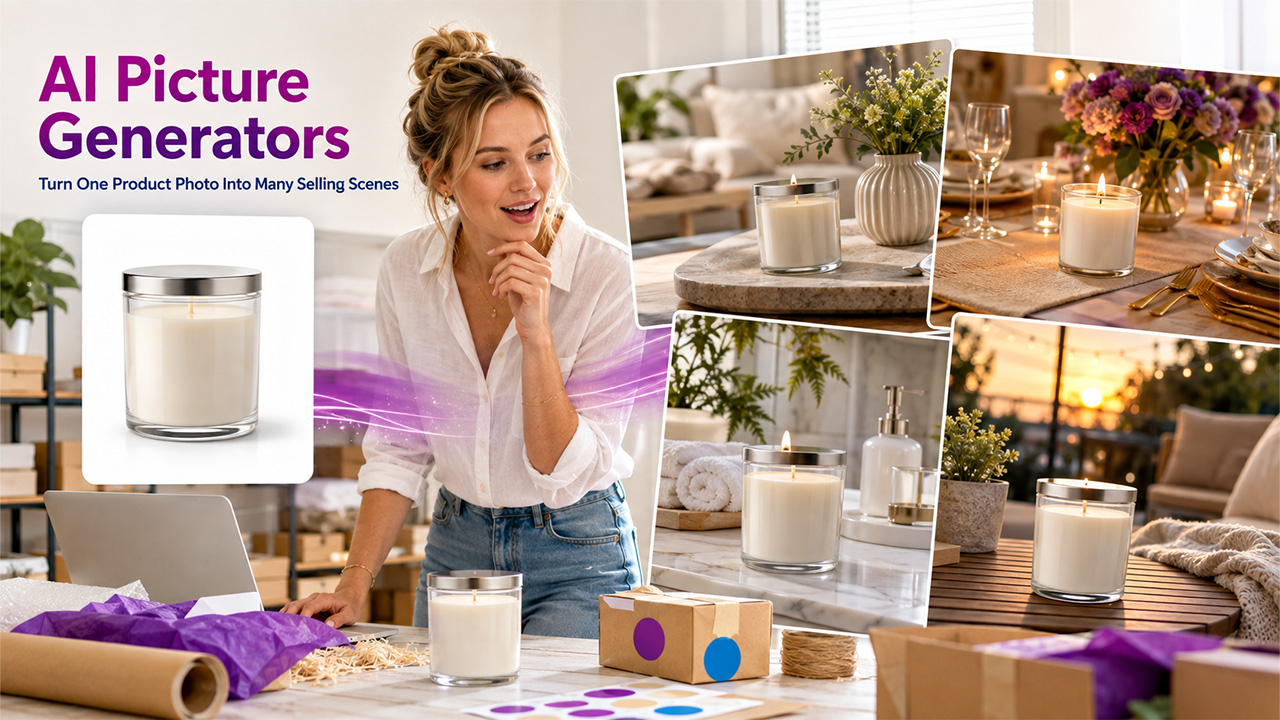
An AI picture generator changes that equation by building on a photo you already have, rather than requiring a new shoot for every context. The same candle photographed once in a studio can be placed in a dozen different lifestyle settings without leaving your desk.
How This Actually Works for a One-Person Shop
Instead of manual editing or a full photography session, an AI picture generator lets you describe the setting you want, such as a cozy holiday dining table, a minimalist home office, or an outdoor patio at golden hour, and generates a version of your product photo placed in that context while keeping the product itself consistent. Recent advances in models like OpenAI's DALL·E 3 have significantly improved how AI image generators interpret natural-language prompts, making it easier for users to generate images that closely match detailed descriptions. Businesses looking to compare different AI-powered creative tools can also explore Adobe AI Image Generator to see how Adobe's AI technology helps create professional-quality product images and marketing visuals.
A candle brand can show the same jar in a modern living room for one listing and a festive holiday table for a seasonal push. A handbag seller can place the same bag in a boutique setting, a café table, or an airport lounge scene without ever booking three separate locations. What used to require planning, travel, and a full production day now takes an afternoon of prompt refinement.
AI Mockups vs. Traditional Photography: Pros and Cons
AI-generated mockups - Pros: No booking, travel, or studio time required; multiple settings generated from a single existing photo; fast enough to turn around the same day. - Cons: Occasional small inconsistencies need a quick manual check; best suited to lifestyle context rather than replacing every hero product shot.
Traditional photography - Pros: Full creative and lighting control; no risk of AI-generated inconsistencies. - Cons: Higher cost per shot; requires scheduling, props, and a location.
Where the Time Savings Actually Land for Small Sellers
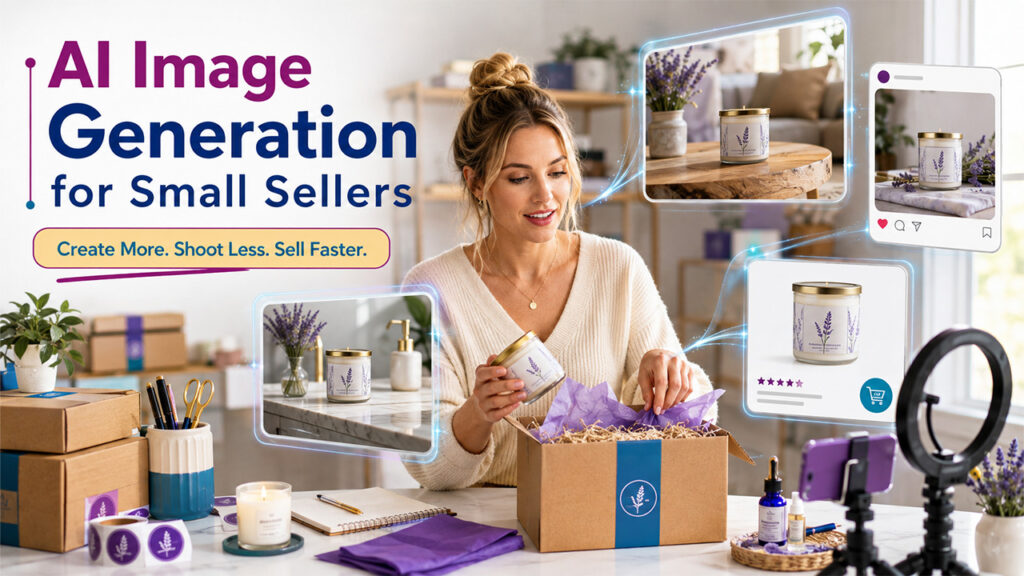
For smaller businesses, running a company generally entails doing everything, from inventory management and customer service to marketing and fulfillment, all on the same day. Visual content generation is one of those tasks that has great potential for creeping up on you and becoming very demanding because of the need for visual content at every opportunity.
AI-powered image generation cuts through this particular pain point by making it possible to update visuals without going through an actual photoshoot every time you do something. This becomes particularly true on social media platforms where people lose interest in repeated shots of the same product much faster than expected and even on marketplaces such as Amazon, Etsy, and Shopify, where listing with lifestyle images outperforms product-only photos.
Comparing Popular AI Picture Generators for Small Business
| Tool | Best Marketplace Fit | Cost for a Solo Seller | Design Skill Needed |
| FacyAI | Etsy, Shopify, Amazon listings | Free tier covers most needs | None |
| Adobe Firefly | Larger catalogs inside Creative Cloud | Paid credits typical | Some |
| Canva AI | Small Shopify and social-first shops | Free plan, paid upgrades available | None |
| Microsoft Designer | Local and service-business promotions | Free with a Microsoft account | None |
| Midjourney | Brand mood boards, not listings | Paid subscription only | Some |
For a solo seller specifically, the deciding factor usually isn’t which tool produces the most artistically striking image. It’s which one reliably keeps the actual product looking accurate while placing it convincingly in a new setting, which is the specific job an AI picture generator like Facy is built around.
Getting Believable Results Without a Design Background
- Start with the cleanest, well-lit product photo you have. If you're new to AI-powered design, a Canva AI Image Generator can help you quickly create lifestyle product visuals without requiring advanced design skills.
- Write specific prompts describing the setting, lighting, mood, and style you want.
- Review every generated image before publishing to check for shadows, colors, proportions, and small inconsistencies.
Making It Sustainable Past the First Campaign
Businesses that gain sustainable value from AI image generation tools are not those that use it as a one-off gimmick for an initial launch. These are the businesses that build this tool into a routine: a uniform approach to prompt writing, a limited set of go-to parameters that reflect the branding guidelines, and an instant check right before publishing anything. In this way, creating new images for the next marketing campaign becomes a matter of minutes.
Where to Start
If you’re a small business owner trying to keep product visuals fresh without the budget for constant photography, skip the comparison charts and test the process against a real product photo you already have FacyAI is one option designed for creating realistic, commercial-ready product mockups, and testing it with your own catalog will tell you more than any feature list about whether it fits your business workflow.
Frequently Asked Questions
Q1. Do I need design experience to use an AI picture generator for my small business?
No. Most tools are built around plain-language prompts, so describing the setting you want in everyday words is usually enough to get a usable result.
Q2. How many product photos do I need before I can start making mockups?
Just one clean, well-lit photo per product is typically enough. From that single image, you can generate multiple lifestyle settings for different listings and campaigns.
Q3. Are AI-generated product mockups allowed on marketplaces like Amazon and Etsy?
Most marketplaces allow realistic lifestyle images as long as they accurately represent the product. Always check the specific marketplace’s image guidelines before publishing.
Q4. Can one product photo really work for multiple marketing channels?
Yes. The same source photo can be adapted into different settings for your online store, social media, and email campaigns, which is one of the main time savings for solo sellers.
%201.png)

%201.png)

%201.png)