

Most SMBs end up buying the wrong IVR solution because they shop for it the same way they shop for a cloud phone system: compare starting prices, pick the cheapest one that looks reasonable, deploy, and discover six months in that the IVR logic cannot handle how calls actually flow through the business. The platforms built for solopreneur IVR do not scale to growing sales teams. The platforms built for enterprise IVR depth are overkill for a 10-person SMB. The eight IVR solutions below each solve a specific SMB IVR problem, and the right choice depends on which problem your team actually has.
TL;DR: Best IVR Solution for SMBs in 2026
The best IVR solution for SMBs in 2026 depends on IVR complexity needed, team size, CRM integration requirements, and whether the IVR will stand alone or layer alongside an AI voice agent. Here is a shortlist of eight IVR solutions, each targeting a genuinely different buyer:
- CloudTalk - Best IVR for SMBs needing visual multi-level call flows with optional AI voice agent coverage
- Nextiva - Best IVR for SMBs routing calls across phone, chat, and email in one unified flow
- JustCall - Best IVR for SMB sales teams routing inbound leads to the right rep with AI coaching
- Dialpad - Best IVR for SMBs replacing menu trees with AI-powered conversational routing
- Aircall - Best IVR for SMBs routing callers based on CRM data (deal stage, customer tier)
- RingCentral - Best IVR for SMBs needing enterprise-scale depth (up to 250 menus per account)
- GoTo Connect - Best IVR for SMBs consolidating voice, video, and call routing in one platform
- MightyCall - Best IVR for solopreneurs needing a simple professional menu greeting
How We Evaluated the Best IVR Solutions for SMBs
We reviewed 20+ cloud IVR solutions used by SMB sales teams, support operations, and distributed teams across the sub-10, 10-50, and 50-200 employee segments. To narrow the list, we focused on what each IVR actually does (menu depth, routing logic, visual builder quality, business-hours handling, CRM integration) and whether IVR is included on the main plan or sits behind a premium tier. IVR capability came first because an IVR solution designed for a 3-option menu rarely scales to a complex multi-department tree, and vice versa.
We then evaluated IVR-specific capabilities across three dimensions: menu structure (multi-level depth, conditional branching, failover logic, holiday schedules, business-hours rules), routing intelligence (skill-based routing, CRM-based routing, geographic routing, VIP identification, AI-powered intent detection), and configuration experience (visual drag-and-drop builder versus admin console versus API-only setup, text-to-speech versus manual recording, time to deploy a new menu change).
Finally, we validated track record, compliance, and pricing transparency: years of production experience operating IVR at scale, customer base size, verified G2 and Trustpilot review counts, and compliance coverage (SOC 2 Type II, HIPAA, GDPR, PCI DSS for regulated industries that store caller IVR interactions). Pricing was verified live against each vendor's published pricing page in the current research cycle. Ratings come from G2 and Trustpilot directly.
What Is an IVR Solution?
An Interactive Voice Response (IVR) solution is a cloud-based feature that routes inbound callers via voice menus or enables self-service. Part of broader cloud phone systems, modern IVR includes text-to-speech, CRM routing, and AI intent detection.
For SMBs, IVR handles call routing (by menu selection or CRM data), self-service (checking balances or appointments), after-hours coverage (voicemail or AI handoff), and professional presence (branded greetings).
IVR complexity spans three tiers: basic single-level (1 menu, 3–5 options for micro-businesses), multi-level (nested menus, skill-based routing, schedules for growing SMBs), and AI conversational (natural language routing without rigid trees).
SMBs also pair IVR with AI voice agents for after-hours or overflow handling. This pairing is becoming the standard 2026 setup, with eight key solutions taking distinct approaches.
When evaluating these tools, it is also useful to understand how inbound call center systems combine automated call routing, customer support workflows, and CRM integration to improve communication and service quality.
Comparison Table: Best IVR Solutions for SMBs in 2026
| IVR solution | IVR complexity | Visual builder | Starting price |
|---|---|---|---|
| CloudTalk | Multi-level, up to 10+ nested levels | Yes (Call Flow Designer) | From $29/user/mo |
| Nextiva | Multi-level with voice analytics | Yes | From $25/user/mo |
| JustCall | Multi-level with AI coaching integration | Yes | From $29/user/mo |
| Dialpad | AI-powered conversational routing | Natural language, no rigid menu | From $15/user/mo |
| Aircall | Multi-level with CRM-based routing | Yes | From $30/user/mo |
| RingCentral | Multi-level, up to 250 menus per account | Yes (Visual Call Flow Editor) | From $20/user/mo |
| GoTo Connect | Multi-level with unified voice/video | Yes (Visual Dial Plan Editor) | From $27/user/mo |
| MightyCall | Single and basic multi-level | Yes | From $20/user/mo |
List of Best IVR Solutions for SMBs in 2026
1. CloudTalk - Best IVR for SMBs Needing Visual Multi-Level Call Flows with Optional AI Voice Agent Coverage
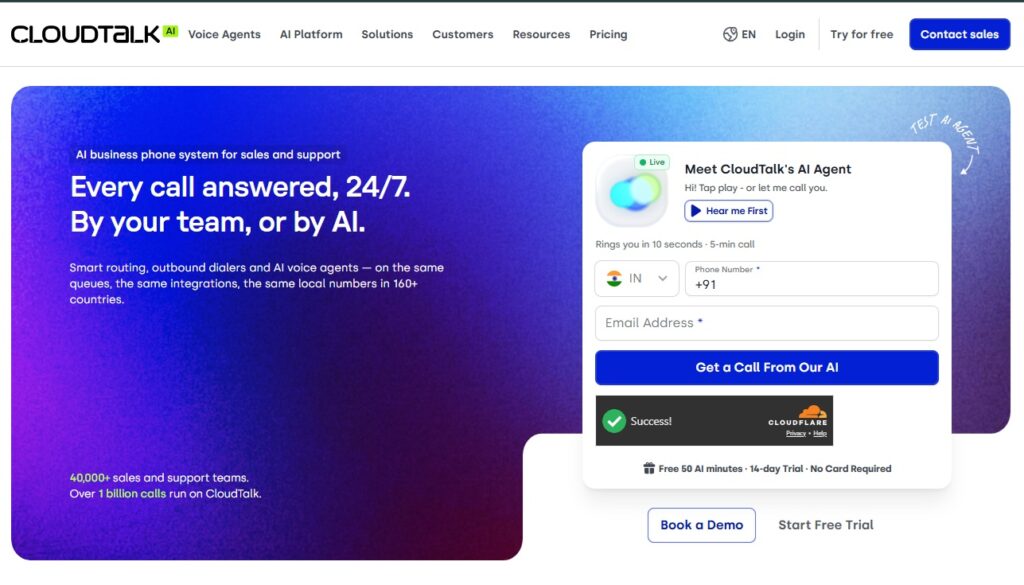
CloudTalk is a cloud-based IVR platform purpose-built for small and growing SMBs that need multi-level call routing without the complexity of enterprise contact center software. The platform's visual drag-and-drop Call Flow Designer lets non-technical users build complete IVR trees in minutes, with multi-level menus, business-hours routing, skill-based assignment, VIP queues that skip the line, and callback for missed calls, all without writing a single line of code. For SMBs that want to layer autonomous call handling on top of IVR, CloudTalk's optional AI Voice Agent picks up where the menu tree ends, handling the calls that IVR routes but no human is available for.
Why CloudTalk works for SMBs with IVR needs:
CloudTalk's IVR solves the problem SMBs actually face: scaling call routing beyond a single-level "press 1 for sales, press 2 for support" menu without hiring a telephony administrator. The Call Flow Designer handles everything from simple 3-option menus to complex nested trees with 10+ levels, conditional logic based on caller ID or business hours, geographic routing, VIP identification, and automatic failover to voicemail or a secondary ring group.
Every routing decision is logged automatically into HubSpot, Salesforce, Pipedrive, Zendesk, or Intercom, so when the IVR routes a caller to an agent, the agent's screen already shows the full customer history. For after-hours or overflow coverage, the optional AI Voice Agent runs in the same workspace as the IVR and the human team, handling calls autonomously in 60+ languages with human-sounding neural voices and sub-800ms response latency.
Key features of CloudTalk's IVR:
- Visual drag-and-drop Call Flow Designer for multi-level IVR without code
- Multi-level menus with 10+ nested levels and conditional branching
- Business-hours routing, after-hours fallback, and holiday schedules
- Skill-based routing by agent expertise, language, or product area
- VIP queue prioritization based on caller ID or CRM data (deal stage, customer tier)
- Callback for missed calls with scheduled callback windows
- Geographic routing based on caller country for distributed teams
- Text-to-speech greetings in 60+ languages (no voice recording studio needed)
- Native bidirectional CRM sync routes callers into a workspace where their history is loaded
- Optional AI Voice Agent handles calls IVR routes but no human can reach, with knowledge-base grounding
- Real-time analytics on routing patterns, wait times, abandoned calls, menu effectiveness
Best for:
Small and growing SMBs (5 to 50 reps) that need multi-level IVR with CRM-aware routing, visual configuration without engineering support, and optional AI voice agent coverage for calls IVR routes outside business hours. Common in SaaS, e-commerce, professional services, healthcare, and financial services.
Pros of CloudTalk's IVR:
- Visual Call Flow Designer is the most accessible multi-level IVR builder in this comparison for non-technical SMB users
- IVR routing decisions log automatically into HubSpot, Salesforce, Pipedrive, Zendesk, and Intercom with full history on the agent's screen
- Only IVR platform in this lineup pairing a visual builder with an optional AI voice agent in one workspace
- Text-to-speech in 60+ languages removes the need to record and re-record menu greetings
- 10+ years of production IVR infrastructure with 99.99% uptime
Cons of CloudTalk's IVR:
- Not built for 100+ agent enterprise contact center IVR deployments with deep workforce management
- Advanced IVR features (skill-based routing, workflow automation, geographic routing) sit on the Essential tier and above
- AI Voice Agent for autonomous handling is a separate add-on from the IVR seat pricing
Pricing Plans of CloudTalk:
- Starter: $25/user/month annual (basic calling, no IVR)
- Starts at $29/user/month (Essential, annual, includes IVR Call Flow Designer, Smart Dialer, workflow automation, real-time analytics)
- Expert: $49/user/month annual, 3-seat minimum (adds geographic routing, Salesforce IVR integration, live monitoring)
- Custom: Contact sales for larger deployments
- AI Voice Agent (add-on): From $99/month for 200 minutes (AI Receptionist), $349/month for 1,000 minutes (AI Specialist)
- Free trial: 14 days with 50 AI voice agent minutes included, no credit card required
G2 rating of CloudTalk:
4.4/5 from 1,702+ verified reviews. Trustpilot: 4.0/5 from 600+ reviews.
2. Nextiva - Best IVR for SMBs Routing Calls Across Phone, Chat, and Email in One Unified Flow
Nextiva is a unified communications platform with multi-level IVR that routes callers into the same workspace agents use for chat and email tickets. The IVR includes text-to-speech greetings, voice analytics on menu effectiveness, and AI-powered routing that reads caller intent on the Engage tier and above.
Why Nextiva works for SMBs with IVR needs:
For SMBs where support happens across phone, chat, and email simultaneously, Nextiva's IVR routes callers into a workspace where the agent sees the customer's full history across every channel, not just phone. The IVR builder supports multi-level menus with voice analytics that show which menu options callers actually pick (so dead branches get pruned), plus text-to-speech so menu changes go live without re-recording greetings.
Key features of Nextiva's IVR:
- Multi-level IVR with text-to-speech greetings and voice analytics
- IVR routing tied to unified workspace covering phone, chat, email, and video
- AI-powered routing on Engage tier that reads caller intent
- Business-hours and after-hours routing with voicemail fallback
- Voice biometrics and voice commands on higher tiers
- Native CRM integrations for CRM-aware routing
Best for:
SMBs (20 to 100 agents) running omnichannel customer support that need IVR routing tied to one unified workspace covering phone, chat, and email. Not the right fit for sales-first teams focused on outbound dialing or international IVR coverage.
Pros of Nextiva's IVR:
- IVR routing feeds into one unified omnichannel workspace, not a phone-only silo
- Voice analytics show which IVR branches callers actually use (so dead options get pruned)
- 24/7 US-based support for IVR configuration help
Cons of Nextiva's IVR:
- IVR not included on the base Core tier ($15/user/month), only on Engage and above
- Advanced IVR features (voice biometrics, AI routing) require the premium Power Suite CX plan
- IVR configuration interface is heavier than visual drag-and-drop builders
Pricing Plans of Nextiva:
- Core: $15/user/month (basic calling without IVR)
- Starts at $25/user/month (Engage, annual, includes IVR, voice analytics, CRM integrations)
- Power Suite CX: $75/user/month (adds voice biometrics, AI-powered routing, workforce management)
- Free trial: 7 days available
G2 rating of Nextiva:
4.5/5 from 3,000+ verified reviews.
3. JustCall - Best IVR for SMB Sales Teams Routing Inbound Leads to the Right Rep with AI Coaching
JustCall is a cloud phone system for SMB sales and support teams with a multi-level IVR builder that routes inbound leads to the right rep by menu selection or CRM data. The platform includes IVR plus JustCall AI with coaching scorecards on higher tiers, so the inbound call that IVR routes is also scored and coached in the same workspace.
Why JustCall works for SMBs with IVR needs:
For sales-first SMBs where IVR routes inbound leads to the right rep (by team, by deal size, by product line) and the goal is to improve conversion on those routed calls, JustCall combines IVR with built-in AI coaching in one platform. The IVR builder supports multi-level menus with custom MP3 greetings, routing by caller ID or CRM match, and automatic logging to HubSpot, Salesforce, or Pipedrive.
Key features of JustCall's IVR:
- Multi-level IVR builder with customizable menus and routing rules
- MP3 greeting upload or text-to-speech options
- CRM-based routing (route inbound calls to the account owner based on HubSpot or Salesforce match)
- JustCall AI scores every call IVR routes with coaching scorecards and moment detection
- Native integrations with HubSpot, Salesforce, Pipedrive, Zendesk, and 100+ business tools
- Virtual numbers in 70+ countries for international IVR routing
Best for:
SMB sales teams (10 to 50 reps) that want IVR routing paired with built-in AI coaching on the inbound calls IVR routes. Not a fit for teams needing deep contact center features or international IVR routing in 100+ countries.
Pros of JustCall's IVR:
- IVR routing + AI coaching bundled in one platform rather than separate add-ons
- Strong CRM-based routing tied to HubSpot and Salesforce account owners
- 4.3 G2 rating from 1,100+ verified reviews
Cons of JustCall's IVR:
- AI coaching that pairs with IVR routing sits on the Pro tier ($89/user/month)
- Fewer country numbers than CloudTalk or Dialpad for international IVR routing
- IVR configuration lighter than visual drag-and-drop builders at the top of this list
Pricing Plans of JustCall:
- Starts at $29/user/month (Essentials, billed annually, includes IVR builder and basic routing)
- Team: $49/user/month (adds advanced CRM-based routing, 20+ CRM sync)
- Pro: $89/user/month (adds JustCall AI, coaching scorecards tied to IVR-routed calls)
- Business: Custom pricing (adds advanced analytics, SSO, dedicated support)
- Free trial: 14 days available
G2 rating of JustCall:
4.3/5 from 1,100+ verified reviews.
4. Dialpad - Best IVR for SMBs Replacing Menu Trees with AI-Powered Conversational Routing
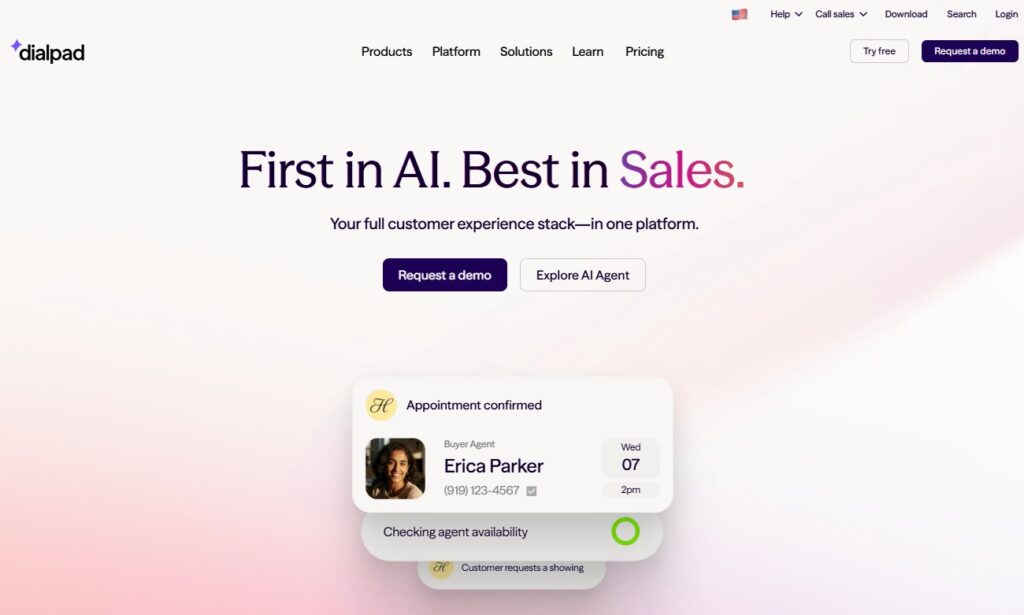
Dialpad is an AI-first cloud phone platform that replaces rigid IVR menu trees with AI-powered conversational routing. Instead of "press 1 for sales, press 2 for support," Dialpad's AI listens to the caller's spoken response ("I need help with my order") and routes accordingly, using natural language understanding on every plan.
Why Dialpad works for SMBs with IVR needs:
For SMBs where the traditional IVR menu tree feels dated (callers hate pressing through nested menus; menu designs go stale quickly), Dialpad's AI-powered routing lets callers skip the menu entirely and state what they need in their own words. The AI handles routing without the complexity of a full CCaaS deployment, and setup goes live in under an hour. Dialpad also supports traditional multi-level IVR with ring groups for teams that want a hybrid approach.
Key features of Dialpad's IVR:
- AI-powered call routing based on caller intent (natural language, no rigid menu tree)
- Traditional multi-level IVR with ring groups and skills-based routing as fallback
- Automatic call transcription paired with routing decisions
- Real-time sentiment analysis on IVR interactions
- Native integrations with Salesforce, HubSpot, Google Workspace, Microsoft 365
Best for:
SMBs (10 to 100 agents) that want to replace rigid IVR menu trees with AI-powered conversational routing, without deploying a full contact center platform. Not the right fit for teams needing deep international IVR routing or specialist outbound dialers.
Pros of Dialpad's IVR:
- Strongest AI-powered routing in the SMB IVR category
- Setup in under an hour, no professional services required
- Affordable entry pricing ($15/user/month)
- 4.4 G2 rating from 2,500+ verified reviews
Cons of Dialpad's IVR:
- AI-powered routing is a different model than visual IVR builders; teams wanting a drag-and-drop menu tree may prefer CloudTalk or RingCentral
- Fewer international numbers than CloudTalk or RingCentral for geographic IVR routing
- Advanced routing features gated behind higher tiers
Pricing Plans of Dialpad:
- Starts at $15/user/month (Standard, annual, includes AI routing and basic IVR)
- Pro: $25/user/month (adds global SMS, CRM-based routing, 25+ ring groups)
- Enterprise: Custom pricing (adds unlimited ring groups, SSO, data retention policies)
- Free trial: 14 days available
G2 rating of Dialpad:
4.4/5 from 2,500+ verified reviews.
5. Aircall - Best IVR for SMBs Routing Callers Based on CRM Data (Deal Stage, Customer Tier)
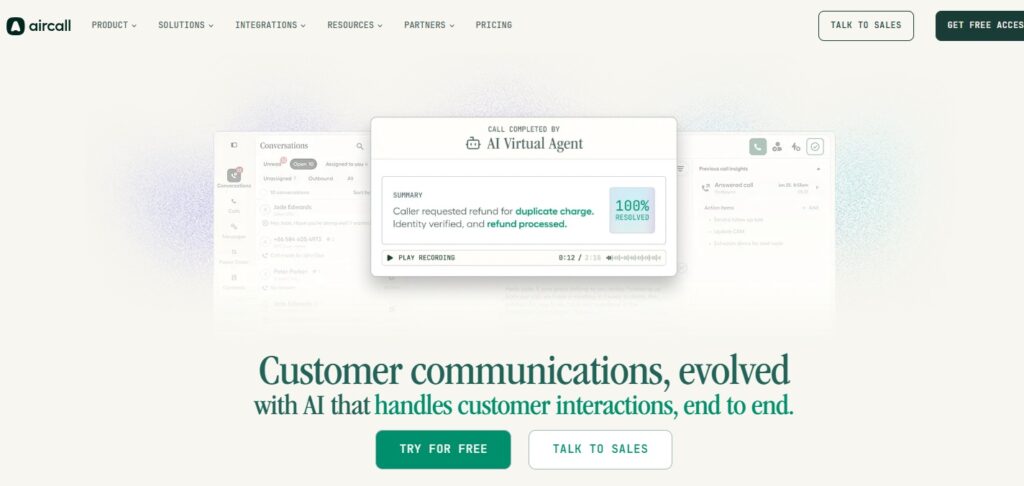
Aircall is a cloud phone system with multi-level IVR that routes callers based on CRM data such as customer tier, deal stage, or support plan. The platform's deep integration with HubSpot, Salesforce, Zendesk, Intercom, and Pipedrive makes CRM-driven IVR routing the default rather than an advanced feature.
Why Aircall works for SMBs with IVR needs:
For SMBs whose workflows live inside HubSpot or Zendesk, Aircall's IVR routes callers based on who they are (customer tier, deal stage, support plan, account owner), not just which menu option they picked. A high-value customer gets routed to their account manager; a prospect in late-stage opportunity gets routed to the deal owner; a free-tier user gets routed to self-service IVR branches. The platform's 100+ integrations extend into sales engagement, analytics, and productivity tools without engineering setup.
Key features of Aircall's IVR:
- Multi-level IVR with CRM-based routing (customer tier, deal stage, support plan, account owner)
- Deep native integrations with HubSpot, Salesforce, Zendesk, Intercom, Pipedrive
- IVR routing feeds callers directly into the CRM or helpdesk interface with full context
- Click-to-call from any CRM or helpdesk record
- Call monitoring with whisper, barge, and takeover on routed calls
Best for:
SMB sales and support teams (10 to 50 agents) that want IVR routing driven by CRM data such as customer tier, deal stage, or support plan. Not a fit for teams needing outbound dialers at scale or international IVR routing in 100+ countries.
Pros of Aircall's IVR:
- Deepest CRM-based IVR routing in this comparison
- Clean modern UI for IVR configuration widely praised in reviews
- Routed callers land in the CRM workspace, not a separate telephony dashboard
Cons of Aircall's IVR:
- 3-seat minimum across all plans
- CRM-based routing requires one of the integrated CRMs; limited for teams on other platforms
- Fewer country numbers than CloudTalk for international IVR routing
Pricing Plans of Aircall:
- Starts at $30/user/month (Essentials, 3-seat minimum, billed annually, includes basic IVR)
- Professional: $50/user/month (adds Salesforce IVR integration, advanced analytics, call monitoring)
- Custom: Contact sales (adds unlimited world calls, custom IVR analytics, dedicated support)
- Free trial: 7 days available
G2 rating of Aircall:
4.3/5 from 1,200+ verified reviews.
6. RingCentral - Best IVR for SMBs Needing Enterprise-Scale Depth (Up to 250 Menus per Account)
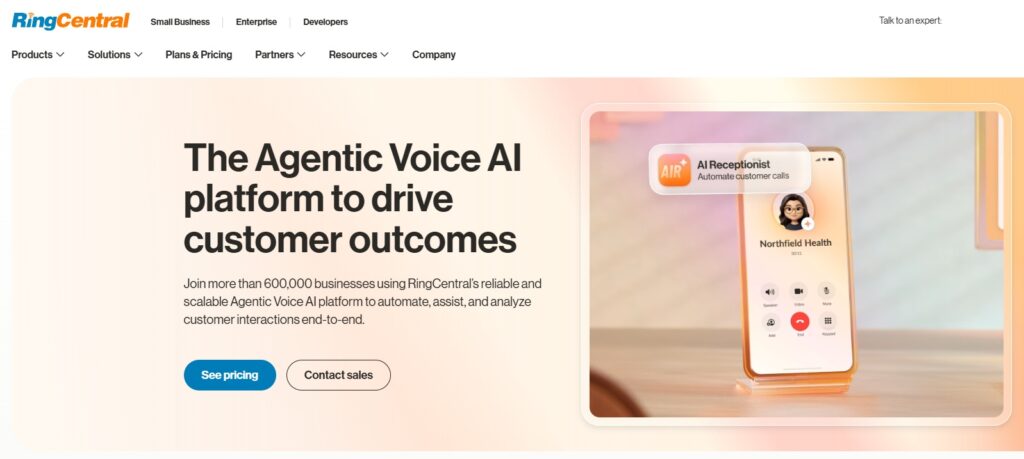
RingCentral is the enterprise-leaning cloud phone platform with the deepest IVR capabilities in this comparison, supporting up to 250 menus and submenus per account. For established SMBs with complex routing requirements across multiple departments, product lines, or geographies, RingCentral's IVR capacity exceeds what most SMB-focused platforms offer.
Why RingCentral works for SMBs with IVR needs:
Established SMBs that have outgrown simple multi-level IVR benefit from RingCentral's capacity for up to 250 menus per account, which matters for teams with complex routing requirements (multiple product lines, multiple departments, multiple languages, multiple geographies). The Visual Call Flow Editor handles IVR design visually, and the platform scales from SMB IVR deployment into mid-market and enterprise without replacement.
Key features of RingCentral's IVR:
- Multi-level IVR with up to 250 menus and submenus per account
- Visual Call Flow Editor for IVR design
- Business-hours and after-hours routing with holiday schedules
- 300+ pre-built integrations plus open API for custom IVR routing logic
- Enterprise-grade compliance (HIPAA, SOC 2 Type II, PCI DSS, FINRA) for regulated IVR deployments
Best for:
Established SMBs (50 to 200+ agents) that need enterprise-scale IVR depth (250+ menus per account) and expect to scale into mid-market or enterprise. Not the fastest IVR to deploy for small teams needing lightweight setup.
Pros of RingCentral's IVR:
- Deepest IVR capacity in this comparison (up to 250 menus per account)
- Scales smoothly from SMB IVR to enterprise IVR without platform change
- Broad compliance coverage for regulated SMB IVR deployments
Cons of RingCentral's IVR:
- IVR configuration interface is heavier than lighter SMB-focused visual builders
- 4.0 G2 rating reflects complaints about billing complexity and support response times
- Overkill for SMBs that need simple 3-level IVR, not 250-menu depth
Pricing Plans of RingCentral:
- Starts at $20/user/month (Core, annual, includes basic IVR)
- Advanced: $25/user/month (adds advanced IVR features, 300+ integrations, auto call notes)
- Ultra: $35/user/month (adds advanced IVR analytics, device management, 10,000 minutes toll-free)
- Free trial: 14 days available
G2 rating of RingCentral:
4.0/5 from 1,000+ verified reviews.
7. GoTo Connect - Best IVR for SMBs Consolidating Voice, Video, and Call Routing in One Platform
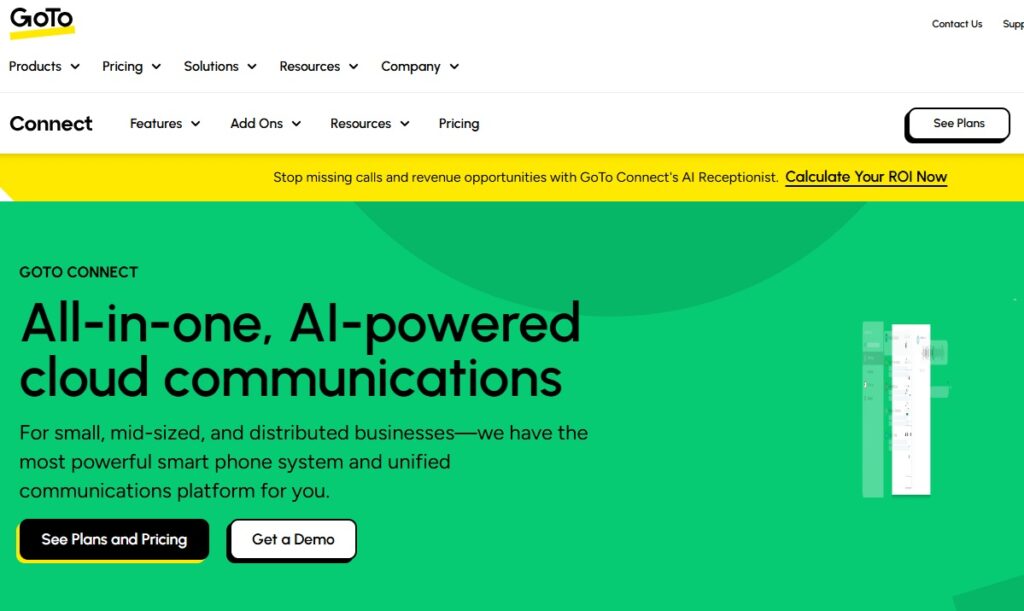
GoTo Connect is a unified communications platform with a Visual Dial Plan Editor for IVR configuration. The IVR runs alongside voice calling, video meetings, and team messaging in one subscription, making it the natural fit for SMBs consolidating multiple communication tools into one platform.
Why GoTo Connect works for SMBs with IVR needs:
For small to mid-sized teams that want IVR routing bundled with voice, video, and team chat in one platform (rather than stitching Zoom + separate phone system + separate IVR), GoTo Connect simplifies the stack. The Visual Dial Plan Editor handles IVR configuration visually without engineering support.
Key features of GoTo Connect's IVR:
- Visual Dial Plan Editor for drag-and-drop IVR configuration
- Multi-level IVR with ring groups, call queues, and skills-based routing
- IVR bundled with voice, video meetings, and team messaging in one platform
- Native integrations with Salesforce, Zoho, HubSpot, Microsoft Teams
- Mobile and desktop apps for IVR management on the go
Best for:
Small to mid-sized teams (10 to 100 people) that want to consolidate IVR, voice, video, and chat in one platform rather than maintaining separate tools. Not the best fit for sales-first teams needing specialist outbound dialers or international IVR routing.
Pros of GoTo Connect's IVR:
- Visual Dial Plan Editor accessible for non-technical IVR configuration
- IVR bundled with voice and video meetings simplifies the stack
- 4.4 G2 rating from 750+ verified reviews
Cons of GoTo Connect's IVR:
- Advanced IVR features (CRM-based routing, geographic routing) gated behind higher tiers
- Fewer international numbers than CloudTalk or RingCentral for geographic IVR routing
- IVR feature depth lighter than CloudTalk's Call Flow Designer or RingCentral's 250-menu capacity
Pricing Plans of GoTo Connect:
- Starts at $27/user/month (Basic, annual, unlimited calling, basic IVR)
- Standard: $32/user/month (adds advanced IVR, Salesforce IVR integration, 500+ integrations)
- Premium: Custom pricing (adds advanced IVR analytics, enterprise features)
- Free trial: 14 days available
G2 rating of GoTo Connect:
4.4/5 from 750+ verified reviews.
8. MightyCall - Best IVR for Solopreneurs Needing a Simple Professional Menu Greeting
MightyCall is a cloud phone system built for solopreneurs and micro-businesses that need a professional IVR menu for inbound call handling, without the complexity of enterprise VoIP. The IVR supports single-level and basic multi-level menus with ring groups and business-hours routing on the Core plan.
Why MightyCall works for SMBs with IVR needs:
For solopreneurs and sole operators that need a working IVR for professional caller experience (greeting menu, department routing, voicemail handling) without a full business phone system, MightyCall provides the essentials at startup-friendly pricing. The IVR builder is simple enough for a non-technical business owner to configure in minutes.
Key features of MightyCall's IVR:
- Single and basic multi-level IVR on the Core plan
- Ring groups and business-hours routing
- Voicemail-to-email on IVR branches that go unanswered
- Virtual numbers (local, toll-free, vanity) for IVR-fronted business presence
- Integrations with Salesforce, HubSpot, Zapier for basic CRM-aware routing
Best for:
Solopreneurs and micro-businesses (1 to 10 people) that need basic IVR for a professional menu greeting and department routing without a complex phone system. Not a fit for growing teams needing deep multi-level IVR or CRM-based routing logic.
Pros of MightyCall's IVR:
- Simplest IVR setup in this comparison for solopreneurs
- Low entry pricing ($20/user/month)
- 4.5 G2 rating from 240+ verified reviews
Cons of MightyCall's IVR:
- IVR depth limited to basic multi-level; not suitable for 10+ nested levels
- Fewer integrations than mainstream SMB IVR platforms
- Not suitable for teams scaling past 10 reps or needing CRM-based IVR routing
Pricing Plans of MightyCall:
- Starts at $20/user/month (Core, annual, includes basic IVR, ring groups, business hours)
- Pro: $25/user/month (adds advanced analytics, Salesforce IVR integration, CRM sync)
- Power: $45/user/month (adds auto-dialer, call scripts, unlimited integrations)
- Free trial: 7 days available
G2 rating of MightyCall:
4.5/5 from 240+ verified reviews.
Key Features to Look for When Choosing the Best IVR Solution for SMBs
IVR platforms look similar on the surface, but the differences underneath decide whether the IVR routes callers correctly or sends them to voicemail dead-ends. Evaluate against these criteria before shortlisting:
- Menu depth. Basic IVR handles 3-5 single-level options; multi-level IVR nests 10+ levels for complex routing.
- Visual builder. A drag-and-drop Call Flow Designer lets non-technical users edit menus in minutes; admin-console or API-only setup needs engineering support.
- CRM-based routing. Routing by customer tier, deal stage, or account owner matters more than keypad menus for SMBs whose workflows live in HubSpot, Salesforce, Pipedrive, Zendesk, or Intercom.
- Business-hours and holiday schedules. The IVR has to handle after-hours calls differently (voicemail, callback queue, AI voice agent handoff) without manual reconfiguration.
- Text-to-speech and language coverage. Change menu greetings instantly without re-recording in a studio; multi-language IVR matters for international callers.
- Menu analytics. Visibility into which IVR branches callers pick (and which get abandoned) lets you prune dead options.
- AI voice agent pairing. Check whether the IVR platform offers a native AI voice agent in the same workspace for after-hours and overflow coverage, or requires a separate vendor.
How to Pick the Best IVR Solution for Your SMB
Shortlisting the right IVR comes down to answering five questions in order. Start with routing complexity: single-level menu, multi-level tree with 10+ nested levels, or AI-powered conversational routing. Pick the tier that fits your call volume and team structure, not the one with the most features on the pricing page. Next, check where your CRM lives: if HubSpot, Salesforce, Pipedrive, Zendesk, or Intercom runs your workflows, pick an IVR with native bidirectional sync so routing decisions log automatically and callers land in the CRM record.
Then decide who configures the IVR: non-technical business owner or ops person means visual drag-and-drop builder; engineering ownership opens up API-first platforms. Fourth, decide whether the IVR needs to pair with an AI voice agent for after-hours coverage, overflow traffic, or routine inquiries. A native AI voice agent in the same workspace avoids integration work. Finally, check your international routing footprint: 160+ countries is the top of the SMB range, 70+ is mid-range, US-only platforms are not fit for international IVR. Match the IVR to the answers, then commit.
👉While IVR systems help businesses automate call routing and handle routine inquiries, some SMBs may prefer a more personalized approach for calls that require human assistance. In such cases, virtual receptionist services can help manage incoming calls, capture customer details, and ensure callers are directed to the appropriate team.
Conclusion: Best IVR Solution for SMBs
There is no single "best" IVR solution for SMBs in 2026 because the category splits cleanly along IVR complexity needed, and the right pick depends entirely on which IVR use case your business has.
Each of the eight platforms in this comparison wins decisively for a different buyer: CloudTalk for visual multi-level IVR with optional AI voice agent coverage, Nextiva for omnichannel IVR routing, JustCall for sales lead routing with AI coaching, Dialpad for AI-powered conversational routing, Aircall for CRM-based routing, RingCentral for enterprise-scale IVR depth, GoTo Connect for consolidated voice and video, and MightyCall for solopreneur IVR.
Identify the IVR use case that describes your business most accurately, then commit to the platform built for it.
%201.png)

%201.png)

%201.png)