
CRM adoption has exploded. We're talking 73% of businesses now using one, and a staggering 94% of tech companies living inside their CRM daily, according to Freshworks research. Sales leaders obsess over pipeline visibility, automation workflows, and deal-velocity metrics. They'll spend weeks evaluating which CRM platform has the best forecasting dashboard.
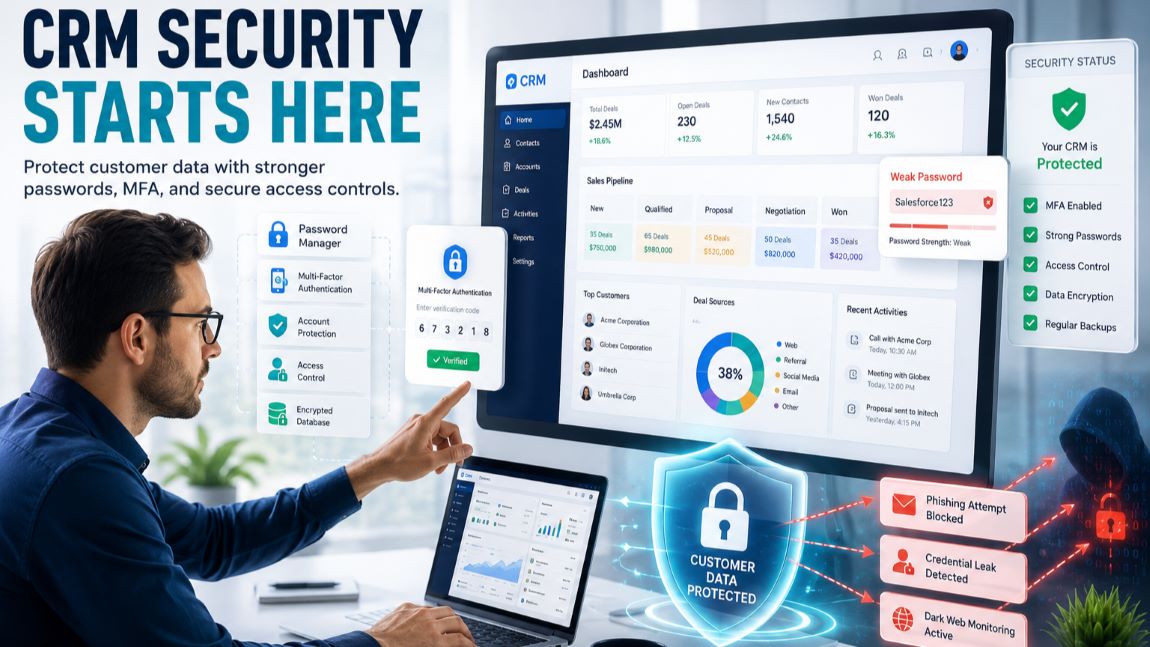
Then they'll protect their entire customer database with "Salesforce123."
Here's the uncomfortable truth: at OutRight CRM, we see it constantly. A meticulously configured CRM, packed with sensitive deal data and customer information, undone by a single credential that was reused across six personal accounts.
You can invest thousands in your tech stack, but if your weakest password is an open door, none of it matters. The real-world consequences of a data breach in CRM: how to protect your data aren't theoretical — they're showing up in headlines every quarter.
Let's walk through the hidden gaps, the disturbing statistics, and a practical framework you can implement this week.
The Password Problem: Why Weak Credentials Are the Top Attack Vector
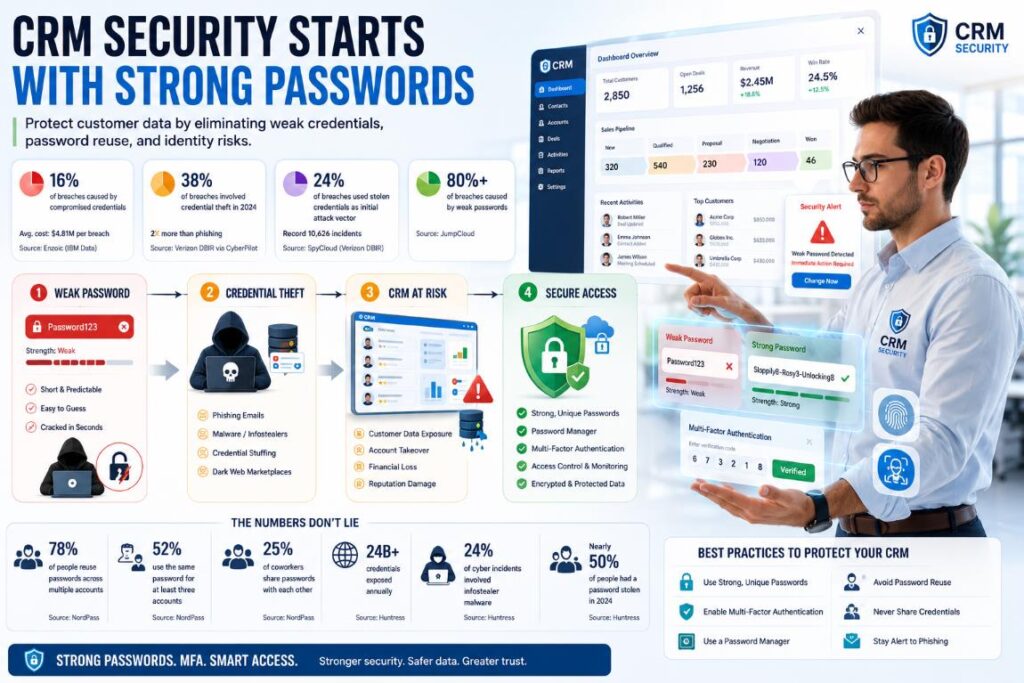
If you think sophisticated zero-day exploits are what keep security teams up at night, the data tells a different story. Compromised credentials are the top cause of breaches, accounting for 16% of all incidents with an average price tag of $4.81 million per breach, according to Enzoic's analysis of IBM data. That's second only to malicious insider attacks in cost.
Credential theft was involved in 38% of breaches in 2024 — more than double the rate of phishing, and the credential theft rate was more than double that of vulnerability exploits, per the CyberPilot breakdown of the Verizon DBIR.
Stolen credentials as the initial attack vector showed up in 24% of confirmed breaches, as SpyCloud noted from the same report covering a record-breaking 10,626 incidents.
So what's behind these numbers? Weak passwords, mostly. JumpCloud reports that weak passwords alone cause over 80% of organizational breaches. And "weak" doesn't just mean "password123" — though plenty of people still use that.
It means short, predictable patterns. Kaspersky analyzed 193 million real-world passwords and found that 45% could be cracked by a smart algorithm in less than a minute.
The reuse problem makes this exponentially worse. 78% of people reuse passwords across multiple accounts, and 52% use the same one for at least three. About 25% of coworkers share passwords with each other directly.
That's not negligence; that's just how people operate when they're managing an average of passwords, as NordPass research cited by Secureframe found.
Scale this up. An estimated 24 billion credentials are exposed annually, according to Huntress. Nearly half of people had a password stolen in 2024. Infostealers — malware specifically designed to harvest credentials — were used in 24% of cyber incidents.
Now drop a sales team into this landscape. High visibility, external-facing, responding to emails from strangers all day. They're juggling passwords on average. What are the odds every single one of those is strong, unique, and stored securely? That's the math that should worry every CRM admin.
The Hidden Security Gaps in CRM Workflows
It's not just bad passwords. It's how teams use those passwords day to day.
Shared logins are everywhere. Guard IQ found that common CRM access mistakes include multiple team members sharing a single login, ex-employees retaining access long after they've left, and people logging in over insecure Wi-Fi at coffee shops. When everyone uses the same credentials, you lose individual accountability. If a deal record gets altered or exported, there's no audit trail to trace who did it.
MFA adoption is shockingly low in smaller businesses. According to JumpCloud's MFA statistics, only 34% of companies with 26 to 100 employees use multi-factor authentication. For businesses with up to 25 workers, that drops to 27%. Meanwhile, Microsoft's systems face over 1,000 password attacks every second. That's not a coincidence — MFA blocks the vast majority of automated credential attacks, as Microsoft data cited by OutRight Store confirms.
People store passwords terribly. 44% admitted to using weak or personal-info-based passwords at work. Your CRM might have enterprise-grade encryption at rest, but if the key to that kingdom is on a Post-it note, the encryption is decorative.
Salespeople are high-risk targets. The Mimecast report with Cyentia Institute identified salespeople — alongside executives and board members — as carrying the highest overall risk of successful phishing attacks. Why? Public visibility, LinkedIn profiles listing their role, and constant external interactions with prospects. The median time to fall for a phishing email? Less than 60 seconds, according to the Verizon DBIR cited by SpyCloud.
Human error dominates. Infosecurity Magazine reported that 95% of breaches in 2024 involved human error, with just 8% of staff causing 80% of incidents. That's not a training problem; it's a systems problem. Your CRM is storing customer lists, deal histories, payment details, and communication records. All of it sits behind whatever password your most distracted sales rep chose on a Tuesday morning.
Real-World Breaches That Started with Credential Theft
If this sounds abstract, 2024 handed us several wake-up calls.
The Snowflake mega-breach compromised AT&T, Ticketmaster, Santander, and others — and the entire attack succeeded because none of the stolen accounts had MFA enabled. Some of those credentials had been circulating on illegal marketplaces for years, per NordLayer.
The Ticketmaster breach alone exposed 40 million customers. Attackers used credential stuffing — trying stolen username/password pairs against a cloud-hosted customer service portal — and extracted 1.3 terabytes of data including payment information. One vulnerable portal. One set of reused credentials.
Breaches involving stolen credentials took the longest to resolve: 292 days for the full breach lifecycle, longer than any other attack vector, according to IBM data highlighted by Enzoic. That's nearly 10 months of dwell time. Attackers inside your CRM for almost a year before detection.
The financial picture is brutal. IBM pegged the global average breach cost at $4.88 million in 2024 — a 10% spike from 2023, the largest annual jump since the pandemic. Insider-driven incidents averaged $13.9 million. Organizations using security AI and automation saved $2.2 million per breach. The math is straightforward: prevention costs a fraction of cleanup.
A Practical Framework to Lock Down Your CRM Credentials
None of this requires a six-figure security budget. Here's what actually moves the needle.
1. Enforce Multi-Factor Authentication — Now
MFA blocks a significant percentage of account compromise attacks. For CRM access, this isn't optional — it's the single highest-impact change you can make. Mandate it for every user, especially admins and remote team members. The friction complaints will last about a week. A breach lasts months and costs millions.
Best for: Every organization with a CRM. There's no legitimate exception.
Less ideal if: You have field teams in areas with unreliable mobile reception for push notifications. Use hardware tokens or backup codes as alternatives.
2. Adopt a Password Manager and Generator
Only 13% of people use random password generators, according to Huntress. A tool like the password generator creates truly random, unique credentials — including passphrases like "Sloppily8-Rosy3-Unlocking8-Angelic4" that are easier to type but still cryptographically strong.
NIST now prioritizes password length over complexity. Their current guidance (SP 800-63B) recommends at least 15 characters. They've also dropped the recommendation for mandatory periodic password changes, which often led people to choose weaker passwords they could easily remember. Length and uniqueness beat forced rotation every time.
Once you've got a password manager in place, deploy it across the whole team. While strong passwords remain essential today, organizations should also begin evaluating passwordless authentication to reduce their reliance on passwords and strengthen identity security. This is where those 10 effective strategies to improve CRM security come into play—MFA, role-based access control, and strong password policies working together.
3. Eliminate Password Reuse and Sharing
Over 74% of passwords in SpyCloud's recaptured database were reused across breaches. A strong, unique password that's also used on a compromised e-commerce site is no longer strong.
Corporate policy should explicitly ban shared CRM logins (no more "the sales account" that everyone uses) and prohibit reuse between work and personal accounts. Passphrase generators make this easier — a memorable four-word phrase beats a jumble of symbols you'll inevitably write down.
4. Automate Credential Monitoring
Organizations using automated monitoring save an average of $2.2 million on breach costs, per IBM research cited in OutRight Store's security strategies. Security AI and automation save $2.2 million per breach overall.
The idea is simple: detect when employee credentials appear in breach databases before attackers use them. Dark web monitoring and automated alerts turn a reactive scramble into a proactive process.
5. Run Continuous, Realistic Security Training
Sales teams need phishing simulations that reflect actual attack patterns they face — fake invoice requests, urgent executive impersonations, "prospect" emails with malicious attachments. Generic compliance videos don't move the needle.
The fact that sales teams carry the highest phishing risk means training frequency should match their exposure level. Make it relevant. Make it regular. Track who clicks and follow up individually.
93% of organizations plan to increase cybersecurity spending targeting CRM systems, as OutrightCRM found. Smart spending starts with these five pillars — not with the shiniest new detection tool.
Caveats & Counterpoints: Beyond Passwords
Credential hygiene is foundational, but it's not a silver bullet. Zero-trust architectures, endpoint protection, and least-privilege access still matter enormously. MFA can be bypassed — adversary-in-the-middle attacks and MFA fatigue campaigns (bombarding users with push notifications until they approve one) are real threats. Don't treat any single control as impenetrable.
Small teams with minimal IT resources might struggle with a password manager rollout. Training overhead, initial setup, and resistance to change are genuine barriers. Free and open-source options lower the financial barrier significantly. Start with the willing users and let peer adoption do the convincing.
NIST's shift away from mandatory password rotation may clash with legacy corporate policies or compliance frameworks that still mandate 90-day changes. Organizations need to actively update their policies and educate stakeholders on why length and uniqueness now take priority over arbitrary rotation schedules.
Finally, insider threats — whether malicious or accidental — demand separate behavioral monitoring and access controls. Those events cost $13.9 million on average. A strong password doesn't stop someone with legitimate access from exporting a customer list before quitting. Security layers exist for a reason.
Conclusion: Protecting Your CRM Starts with Your Sales Team's Passwords
Seventy-three percent of businesses have bet on CRM software to drive growth. That's a massive investment in relationships, data, and competitive intelligence. But all of it sits behind credentials that, statistically speaking, are probably too short, definitely reused, and possibly shared.
CRM security isn't just an IT checkbox. It's a revenue protection strategy. Sales leaders who treat credential hygiene as part of their operational cadence — not something they delegate and forget — are the ones who'll avoid becoming the next breach headline.
One small change shifts the odds dramatically. Enable MFA this week. Install a password manager. Run a phishing simulation with your sales team and see who bites. Start there, build the habit, and make sure your customer data stays where it belongs: inside your CRM, not on a dark web marketplace.
%201.png)

%201.png)

%201.png)