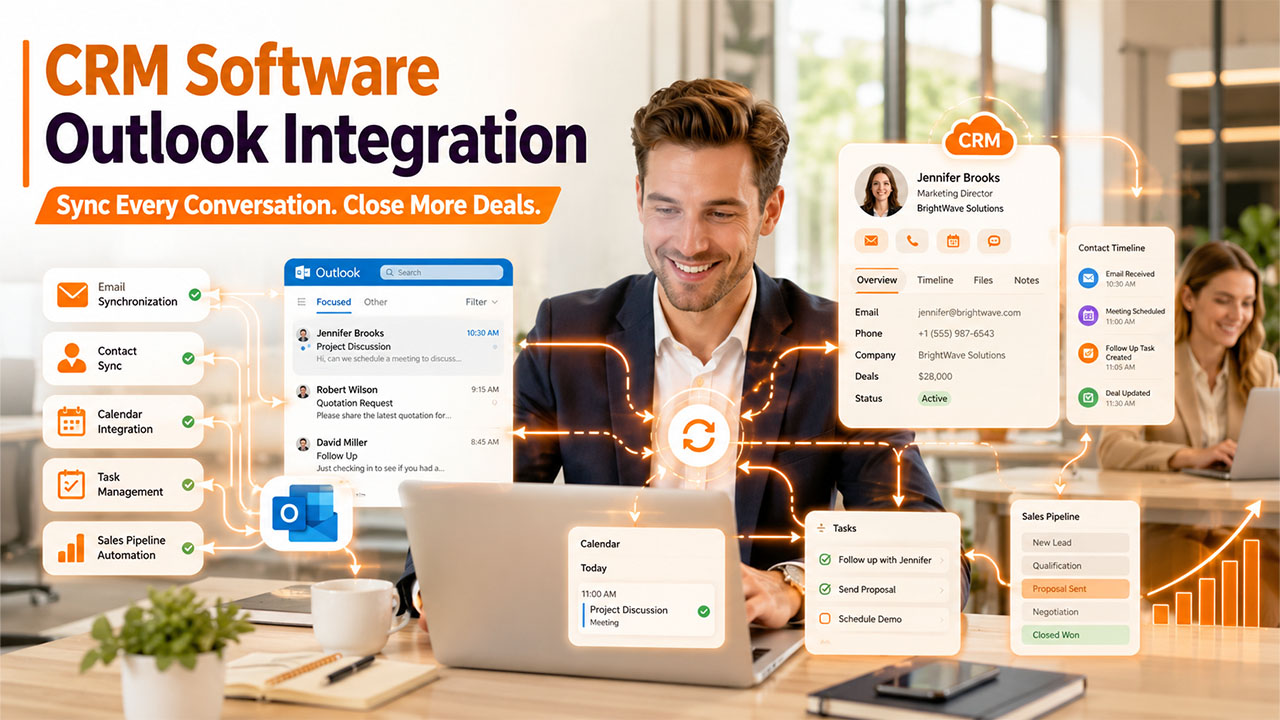

The article explores the benefits of CRM software Outlook integration, along with the features, common challenges, and real-world application of integration.
In the current fast-paced business environment, organizations rely heavily on various tools to manage customer interactions, emails, meetings, and sales activities. Although customer relationship management (CRM) tools offer businesses the ability to efficiently organize customer data and sales pipelines, Microsoft Outlook remains one of the most widely used email communication and calendar management platforms globally.
Using both platforms separately can lead to key challenges, such as duplicate work, missed follow-ups, scattered customer information, and reduced productivity. CRM software Outlook integration helps businesses in connecting the CRM system with Microsoft Outlook, which allows the CRM platform to automatically sync emails, contacts, calendars, meetings, and tasks. It helps in boosting the productivity of the employees, as they can access customer information directly within Outlook, while also ensuring that all communication is automatically stored inside the CRM.
What is CRM Software Outlook Integration?
A CRM software Outlook integration is the process through which a Customer Relationship Management (CRM) system integrates with Microsoft Outlook, ensuring that customer-related information, emails, calendars, contacts, and tasks can be automatically synchronized between the two platforms.
With the integration, a CRM system can help businesses in managing customer data, sales activities, marketing campaigns, and support interactions, while Microsoft Outlook can be used for professional email communication, scheduling meetings, and managing calendars. The integration allows the employees to manage customer interactions directly from Outlook, while also automatically updating records inside the CRM.
There are also various powerful CRM for Outlook tools available, which are designed to integrate directly into Microsoft Outlook, reducing the need for manual integration of the two platforms.
Key Functions of CRM Software Outlook Integration
- Email Synchronization: The integration automatically records incoming and outgoing emails in customer profiles.
- Contact Synchronization: It helps businesses keep customer contact details updated across Outlook and the CRM software.
- Calendar Integration: The integration automatically syncs meetings, appointments, and reminders between the two platforms.
- Task Management: It allows users to create and track follow-up tasks from either of the two systems.
Why Do Businesses Need CRM Outlook Integration?
Mostly, businesses across the globe rely heavily on email to communicate with customers, prospects, partners, and vendors, while utilizing CRM software to manage customer relationships, track sales, opportunities, and store valuable customer information. Operating these two platforms independently adds extra time and manual effort in switching, updating records, and searching for customer interactions. The CRM software Outlook integration helps businesses eliminate these inefficiencies, simply by connecting the two platforms into a unified workflow.
It also helps improve the productivity of the team. With the CRM software Outlook integration, sales representatives, customer support agents, and account managers can access customer profiles, view communication history, create new leads, and update opportunities directly from their inbox. It streamlines workflow, allowing employees to focus more on building relationships and closing deals.
Benefits of CRM Software Outlook Integration
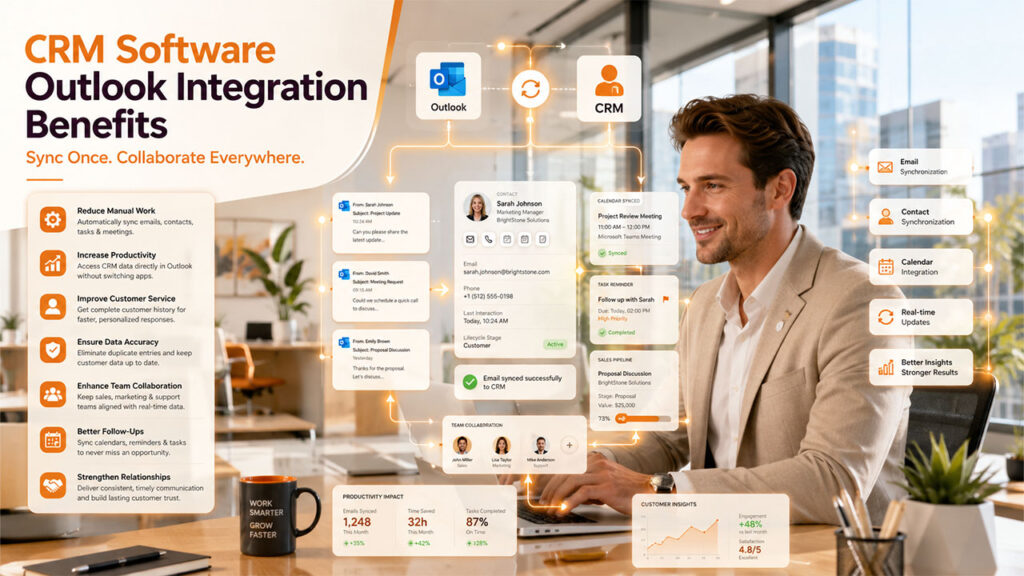
Some of the key benefits of CRM software Outlook integrations are as follows:
- Reduces Manual Data Entry: The integration automatically syncs emails, contacts, meetings, and tasks, reducing the need for manually entering the same information twice.
- Increases Productivity: With integration, employees can easily access CRM data directly from Outlook, reducing the need to switch between applications.
- Improve Customer Service: It provides a complete history of customer interactions, enabling quicker and more personalized responses.
- Ensure Data Accuracy: It synchronizes data automatically, reducing errors, duplicate records, and outdated customer information.
- Enhances Team Collaboration: Integration keeps the sales, marketing, and support teams updated with the latest customer information in one centralized system.
- Support Better Follow-Ups: It automatically synchronizes calendars, reminders, and tasks to help employees stay updated on appointments and customer communications.
- Strengthen Customer Relationships: It also enables timely communication and organized customer records, helping businesses deliver a consistent and positive customer experience.
Key Features of CRM Software Outlook Integration
CRM software Outlook integration offers various features that help businesses efficiently manage customer communication. Some of the key features of the integration are as follows:
- Email Synchronization: The integration automatically syncs all the incoming and outgoing emails between Microsoft Outlook and the CRM software. It also ensures that all records related to customer conversations are stored in one place.
- Contact Synchronization: The synchronization keeps all the contact information consistent across both platforms. Any contact added in Outlook can be automatically created in the CRM software.
- Calendar Integration: It also syncs appointments, meetings, and events between Outlook and the CRM software.
- Task Management: Integration enables users to create, assign, and track tasks from Outlook or the CRM.
- Email Tracking: It tracks customer interactions by automatically recording every email sent, opened, or replied to, helping the sales teams to efficiently monitor engagement and prioritize follow-ups.
Real-World Applications of CRM Outlook Integration
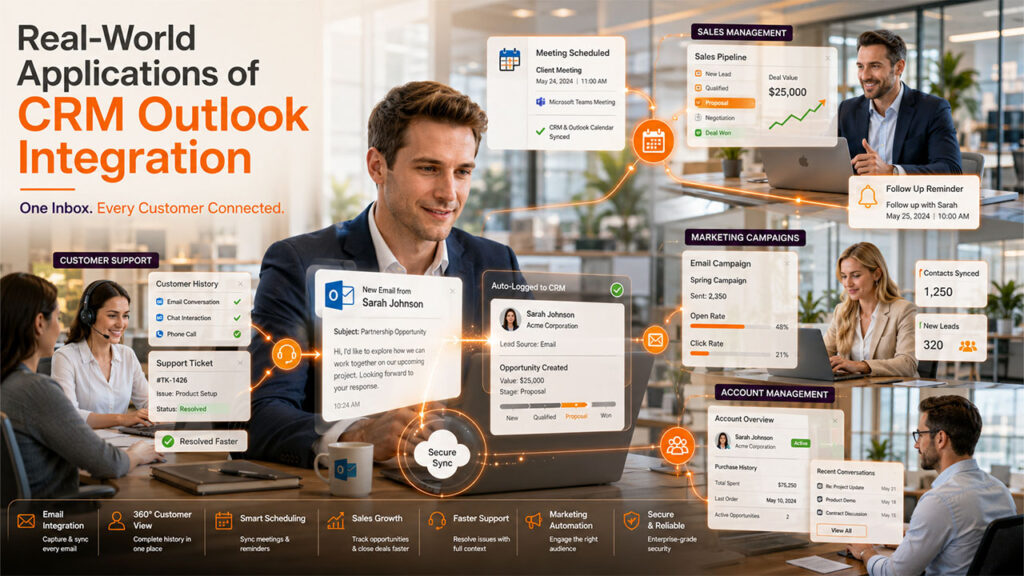
The CRM software Outlook integration is commonly used across various industries, mainly to simplify communication, improve collaboration, and enhance customer relationship management. Some of the popular real-world applications of CRM software Outlook integration are as follows:
Sales Management
With the integration, the sales teams can efficiently track customer emails, schedule follow-up meetings, manage sales opportunities, and automatically log communications. It also helps the team stay more organized and close deals more efficiently.
Customer Support
CRM software Outlook integration helps the support teams to quickly and efficiently access the complete communication history of the customer, directly from Outlook. With the integration, they can also respond to inquiries, create support tickets, and resolve issues without switching between different applications.
Marketing Campaign Management
The CRM software Outlook integration allows the marketing teams to seamlessly synchronize customer contacts, monitor email interactions, and manage campaign responses through the CRM platform. It helps them in generating personalized marketing campaigns, along with effectively tracking customer engagements.
Appointment and Meeting Scheduling
Businesses can efficiently sync calendars between Outlook and the CRM software, ensuring meetings, client appointments, and follow-up reminders are updated automatically.
Account Management
Account managers can easily view the customer's profiles, conversations, purchase history, and ongoing opportunities while reading emails.
Common Challenges of Integration
While the CRM software Outlook integration offers key benefits to businesses, it can also lead to some challenges, especially during implementation and day-to-day use.
Some of the major challenges of the integrations are as follows:
- Data Synchronization Issue: An improper synchronization can lead to missing, outdated, or inconsistent information between the two platforms.
- Duplicate Records: If the sync rules are not configured correctly, it can lead to the creation of duplicate contacts, emails, or customer records, making CRM databases difficult to manage.
- Compatibility Problem: All CRM platforms do not support every version of Microsoft Outlook, leading to installation difficulty or limited functionality.
- Performance Issues: If the system resources are limited, large email inboxes, extensive contact lists, or frequent syncs can slow down either of the two platforms.
Conclusion
The CRM software Outlook integration has grown to become one of the most essential capabilities for businesses, especially those seeking improved productivity, enhanced customer relationships, and streamlined communication. The integration helps businesses eliminate manual data entry by automatically syncing emails, calendars, tasks, and customer records. It also helps in reducing errors and creating a unified view of every customer interaction.
The integration of CRM software and Microsoft Outlook offers benefits across various departments, from sales and marketing to healthcare and manufacturing. With the integration, employees spend less time on administrative work and more on building meaningful customer relationships, which can help drive long-term business growth.
The CRM software Outlook integration has also become more powerful, especially with the introduction of new-age technologies, such as automation, artificial intelligence, and predictive analytics. This helps businesses work smarter, respond faster, and deliver an exceptional customer experience.
FAQs About CRM Software Outlook Integration
Q. Can Outlook automatically sync emails with a CRM?
Yes, a modern CRM platform allows automatic synchronization of incoming and outgoing emails with customer records in Outlook.
Q. How does CRM Outlook integration improve sales productivity?
With integration, the sales teams can efficiently track emails, schedule follow-ups, access customer information, manage leads, and update opportunities.
Q. Can CRM software Outlook integration sync calendars and meetings?
Yes, the CRM software Outlook integration automatically syncs appointments, meetings, reminders, and events.
Q. Is CRM software Outlook integration secure?
Yes, most CRM solutions use secure authentication, encryption, and role-based access controls to protect sensitive customer data during synchronization.
%201.png)

%201.png)

%201.png)