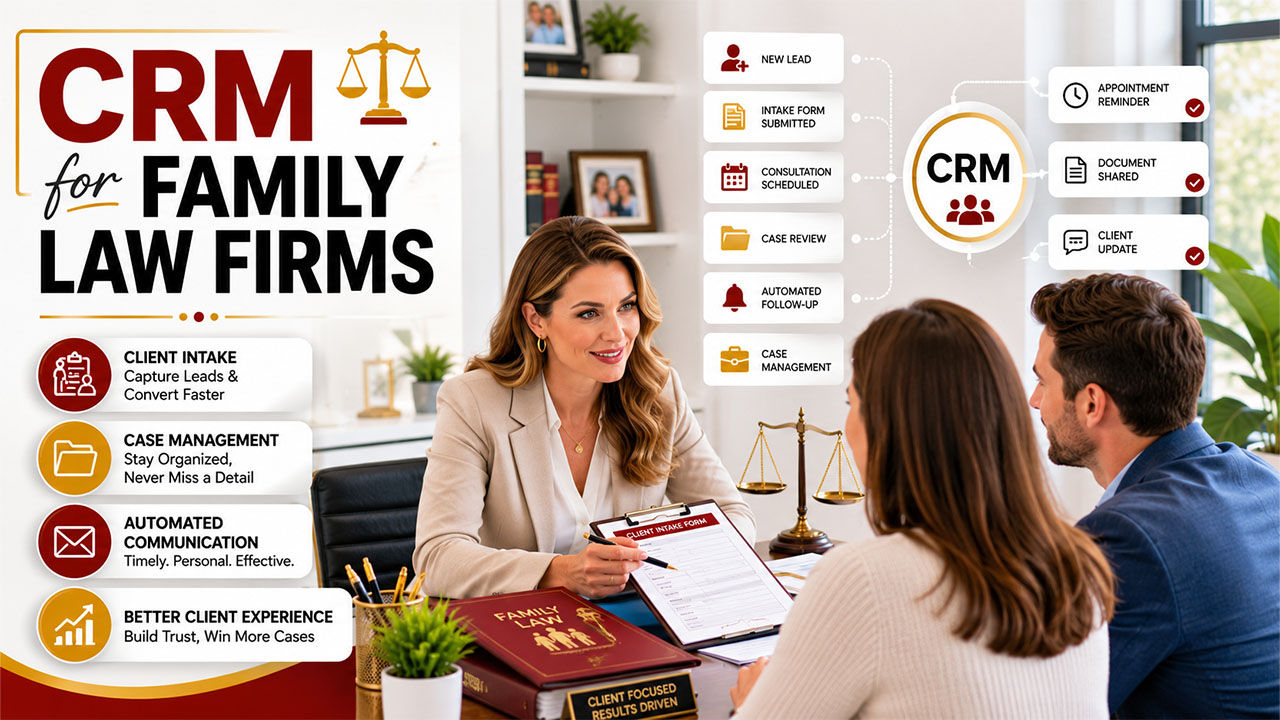

A family law attorney I know spent three years building a thriving practice. Strong referrals. Good reputation. A waiting room that was never empty. And yet, by 2023, she was burning out. Not because of the caseload. Because of the chaos surrounding it.
The CRM emergency monitoring dashboard provides administrators with real-time visibility into critical system components, including running processes, database activity, and performance bottlenecks, enabling immediate troubleshooting during emergency scenarios.
Leads fell through the cracks. Follow-up emails went out days late. New clients arrived for consultations with incomplete intake forms. Her paralegal spent two hours every morning just tracking down information that should have been captured automatically.
She implemented a CRM in January 2024. By March, her intake conversion rate had jumped by 34 percent. Her team reclaimed roughly six hours per week. She told me it felt like hiring two extra staff members without paying two extra salaries.
That story is not unique. It plays out in family law practices across the country every single day. This guide explains exactly how CRM software works for family law firms, what features matter most, and how to implement it without disrupting the practice you have already built.
Why Family Law Firms Need CRM Software More Than Most
Here is what nobody talks about in legal technology discussions. Family law is not just a practice area. It is an emotionally loaded service where the speed and quality of your response directly determines whether a frightened, overwhelmed potential client hires you or your competitor.
Research from Lawmatics published in early 2025 found that 86 percent of legal consumers hire the first firm that responds to their inquiry. Not the best firm. Not the most experienced. The first one. In family law, where clients are often in acute distress during a divorce or custody dispute, that window is even shorter. A CRM closes that gap.
This urgency in response time is increasingly being shaped by AI-driven systems, as explored in how AI is transforming customer relationships, where client expectations are shifting toward instant, intelligent engagement.
Generic contact management tools were not designed for this. They do not understand conflict checks. They do not connect to court calendaring systems. They were not built to handle sensitive disclosures about asset division, child custody, or domestic situations. A legal CRM, configured correctly for family law, is a fundamentally different tool.
According to the 2024 Clio Legal Trends Report, firms using automated intake workflows see a 36 percent increase in casework conversion. That number stopped me when I first read it. More than one in three additional cases closed, simply by fixing the intake process. That is not a marginal improvement. That is a transformation.
The Three Core Functions of CRM in a Family Law Practice

1. Automated Client Intake That Captures Everything
Client intake in family law is more complex than in most practice areas. You need spouse names, asset lists, children's information, employment details, and an initial conflict check before you can ethically proceed. Doing this manually during a phone call is slow, error-prone, and creates compliance risk.
A CRM with dynamic intake forms changes this entirely. The form adjusts based on previous answers. Someone indicating they have children triggers additional custody-related questions automatically. Someone flagging a business interest triggers asset-specific fields. The result is a complete, structured intake record before the first consultation begins.
Modern systems now extend this capability using AI agent builder for CRM workflows, enabling automated decision-making, dynamic form logic, and intelligent routing of client intake data without manual intervention.
Platforms like Lawmatics and MyCase handle this natively. Clio Grow integrates it directly with Clio Manage, so the prospect record converts to a client matter without any duplicate data entry. That last point matters more than it sounds. Double entry is where accuracy goes to die in small and mid-sized firms.
2. Case Management Integration That Keeps Nothing Hidden
The boundary between CRM and case management software used to be clear. CRM handled leads and prospects. Practice management software handled active matters. That distinction is blurring fast, and for family law firms, the blur is a good thing.
Modern legal CRM emergency monitoring dashboard platforms now bridge both stages. When a prospect signs a retainer, their entire interaction history, including every email, form submission, consultation note, and document, transfers to the active matter record. Attorneys walk into the first official client meeting with complete context. No awkward recap questions. No hunting through email threads.
For firms handling divorce cases with high emotional stakes, this continuity is not just operationally convenient. It signals professionalism. Clients in the middle of a difficult divorce notice when their attorney remembers what they said three weeks ago during an intake call. That kind of attentiveness builds trust faster than any marketing campaign.
3. Automated Communication That Feels Personal, Not Robotic
This is where most firms get CRM automation wrong. They set up a drip email sequence and call it done. The emails go out. They feel cold. Clients disengage. The firm concludes that automation does not work for legal services.
The problem is not automation. The problem is generic automation. A well-configured CRM emergency monitoring dashboard sends communication that is triggered by specific case events, personalized with client data, and calibrated to the emotional context of the situation. An automated reminder about a mediation session feels completely different from a generic newsletter blast.
Lawmatics, for example, can trigger a personalized SMS and email sequence the moment a prospect submits an intake form at 11 PM on a Sunday. The attorney is asleep. The system acknowledges the inquiry, confirms the next steps, and books a consultation slot automatically. The prospect feels heard immediately. That is what good automated communication looks like.
Top CRM Platforms for Family Law Firms: A Quick Comparison
Here is an honest side-by-side of the most widely used CRM emergency monitoring dashboard systems in 2026, based on firm size and primary use case.
| Platform | Best For | Starting Price | Key Strength |
| Clio Grow | Small to mid-sized firms | $49/user/month | Seamless Clio Manage integration |
| Lawmatics | Marketing-focused firms | $200+/month | Deepest intake automation |
| MyCase | Family law specialists | $49/user/month | End-to-end client management |
| HubSpot CRM | Solo and small firms | Free tier available | Zero cost entry point |
What CRM Implementation Actually Looks Like in a Family Law Practice
I want to be honest about something most CRM vendors gloss over. Implementation takes time. A typical mid-range platform like Clio Grow or MyCase requires one to four weeks for full setup, including data migration, workflow configuration, and staff training. Lawmatics, with its deeper automation capabilities, can take longer.
The firms that fail at CRM emergency monitoring dashboard adoption almost always rush this phase. They import contacts, activate a few automations, and declare the system live. Six months later, staff have reverted to email folders and sticky notes because nobody built the workflows around how the firm operates.
The firms that succeed take a different approach. They start with one workflow, usually the initial intake sequence, and perfect it before touching anything else. They assign one team member as the CRM owner. They review the data monthly. They treat CRM as infrastructure, not a one-time installation.
This operational discipline matters especially for practices handling sensitive divorce and custody work. Firms like those represented by divorce lawyers Tulsa depend on airtight client communication and intake processes because the cases are high-stakes and the clients are vulnerable. A missed follow-up or a lost intake form is not just an operational failure in this context. It is a client who went through one of the hardest experiences of their life feeling unsupported.
The Bottom Line: CRM Is No Longer Optional for Family Law Firms
Here is my honest prediction for 2026 and beyond. Within three years, family law firms without a properly implemented CRM will struggle to compete for clients against those that have one. Not because CRM is a magic solution. Because the gap in response speed, intake quality, and communication consistency will become impossible to overcome manually at scale.
The attorney I mentioned at the start of this guide is now running a practice that feels sustainable rather than frantic. Her conversion rate is higher. Her team is less stressed. Her clients feel better supported through difficult situations. None of that happened because she worked harder. It happened because she built better systems.
CRM emergency monitoring dashboard software is that system. Start with intake. Automate one workflow at a time. Measure the results. The transformation is slower than the vendors promise and more durable than the skeptics admit.
What is the single biggest operational bottleneck in your current intake process? That is exactly where your CRM implementation should begin.
Frequently Asked Questions
Q1. What is the best CRM for family law firms in 2026?
For small to mid-sized family law firms, Clio Grow paired with Clio Manage offers the best balance of legal-specific features, ease of use, and integration depth. For firms running aggressive intake and marketing campaigns, Lawmatics delivers more automation power. Solo practitioners just starting out can begin with HubSpot CRM at no cost and upgrade as their volume grows.
Q2. How does CRM software help with client intake in family law?
A legal CRM automates the entire intake process from first inquiry to signed retainer. It captures lead information through web forms, triggers immediate follow-up communications, runs automated conflict checks, sends appointment reminders, and converts prospect records to client matters without duplicate data entry. The result is faster response times, higher conversion rates, and fewer administrative errors.
Q3. Is CRM software secure enough for sensitive family law data?
Yes, when you choose a platform designed for legal use. Legal-specific CRMs like Clio, MyCase, and Lawmatics use bank-grade encryption, two-factor authentication, and role-based access controls. They are built with attorney-client privilege and data confidentiality requirements in mind. Generic CRMs like Salesforce can also be configured securely but require more setup to meet legal-specific compliance standards.
%201.png)

%201.png)

%201.png)