
Relationships with customers generally does not stops when an order enters the warehouse, but for many distributors, manufacturer, wholesalers, and e-commerce businesses, the delivery experience shapes the account almost as much as the sales itself. A customer remembers every late shipment, missing tracking number, or the order that arrived in separate cartons on different days. Yes, sales and service teams often work inside a CRM platform, and the fulfillment staff manage carriers, labels, tracking, and exceptions somewhere else.
CRM shipping integration closes this gap by connecting customer, order, fulfillment, and delivery information across systems. With AI-powered shipping automation entering more fulfillment workflows, the case becomes even stronger because routing decisions, carrier selection, exception detection, and delivery updates can happen faster than a person can manually relay them. If the customer-facing team cannot see the shipping activity inside the systems, they have already used, the business loses speed, context, and control at precisely the point when a customer may need an answer.
How CRM Shipping Integration Brings Shipping Data Into the Customer Record
A CRM platform generally contains the commercial history of an account, such as contacts, conversations, opportunities, quotes, support activity, and renewal information. Shipping systems hold another part of that history. The team only knows when an order left, which carrier tool it, how many packages shipped, and where delivery problems already appeared.
Without effective CRM integration, keeping these records separate often forces employees to reconstruct the customer's story manually. An account manager can see that a valuable customer placed a large order but has no immediate view of its delivery status. A representative from the service team may receive a complaint and then open another system, search for the order, locate the tracking number, and work backward from carrier events.
That delay is avoidable. By displaying the shipping status along with the customer and order details, the rep is in a better position to start the conversation. He or she can see if the shipment is left on time, if one of the packages was delayed, or if the carrier already marked an exception delivery. The conversation will be faster and more straightforward since the employee is not spending time asking customers for some basic facts that he already knows.
CRM Shipping Integration Reduces Manual Data Transfer
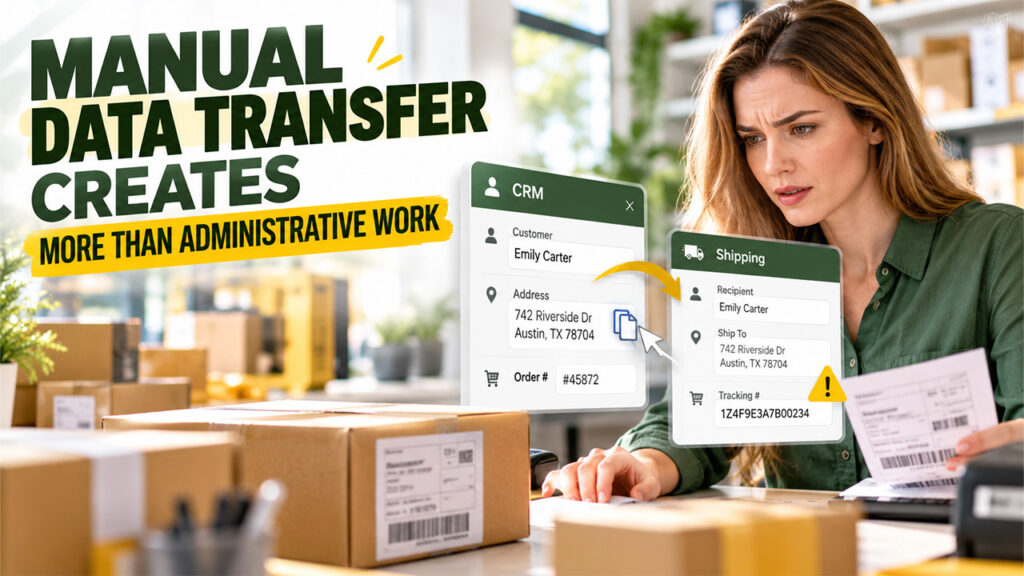
Copying information between systems looks harmless when order volume is low. An employee enters a customer address into one platform, creates the shipment, then pastes a tracking number into another record. The process may take only a few minutes.
At scale, those minutes become a substantial workload. More importantly, each manual transfer creates another chance for a mistake. An address can be entered incorrectly. A tracking number can be attached to the wrong order. A shipment can leave without anyone updating the CRM. A customer contact can receive information that belongs to another delivery.
These hand-offs are reduced in automation. Information about the customer and the order can be entered straight into the shipping process, whereas the information about tracking events and delivery can be entered back into the customer’s file. Staff will have less time working on moving data and more time working on exceptions requiring judgment.
The advantage is even greater if an order involves multiple shipments or multiple locations. It is significantly harder to manually update the system when parts of the order travel through separate paths. Having the synchronized database allows these shipping events to stay linked to the original order and account without manual assembly.
Sales Teams Need Delivery Visibility Too
Delivery issues are typically left to be managed by warehouse operations; however, they can influence future revenues. It is important for a sales representative to be informed if an account faces continuous delivery issues – delay, damaged goods, or partial delivery.
Lack of such knowledge can negatively influence a conversation. The sales representative calls the client to discuss renewal or bigger order at the time when the client is still unhappy because of a delivery issue. In other words, the lack of knowledge shows the disconnection between departments of the same company, even though the other department deals with the issue already.
Sharing delivery information is helpful for sales representatives since they can time and shape their conversation properly. They can solve the issue first and then suggest something else. They can contact the client proactively after noticing a big delay. Also, sales representatives will find out which clients have good delivery performance in order to increase their order size.
Over time, delivery history can add useful context to account planning. A customer that consistently requests expedited services may value speed enough to support a different commercial arrangement. Another account may place large orders but frequently create costly delivery exceptions because of receiving restrictions. Those patterns can inform future negotiations and service decisions.
Customer Service Can Move from Reactive to Proactive
CRM shipping integration can help customer service teams move from reactive problem-solving to proactive communication by bringing shipment events into the customer workflow.
Many shipping-related support contacts follow the same pattern. The customer notices a problem first, reaches out, and asks the company to investigate. The service team then checks several systems before explaining what happened.
Connected data can reverse that sequence. If the shipping environment identifies a missed scan, failed delivery attempt, address problem, or prolonged delay, that event can surface inside the customer workflow. The service team can contact the buyer before the buyer contacts them.
That change is especially valuable for high-value orders and strategic accounts. A proactive message that says, “Your shipment has been delayed at the carrier terminal, and we are already following up,” creates a very different customer experience from making the buyer discover the delay alone.
Automation can also help route exceptions based on commercial importance. A minor delay on an urgent shipment for a major customer also deserves immediate attention. When the shipment status lives in connected systems, the businesses have to prioritize response more intelligently.
Shipping Costs Become Easier to Evaluate by Customer

Transportation costs often appear in operational reports without enough commercial context. A logistics manager can see carrier spending, service levels, and surcharges. A sales manager can see account revenue and gross sales. If those records never connect, the company may miss customers whose delivery requirements reduce profit significantly.
One account may routinely request an expedited service. Yet another could be delivering to distant locations with many extra charges. The third one could result in multiple small orders rather than consolidated few deliveries. The revenue may make the customer seem profitable, but not the shipping.
The linkage of the shipping costs to the customer data provides more transparency to the finance and business teams. They can identify the cost drivers due to service patterns and determine whether there is a need to change the pricing, minimum order amounts, shipping terms, or policies.
It will allow better negotiation as well. Rather than increasing prices across the board, the company can deal with the exact issue of cost creation by the customer. It could provide free shipping over a higher minimum, charge for the expedited shipping separately, or promote consolidation of orders.
A Connected Setup Needs Clean Ownership and Clear Rules
The integration of CRM and shipping data is successful only when the organization specifies which software manages specific categories of data. Customer names physical locations, order identifiers, carrier activities, tracking digits and the current state of a shipment are data points that require a single primary source. In some cases inconsistent records generate additional mistakes rather than correcting existing inaccuracies.
The staff must also determine which shipping activities are useful to view within the CRM. To send every carrier scan into a database creates a high volume of irrelevant information. The employees who sell products do not require a view of every transit location - those workers require the date a shipment begins, when it leaves the warehouse, the predicted arrival time, the final delivery status and any unusual delays. It is possible that the customer service agents require more specific data.
The rules for automated actions are effective when they apply the same logic. There are specific events that initiate automatic electronic messages. Other events are causes for an internal review by a staff member. A delivery attempt that fails is a reason for a customer service agent to contact the buyer, while a standard confirmation of delivery is a reason to update the database.
The most effective configuration provides specific data to each department. It is functional because the employees do not have to learn the complex details of software used by a different department. Sales sees customer-relevant delivery history. Service sees enough detail to solve problems. Logistics keeps its operational tools. Finance gains clearer shipping-cost data by account.
Whan a CRM and shipping systems operates separately; the business generally pays for the shipment gap in small ways. Employees have to re-enter data, customers repeat information, account managers miss delivery problems, and logistics costs remain disconnected from the actual commercial decisions. None of those failures loos severe when seen alone, but together, they can create unnecessary friction across the customer experience.
CRM shipping integration helps businesses remove much of this friction by allowing order, account, and shipment information to move where people need it. The result is much faster service, along with fewer manual errors, better account context, and stronger visibility into the true cost of serving each customer. The shipping can happen after sales, but the information shipping generates largely belongs much closer to the customer relationships.
%201.png)

%201.png)

%201.png)