
Software powers healthcare, banking, retail and daily business processes, so even a small defect can impact users and revenue. Software Testing Basics provides QA and development teams with a shared framework for checking that an application works as expected before it reaches the customer base. Irrespective of whether you are beginning your career in QA or handling a release, a clear understanding of the basics of software testing allows you to plan checks, accurately report defects, and select suitable tools. In this guide, let us cover the definition, key principles, testing levels and types, and the process that your teams follow:
What Are Software Testing Basics?
Software testing refers to the process of assessing the software to check whether its actual behavior aligns with the anticipated behavior. It evaluates both non-functional and functional facets of the product. It can be manually performed or with automation tools, and at distinct stages of the software development lifecycle.
Software testing basics are the pillar of this kind of work: the common terms, levels, principles, types, and workflow that cover random checks into a dependable process. The main goals are as follows:
- Recognize the defects before the release.
- Verify that the features meet particular requirements.
- Enhancing usability, reliability, and stability.
- Minimizing failure risk in production.
- Spotting vulnerabilities of security that can expose your data.
Software testing should not be an afterthought and must be approached with great care and strategy. IBM has noted that in July 2024, a flawed CrowdStrike update caused widespread crashes on Windows systems. Delta Air Lines was hardest hit among many US airlines, with thousands of flight cancellations and estimated losses beyond $500 billion.
The same logic is applicable to routine business tools as well. Lead Management Software, for example, gathers and directs lead data, so a defect in a workflow or form can impact how leads are recorded as well as followed up.
Key Terms and Core Principles
A few principles are important to make testing more focused and realistic:
- Testing reveals the presence of defects and not their absence: Passing tests verify what has been tested.
- Exhaustive Testing is Undesirable: Teams focus on risk instead of testing each and every input.
- Test Early: Early feedback often means straightforward fixes.
- Defects Cluster: A few areas tend to repeatedly break, so they need more coverage.
- Repeated Tests Lose Value: Test cases need to change with changes in product or software development lifecycle.
- Context Is Important: A payments workflow requires varying depth than a marketing page.
You will commonly find a few terms in almost each testing discussion:
- Test case: A group of inputs, conditions, steps, and expected results for a single functionality.
- Test suite: A group of relevant test cases work together.
- Test plan: A document that determines objectives, scope, resources, and approach.
- Defect or Bug: A problem where real behavior is different from the expected requirement or result.
- Regression Testing: Testing is done after changes to make sure whether the current features work or not.
Types and Levels of Software Testing
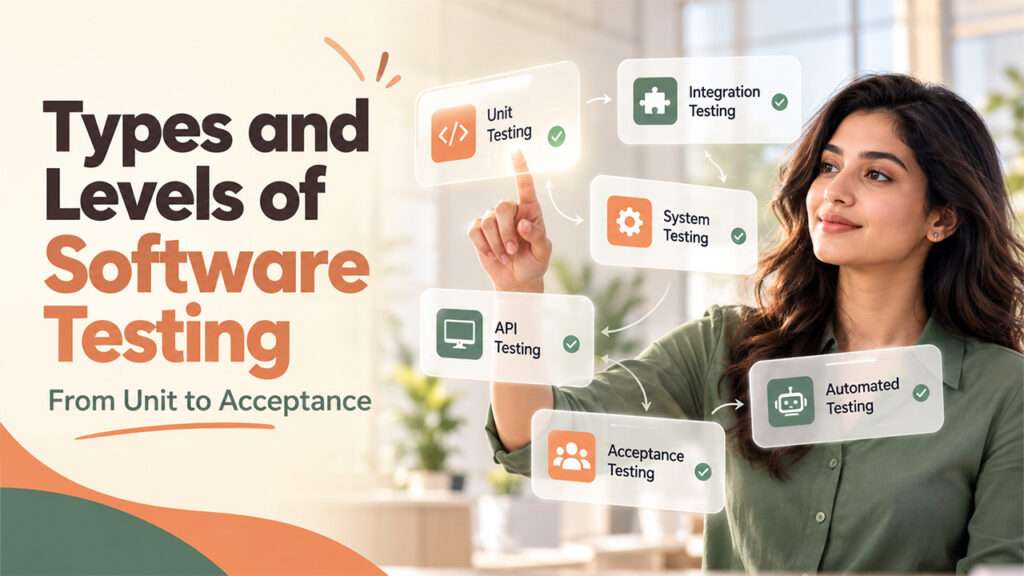
Testing often happens at four different levels:
- Unit Testing: Verifies the smallest testable components of an app.
- Integration Testing: Checks whether modules or components operate together.
- System Testing: Performs end-to-end testing of the entire system.
- Acceptance testing: Validates that the entire system operates as planned, typically with stakeholders or end users.
Integration work often need APIs, which tether components and services. Dedicated API testing tools, like Postman, allow teams to validate responses, send requests, and automate API checks.
Tests can be categorized as follows:
- Functional testing: Validates that characteristics work as per the needs. Examples involve regression, smoke, and user acceptance testing.
- Non-functional Testing: Evaluate how the software works under distinct conditions. Examples involve security, performance, usability, and compatibility testing.
As per the visibility into the code, tests are categorized as white-box (as per the logic and internal structure), black-box (no knowledge of internals), or gray-box (partial knowledge).
Teams also opt between two approaches in execution:
- Manual testing: Testers work as end users. It suits usability and exploratory testing.
- Automated testing: Scripts and tools implement pre-built tests. It is suitable for regression and repetitive testing.
Tools, Testing Process, and Right Practices
Most teams rely on an organized workflow:
- Analysis of Requirements: Check out requirements to recognize what you can test or not.
- Test planning: Set up priorities, scope, resources, and platforms.
- Test Design: Write test cases and scenarios for major flaws.
- Test Implementation: Launch tests and record real versus expected outcomes.
- Defect tracking: Log, track and keep track of reported problems.
- Test Closure: Summarize coverage, results, and lessons learned.
A defect often moves through different stages like assigned, new, fixed, in progress, retest, and closed. An effective tracker keeps it visible to testers and developers. Readers comparing distinct options can go through guide on 10 Bug Tracking Tools for Developers and QA Teams.
Widely popular tools include Playwright and Selenium for browser automation, TestNG for Java testing, Jira for tracking of issues, LoadRunner for performance testing, and BrowserStack for device and cross-browser testing.
For starters, such practices help the most:
- Comprehend the needs before writing tests.
- Start small and then put your focus on high-risk areas like payments, login, and data management.
- Write clear test cases with steps, preconditions, and expected results.
- Record defects with steps to reproduce evidence, and environment details.
- Use feedback from every test cycle to fine-tune coverage.
Ultimately, it is safe to say that AI testing is becoming more popular day by day. IBM notes that generative AI can build test cases as per behavior of software, while machine learning-based predictive test enables teams to expect failures. However, these approaches are only here to support professionals with a solid grasp of fundamentals instead of replacing them.
Conclusion
Quality software hinges on consistent habits instead of just luck. Risk-based priorities, clear terms, and the right mix of automated and manual check, and clearly documented defects all make releases much more predictable. Understanding software testing basics provides teams with a great starting point, and sound knowledge of fundamentals makes automation, tools, and practices more accessible as products evolve.
Frequently Asked Questions
What are software testing basics?
Software testing basics refer to the core principles, terms, types, levels, and workflow teams utilize to check whether the software works as expected.
What are the four levels of software testing?
The four levels include integration testing, unit testing, acceptance testing, and system testing. Together they can validate everything from individual testing to the testing of the entire system with stakeholders and end users.
What is the difference between manual and automated testing?
In manual testing, testers act as end users, which suits usability and exploratory checks. Automated testing utilizes tools and scripts to run pre-built tests, which is suitable for repetitive and regression checks.
What is the main difference between non-functional and functional testing?
Functional testing verifies that features operate as per the needs, like smoke, regression, and user acceptance testing. Non-functional testing assesses how the software performs under distinct conditions, like usability, security, performance, and compatibility.
Which tools are used commonly for software testing?
Popular tools are Selenium and Playwright for browser automation, TestNG for Java testing, and Postman for API testing. Jira is utilized for tracking of issues, LoadRunner for performance testing, and BrowserStack for device and cross-browser testing.
%201.png)

%201.png)

%201.png)