
Picture a child sitting in the back seat on a long drive. The kid keeps asking, "Are we there yet?" every two minutes. It's exhausting for the kid and annoying for the driver. And it doesn't make the car go any faster. You must be thinking why are we talking about this? Because there are plenty of apps that behave the same way. They keep asking another app, "Anything new yet?" over and over, even when nothing has changed. However, there's a smarter way. Whenever any app has the news, it can simply tell you without having to ask. That's the core idea behind webhooks, and it's easier to grasp than the name suggests. Let's dig deeper.
What Is a Webhook?
A webhook is a message that one app sends automatically to another app the moment something happens. For instance, a customer pays for an order; a form gets submitted, or a new user signs up. As soon as any of those events take place, the first app sends the details to a web address that you chose. Then, the second app receives a message for confirmation, so that it can act on it right away. You don't need to click a button or refresh a page. Some also call webhooks "reverse APIs", because you don't find the data; rather, it comes to you.
How Webhooks Work
A webhook consists of three simple parts: an event, a message, and a receiver.
Event: It is the event that takes place, like when a payment goes through, a file gets uploaded, or a support ticket is closed.
Message: It is often called a payload. It includes the details of the event, such as who made the payment, how much, and when.
Receiver: Here, the receiver is the web address. It is usually called a URL that must be set up in advance. It's the "mailbox" where the messages get delivered.
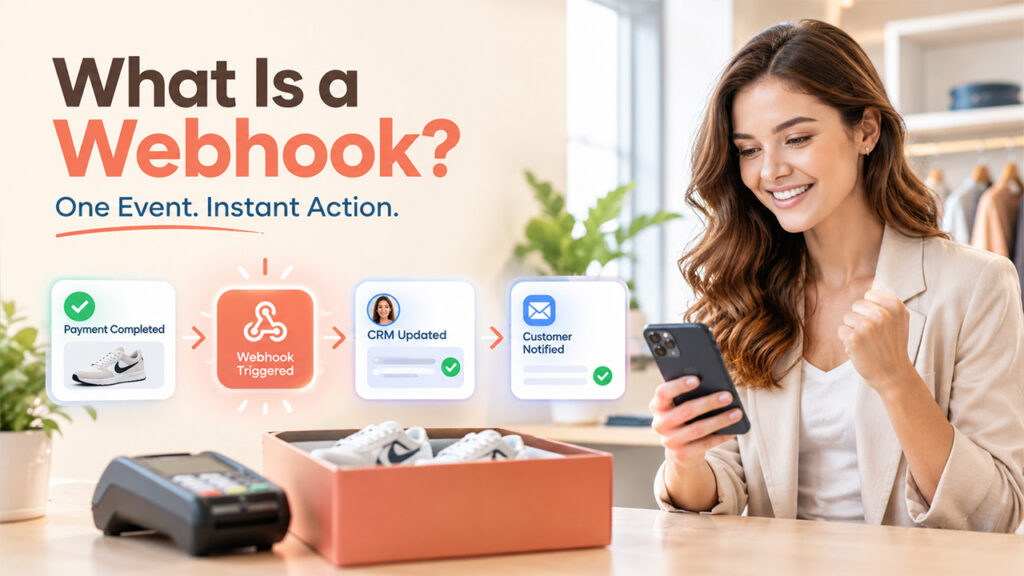
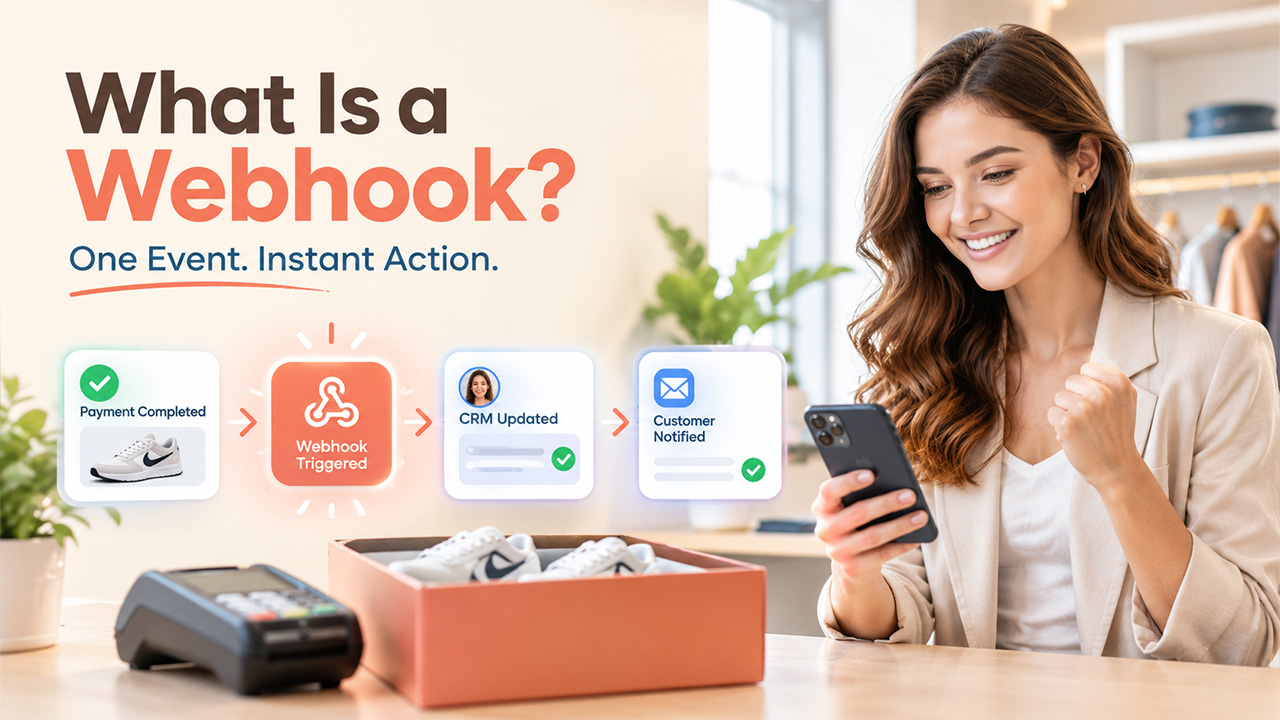
Here is a real-life example for better understanding. Picture yourself running an online store. Suppose a customer pays you for a pair of Nike shoes. The moment payment goes through; the payment app instantly sends a message to your store's web address saying, "Order paid, here are the details." When your store receives the message, it marks the order as paid and sends a confirmation email. This happens automatically within a few seconds, and you didn't lift a finger.
The receiving app usually sends back a quick "got it" reply. If it doesn't, many services will try sending the message again a few times. That's a nice safety net when something goes wrong.
What Is a Webhook vs. API? Key Differences
If you're confused between webhook vs API, let us explain briefly. With an API, your app asks for information whenever it wants it. With a webhook, the other app sends information automatically when something changes. So, in a way, one is pulling and the other is pushing.
| Feature | Webhook | API |
| Who starts the conversation? | The app where the event happens | The app that needs the data |
| How data moves | Pushed to you automatically | Pulled by you on request |
| Timing | Instant, as the event happens | Whenever you send a request |
| Effort and cost | Low, since messages only go out when needed | Higher if you check often with no new results |
| Best for | Alerts, updates, and automatic actions | Looking up or changing data on demand |
An API works best when you want to search for something or make a change, like pulling out a customer's profile. A webhook, on the other hand, is great when you want to know whether something has changed. There are several tools that use both together for a better experience. A webhook says, "A new order just came in," and then your app uses the API to get the full order details. Tools like Stripe and Slack offer both webhooks and public APIs, so you can mix the two as needed.
Webhook Examples in Everyday Business Workflows
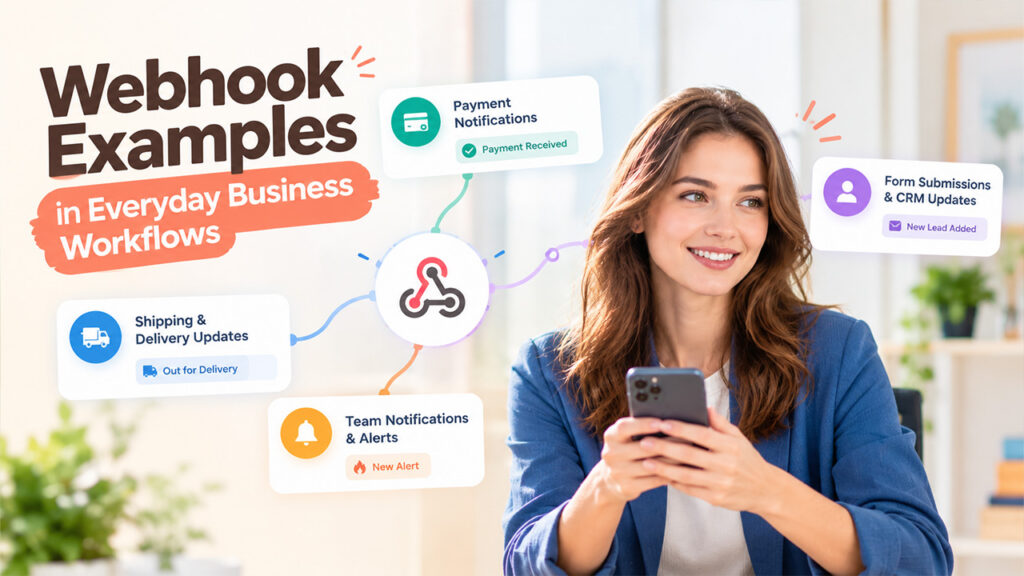
Webhooks are used in more places than you'd think. Let's see some common examples of webhooks:
- Payment Notifications: The moment a customer's payment goes through, the payment service notifies your store. Then, your store can mark the orders as paid in its database and hand you the receipt. The customer never has to wait for someone to check manually. It all happens on its own, in just a few seconds.
- Form Submissions and CRM Updates: Someone fills out a contact form on your website. A webhook sends their details straight to your CRM or email tool. That way, no lead gets buried in an inbox or goes unnoticed.
- Shipping and Delivery Updates: When your parcel is shipped from the warehouse or arrives at that door, the delivery person sends a message. Your store passes that update to the buyer via text or email. This doesn't leave customers hanging and keeps them informed without anyone having to type a word.
- Team Notifications and Alerts: A new bug report, sale, or sign-up can trigger a message in a chat app like Slack. Your team sees it the moment it happens. Nobody has to glue to the screen and keep refreshing the dashboard.
How to Set Up a Webhook: A Step-by-Step Guide
You don't need to be a programmer to understand the basics. Here's how setup usually goes:
- Choose an Event to Track: Decide which event should trigger the message. It can be a new incoming order or a new sign-up. However, first you must check the settings of the app to see which events it supports.
- Create a Webhook URL: This is the web address where messages will land. You can hire a developer to make one for you, or you can use a no-code automation tool and create it yourself.
- Register the URL in Your App: Paste your web address into the webhook settings and choose your event. Most apps give a designated space for this in their developer or integration menu.
- Test the Webhook: To check if it works properly, trigger the event on purpose by placing a dummy order and see whether the message arrives. There are many apps that provide a “send test” button to make this a whole lot easier for you. You can also use API testing tools like Postman to send a sample message to your webhook URL.
- Secure and Monitor Deliveries: Use a secret key or signature so you can confirm that messages are genuine. Then keep an eye on your logs to catch any failed deliveries.
Conclusion
So, what is a webhook? In short, webhooks automatically send you updates without you having to ask again and again. They help you save time, reduce unnecessary requests, and allow your regular tools to work in collaboration without needing constant babysitting. If you ever feel that your apps have been reacting slowly, it might be that a webhook is missing. Start with one small task, like a new-lead alert, and build from there. You'll quickly see how much more your software can do on its own.
Frequently Asked Questions
What is a webhook?
A webhook is an automatic message one app sends to another the moment something happens, like a new payment or form submission.
Is a webhook the same as an API?
Not quite. An API is something you use to ask for data whenever you need it. A webhook works the other way around and sends you data on its own when something happens.
Do I need to know how to code to use webhooks?
Not always. Many no-code tools let you set one up with a simple form. You’d only need a developer for custom setups.
Are webhooks safe?
They can be, if you set them up with care. Use a secret key or signature to confirm each message is real and always choose a secure HTTPS web address for receiving them.
Can I use more than one webhook at a time?
Yes, you can. Set up a separate webhook for each event, like payments, sign-ups, or support tickets, and send each one to wherever it’s needed.
%201.png)

%201.png)

%201.png)