

Most enterprise video security reviews fail for a boring reason. Not because the platform lacked a specific control, but because nobody on the buying committee separated what the vendor claimed from what the vendor could prove.
A DRM checkbox on the pricing page and a working Widevine license server behind an authenticated player are two different factors. Reviewers usually treat them as a single fact.
A Enterprise Video Platform Security can also pass every question on a standard questionnaire and still leak video. The questions stayed abstract. Nobody tested a control against a real identity provider and a real offboarding event.
This article covers eight control areas and forty points. Each point sits in one of two states, i.e. claimed, which means that the vendor stated it on a website, in a questionnaire, or on a sales call, and verified, meaning that the review confirmed it through a signed document, a live test, or an exportable log. Every single row in the checklist below lists the evidence that moves it from one state to the other, and every row starts as claimed.
Ten of the forty points that re market Priority, for teams short on review time. The rest of the article covers the control areas that is behind the list, a ten-test proof of concept, the termination test that catches broken deprovisioning, and edge cases most questionnaires skip.
Key Takeaways
- A real security review covers eight control areas, i.e., identity and access, video and content protection, encryption and key management, sharing controls, auditability, data governance, compliance, and operational security. Most vendor pages show only three or four.
- "DRM supported" is not one control. Platforms like Widevine, FairPlay, and PlayReady are separate DRM systems that have different device coverage, so DRM has to be checked by device and browser.
- SOC 2 and ISO 27001 badges show that an audit took place, not that every system touching video was in scope. The audited entity, covered services, and audit period matter more than the logo.
- Baseline-seeming controls such as SSO or DRM are sometimes limited to higher-priced tiers, so pricing pages deserve as much attention as security pages.
- The highest-signal test in any review is a termination test: disable a user in the identity provider, then confirm that deprovisioning, session termination, and link revocation actually happen.
The 8 Control Areas an Enterprise Video Platform Security Review Must Cover
| Control Area | Primary Risk It Addresses | Example Control |
| Identity and access | Unauthorized or excessive access | SSO, SCIM, RBAC |
| Video and content protection | Interception, downloading, unauthorized playback | Multi-DRM, encrypted delivery |
| Encryption and key management | Data exposure at rest or in transit | Named standards, key rotation |
| Sharing controls | Link leakage, unauthorized embeds | Signed URLs, domain restrictions |
| Auditability | Undetected policy violations | Exportable, timestamped logs |
| Data governance | Retention and residency exposure | Configurable retention, deletion proof |
| Compliance | Regulatory and contractual risk | SOC 2 Type II, ISO 27001, GDPR |
| Operational security | Outages and availability failures | Uptime SLA, incident response |
A vendor with thin coverage in two or more of these areas is not ready for an enterprise contract, however strong its marketing page reads on the areas it does cover.
Does an Enterprise Video Platform Need DRM?
DRM, or Digital Rights Management, encrypts the video and needs a valid license to play it. The license is delivered by a license server and enforced by a content decryption module integrated in the device or browser. The video platform is just part of the chain. Buyers using DRM to secure premium, sensitive, training, and licensed videos should ensure support on browsers and devices.
This is not always a must. Usually multi-DRM becomes not worth the expense and the effort, especially if you are using internal town halls, or marketing videos with low sensitivity. It is when unauthorized redistribution comes at a fixed fee or breach of contract cost: premium courses, licensed content, corporate internal information.
"DRM Supported" Needs a Follow-Up: Which DRM, on Which Devices?
| DRM System | Owner | Typical Coverage |
| Widevine | Android, Chrome, Firefox, Edge, many smart TVs | |
| FairPlay | Apple | iOS, Safari, tvOS |
| PlayReady | Microsoft | Windows, Xbox, some smart TVs |
These are separate systems, not interchangeable labels. Google's Widevine documentation lists support across Android and the major Chromium and Firefox browsers, but not desktop Safari or tvOS, and iOS only through a separate client library. A platform that implements one system protects only part of the audience, and the right combination depends on the device mix.
Vendor documentation varies on this point. Gumlet's enterprise video platform, for instance, lists Widevine and FairPlay support, which maps to Android, Chrome-family, and Apple devices. A team with console or other PlayReady-dependent requirements would confirm that point separately.
DRM raises the cost of piracy. It does not eliminate it. The strength of protection varies by device and security level, and no DRM system stops a second camera aimed at a screen. Testing the actual device mix beats accepting the claim as absolute.
DRM, Encryption, Signed URLs, and Watermarking: What Each One Protects
Sales conversations tend to use these terms interchangeably. They solve different problems.
| Control | What It Protects | How It Behaves |
| Encryption | Content at rest and in transit | A cryptographic key is required to decrypt the stream. AES-128 and AES-256 are both widely used; the right choice depends on the use case. |
| DRM | The playback license | Device or browser rules apply, such as device limits, license expiry, and download blocking. |
| Signed URLs | Who can request the stream | Time-limited or session-bound tokens. Implementations vary in format. |
| Dynamic watermarking | Traceability after a leak | Blocks nothing, but can identify the viewer behind a leaked copy. |
No single row replaces the others. Think deadbolt, alarm, and camera: each covers a failure the others cannot see. Some platforms, Gumlet among them, support per-viewer watermarks that display an email address or IP address during playback, which can turn a leaked recording into evidence instead of an anonymous file. Buyers who treat any one layer as sufficient are the ones who end up explaining a leak they thought DRM alone would prevent.
Identity and Access: SSO, MFA, RBAC, and SCIM
Platforms should allow both SAML 2.0 and/or OIDC single sign-on including expected handling for both IdP-initiated and SP-initiated login, session timeouts, and definition of the behavior if a user is disabled in the identity provider.
Role-based access control will need to go further than "admin or viewer." You need two tiers of permissions—one more to give you a yes or no, not least privilege. Roles will need to be scoped by folder, library or video, with more granular choices for regional teams, reviewers, and outside suppliers. Following best practices for CRM security can also help organizations understand the importance of access restrictions, user permissions, and protecting sensitive business data. Admin actions should also be separated from content-management actions because many sites combine them into a default admin role.
These are different claims, "MFA supported" and "MFA enforced for every login path" (or "enforced for each login path" which isn't quite the same). A platform can enforce MFA only on local accounts and leave SSO users to whatever the identity provider requires. Both need to be checked, and enforcement for admin users.
What the user is trying to do They are trying to answer the first question What happens to users' access if they join, move or leave? SCIM answers the second question How do users login? SSO answers the second question How do we handle deprovisioning? Without SCIM, deprovisioning is a manual process in a second system. The test will be deprovisioning on disable not at the next sync.
How to Stop Unauthorized Video Sharing
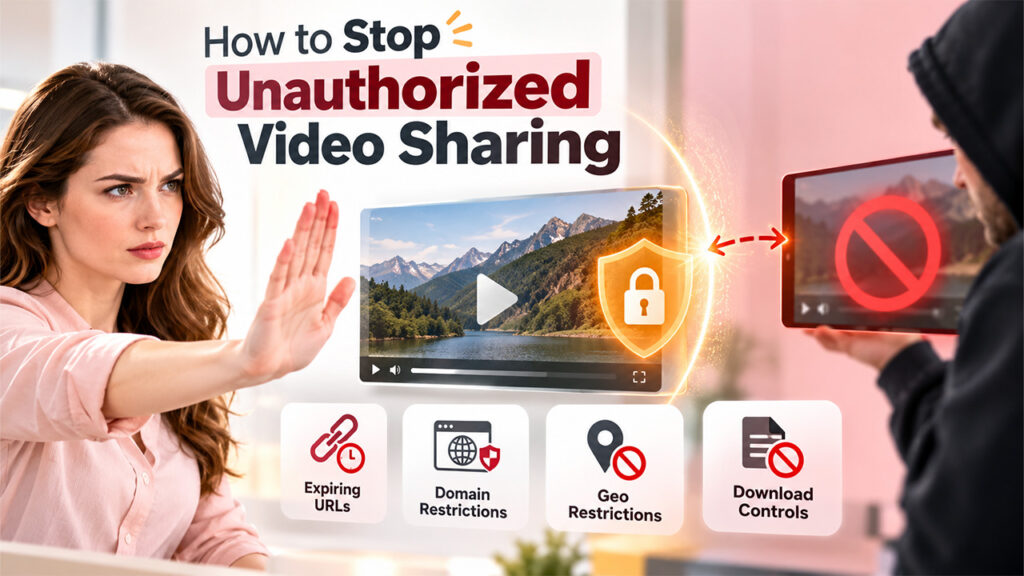
Vendor pages treat sharing controls as one feature. They are four separate mechanisms, and each defeats a different way a link escapes.
- Signed and expiring URLs. A copied link stops working after its expiry. Worth asking: how short the window can be set, and whether tokens bind to a session, user, or IP address.
- Domain and referrer restrictions. Embed a protected video on an allowlisted domain and confirm it plays, then copy the same code to an unauthorized domain and confirm it fails. Wildcard-subdomain edge cases are where implementations most often slip.
- Geo and IP restrictions. Country rules, CIDR allowlists, and VPN or proxy handling belong here, along with whether they apply across both SSO and DRM delivery paths or only one.
- Download controls. A hidden download button is not an unreachable file. Browser developer tools or a direct manifest request can sometimes retrieve what the interface only hid, so an unauthenticated manifest request belongs in the demo.
Configurability matters as much as existence. Gumlet's documentation, for example, describes allowed referrers, expiring signed URLs, and geo-blocking as separate settings. Separate settings are useful, since leaks often trace back to one layer working while the others sit on default values.
What Audit Logs Should an Enterprise Video Platform Security Provide?
A usable audit log records user identity, timestamp, IP or device context where available, authentication events, playback and access events, uploads, downloads, sharing and permission changes, deletions, and administrator actions, each tied to a named account. A sample log should be requested before signing.
Logs that never leave the vendor's dashboard are of limited use for compliance. Export through an API, webhook, or syslog should be confirmed, along with the retention period and whether the format is tamper-evident or just an editable table. The common failure is not a missing log. It is discovering during an incident that the log cannot reach the SIEM in a usable format.
Compliance Certifications: What Actually Matters
| Certification | Who Should Investigate It |
| SOC 2 Type II | B2B SaaS platforms handling customer or business data |
| ISO/IEC 27001 | Multinational enterprises, government-adjacent buyers |
| GDPR | Any organization processing EU resident data |
| HIPAA | Healthcare and telehealth-related video |
| FERPA | Higher education and K-12 EdTech |
Public-sector buyers may also need FedRAMP authorization, which can be confirmed in the FedRAMP Marketplace instead of on a vendor homepage. A certification named on a website is a claim. A marketplace listing or an auditor's attestation letter is evidence.
Verifying a SOC 2 or ISO 27001 Claim
Request the current report or certificate directly.
- Check the audited legal entity. A parent company's certification does not automatically cover a subsidiary.
- Check the covered services. A report can exclude the video delivery pipeline entirely.
- Inspect the audit period. A Type II report covering months of operation says more than a Type I snapshot.
- Confirm whether critical subprocessors, including the CDN and storage providers, fall within scope.
Badges also tend to live on marketing pages while related controls, most often SSO, sit behind a higher-priced tier. Cross-checking the security page against the pricing page avoids assuming that coverage travels with the badge.
Encryption and Data Protection: What to Hand to the Security Team
This part of the review usually belongs to whoever owns IT or security. Encryption should be verified in three contexts: data in transit, data at rest, and the streamed video itself.
For transport, TLS 1.2 or higher with TLS 1.3 support is the current expectation. NIST's SP 800-52 Rev. 2 requires US government TLS servers to support TLS 1.2 and sets a January 1, 2024 deadline for TLS 1.3 support. At rest and in the stream, the right algorithm and key length depend on the use case and compliance regime. What matters is that the vendor can name the standard by version instead of saying "encrypted."
Underneath it all sits one question: who owns the keys? Generation, storage, rotation, and revocation all need answers, along with whether customer-managed keys are available for regulated buyers. Strong data security and privacy practices also require organizations to understand how sensitive information is protected, accessed, and retained.
What Should a Vendor Questionnaire Actually Ask?
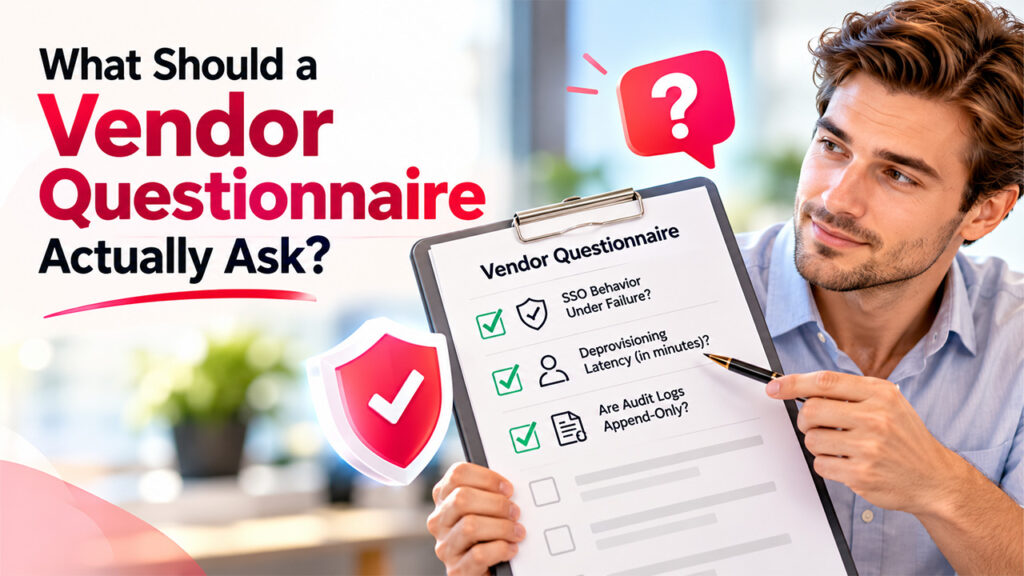
The most common question that makes or breaks a questionnaire is the question: is the contro present rather than the value of the control as though that is in a concrete state. "Support SSO?" You will get yes's out of just about everyone. "What happens when you're not able to reach the identity provider for ten minutes (or what happens to any active sessions during that period)?" distinction between a genuine implementation and a checkbox. Two questions that identify most of the gaps in real implementations are how long in minutes will deprovisioning take (because 'immediately' is a claim, not a number) and if the audit logs are an append-only log or can you edit them as the administrator.
The 40-Point Checklist
A structured review consists of eight steps: requirements, questionnaire, documentation review, technical demo, proof-of-concept tests, compliance and legal review, remediation, and sign-off. It is in the proof-of-concept phase, which many skip, where claimed controls are severed from validated controls.
All controls in the table below are Claimed until they have been viewed, run or exported as shown in the Evidence column. Prioritized rows are the ten to check first.
| Identity and Access | ||||
| 1 | SSO via SAML 2.0 or OIDC | Login completed against the buyer's own identity provider | Claimed | Priority |
| 2 | MFA enforced for admin accounts | Admin login attempted without MFA and blocked | Claimed | Priority |
| 3 | MFA enforced on every login path | Local and SSO paths each tested | Claimed | |
| 4 | RBAC scoped below folder or library level | Role restrictions tested against real actions | Claimed | Priority |
| 5 | SCIM automatic provisioning | Test user created in the IdP appears in the platform | Claimed | |
| 6 | SCIM prompt deprovisioning | Disabled test user loses access; latency stated in minutes | Claimed | Priority |
| Video and Content Protection | ||||
| 7 | DRM coverage confirmed by device and browser | Compatibility matrix received; playback tested on the real device mix | Claimed | Priority |
| 8 | Widevine coverage, where the audience needs it | Android and Chrome-family playback tested | Claimed | |
| 9 | FairPlay coverage, where the audience needs it | iOS and Safari playback tested | Claimed | |
| 10 | PlayReady coverage, where the audience needs it | Windows and console playback tested, if relevant | Claimed | |
| 11 | Encrypted streaming | Stream encryption scheme documented; delivery over HTTPS observed | Claimed | Priority |
| 12 | Dynamic, per-viewer watermarking | Viewer identifier visible on a test playback | Claimed | |
| Encryption and Key Management | ||||
| 13 | Encryption at rest with a named standard | Standard stated in writing (for example AES-256); key custody documented | Claimed | Priority |
| 14 | TLS in transit, with TLS 1.3 supported | Scan or written statement of supported protocol versions | Claimed | |
| 15 | Documented encryption scheme for the stream | Scheme named in technical documentation | Claimed | |
| 16 | Key rotation policy defined | Written policy with a rotation interval | Claimed | |
| 17 | Customer-managed keys available | Option confirmed in documentation, with the tier it requires | Claimed | |
| Sharing Controls | ||||
| 18 | Signed or expiring URLs with configurable expiry | Expired link tested live and rejected | Claimed | Priority |
| 19 | Token binding to session, user, or IP | Forwarded link tested from a different session or IP | Claimed | |
| 20 | Domain and referrer restrictions | Embed tested on an allowed and a blocked domain | Claimed | |
| 21 | Geo and IP restrictions | Allow and block rules tested, including VPN behavior | Claimed | |
| 22 | Download-disabled setting checked against direct manifest access | Unauthenticated manifest request attempted | Claimed | |
| 23 | Restrictions consistent across every delivery path | Same tests repeated on embed, direct link, and app playback | Claimed | |
| Auditability | ||||
| 24 | Exportable audit logs | Export through API, webhook, or syslog completed | Claimed | Priority |
| 25 | Tamper-evident log format | Append-only behavior documented | Claimed | |
| 26 | Defined log retention period | Retention stated in writing | Claimed | |
| 27 | Sample log reviewed | Sample covers logins, playback, permission changes, and admin actions | Claimed | |
| Data Governance | ||||
| 28 | Configurable retention policy | Policy settings reviewed in the admin console | Claimed | |
| 29 | Deletion behavior tested against written policy | Deleted test asset checked for residual copies | Claimed | |
| 30 | GDPR-style deletion requests handled | Request process and timeline documented | Claimed | |
| 31 | Derivative data inherits source controls | Transcripts and captions tested against the same access rules | Claimed | |
| Compliance | ||||
| 32 | Current SOC 2 Type II report reviewed | Full report received, not just the badge | Claimed | Priority |
| 33 | Audited legal entity confirmed | Entity in the report matches the contracting party | Claimed | |
| 34 | Covered services include the delivery pipeline | System description checked for video storage and delivery | Claimed | |
| 35 | Audit type and period confirmed | Report type and recent coverage dates checked | Claimed | |
| 36 | Subprocessors confirmed in scope | CDN and storage providers listed and addressed | Claimed | |
| Operational Security | ||||
| 37 | Admin access logged and audited | Super-admin and impersonation actions appear in logs | Claimed | |
| 38 | IdP outage behavior known | Fail-open or fail-closed behavior and session lifetime stated | Claimed | |
| 39 | Emergency bypass account protected | MFA and logging confirmed | Claimed | |
| 40 | Recent penetration test confirmed | Executive summary reviewed; open findings disclosed | Claimed | |
Sending this list to shortlisted vendors before the demo works as a filter. Quick, evidence-backed answers suggest the documentation already exists. Stalling says something too.
The Ten-Test Proof of Concept
Before signing, these tests belong in a test environment:
- Play an embedded video on a domain outside the allowlist.
- Open an expired signed URL.
- Deprovision a test user and confirm access is revoked, not just login blocked.
- Attempt actions that role restrictions claim to prevent.
- Try to download a source file with the download button disabled.
- Play DRM-protected video on the real device and browser mix.
- If screen-capture protection is claimed, test it on the specific OS versions in use.
- Confirm that each of the above generated an audit log entry.
- Revoke an API credential and confirm it stops working immediately.
- Test deletion or retention behavior against the vendor's written policy.
A vendor that cannot walk through this sequence live is offering a theoretical security posture, not a verified one.
What Happens at the Edges

The Termination Test
An identity provider outage that locks a workforce out is inconvenient. A departed employee who stays logged in, with no way to force a session end, is a business risk. A disposable test account makes the difference visible:
- Disable the account in the identity provider.
- Verify that SCIM removes platform access, not only login access.
- Confirm that any active session ends, rather than only blocking new ones.
- Test whether a signed URL generated before deprovisioning still works.
- Confirm the event appears in the audit log with a timestamp.
Administrator Bypass
Documentation should cover super-admin privileges, impersonation features, and emergency access paths, including whether an administrator viewing restricted content is logged like any other viewer.
Identity Provider Outages
The platform either fails closed (users lose access until the provider recovers) or fails open (sessions continue regardless). Reviewers should know which, how long a session survives disconnection, and whether an emergency bypass account exists, and if so, whether it is MFA-protected and logged.
Evidence Expiry
Evidence ages. A SOC 2 Type II report covers a defined window, commonly six to twelve months, and many reviewers treat a penetration test older than a year as stale for sensitive content, though the right interval depends on risk. A DRM device matrix should be rechecked whenever the vendor changes device support. Recheck dates belong on each piece of evidence when it is filed, not at renewal.
AI, Transcripts, and Derivative Data
For older surveys, ask about the video file. Only a handful asked about the transcript, the auto-generated captions, or what an AI tool does with either. Check with your reviewers whether customer video, audio, transcripts, prompts, or created summaries are training any third-party or proprietary model, and whether it's opt-in or opt-out by default. Transcripts, captions, and search indexes are creations of the source video, so they will follow the access, retention, and deletion policies of that source video.
Score the Outcome
Completed reviews aren't "go or no-go" decisions; they're a matrix. This order of vendors is most highly rated based on the count of Verified controls in the domains that matter most to that organization's actual exposure. If the organization's primary concern is content that leaves the building (paid courses, licensed media), then depth of DRMs, watermarking, and granular sharing controls are most important. If it's regulated orgs or internal sharing concerns, then identity, audit logging and scope are most important.
That same ten-test proof of concept carries across to each of the platforms listed above. The one that actually gets the contract is the one that has passed the live test, not the one with the most badges in their footer.
Frequently Asked Questions
Q1. Does an enterprise video platform security need DRM, or are signed URLs enough?
Signed URLs control who can request a stream and for how long. They do not stop a viewer with a valid link from recording the content once it plays. DRM adds a license layer enforced on the device. Signed URLs make a sensible baseline everywhere, with DRM added when the content has real redistribution value.
Q2. What happens to video access when an employee is terminated?
Disabling the account in the identity provider should trigger SCIM deprovisioning, end active sessions, and invalidate signed URLs tied to that user. Speed varies by platform, so the termination test above is worth running before relying on a vendor's description.
Q3. Can a platform claim DRM support if it only covers Widevine?
Technically yes, which is the problem. Widevine's own documentation lists desktop Safari as unsupported, and Apple devices generally rely on FairPlay, so a Widevine-only platform leaves much of an iOS and Safari audience without license-based protection. Requesting coverage by device and browser avoids the surprise.
Q4. Does deleting a user also delete their viewing history and personal data?
Not automatically. Account deletion, log retention, and analytics retention are often governed by separate policies, and logs may survive deletion for audit purposes. The vendor's written answer should cover GDPR-style deletion requests, anonymization of historical records, and how long each data type is kept.
%201.png)

%201.png)

%201.png)