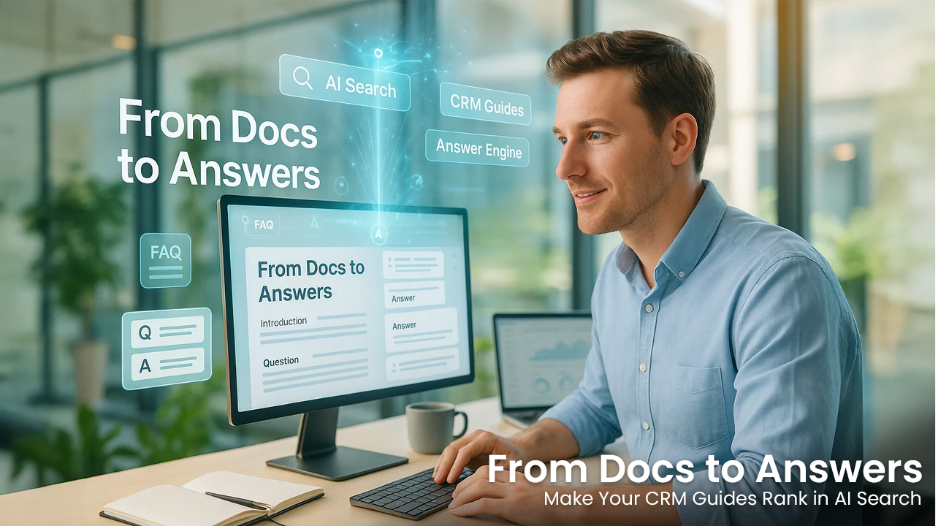

If your CRM help center reads like a novel, AI answer engines will skip it. Perplexity, ChatGPT, and Gemini aren’t “reading”—they’re extracting. The brands winning visibility aren’t just publishing more tutorials; they’re re-structuring docs so a machine can find a discrete question, a single answer, and the breadcrumb trail that proves it’s trustworthy. This allows you to rank CRM guides more effectively and transform conventional tutorials into compelling content that shows up as the answer.
Why AI answer engines love structured, scannable docs
AI systems do better with content that mirrors a knowledge base: tight questions, short answers, and predictable structure. Humans appreciate this, too. Clear heading hierarchies (H1 → H2 → H3) create a logical outline that users and crawlers can follow, while keeping your page accessible for screen readers and power skimmers alike. Accessibility best practice aligns with this; see W3C’s guidance on headings for patterns you can apply without rewriting everything. These same structures help you rank CRM guides within a sophisticated AI answer surface.
Beyond headings, your “answerable” sections should map to common schemas. If you publish FAQs, mark them up as FAQPage with discrete Q-A pairs; if your tutorial is step-based, use HowTo; if community members submit multiple answers to one question, consider QAPage. The implementation specifics live in Google’s structured data guidelines, and you can validate changes before release using the Rich Results Test during your QA pass.
The punchline: when your content looks like structured knowledge—semantically and in markup—AI systems can find, rank, and reuse it with fewer hallucinations and less guesswork.
Restructure your CRM guides for “answerability”
You don’t need to rewrite your library. Start with high-traffic, high-support topics (authentication, billing, message delivery, permissions) and apply these edits to better rank CRM guides:
- Fix the skeleton first (headings & summaries).
Give every guide a one-sentence executive summary directly under the H1, then outline with H2/H3s for major tasks or questions. Keep the hierarchy clean—no skipped levels—and make headings descriptive (“Configure Twilio Webhooks for SMS Status Callbacks”) rather than vague (“Setup”). The structure work alone will lift scannability for users and machines.
- Convert meandering prose into Q&A blocks.
After each task section, add a short “Common questions” subsection with 3–6 atomic Q&A pairs. Each question should be answerable in ~30–60 words, with one unambiguous answer and, if needed, a single code/path example. Reserve nuanced edge cases for a separate article you can link to from the answer.
- Add the right schema—only where it’s warranted.
- Use the FAQPage schema when you truly have a list of questions with single answers.
- Use HowTo when readers must complete steps (and include time, tools, and materials if relevant).
- Use QAPage when there are multiple user-submitted answers to one question (e.g., forums).
Follow the verification steps in Google’s docs and validate changes; don’t mark up hidden or promotional content.
- Show, don’t tell (snippets the models can cite).
Place short code blocks, UI label names, and exact menu paths near the answer. Keep each code sample under ~25 lines. If you need more, link to a dedicated example page rather than bloating the answer chunk.
- Give your answers a home in a topic cluster.
Cluster a pillar (“Twilio SMS Delivery & Status”) with subpages (webhooks, error codes, dashboards). Internal links should point up to the pillar and across to sibling tasks so crawlers and AI models can infer the topical map. For the strategic “why,” see HubSpot’s topic-cluster model—it’s a clear blueprint for organizing related tutorials and FAQs.
If bandwidth’s tight, consider specialist-led AI SEO services to prioritize which docs to restructure and mark up first.
A quick edit blueprint you can copy
- Rewrite the H1 to match the search intent (“Set Up Two-Factor Authentication in OutRightCRM”).
- Add a 1-sentence “What you’ll learn.”
- Create H2s for the three most common intents (Setup, Troubleshooting, Billing/Usage).
- Under each H2, add a 4–6 step HowTo (if applicable) and then a “Common questions” list with Q&A pairs.
- Mark up the FAQ portion with FAQPage and validate; keep answers concise and neutral.
Make it concrete: refactor a few live-topic examples
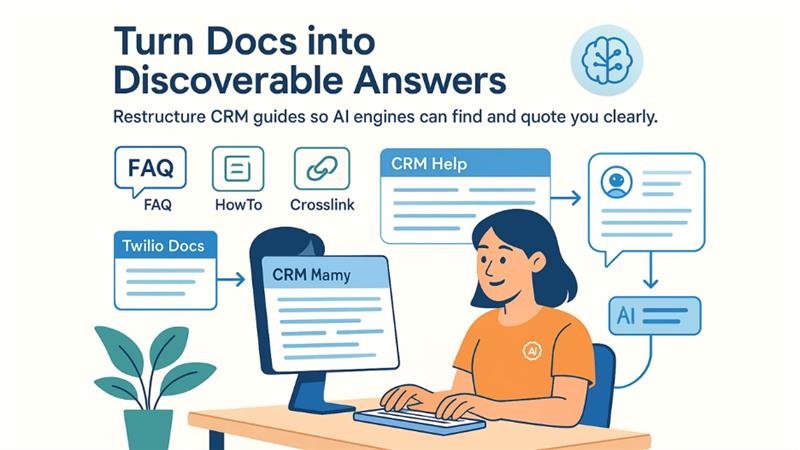
Let’s apply that blueprint to common CRM topics you already cover, and turn them into content AI can lift confidently.
1) Twilio console & SMS delivery
Your guide on the Twilio Console SMS API is a natural pillar for a delivery/monitoring cluster. Create sibling pages for “Callback errors,” “Webhook security,” and “Delivery receipts,” then crosslink them with a short “See also” list inside each page. Add a “Common questions” block like: “How do I verify a Twilio webhook signature?” and “Where do delivery ‘30007’ errors come from?” Keep answers short, deterministic, and adjacent to a tiny code snippet. This internal architecture helps engines parse relationships and return the right snippet in conversational results.
2) SuiteCRM campaigns for customer updates
Marketing and success teams often search for “how to send update emails to users in CRM X.” Use your existing SuiteCRM email campaign tutorial as a second pillar and add an FAQ like “What contact fields are required for campaign segmentation?” or “How do I pause a scheduled campaign?” Then add HowTo markup to the setup steps and an FAQ block beneath it. Keep the steps numbered and minimal, and include exact SuiteCRM navigation labels so the answer is copy-pastable into a support reply—AI models tend to preserve those strings when citing.
3) Summaries for long technical pages
Some tutorials are simply long. Adding a machine-friendly summary and Q&A block can help AI engines extract your intent without misreading a wall of text. Your comparison of summarization tools in the AI summarizer vs. QuillBot comparison is a good place to demonstrate a “Summary first, detail later” pattern: lead with a neutral synopsis (what each tool does best), then add a compact FAQ answering “When should I use extractive vs. abstractive summaries?” Those short, unambiguous answers boost your odds of being surfaced as the quoted source.
Markup guardrails you shouldn’t skip
- Don’t use FAQ schema unless the on-page content is truly Q&A; no ads or fluff in answers.
- Keep answers visible (no accordion-only content) and validate changes before deployment using the Rich Results Test mentioned earlier.
- Choose the correct schema for the content’s purpose (FAQPage vs. QAPage vs. HowTo) and keep code examples short and close to the answer they support.
Measure what AI can see (and improve it)
You can’t optimize what you can’t observe. Add a basic “answers analytics” workflow alongside traditional SEO tracking:
- Query sampling: Log weekly queries from your support team and site search (“how to add webhook,” “billing receipt not sent”). Map each to a doc section and confirm there’s a matching Q&A pair on-page.
- SERP & AI checks: For priority questions, run spot checks in Google (web and “AI Overviews” where available), Perplexity, and ChatGPT browse mode. Capture which page is cited and whether the snippet matches your intended answer.
- Outline linting: Run an automated test during CI/CD that fails the build if heading levels are skipped (H2 → H4) or if an FAQ block is missing a question or accepted answer.
- Cluster coverage: Maintain a one-page topology of each pillar topic and ensure every subtopic links up to the pillar and to two siblings, following the cluster logic referenced earlier.
Wrap-up
Answer engines reward content that behaves like a trustworthy manual, not a meandering blog. If your CRM guides are cleanly outlined, mapped to a topic cluster, and enriched with the right schema only where it belongs, they’re far more likely to be cited—and understood—by AI systems and humans alike. Start with two pillars, ship Q&A blocks and HowTo markup, measure what’s being surfaced, and keep iterating as product features evolve.
%201.png)

%201.png)

%201.png)